
Schedly resources
8 Ways Scheduling Automation Improves Productivity for Operations Managers in Medium-Sized Businesses
In today’s fast-paced business environment, operations managers in medium-sized businesses face increasing complexity. Coordinating schedules, managing resources, and ensuring effective communication can quickly become overwhelming. Yet, a powerful solution is within reach: scheduling automation. By leveraging modern scheduling tools, operations managers can streamline workflows, reduce human error, and significantly boost productivity. In this article, we’ll explore eight transformative ways scheduling automation empowers operations managers to achieve better outcomes while saving time and resources.
1. Eliminating Manual Scheduling Errors
Manual scheduling is prone to errors, from double bookings to overlooked tasks. These mistakes disrupt workflows and create unnecessary stress for teams. Scheduling automation eliminates such errors by centralizing scheduling data and applying intelligent algorithms to manage conflicts and ensure accuracy. For example, a scheduling tool can automatically detect and resolve overlapping appointments, ensuring no two teams or resources are double-booked.
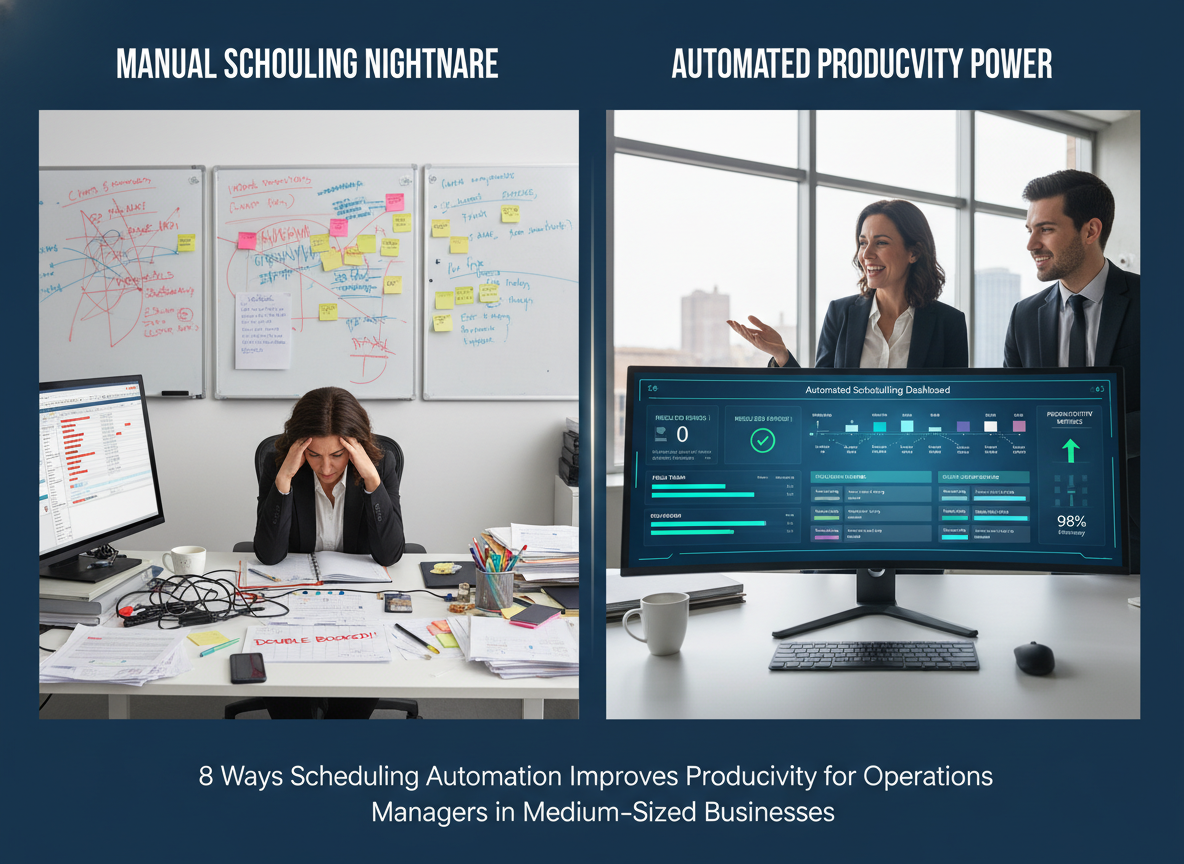
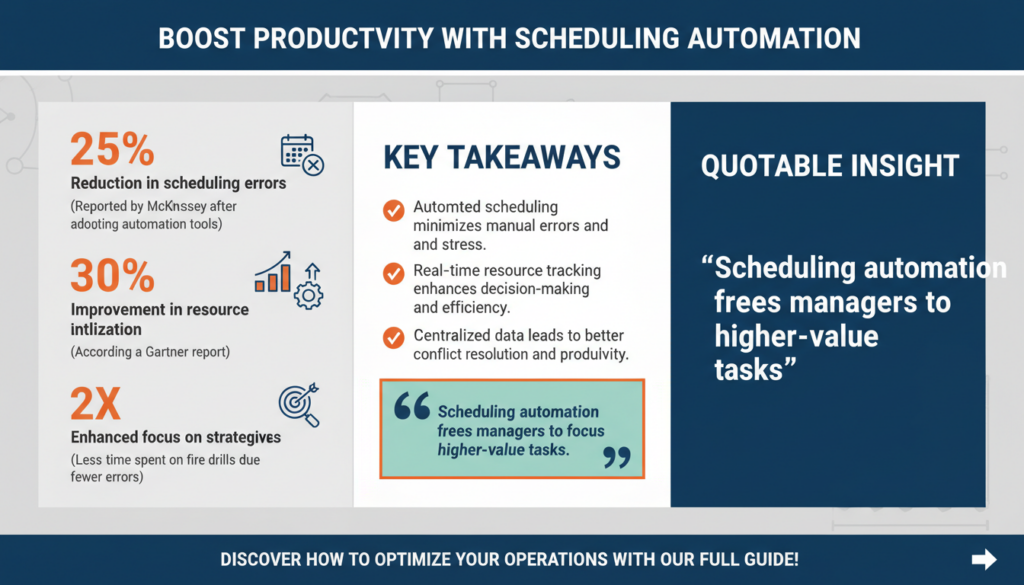
According to a McKinsey study on operational automation, businesses that adopt automation tools report a 25% reduction in scheduling errors, leading to smoother operations. For operations managers, this means fewer fire drills and more time to focus on strategic initiatives.
How Automated Conflict Resolution Works
One of the key features of scheduling automation is its ability to detect and resolve conflicts before they occur. For example, when two employees are mistakenly scheduled for the same task or when a resource is double-booked, the system immediately flags the issue. This feature is particularly useful in industries like healthcare or manufacturing, where precision scheduling is critical to operational success.
Examples from Real-World Use Cases
Consider a medium-sized event management company that organizes conferences. Before automation, they frequently dealt with scheduling conflicts where two clients booked the same venue. After implementing scheduling software, the system automatically flagged double bookings and suggested alternative times, eliminating client dissatisfaction and streamlining operations.
Pro Tip: When evaluating scheduling tools, look for features like automated conflict resolution and predictive analytics to mitigate errors and improve reliability.
Key Takeaway: Scheduling automation reduces errors by centralizing data and resolving conflicts, freeing managers to focus on higher-value tasks.
2. Streamlining Resource Allocation
Medium-sized businesses often juggle limited resources, from conference rooms to specialized equipment. Scheduling automation ensures optimal resource allocation by providing real-time visibility into availability and usage metrics. For instance, an automated system can notify managers when resources are underutilized or overbooked, enabling better decision-making.

A Gartner report highlights that companies using automated scheduling tools improve resource utilization by up to 30%. This not only reduces waste but also ensures teams have the tools they need to execute tasks efficiently.
Real-Time Resource Tracking
One of the most powerful aspects of scheduling automation is real-time tracking. For example, a construction company can use scheduling software to monitor the availability of heavy machinery. The system provides live updates on machine usage, ensuring no delays occur due to unavailable equipment. This visibility also enables proactive maintenance scheduling, reducing downtime and repair costs.
Maximizing ROI Through Automation
When resources are better utilized, businesses can maximize their return on investment. For instance, a marketing agency using automated scheduling for their video production equipment found that their tools were sitting idle 20% of the time. By reallocating these resources to other projects, they improved their project completion rate and client satisfaction.
Quick Win: Use scheduling software to monitor resource usage and set automated alerts for underutilized assets to maximize ROI.
Key Takeaway: Automated scheduling tools optimize resource allocation, reducing waste and improving efficiency.
3. Enhancing Team Collaboration
Effective collaboration is critical for productivity, especially in medium-sized businesses where cross-departmental coordination is common. Scheduling automation fosters collaboration by integrating with communication tools like Slack or Microsoft Teams, enabling seamless sharing of schedules and updates.
For example, automated tools can notify team members of schedule changes in real-time, reducing miscommunication and ensuring everyone is on the same page. This is particularly beneficial for hybrid or remote teams, where clear communication is often challenging.

According to HubSpot research, teams using collaborative scheduling tools report a 20% increase in project completion rates due to improved transparency and coordination.
Integrating Schedules Across Departments
One significant advantage of automation is its ability to break down silos by integrating schedules across multiple departments. For example, a product development team can sync their schedule with the marketing team to ensure campaigns align with launch timelines. This integration reduces delays and improves time-to-market.
Boosting Morale Through Collaborative Tools
Automated scheduling tools also contribute to a positive work environment. They allow team members to view each other’s availability, making it easier to schedule meetings without conflicts. This transparency boosts morale and fosters a culture of mutual respect.
Expert Insight: Choose scheduling tools with robust integration capabilities to ensure seamless collaboration across platforms and departments.
Key Takeaway: Scheduling automation enhances team collaboration by centralizing updates and integrating with communication platforms.
4. Saving Time with Reusable Scheduling Templates
Recreating schedules for recurring tasks or projects is a time-consuming process. Scheduling automation simplifies this by providing reusable templates that can be customized and deployed quickly. For operations managers, this means less time spent on repetitive scheduling and more focus on strategic activities.
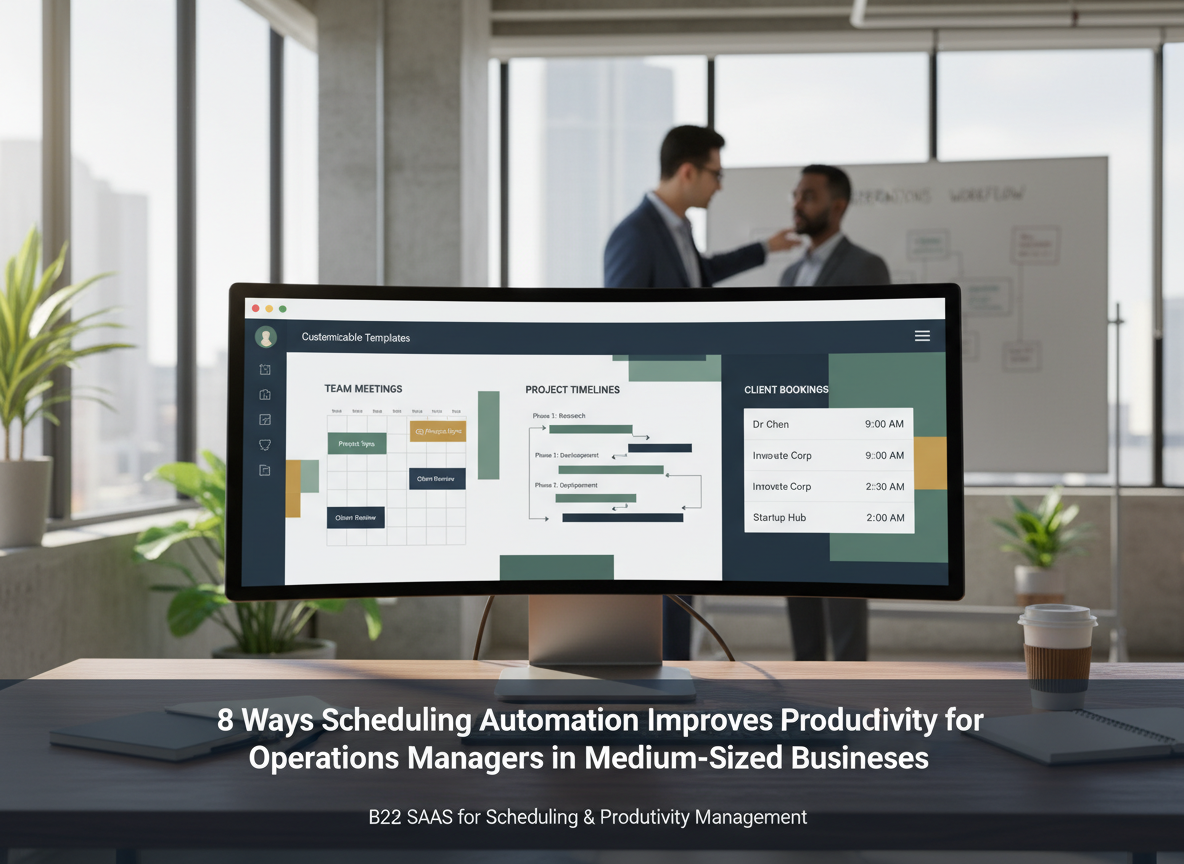
For example, a medium-sized business running weekly project syncs can save hours each month by using a pre-built template that automatically assigns times, attendees, and resources. This feature is especially valuable for businesses with complex workflows requiring frequent scheduling.
Customizing Templates for Specific Needs
Templates can be tailored to meet the unique needs of a business. For instance, a healthcare clinic can create templates for patient appointments, factoring in average consultation times and required resources like exam rooms. This reduces the administrative burden on staff and improves patient flow.
Scaling Templates for Growth
As businesses grow, templates can be scaled to accommodate more employees, clients, or resources. For example, a growing IT firm can expand its onboarding schedule template to handle multiple new hires at once, ensuring a consistent and efficient process.
Pro Tip: Regularly review and update templates to ensure they align with evolving business needs and best practices.
Key Takeaway: Reusable scheduling templates reduce repetitive administrative work, freeing managers to focus on strategic goals.
5. Improving Employee Satisfaction
Employee satisfaction is directly correlated with productivity, and scheduling plays a crucial role in this. Unpredictable or inconsistent schedules can lead to burnout or disengagement. Automated scheduling tools allow for more predictable and fair scheduling, taking employee preferences and constraints into account.

A Forbes article on employee satisfaction notes that employees are 40% more likely to stay with companies offering flexible and predictable schedules enabled by automation. This reduces turnover, a significant cost for medium-sized businesses.
Fairness in Shift Assignments
Automated scheduling ensures fairness by distributing shifts and responsibilities equitably. For example, retail businesses can use algorithms to balance weekend and holiday shifts among employees, reducing complaints and fostering a sense of fairness.
Supporting Work-Life Balance
By allowing employees to set availability and swap shifts easily, scheduling tools support work-life balance. This flexibility is particularly important for working parents or employees pursuing further education.
Quick Win: Use scheduling software to collect employee availability and preferences, creating schedules that boost morale and retention.
Key Takeaway: Automated scheduling creates fair, flexible schedules that improve employee satisfaction and reduce turnover.
6. Enabling Data-Driven Decision Making
Data is the backbone of effective decision-making. Scheduling automation tools provide analytics and reporting features that offer insights into time usage, resource allocation, and team performance. For operations managers, this translates into actionable intelligence to optimize processes.
For instance, an automated scheduling tool can analyze historical data to identify peak periods of activity, enabling managers to allocate resources more effectively. According to Deloitte research, organizations leveraging data insights from automation tools see a 15% improvement in operational efficiency.
Identifying Bottlenecks
Analytics can reveal inefficiencies like underutilized resources or bottlenecks in workflows. For example, a logistics company using scheduling automation discovered that one distribution center consistently faced delays due to inadequate staffing. By reallocating resources, they resolved the issue.
Forecasting Future Needs
Automation tools can also forecast future scheduling needs based on historical trends. This is particularly useful for seasonal businesses that experience fluctuations in demand.
Expert Insight: Leverage analytics dashboards to identify patterns and make proactive adjustments to improve efficiency.
Key Takeaway: Scheduling automation provides data-driven insights that empower managers to make more informed decisions.
7. Reducing Administrative Overhead
Administrative tasks like scheduling meetings, sending reminders, and resolving conflicts consume a significant portion of an operations manager’s time. Scheduling automation reduces this overhead by automating these processes. For example, automated reminders can be sent to attendees, ensuring meetings start on time and no-shows are minimized.
According to Statista, businesses using automation save an average of 12 hours per week on administrative tasks. This allows operations managers to focus on strategic initiatives that drive growth.
Streamlining Meeting Management
Automated scheduling tools can handle every aspect of meeting management, from finding available time slots to sending follow-up notes. For instance, a marketing team can use automation to schedule recurring brainstorming sessions, complete with agenda templates and attendee reminders.
Eliminating Redundant Tasks
Automation can also eliminate redundant tasks like manually updating calendars or sending individual emails. This frees up administrative staff to focus on tasks that add more value to the organization.
Quick Win: Automate meeting reminders and follow-ups to save time and ensure better attendance rates.
Key Takeaway: Automated scheduling tools significantly reduce administrative overhead, enabling managers to focus on strategic priorities.
8. Scaling Operations with Ease
As medium-sized businesses grow, scheduling complexities multiply. Scaling operations without efficient scheduling tools can lead to bottlenecks and inefficiencies. Scheduling automation enables businesses to scale seamlessly by accommodating increased volume without additional administrative burden.
For example, an automated system can handle hundreds of bookings simultaneously, ensuring resources are allocated efficiently even during peak periods. This scalability is critical for businesses experiencing rapid growth or seasonal demand fluctuations.
A BCG report highlights that automation allows businesses to scale operations 2-3 times faster while maintaining efficiency. This ensures that growth is not hindered by operational challenges.
Adapting to Seasonal Peaks
Many businesses face seasonal peaks where demand surges temporarily. Automated scheduling tools can quickly adapt to these changes, ensuring resources are allocated appropriately without overwhelming staff.
Supporting Global Expansion
For businesses expanding globally, automation simplifies the complexities of managing teams across time zones. Scheduling tools can automatically account for time differences, ensuring seamless coordination.
Pro Tip: Use scheduling tools with built-in scalability features to ensure smooth transitions during periods of growth or high demand.
Key Takeaway: Scheduling automation enables businesses to scale efficiently, handling increased demand without sacrificing quality.
FAQs
1. How does scheduling automation save time for operations managers?
Scheduling automation eliminates repetitive administrative tasks like manual scheduling, sending reminders, and resolving conflicts, saving managers hours each week.
2. Can scheduling automation tools handle team preferences?
Yes. Modern scheduling tools allow employees to input preferences and constraints, enabling managers to create balanced schedules that boost morale.
3. Is scheduling automation scalable for growing businesses?
Absolutely. Automated systems can handle increased scheduling volume effortlessly, making them ideal for businesses experiencing growth or seasonal demand spikes.
4. What are the key features to look for in a scheduling automation tool?
Look for features like conflict resolution, integration with communication tools, analytics, and customizable templates to maximize productivity.
5. How can I measure the ROI of scheduling automation?
Track metrics like time saved, error reduction, employee satisfaction, and resource utilization to evaluate the effectiveness of your scheduling tool.
Conclusion
Scheduling automation is no longer a luxury—it’s a necessity for operations managers in medium-sized businesses. From eliminating errors to enhancing collaboration and scaling operations, the benefits are undeniable. By investing in a robust scheduling tool, operations managers can not only save time and reduce stress but also drive significant productivity gains across their organizations. The time to automate is now.