
Schedly resources
Automated Reminder Emails: Cut No-Shows With Timely Client Touchpoints
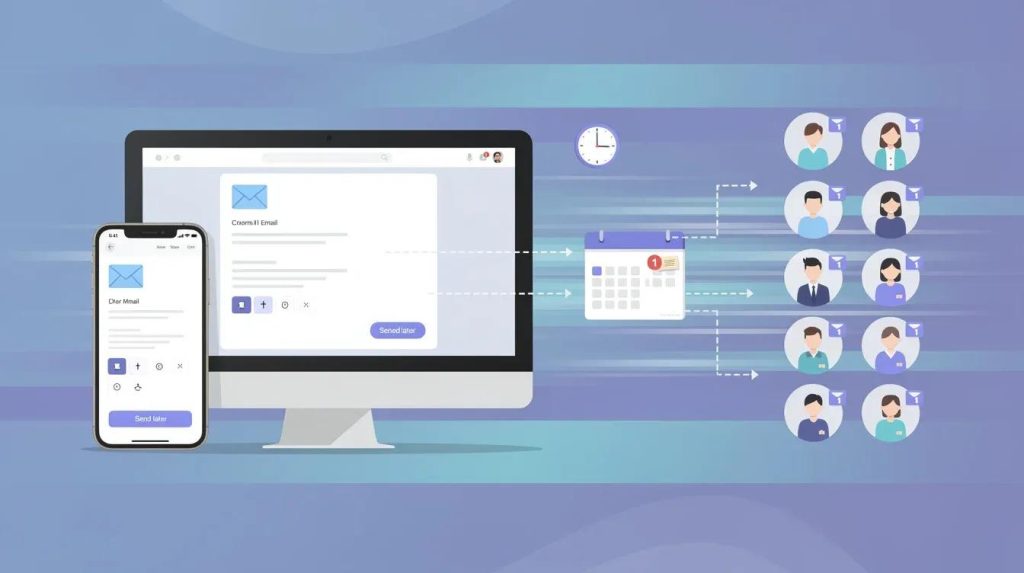
No-shows drain your business. A missed appointment isn't just a gap in your calendar-it's lost revenue, wasted resources, and a customer who might not come back.
At Schedly, we've seen how automated reminder emails transform this problem. A simple message at the right moment can be the difference between a confirmed appointment and an empty slot.
The Real Price of a No-Show
Direct Revenue Loss
No-shows hit harder than most business owners realize. A missed appointment doesn't just mean an empty slot on your schedule-it represents direct lost income that vanishes instantly. For a healthcare practice charging $150 per appointment, a single no-show erases that revenue. Scale that across a week of missed appointments and you're looking at thousands in lost income. Your staff still prepared for that appointment. They blocked time, gathered materials, and stayed ready. That wasted labor costs money. A salon that blocks two hours for a client who never arrives loses not only the service fee but also the opportunity to book another client during that window.
The Hidden Operational Drain
The financial damage extends far beyond the immediate loss. Your operational costs spike when no-shows force you to adjust workflows, reschedule staff, or maintain excess capacity to buffer against gaps. A business that experiences chronic no-shows often runs at lower capacity utilization, meaning you pay overhead costs for time that generates zero revenue. Automated reminders can reduce no-show rates, which means the difference between a thriving practice and one that hemorrhages money is often just a well-timed message.
Reputation and Team Morale Damage
Every no-show damages your reputation. Clients notice inconsistency in your business. When they see that your schedule frequently suffers disruption from no-shows, they lose confidence in your operation. Staff morale suffers too-team members grow frustrated when they prepare for clients who never arrive, and that frustration leaks into the service quality they provide to clients who do show up. Most no-shows aren't malicious-they're preventable oversights.
The Compounding Effect on Business Health
The compounding effect is severe: one no-show might cost you $150 in direct revenue, but across a month it could cost you thousands when you factor in labor, opportunity cost, and the erosion of client lifetime value. This erosion of client lifetime value represents perhaps the most damaging consequence of all. A client who misses an appointment and receives no reminder often feels forgotten, and they may not return. The pattern repeats across your client base, and your business operates at a fraction of its potential capacity. Yet this problem has a straightforward solution-one that works across industries and requires minimal effort to implement. The right reminder strategy transforms no-shows from a chronic drain into a manageable exception.
How Automated Reminders Actually Work
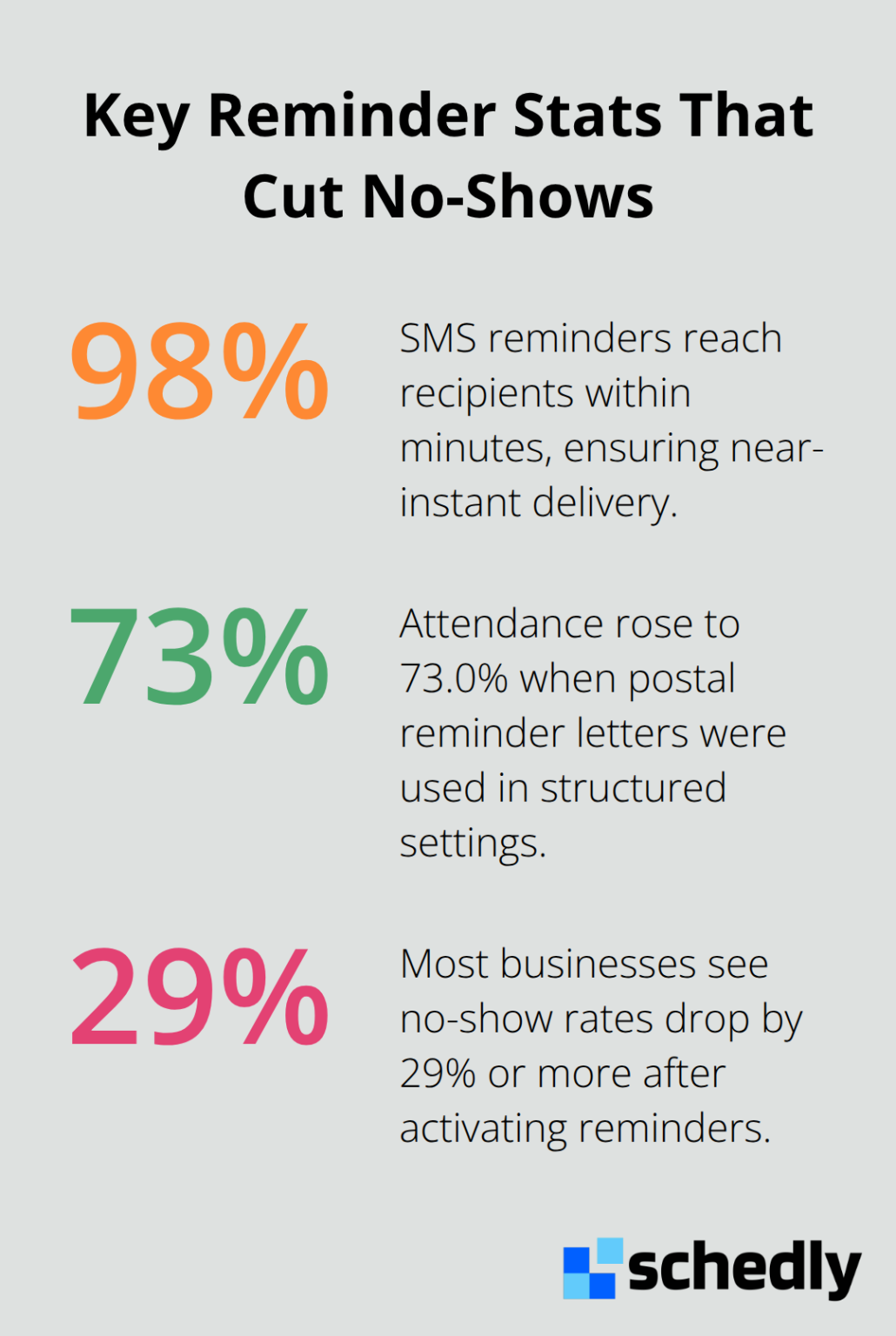
Automated reminder emails stop no-shows by reaching clients at moments when they're most likely to act. Research shows that clinic staff reminders are significantly more effective than automated appointment reminder systems in lowering no-show rates. The timing matters intensely-a reminder sent seven days before an appointment remains highly effective, while a same-day nudge an hour or two before the scheduled time catches clients before they leave home. Automated reminders were less effective than manual phone calls, with studies showing no clear difference in non-attendance rates across different reminder methods. When you send a reminder via SMS, roughly 98% of messages reach the recipient within minutes, eliminating the delays and failures that plague phone-based reminders. Multi-touch sequences amplify results further, with research indicating that postal reminder letters improved attendance in structured environments from 64.7% to 73.0%. The cost difference is staggering-automated reminders average €0.14 per contact compared to €0.90 for manual reminders, making automation roughly six times cheaper while delivering superior results.
What Your Reminder Email Must Include
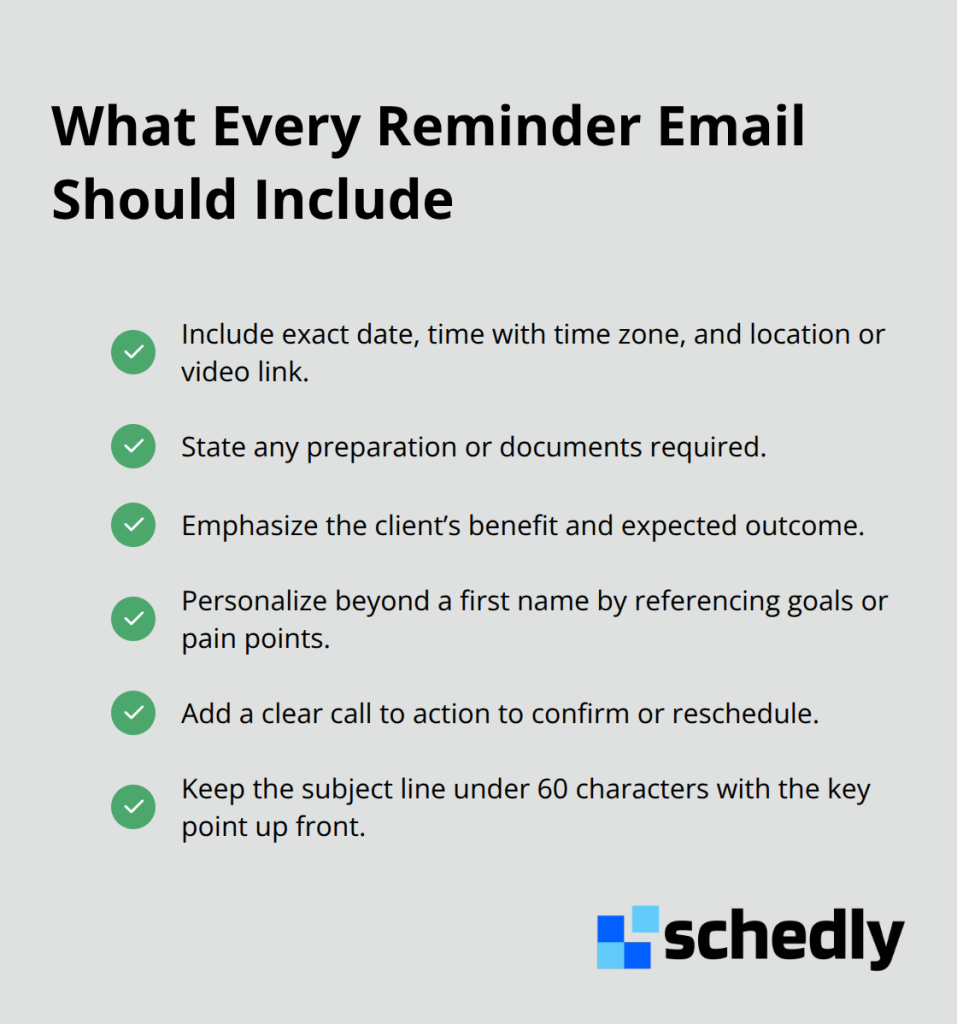
Your reminder email succeeds or fails based on what you include. Start with exact details: the full date, time with time zone, location or video link, and any preparation required. Vague reminders fail. Next, answer the question your client is silently asking: what's in this appointment for me? Frame the meeting around their goals, not your schedule. A dental practice should highlight that the appointment prevents costly future problems, not simply state the appointment exists. Personalization beyond inserting a first name matters significantly-reference a specific goal or pain point the client mentioned during booking. Data shows personalization and timing boost engagement by 40–60%. A third critical component is the call to action. Make the next step obvious: a calendar link, a confirmation button, or a rescheduling option if they need to change the time. Weak CTAs create friction. The subject line carries enormous weight-keep it to 60 characters or fewer, with the first three to five words conveying the main point.
Timing and Sender Identity Drive Response Rates
Reminders sent from a real, individual email address outperform messages from generic mailboxes. Clients respond better to a person than to a system. Send reminders during the recipient's working hours, trying for a local window between 9:30 and 11:00 a.m. when inbox attention peaks. Afternoon reminders see lower engagement. Morning timing works best for appointment-based services because clients are planning their day and your message lands when they're organizing their schedule.
Real-Time Integration Eliminates Manual Work
Integrate your reminder system directly with your scheduling platform so confirmations and reschedules update automatically in real time. Manual data entry introduces errors and delays. When a client confirms via email or SMS, that confirmation should instantly reflect in your calendar without staff intervention. This eliminates the back-and-forth that wastes everyone's time and keeps your schedule accurate. Automation handles this seamlessly, freeing your team from routine administrative work so they focus on clients who need genuine help. The next step is understanding how to segment your audience and test different approaches to maximize your reminder campaign's effectiveness.
Building Reminder Campaigns That Actually Convert
Segment Your Audience for Maximum Relevance
Segmentation is where most businesses fail. You cannot send the same reminder to a new client booking their first appointment and a long-term customer scheduling their tenth visit. New clients need different information-they want reassurance about location, what to bring, and what to expect. Established clients need a quick confirmation with minimal friction.
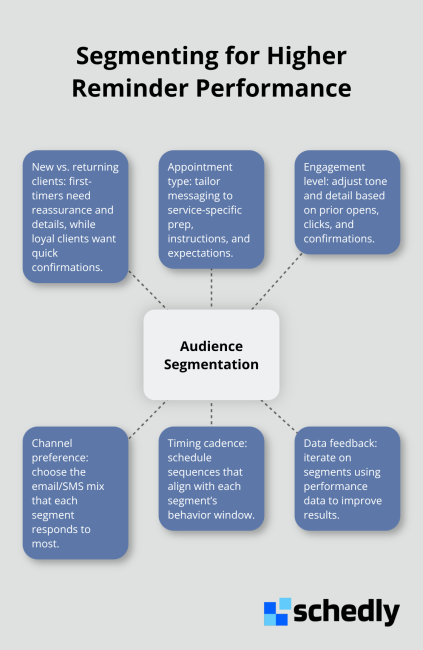
Personalization beyond inserting a first name matters enormously-reference a specific goal or pain point the client mentioned during booking, and engagement lifts significantly according to data on reminder effectiveness. A fitness studio should remind a new member about their first class differently than a regular attendee. The new member needs encouragement and details. The regular attendee needs only a quick confirmation. This distinction transforms your reminder from generic noise into a relevant message that clients actually read.
Craft Subject Lines That Demand Attention
Subject lines determine whether clients open your reminder or delete it. Keep subject lines to 60 characters or fewer, with the first three to five words conveying the main point. A subject line reading "Your appointment tomorrow at 2pm" performs infinitely better than "Reminder about your upcoming appointment." Specificity wins.
Test different approaches-one variant might emphasize the appointment time, while another highlights the value or outcome. A/B testing reveals which angle resonates with your audience. Send one version to half your audience and the other version to the remaining half, then measure open rates and click-throughs. Most businesses discover that specificity and urgency outperform generic language.
Time Your Sends and Choose Your Channels Strategically
Send reminders during local working hours between 9:30 and 11:00 a.m., when clients are planning their day and most likely to act. Afternoon sends see measurably lower engagement. The timing matters as much as the content itself.
Multi-channel delivery amplifies results dramatically-SMS reaches 98 percent of recipients within minutes, while email lands in inboxes with slightly longer delays. Two reminder emails can boost attendance by improving attendance rates significantly. Adding SMS as a second touchpoint creates redundancy that catches clients across multiple channels (a same-day SMS nudge an hour or two before the appointment catches clients before they leave home, while an email sent seven days earlier gives them time to mark their calendar). This layered approach ensures no client slips through the cracks.
Final Thoughts
Automated reminder emails work because they produce measurable results that hit your bottom line directly. Track your open rates, click-throughs, and most importantly, your show rate to see the real impact on revenue and capacity utilization. Most businesses see no-show rates drop by 29 percent or more once reminders activate, translating directly to recovered revenue and stronger operational efficiency.
The shift from manual reminders to automated systems frees your team from repetitive work and lets them focus on clients who need genuine attention. Your staff stops making reminder calls and instead handles higher-value interactions that strengthen client relationships. This operational efficiency compounds over time as your scheduling runs smoother and your team capacity increases.
Moving forward means selecting a system that integrates with your existing calendar and booking process. Schedly handles this seamlessly with automated booking, workflow automation, and integrations for Google Calendar and other tools your business already uses. When your reminder system connects directly to your scheduling platform, confirmations and reschedules update in real time without manual intervention.