
Schedly resources
Branded Scheduling Page Benefits: Elevate Your Booking Experience
Your booking page is often the first real interaction customers have with your business. A generic, impersonal scheduling interface sends the wrong message-it says you're just like everyone else.
At Schedly, we've seen firsthand how branded scheduling page benefits extend far beyond aesthetics. When your booking experience reflects your brand, customers trust you more, show up more reliably, and complete their reservations without friction.
Why Branded Scheduling Pages Matter
A branded scheduling page isn't just window dressing. When customers land on your booking interface and see your logo, colors, and messaging, they experience something that generic platforms can't deliver: confidence.
Trust translates to completed bookings
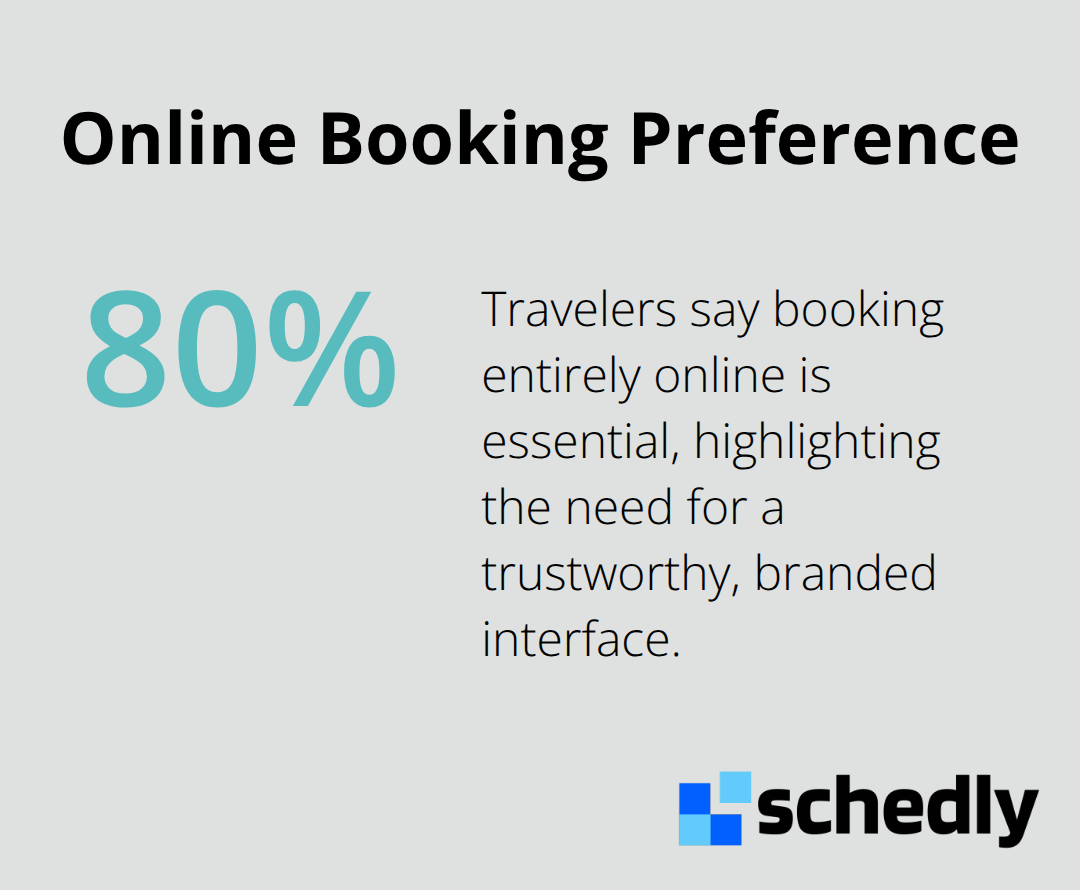
The connection between branding and trust is measurable, not theoretical. When your booking page reflects your brand identity, customers feel more confident entering payment information and confirming their appointment. They interact with a business they recognize rather than clicking through an impersonal form. This matters because mobile users are even more sensitive to trustworthiness signals. A mobile-optimized branded page that loads quickly and displays your branding consistently across every screen builds the confidence needed to complete the transaction. Your scheduling page often becomes the deciding factor for someone experiencing your business for the first time.
Reducing no-shows starts with professionalism
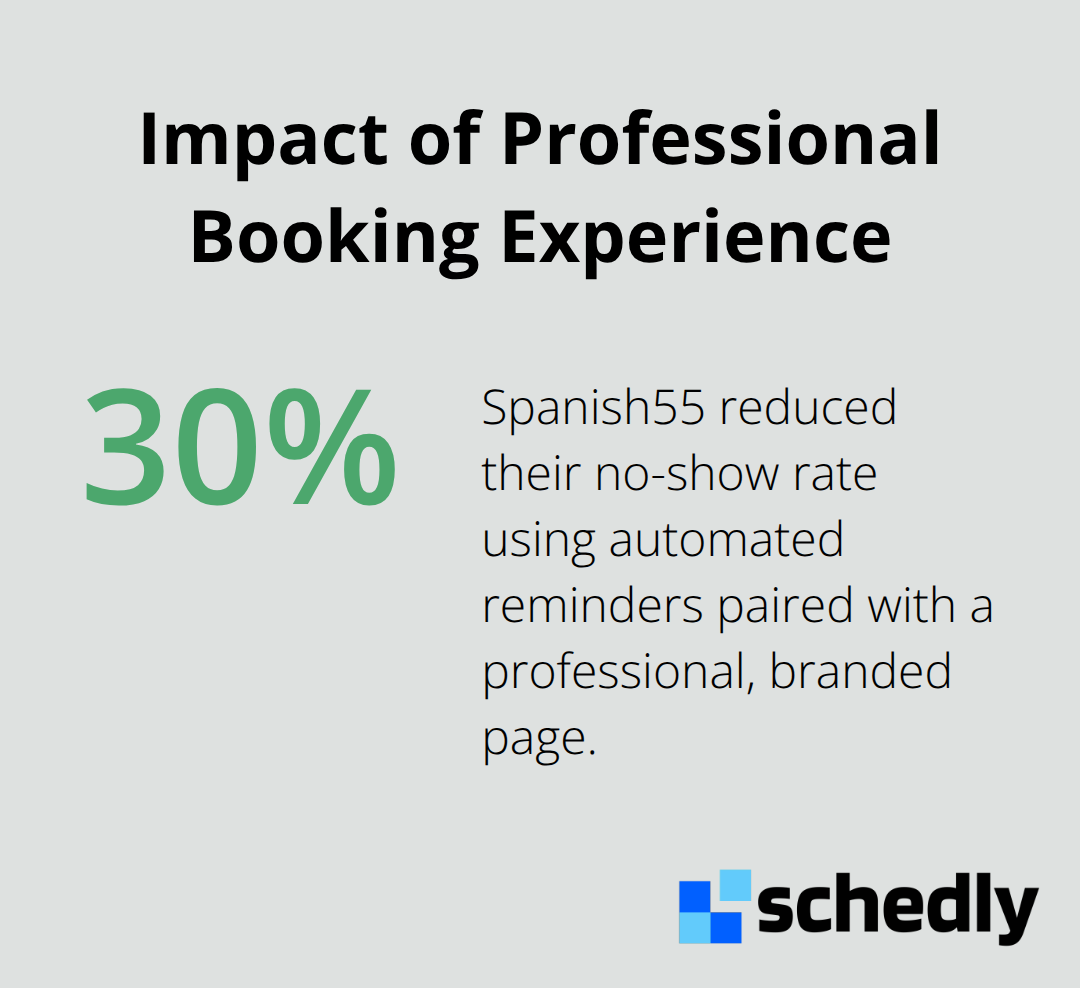
No-shows cost businesses time, revenue, and momentum. Spanish55 reduced their no-show rate by 30% using automated reminders paired with a professional booking experience. When customers book through a page that feels official and branded, they treat the appointment with more respect.
Visual consistency builds lasting impressions
Your booking page represents your business at a critical moment. Customers form opinions about your professionalism within seconds of arrival. A page that matches your website design, uses your brand colors, and displays your logo consistently tells customers they've landed in the right place. This alignment (sometimes called the "Preparation Effect") sets professional expectations and leads to more prepared and engaged clients. When every element-from the color scheme to the font choices-reflects your brand, customers perceive your business as organized and trustworthy. This perception directly influences their willingness to complete the booking and show up for their appointment.
What Makes a Branded Scheduling Page Actually Work
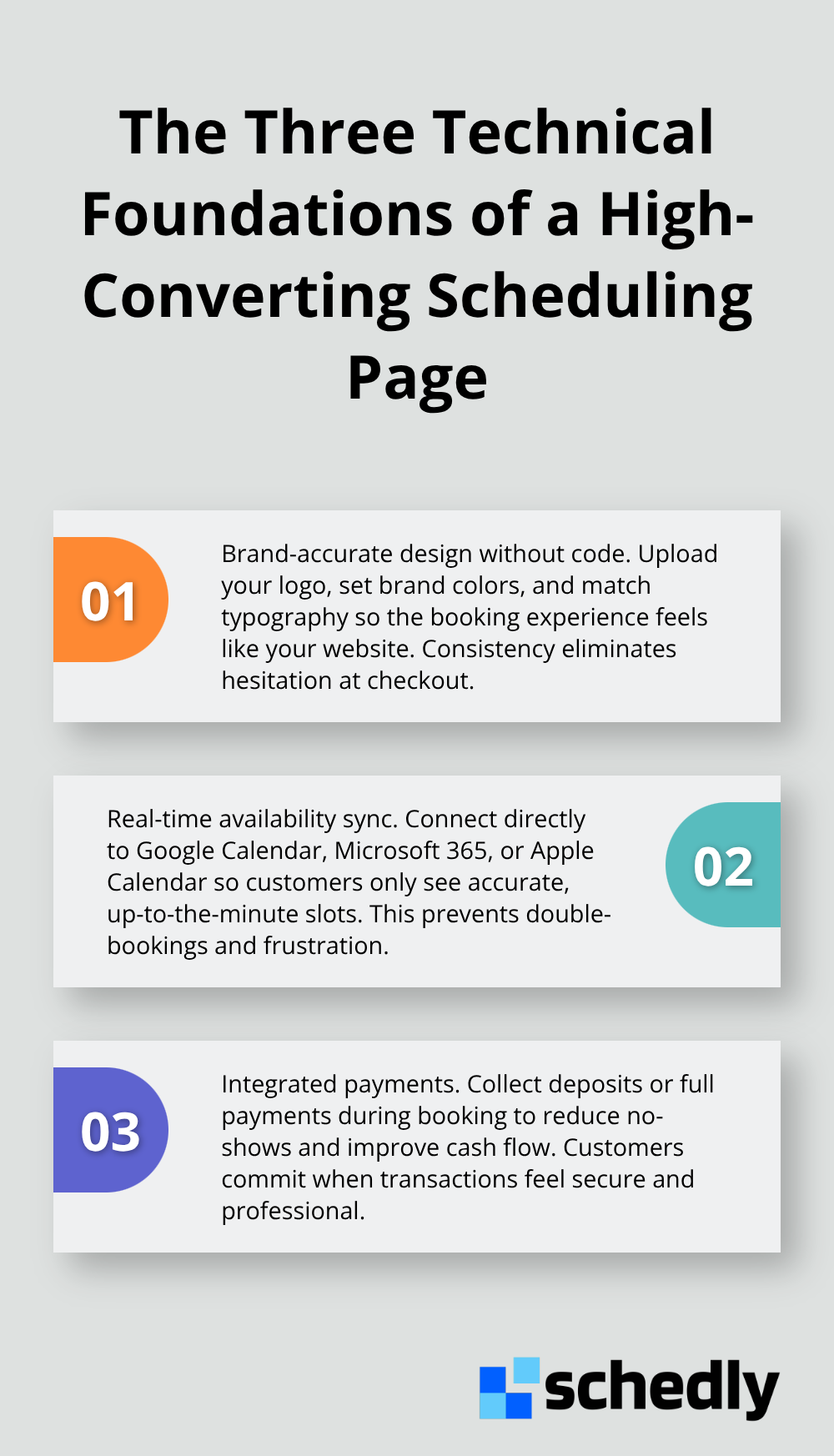
Your scheduling page needs three technical foundations to convert browsers into confirmed bookings. First, the design must reflect your brand accurately without requiring a developer to make updates. You should upload your logo, select your brand colors, and customize fonts without touching code.
Mobile optimization drives revenue
Mobile optimization determines whether your branded page actually generates revenue. In 2024, mobile bookings surpassed desktop for the first time, with the majority of online scheduling happening on phones and tablets. Your branded page must load in under three seconds on mobile networks, display your branding clearly on small screens, and keep form fields minimal. You should collect only essential information: name, email, phone, and service details. Every additional field you request increases abandonment rates. Your call-to-action button should be impossible to miss and take up meaningful screen space on mobile devices.
Real-time availability prevents booking conflicts
The second critical element is real-time availability syncing with your calendar system. If your team uses Google Calendar, Microsoft 365, or Apple Calendar, your scheduling page must connect directly to prevent double-bookings. Customers should see accurate availability instantly, not outdated slots that create frustration during checkout. This synchronization eliminates the administrative burden of manually updating your schedule across multiple platforms.
Payment processing reduces no-shows and improves cash flow
You should integrate payment processing directly into your booking flow. Test which payment gateway your customer base trusts most. Collecting deposits or full payments upfront reduces no-shows dramatically and improves cash flow. This approach transforms your scheduling page from a booking tool into a revenue-generating system that protects your business from lost appointments.
Business tool integration eliminates manual work
Finally, connect your scheduling page to your existing business tools-your CRM, email platform, and communication systems. When a customer books through your branded page, that data should flow automatically into your business systems without manual entry. This integration eliminates administrative overhead and ensures follow-up happens consistently. With these technical foundations in place, your branded scheduling page becomes more than a booking interface-it becomes the operational backbone that drives customer confidence and business growth. The next step is understanding which specific features matter most for your industry and customer base.
How Branded Scheduling Pages Transform the Booking Experience
A frictionless booking experience starts the moment a customer lands on your scheduling page. When your branded interface displays real-time availability instantly, customers see open slots without delays or outdated information. This immediate visibility eliminates the most common reason people abandon online bookings: uncertainty about whether a time slot is actually available. Your scheduling page should sync directly with your calendar system-Google Calendar, Microsoft 365, or Apple Calendar-so every team member's availability updates instantly across the interface. No more double-bookings, no more customers showing up at times your staff never intended to offer. The result is straightforward: customers complete bookings faster because they trust the information they see. When combined with a branded design that matches your website, this real-time accuracy reinforces that your business operates with precision and professionalism.
Instant confirmations lock in commitment
Automated confirmations sent immediately after booking serve a critical function beyond customer courtesy. Professional booking confirmations paired with automated reminders reduce no-shows, proving that touchpoints matter. Your confirmation should arrive from your business email address, not a generic noreply account, and include your branding, logo, and specific appointment details. This confirmation becomes a contract of sorts-it signals to the customer that their appointment is locked in and matters to your business. The confirmation should display the appointment date, time, service description, staff member assigned, location or Zoom link, and cancellation or rescheduling instructions. Customers who receive a professional, branded confirmation add the appointment to their personal calendar and treat it as non-negotiable. This single touchpoint often determines whether someone shows up or forgets entirely.
Self-service rescheduling reduces administrative burden
Customers increasingly expect to reschedule or cancel appointments independently without calling your business. Your branded scheduling page should allow customers to modify their bookings directly through a secure link sent in their confirmation email. Self-service rescheduling reduces administrative overhead dramatically. When customers reschedule through your branded page, that change syncs instantly to your calendar and notifies your team automatically. If someone needs to cancel, they complete the action immediately rather than playing phone tag with your staff. This independence actually strengthens your relationship because customers feel respected and in control. The key is making rescheduling obvious and straightforward: a single button in the confirmation email that opens your branded page with their specific appointment highlighted. No complicated links, no confusion about whether they're modifying the right booking.
Final Thoughts
Your branded scheduling page represents the operational foundation that separates businesses converting bookings from those losing customers at the final step. When your scheduling interface reflects your brand identity, customers perceive professionalism, trust your business with their payment information, and show up for their appointments. The branded scheduling page benefits extend directly to your bottom line through higher completion rates, reduced no-shows, and improved customer loyalty.
Implementation delivers measurable results across industries. Businesses that invest in branded scheduling pages watch customers complete bookings faster because the interface feels like a natural extension of their website. Real-time availability syncing prevents double-bookings and eliminates customer frustration, while automated confirmations and reminders reduce no-shows while reinforcing your brand at every touchpoint. Self-service rescheduling cuts administrative overhead and gives customers the independence they expect.
You need a scheduling platform that lets you customize your design without developer involvement, syncs with your existing calendar systems, processes payments securely, and integrates with your business tools. Schedly provides all of these capabilities across industries including real estate, healthcare, salons, and consulting. Your customers are ready to book online, and they're choosing businesses that feel professional and trustworthy-a branded scheduling page delivers both.