
Schedly resources
Bulk Scheduling Automations to Free Up Your Day
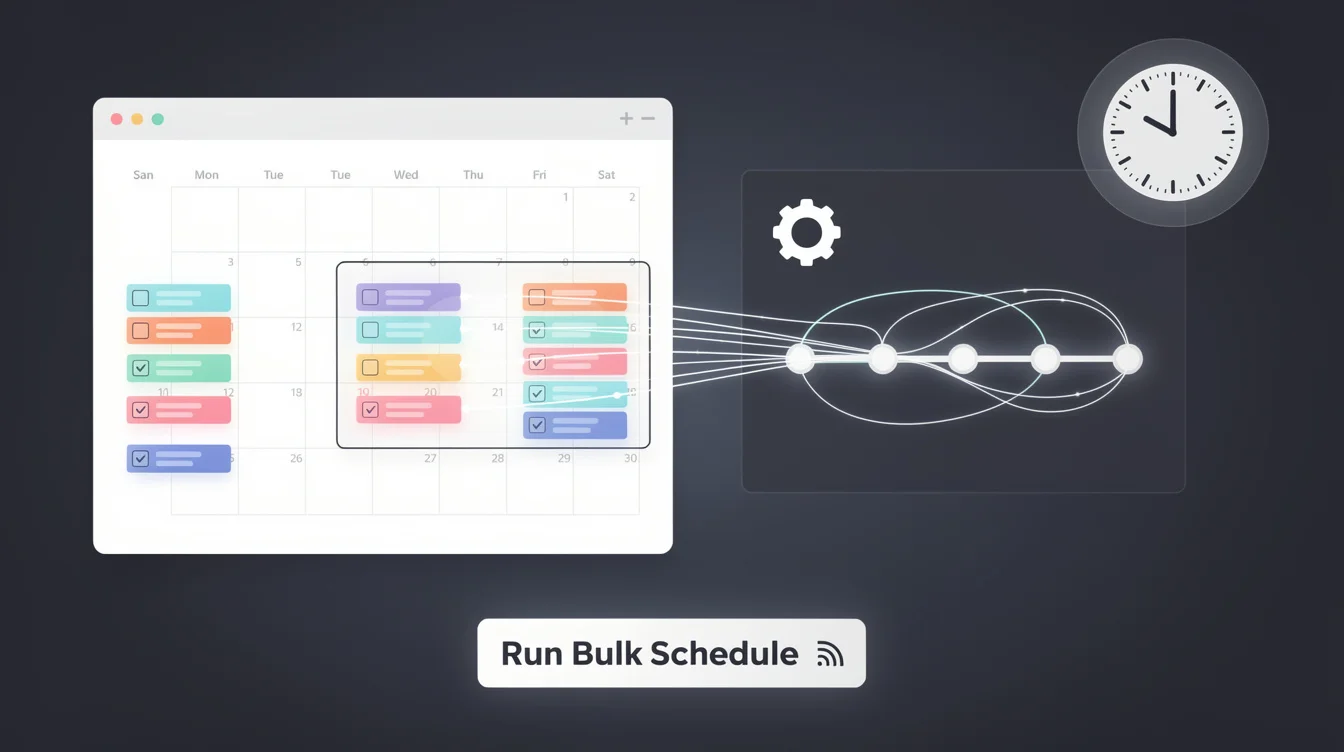
Your team loses hours every week to manual booking. Fitness centers, clinics, and schools all face the same problem: scheduling takes time away from what actually matters.
Bulk scheduling automations change this. At Schedly, we've seen businesses reclaim entire days by automating repetitive appointment tasks. This post shows you how.
How Bulk Scheduling Automations Save Time
Manual booking consumes far more time than most businesses realize. A fitness center managing 50 group classes weekly spends roughly 10-15 hours per week on scheduling alone-coordinating instructors, rooms, and participant confirmations. A healthcare clinic with 200 daily appointments loses entire staff shifts to calendar management, rebooking cancellations, and sending reminders. These hours add up fast, and they represent time your team could spend on actual service delivery instead of administrative work.
The Real Cost of Manual Scheduling
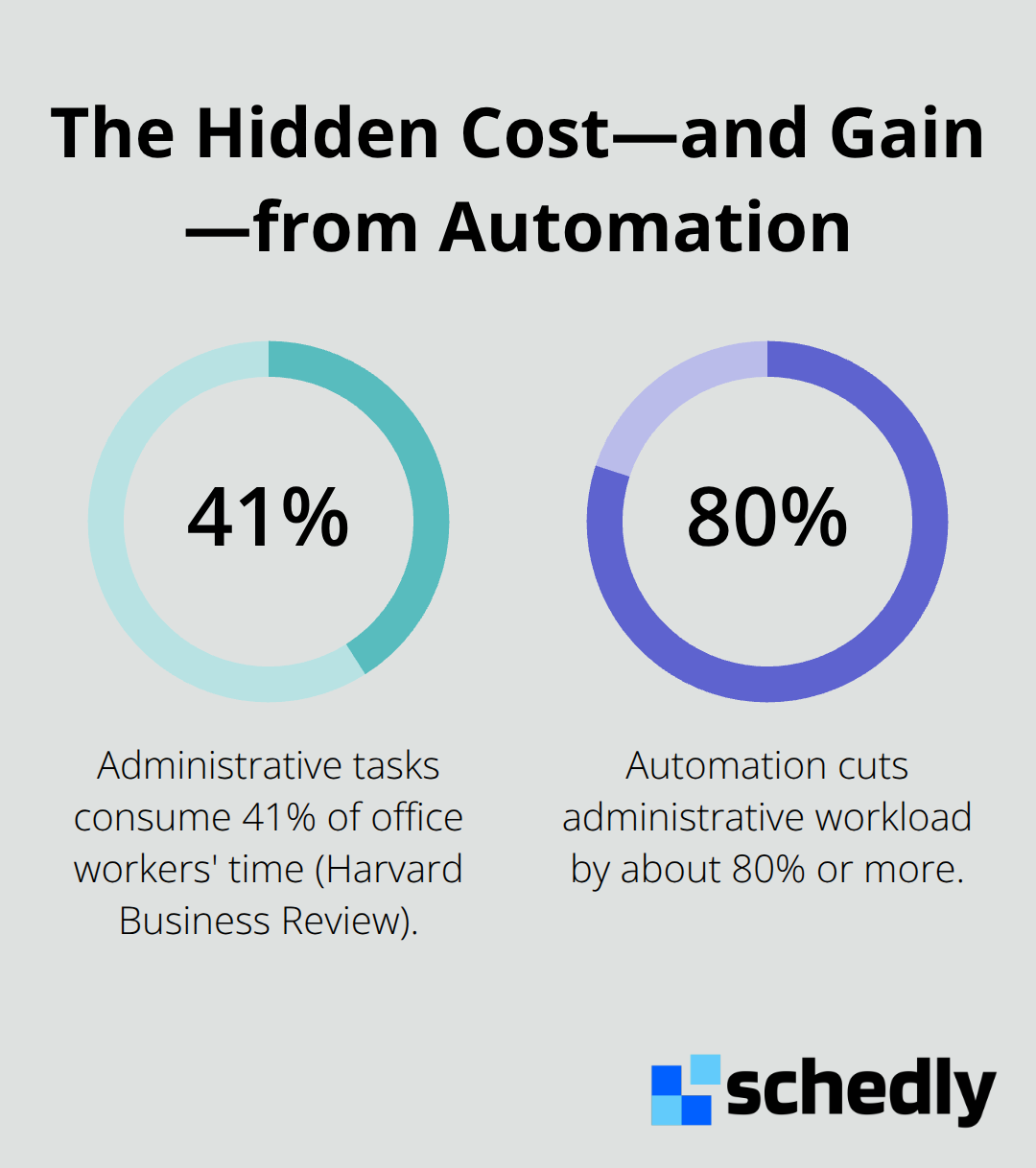
When scheduling happens manually, errors multiply. Staff double-book rooms, instructors arrive unprepared, and clients receive conflicting information. A study from the Harvard Business Review found that administrative tasks consume 41% of office workers' time, yet these tasks rarely generate revenue.
What Automations Actually Handle
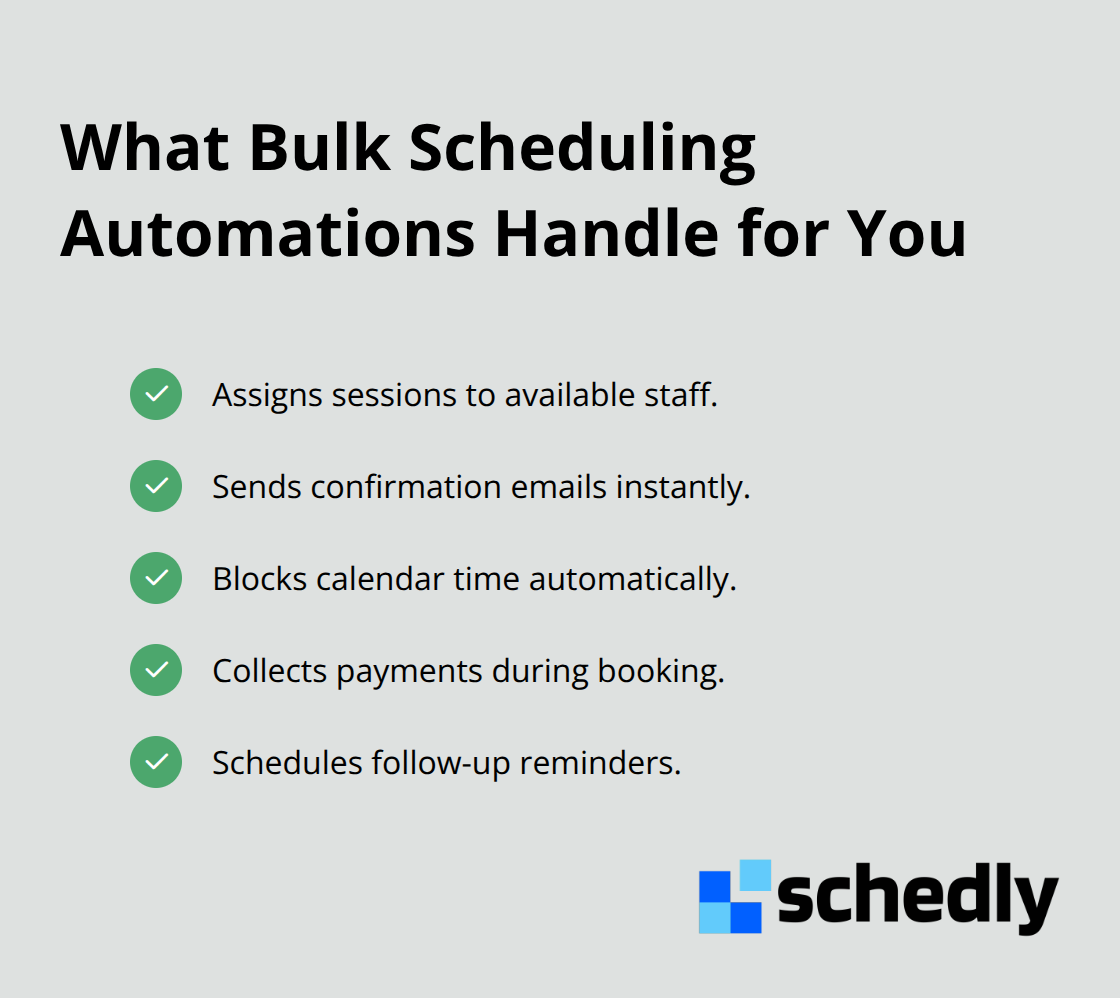
Bulk scheduling automations orchestrate entire workflows rather than simply booking appointments. When a client books a session, the system automatically assigns it to available staff, sends confirmation emails, blocks calendar time, collects payments, and schedules follow-up reminders.
How Scale Transforms Your Operations
The real advantage emerges when you scale. A business managing 500 monthly appointments saves roughly 40 hours monthly through automation. That's a full work week reclaimed. Larger organizations managing thousands of appointments recover entire staff positions worth of time. These hours shift from administrative overhead to revenue-generating work: patient care, client relationships, service quality, or strategic planning. Your team stops acting as appointment managers and starts doing what they were actually hired to accomplish.
Understanding how automations handle these workflows sets the stage for real-world implementation. Different industries face unique scheduling challenges, and the most effective automations adapt to those specific needs.
Real-World Applications of Bulk Scheduling
Fitness centers, clinics, and schools operate under completely different constraints, yet they all suffer from the same scheduling bottleneck. A fitness center with 15 group classes daily must coordinate instructor availability, room assignments, and client confirmations simultaneously. A healthcare clinic managing 150 patient appointments weekly must handle cancellations, rescheduling, and follow-up automations without letting any slot go unfilled. An educational institution juggling student sessions, tutor availability, and makeup classes across multiple instructors faces exponential complexity. Each industry demands different automation rules, but the payoff remains identical: staff reclaim time previously lost to scheduling coordination.
Fitness Centers Transform Class Management
Fitness centers gain the most immediate impact from bulk scheduling automations. When a center operates 50 classes monthly across multiple instructors and rooms, manual coordination creates chaos. An automation assigns each new client signup to the next available class, sends immediate confirmation emails, collects payment through integrated processors like Stripe or PayPal, and notifies the instructor within seconds. A fitness center in Austin reported reducing scheduling time from 8 hours weekly to under 2 hours after implementing bulk scheduling automations.
Healthcare Clinics Eliminate Administrative Bottlenecks
Healthcare clinics experience even more dramatic results because appointment volume exceeds fitness centers significantly. A 200-appointment clinic loses entire staff days to rebooking cancellations, sending reminders, and coordinating follow-ups. Automations handle this instantly: when a patient cancels, the system flags the slot available, notifies the next person on the waitlist, reschedules their appointment, and sends confirmation texts automatically. Follow-up reminders trigger 24 hours before each appointment, reducing no-shows according to data from the American Medical Association.
Educational Institutions Streamline Tutor Coordination
Educational institutions face unique complexity because tutoring sessions require matching student availability with multiple tutors across different subjects. A bulk scheduling automation assigns sessions based on tutor expertise and availability, sends calendar invitations to both parties, collects payment, and schedules progress report reminders automatically. Schools using this approach free administrators to focus on curriculum development and student support instead of calendar management.
The Pattern That Drives Results
Bulk scheduling automations work best when you have high appointment volume, multiple staff members, and recurring patterns. Industries with dozens of appointments daily or hundreds monthly see the greatest time savings because automation scales effortlessly while manual processes break down. The next step involves understanding how to set up these automations so they actually work for your specific business needs.
Setting Up Bulk Scheduling Automations Effectively
Define Your Scheduling Patterns and Recurring Needs
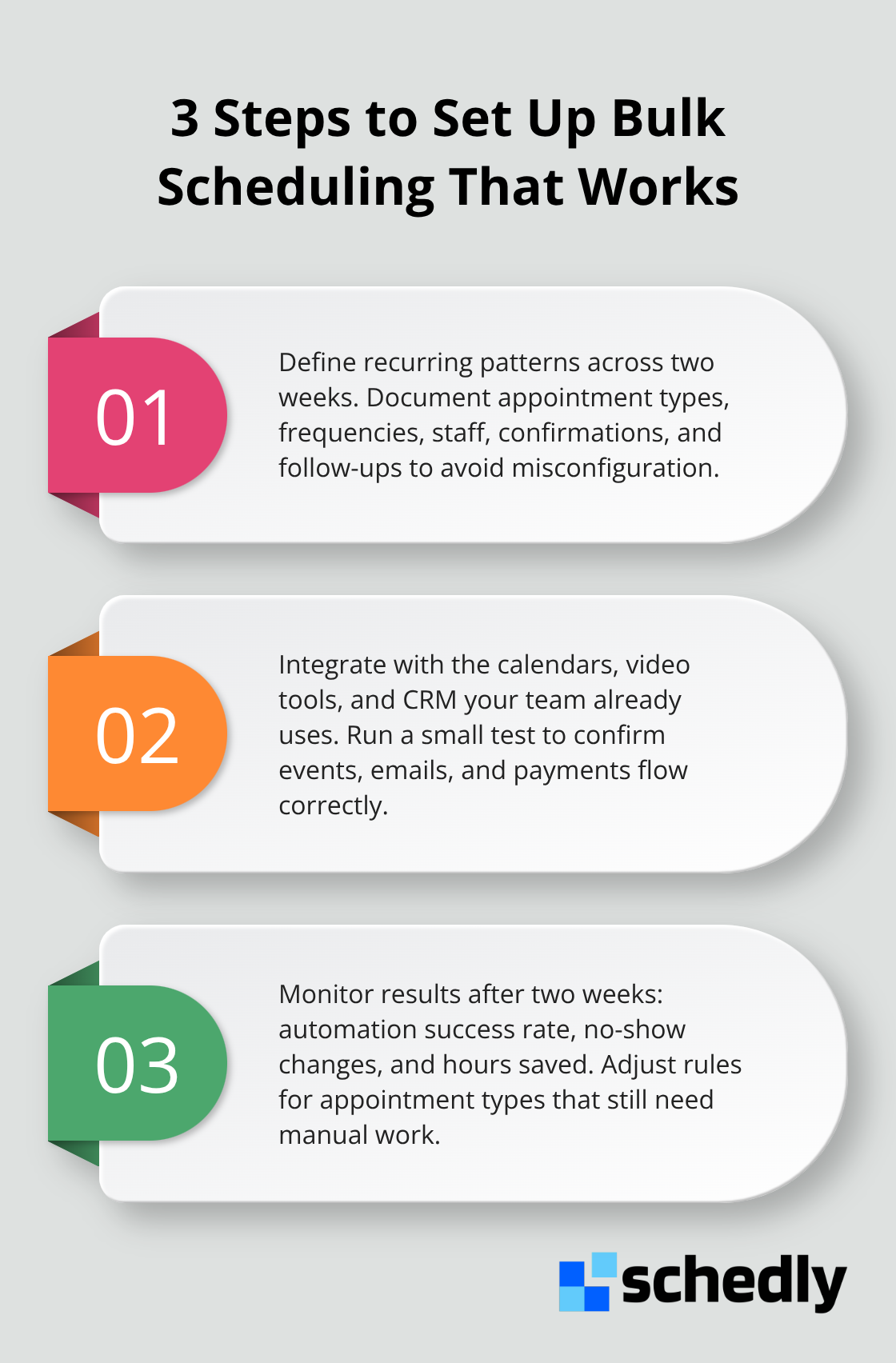
Effective bulk scheduling automations start with understanding exactly which appointments recur and follow patterns. Map your actual scheduling patterns for two weeks. Count how many appointments fall into repeating categories, identify which ones require the same confirmation sequence, and flag which cancellations trigger rescheduling chains. A fitness center with 50 weekly classes probably has the same instructor teaching the same class at the same time each week, meaning one automation rule handles all of them. A healthcare clinic with 200 appointments weekly might have five distinct appointment types, each requiring different follow-up protocols.
Document these patterns explicitly. Write down: appointment type, frequency, staff involved, required confirmations, and follow-up actions. This takes two hours and saves 20 hours of misconfiguration later. Without this foundation, you build automations that work for 70 percent of your appointments while the remaining 30 percent create exceptions that drain your time anyway.
Integrate with Your Existing Calendar and Communication Tools
Connect your automation system to the tools your team actually uses daily. If your team lives in Google Calendar, Outlook, and email, your automation must push appointments directly into those systems, not create a separate scheduling interface they'll ignore. The right platform integrates with Google Calendar, Zoom, and Salesforce, which means appointments automatically populate in the calendars your staff checks and video links appear without manual copying.
Test the integration with five real appointments before going live with 500. Watch whether confirmations arrive in the right inbox, whether calendar blocks appear with correct times, and whether payment processing completes without friction. A clinic that automates appointments into the wrong calendar creates more chaos than manual booking ever did.
Monitor Performance and Adjust Automation Rules
After two weeks of operation, review three metrics: how many appointments automated successfully versus how many required manual intervention, whether no-show rates dropped compared to your previous three months, and how many hours your team actually reclaimed. Measure no-shows specifically because automation success directly correlates with reduced no-shows through automatic reminders. Automated appointment reminders reduce no-show rates by improving appointment attendance.
If your automations aren't hitting those benchmarks after two weeks, the rules need adjustment, not abandonment. Track which appointment types cause the most manual intervention and which confirmation sequences fail most often. Adjust your automation rules to match reality rather than your initial assumptions. Most businesses discover that their actual scheduling patterns differ from what they predicted, so flexibility matters more than perfection on the first attempt.
Final Thoughts
Bulk scheduling automations fundamentally reshape how service-based businesses operate. The time your team recovers isn't marginal-it's transformative. A fitness center reclaims 6 hours weekly, a healthcare clinic recovers entire staff days, or a school frees administrators from calendar management, and all redirect that time toward what actually drives their business forward. The administrative burden that once consumed your team's energy simply disappears when automations handle appointment assignment, confirmations, reminders, and follow-ups simultaneously.
Implementation doesn't require overhauling your entire operation at once. Start with your highest-volume appointment type-the one that consumes the most manual time. Map its exact workflow, set up one automation rule, and run it for two weeks while monitoring success rates. This focused approach prevents overwhelming your team with simultaneous changes while proving the concept works for your specific business, and once that automation runs smoothly, you expand to your next appointment category.
Whether you use Schedly or another platform, success depends on connecting your automation system directly to the calendars and communication channels your team actually uses daily. Your team didn't join your business to manage calendars-they came to deliver fitness classes, provide patient care, teach students, or serve clients. Bulk scheduling automations return them to that actual work by eliminating the administrative friction that steals their time.