
Schedly resources
Calendar Integration Options: Sync Smarter, Save Time
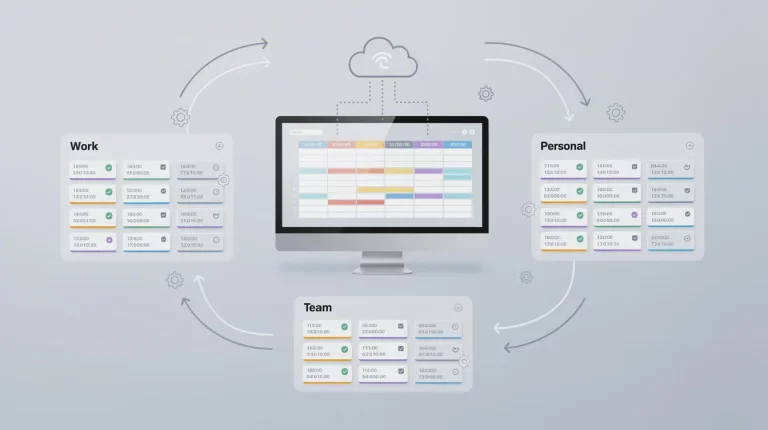
Manual scheduling wastes time. Double bookings frustrate clients. At Schedly, we've seen businesses lose hours every week to calendar chaos.
The right calendar integration options eliminate these problems instantly. When your Google Calendar, Outlook, or Apple Calendar syncs automatically with your scheduling system, conflicts disappear and your team stays organized.
Why Calendar Integration Matters
Context switching across 16 or more apps costs employees nearly six hours every week. That's not a minor inconvenience-it's a productivity killer that compounds across your entire team. When your scheduling system doesn't sync with your calendar, you force people to manually copy information between platforms, check multiple places for conflicts, and constantly switch contexts. The math is simple: fewer tools mean fewer errors and more focus on actual work.
The Hidden Cost of Manual Calendar Management
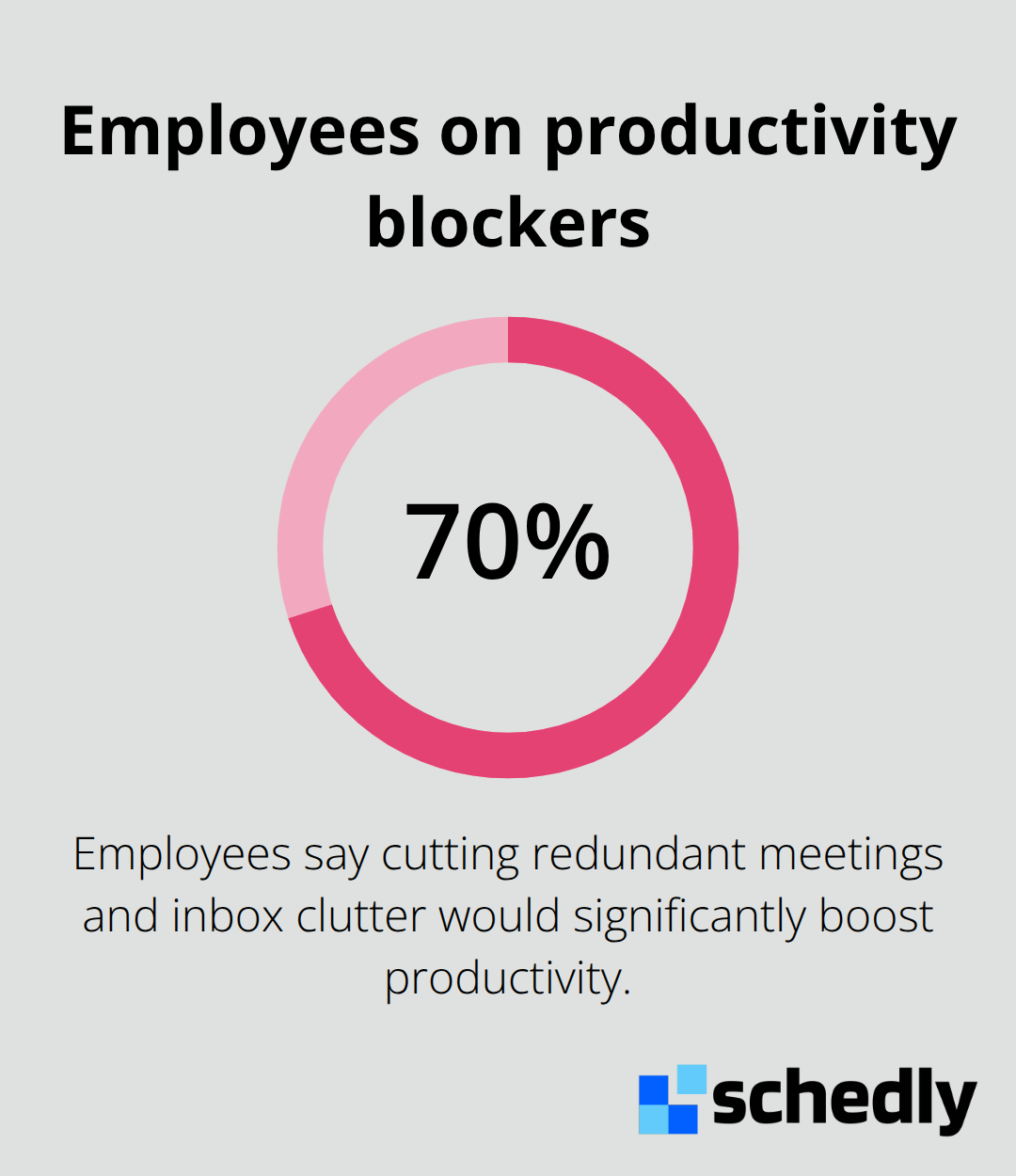
Double bookings happen when information lives in multiple places. A client books a time slot in your scheduling system, but your team member doesn't see it in their calendar because the sync failed or hasn't happened yet. The client shows up, the staff member is unavailable, and you've damaged the relationship. Research shows that about 70% of employees believe cutting redundant meetings and inbox clutter would significantly boost productivity.
One View, One Source of Truth
A centralized calendar view transforms how your team plans their day. Instead of checking Google Calendar for personal commitments, your booking system for client appointments, and Slack for meeting notifications, your team sees everything in one place. This unified view removes the mental load of remembering which tool has which information. When a client books through your scheduling page, the appointment automatically appears in your team's calendar without any manual intervention. No copy-and-paste, no syncing delays, no wondering if the update went through. Your team knows exactly what's scheduled and when.
Why Two-Way Sync Matters Most
One-way sync creates blind spots. Your calendar updates your booking system, but changes made in your booking system don't flow back to your calendar. This asymmetry leaves your team confused about what's actually available. Two-way synchronization prevents scheduling conflicts before they happen. Your team can modify availability in their calendar, and those changes immediately reflect in your client-facing booking page. Clients see only the times your team actually has open, not slots that disappeared because someone marked themselves as busy elsewhere.
Which Calendar Platform Works Best for Your Business
Google Calendar: The Free, Reliable Standard
Google Calendar dominates the market because it's free, integrates seamlessly across devices, and syncs reliably with most scheduling systems. If your business uses Google Workspace, conflict detection across all calendars happens instantly-appointments booked through your scheduling page appear in team calendars without delay. Google Calendar supports calendar sharing, multiple calendar views, and automation through Zapier, which lets you push calendar events directly into Trello, Todoist, Slack, or Google Sheets to save additional manual work. The platform works across iOS, Android, Mac, and Windows, so your team stays synchronized regardless of device.
However, Google Calendar's native task management is basic, and without add-ons, it lacks built-in time-blocking features for deep work planning. For businesses already in the Google ecosystem, this limitation barely matters because scheduling systems integrate directly with Google Calendar, handling the heavy lifting while Google Calendar manages the master schedule.
Outlook Calendar: Power for Microsoft Environments
Microsoft Outlook Calendar excels in organizations running Office 365 or Exchange, offering the Scheduling Assistant feature to automatically find open meeting times across attendees. Outlook syncs bidirectionally with most modern scheduling platforms, and the integration handles time zones, recurring events, and attendee availability reliably. The platform gives Microsoft-focused teams a native solution that requires no additional setup or third-party tools.
Apple Calendar works best for teams using iCloud and Apple devices, with natural-language event creation that speeds up manual entry and deep integration with Reminders and other Apple apps. For businesses with mixed ecosystems-some staff on Windows, others on Mac, clients using various devices-true two-way calendar synchronization becomes essential.
Sync Speed and Reliability Matter More Than You Think
Research from CalendHub testing showed that sub-minute performance matters for customer-facing booking during peak usage through efficient API quota management and optimized webhook processing. This speed difference affects client experience directly. A delay of even a few minutes means clients see availability that no longer exists, leading to booking conflicts and frustration.
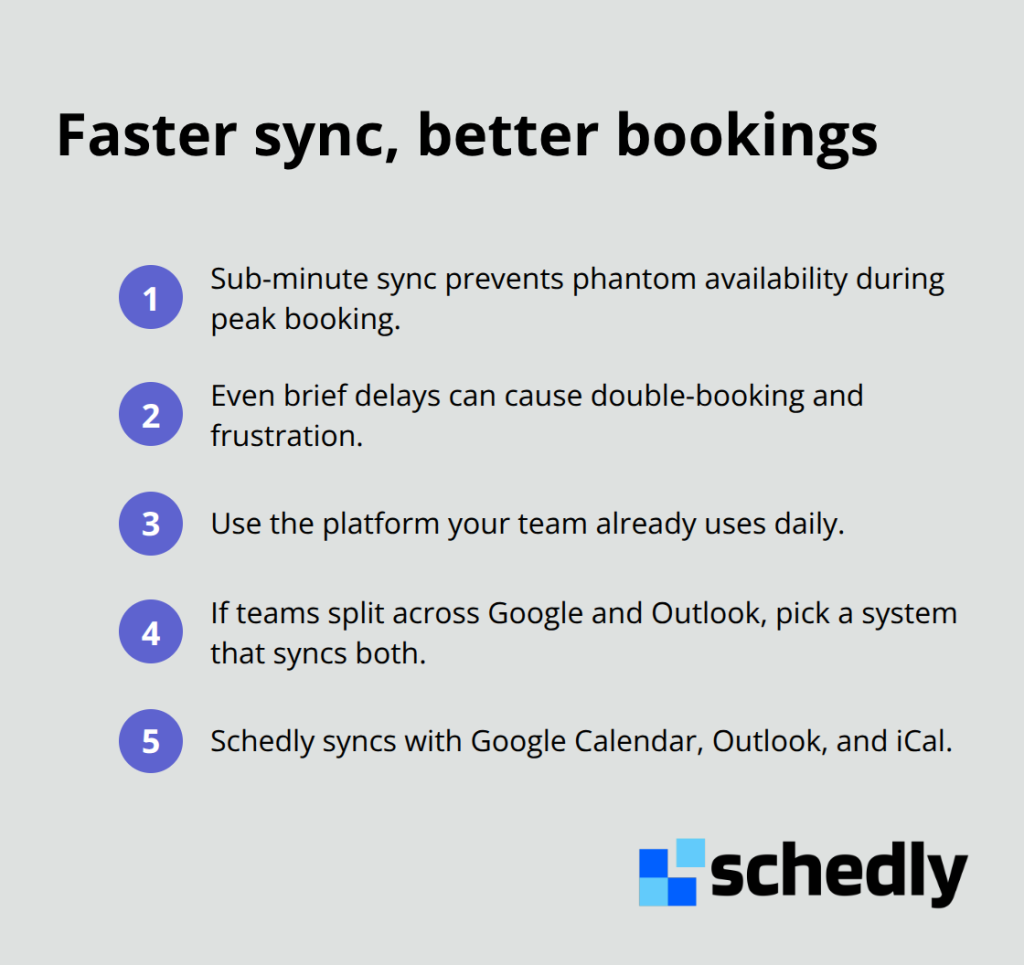
The practical takeaway: choose the platform your team already uses daily. If your team splits between Google and Outlook, prioritize a scheduling system that syncs flawlessly with both rather than forcing everyone onto a single platform. Schedly integrates with Google Calendar, Outlook, and iCal, ensuring your team works in their preferred calendar without friction.
What Happens When Sync Fails
When synchronization breaks down, your team loses the single source of truth that prevents double bookings. A client books a slot that appears available in your scheduling system, but your team member already claimed that time in their personal calendar. The sync failure means neither system knows about the other's commitment. Your client arrives to find no one available, and your reputation suffers.
Real-time synchronization ensures that any change is instantly reflected across all connected calendars and devices. Your team modifies availability in their calendar, and those changes immediately reflect in your client-facing booking page. Clients see only the times your team actually has open, not slots that disappeared because someone marked themselves as busy elsewhere. This immediate updating transforms how clients experience your business and how your team manages their workload.
Make Your Calendar System Work Harder
Stop No-Shows With Strategic Reminders
No-show rates in appointment-based businesses hover between 20% and 30%, depending on the industry. A single missed appointment costs real revenue. Automatic reminders prevent this waste by nudging clients before they forget and alerting your team about who arrives and when. Set reminders to trigger 24 hours before an appointment and again 2 hours before, giving clients two chances to remember without feeling pestered.
Different service types need different reminder strategies. A 30-minute consultation requires different notification timing than a full-day training session or a quick 15-minute call. Configure your calendar system to send reminders based on appointment duration and service category. Your scheduling software should let you customize reminder timing, frequency, and channel-some clients prefer email, others want SMS or push notifications. SMS reminders reduce no-shows more effectively than email alone, but combining both approaches works best.
Use Color-Coding to Read Your Calendar Instantly
Color-coding transforms your calendar from a confusing wall of text into a visual system your brain processes instantly. Assign one color to client appointments, another to internal team meetings, a third to personal time blocks, and a fourth to focus time. When your team opens their calendar, they immediately see what type of commitment each block represents without reading a single word.
Your brain processes color faster than text, making this visual distinction more powerful than most people realize. Establish a color scheme once, document it, and enforce it across your entire team. If Sarah uses green for client meetings and Tom uses blue for the same thing, you've defeated the purpose. Most calendar platforms including Google Calendar and Outlook let you assign colors at the calendar level, so appointments sync from your scheduling system and automatically display in the correct color across all team devices.
Enable Two-Way Sync to Prevent Conflicts
Two-way synchronization prevents the most frustrating scheduling scenarios. When your team updates their availability in their personal calendar, those changes immediately reflect in your client-facing booking page. A team member marks themselves as unavailable for a dentist appointment, and that time slot instantly closes to new bookings. Without two-way sync, your scheduling system shows availability that no longer exists, leading to conflicts and angry clients.
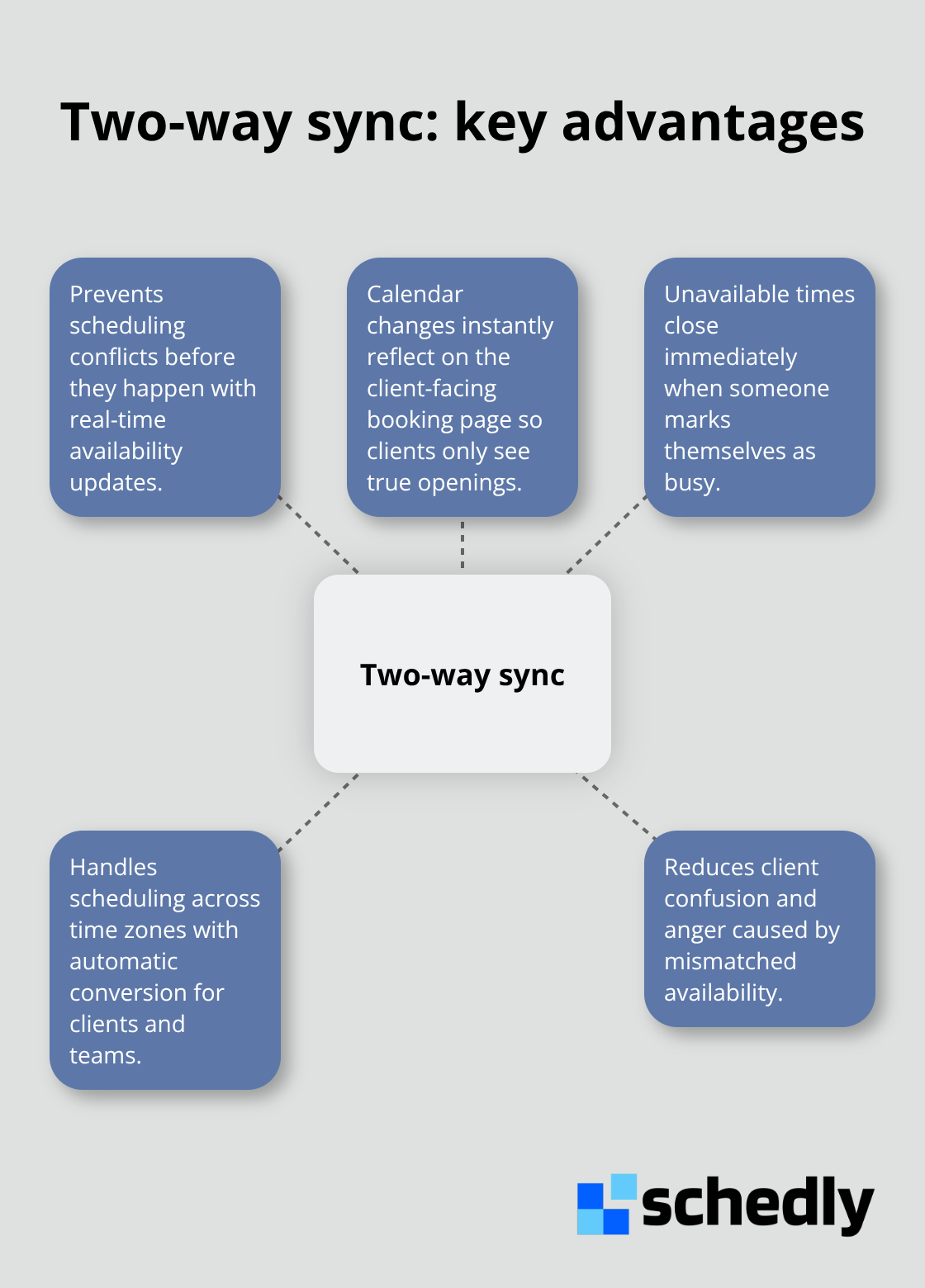
Test your two-way sync by making a change in your calendar and confirming it appears in your scheduling system within minutes, not hours. If the delay stretches beyond 5 minutes, your sync is too slow for practical use. When your team works across multiple time zones, two-way sync becomes even more critical because a single timezone error cascades into dozens of booking mistakes. Your scheduling system should handle timezone conversion automatically, displaying availability in each client's local time while maintaining accuracy in your team's calendars regardless of where they live or travel.
Final Thoughts
Calendar integration options transform how your team manages scheduling by eliminating the friction that wastes time and creates errors. When your Google Calendar, Outlook, or Apple Calendar syncs seamlessly with your booking system, your team stops juggling multiple platforms and starts working with a single source of truth. The result is fewer double bookings, fewer no-shows, and more time spent on work that actually matters.
We at Schedly built our platform to integrate with Google Calendar, Outlook, and other popular tools, ensuring your team works in their preferred calendar without friction. Our system automates the booking process, prevents conflicts through real-time synchronization, and gives you the analytics to track what's working. You receive 24/7 online booking, secure payment processing, and workflow automation that handles the repetitive tasks draining your team's energy.
Test your calendar integration with a real booking to confirm two-way sync works within minutes, not hours. Set up your color-coding system and configure reminders based on appointment type. Monitor your no-show rates and adjust reminder timing if needed, then explore how Schedly can transform your scheduling workflow.