
Schedly resources
Confirm Bookings Automatically: Simple Automation That Reduces No-Shows
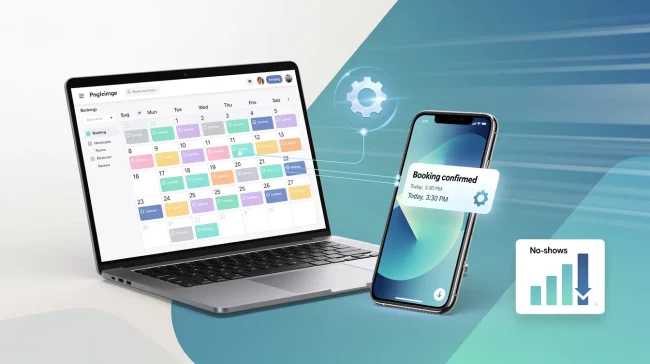
No-shows drain your business. They cost you revenue, waste your team's time, and damage customer trust.
At Schedly, we've seen how businesses that confirm bookings automatically cut no-show rates dramatically. A simple system that sends reminders and lets customers reschedule takes the guesswork out of appointment management.
What No-Shows Actually Cost You
No-shows aren't a minor inconvenience. They're a direct hit to your bottom line.
The Productivity Drain on Your Team
The real cost extends beyond the lost appointment itself. When someone doesn't show, your team scrambles to fill the gap. Front-desk staff spend hours making reminder calls, chasing down customers, and rescheduling slots. A team member who spends 30% of their day on manual follow-up calls isn't creating value-they're managing chaos. SMS reminders have been shown to reduce absenteeism rates significantly, with studies demonstrating reductions from 11.7% to 4%, making them more cost-effective compared with telephone reminders. Yet many businesses still rely on staff to make those calls, wasting labor hours that could go toward serving customers who actually arrive. The productivity burden isn't just about the missed appointment; it's about the wasted effort to prevent it.
Reputation Takes a Hit When Schedules Fall Apart
No-shows create longer wait times for other customers. When your schedule doesn't reflect reality, appointments back up, people sit waiting, and frustration builds. Customers start questioning whether you're reliable. They leave reviews mentioning disorganization and delays. New customers see those reviews and book elsewhere. Your reputation suffers not because of what you did wrong, but because your system couldn't keep pace with no-shows. A business that confirms bookings automatically keeps its calendar aligned with actual attendance, reduces bottlenecks, and creates a smoother experience for every customer who does show up.
How Automation Fixes the Problem
The difference between a chaotic schedule and a reliable one comes down to one thing: automation. Automated confirmations eliminate the manual work that drains your team. They reach customers instantly (through SMS and email), confirm attendance in real time, and update your calendar automatically. The result is a schedule that actually reflects who will show up-not who you hope will show up. This foundation makes everything else possible.
How Automated Confirmations Actually Work
Instant Confirmation Messages Reach Customers Immediately
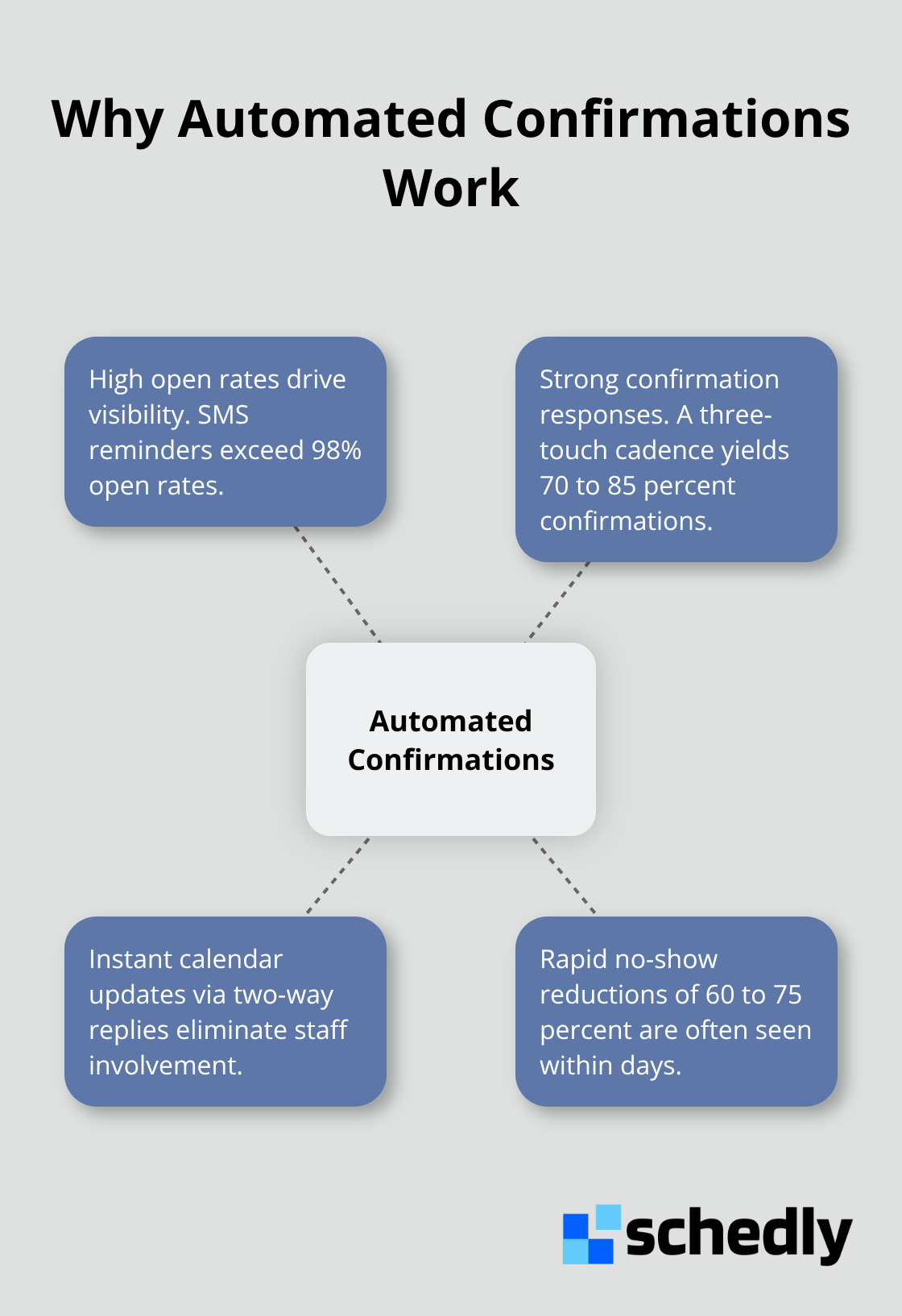
Automated booking confirmations start the moment someone books an appointment. An instant confirmation message lands in their inbox or phone, cementing the commitment. SMS reminders deliver the highest open rates, often exceeding 98%, making text messages your most reliable channel for reaching customers. Email follows as a secondary touchpoint, typically sent 24 hours before the appointment to catch anyone who prefers email or needs written details about location, what to bring, or preparation instructions.
Strategic Timing Maximizes Response Rates
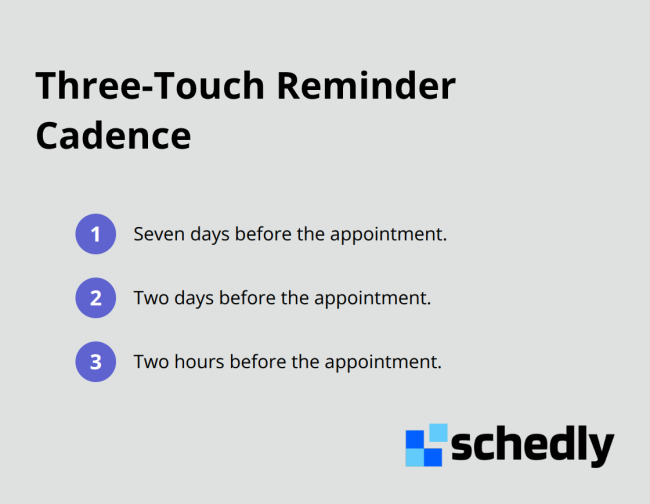
Timing matters far more than most businesses realize. A three-touch cadence works best: seven days before the appointment, two days before, and two hours before. This rhythm keeps the appointment visible without feeling aggressive, and it typically yields confirmation response rates between 70 and 85 percent.
Two-Way Communication Transforms Reminders Into Conversations
Reminders become two-way conversations when customers can confirm, cancel, or reschedule through simple text replies or clickable links in emails. A customer who receives a reminder can text back 1 to confirm, 2 to cancel, or 3 to reschedule, and the calendar updates instantly. No phone calls to your staff. No back-and-forth messaging. No manual data entry. The appointment status changes in real time, and your team sees the update immediately.
This two-way capability also handles last-minute changes gracefully. When a customer cancels or reschedules via text, your system can automatically offer that freed slot to waitlisted customers or notify your team to adjust staffing. The entire workflow runs without human intervention, which is why front-desk staff suddenly have hours back in their week instead of spending 30 percent of their day making reminder calls.
Calendar Integration Eliminates Manual Work and Double-Booking
The technical backbone that makes this work is calendar integration. When you connect your Google Calendar, Outlook, or practice management system to an automated confirmation platform, new bookings flow directly into your scheduling system without manual entry. Double-booking becomes impossible because the calendar reflects real-time availability. This integration also creates a single source of truth across all your systems, preventing the confusion that manual data entry introduces.
Customized Messages Match Your Business and Reduce Confusion
Customization turns generic reminders into targeted messages that match your business. A dental practice can remind patients to bring their insurance card and arrive 10 minutes early. A salon can confirm the specific service, stylist, and duration. A fitness studio can include parking details and class intensity level. These specifics reduce confusion and no-shows because customers know exactly what to expect. Setup takes less than 10 minutes in most cases. You connect your calendar, configure your reminder cadence and message templates, and the system handles the rest. Staff training is minimal because the platform operates invisibly once activated.
Customers receive better communication. Your team experiences fewer cancellations and a schedule that actually fills. The next step is understanding exactly how much these improvements impact your bottom line-and why the financial case for automation is stronger than most business owners realize.
What Automated Confirmations Actually Deliver
Revenue Gains From Filled Appointment Slots
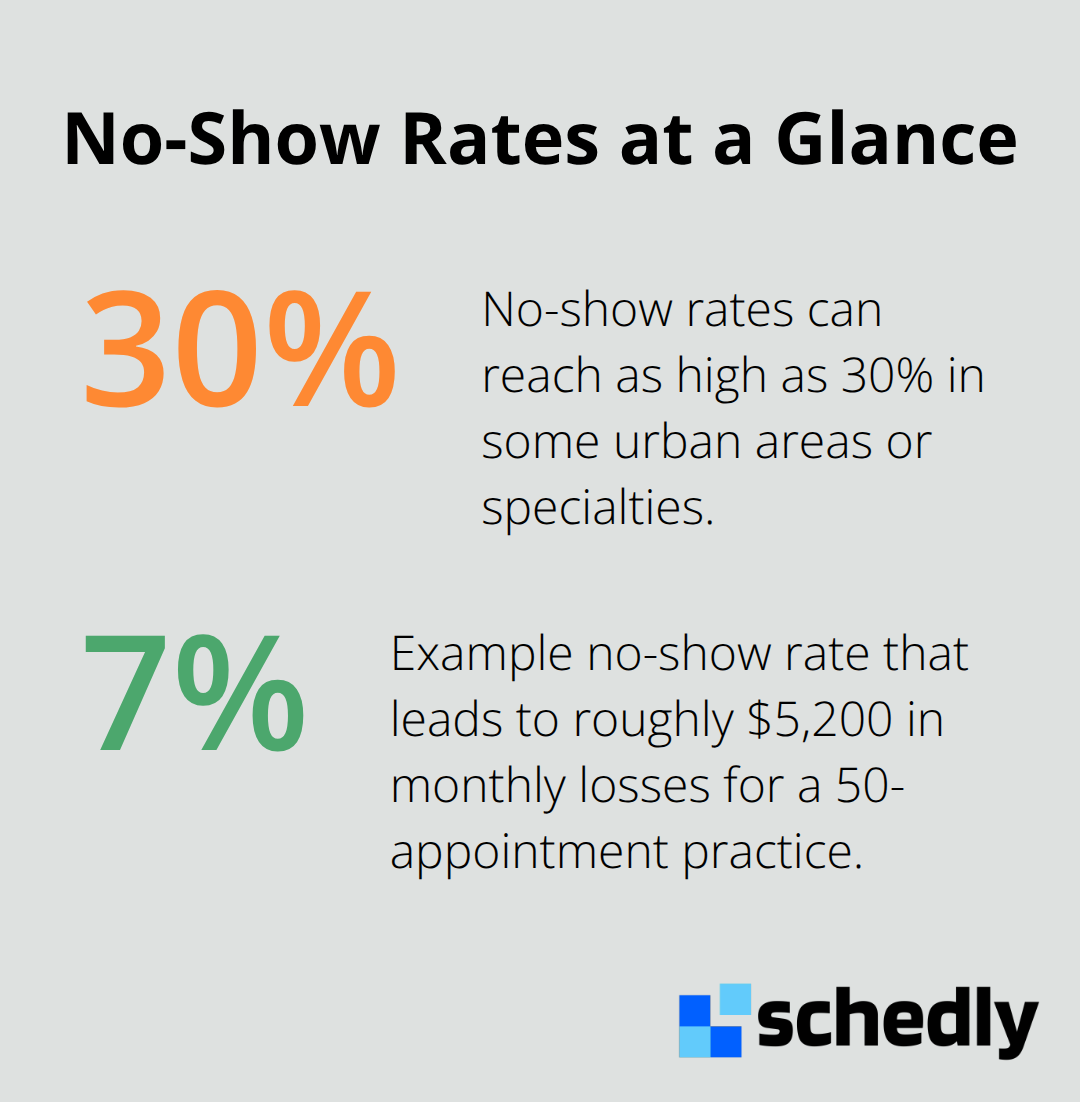
Reduced no-shows translate directly into revenue. A practice with 50 weekly appointments at a 7% no-show rate loses $5,200 monthly, but reducing no-shows by just 10% adds thousands to monthly revenue. If your average appointment generates $150 in revenue, filling just five additional slots per week adds $39,000 annually. That's automation paying for itself in the first month. The financial impact compounds quickly as your calendar fills with actual customers instead of empty slots.
Confirmation Response Rates That Actually Work
The three-touch reminder cadence (seven days, two days, and two hours before) consistently produces confirmation response rates between 70 and 85 percent. SMS reminders exceed 98% open rates, meaning most customers actually see your message and respond. When two-way SMS confirmations let customers reply with a simple number to confirm, cancel, or reschedule, your calendar updates instantly without staff involvement. A practice implementing this system typically sees no-show reductions between 60 and 75 percent within days, not months.
Staff Productivity Multiplies When Manual Work Disappears
Automated confirmations free your team from the administrative quicksand that drains productivity. Staff spending 30 percent of their day on reminder calls suddenly have those hours back for actual customer service. One team member no longer needs to dedicate their afternoon to chasing down cancellations. The productivity boost reaches approximately 30 percent when front-desk staff shift from making reminder calls to coordinating care or handling complex scheduling issues. Your smaller team handles higher patient volumes without burnout, which improves retention and reduces hiring costs.
Customer Experience Improves Across Every Touchpoint
Customers experience the difference immediately: shorter wait times, smoother check-in, and staff who seem less frazzled because they're not juggling manual follow-ups. A business that confirms bookings automatically keeps its calendar aligned with reality, which means your team spends less time managing chaos and more time delivering the service customers actually showed up for. Shorter wait times and organized schedules create the kind of experience that customers remember and recommend to others.
Final Thoughts
Automated booking confirmations transform how your business operates. When you confirm bookings automatically, you eliminate the chaos that no-shows create, align your calendar with reality, and free your team from manual follow-ups that drain productivity. The financial impact arrives quickly-a practice losing $5,200 monthly to no-shows recovers that amount by reducing no-shows by just 10 percent, while your team reclaims 30 percent of their time and confirmation response rates between 70 and 85 percent fill your schedule with actual customers instead of empty slots.
Getting started requires minimal effort and investment. Setup takes less than 10 minutes, staff training is straightforward, and calendar integration connects directly to Google Calendar, Outlook, or your practice management system without manual data entry. Customized message templates match your business, reduce customer confusion, and the system operates invisibly once activated, handling confirmations, reminders, and rescheduling without human intervention. Real-time analytics show you which reminder times and channels work best for your customers, so you refine your approach based on data rather than guesses.
Schedly makes this automation accessible across industries-salons, fitness studios, healthcare practices, consulting firms, and beyond. The choice is straightforward: continue managing no-shows manually and accept the revenue loss and staff burnout, or implement automated confirmations and build a more reliable operation that your customers notice and your team appreciates.