
Schedly resources
CRM For Service Businesses: Build Stronger Client Relationships
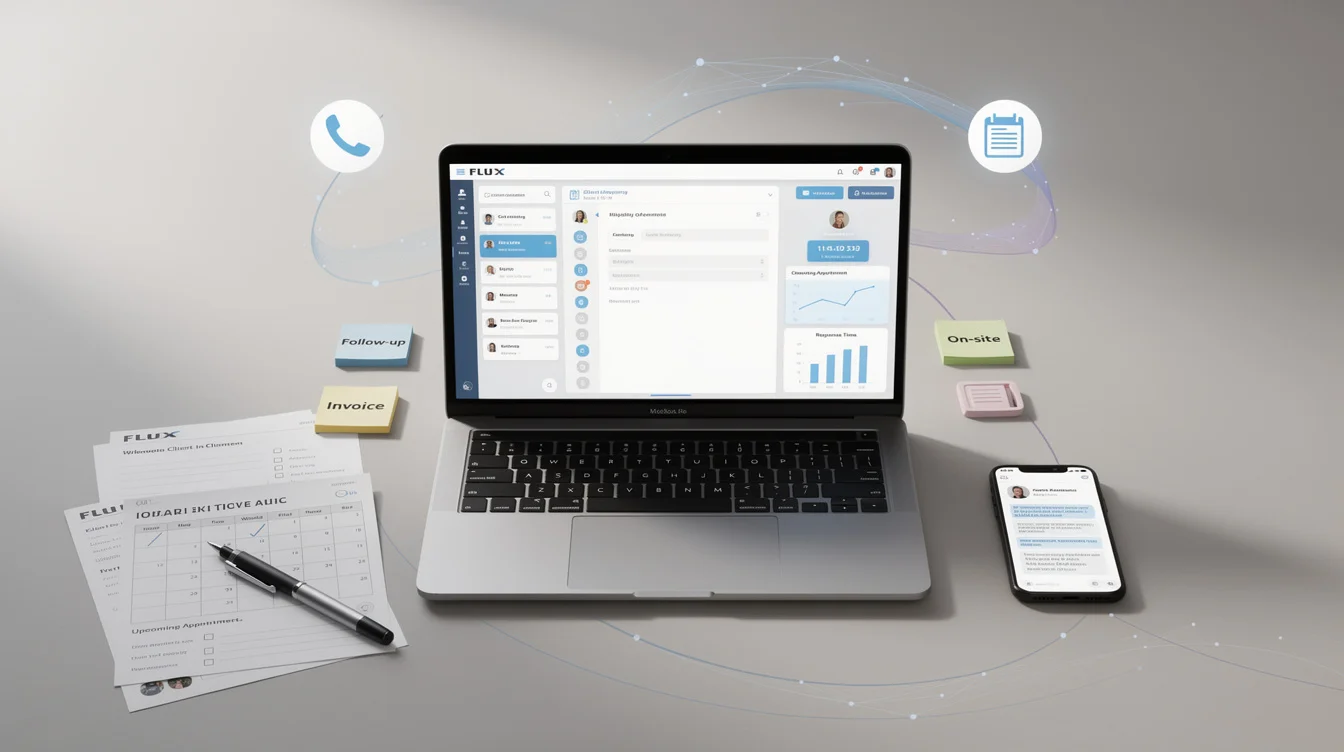
Service businesses live or die by their client relationships. When you're juggling multiple clients, projects, and deadlines, it's easy to drop the ball on follow-ups or miss important details that matter to your customers.
A CRM for service businesses transforms how you manage these relationships. At Schedly, we've seen firsthand how the right system cuts through the chaos, keeps your team aligned, and turns satisfied clients into loyal advocates.
Why Your Service Business Loses Money Without a CRM
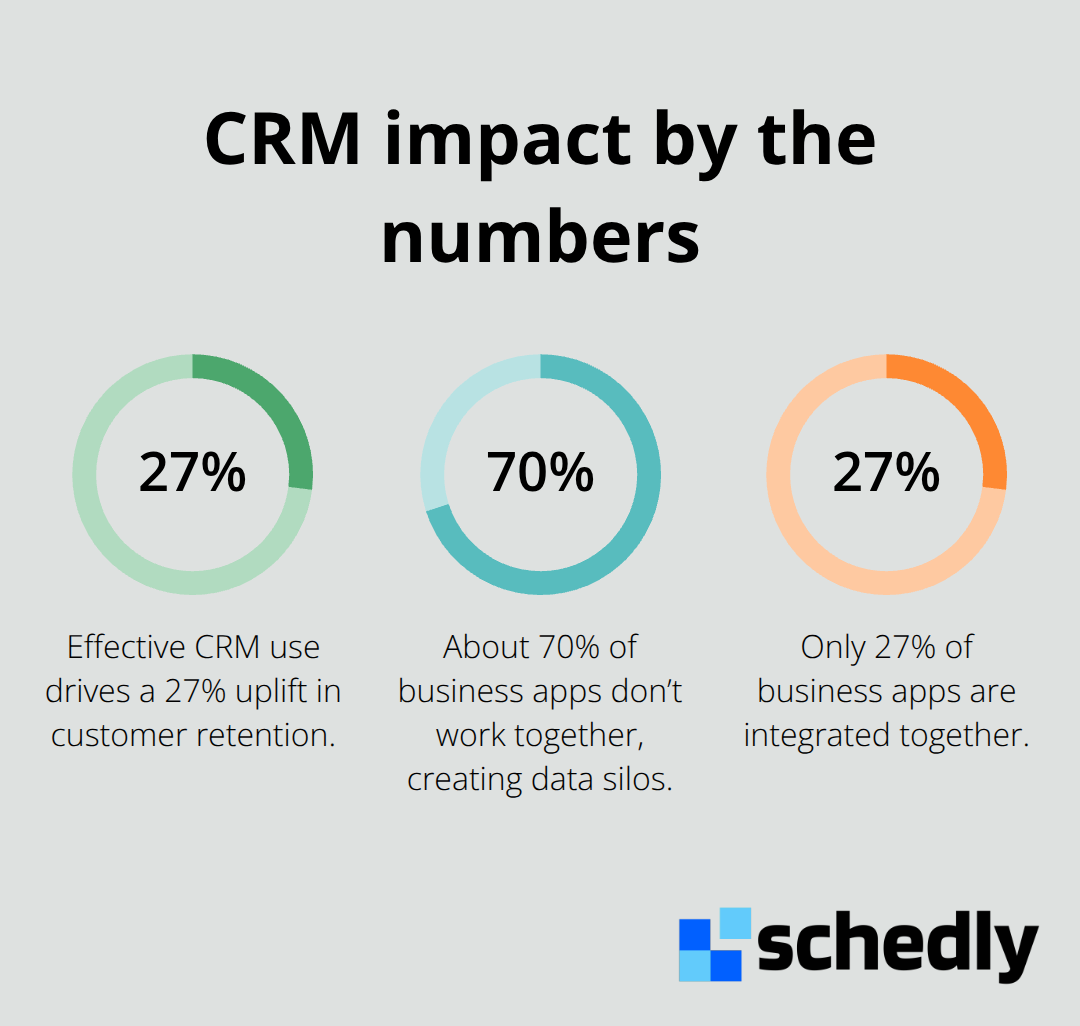
Service businesses operate on a simple truth: every client interaction either strengthens or weakens the relationship. Research from Aberdeen Group shows that companies effectively using CRM for customer engagement see a 27% uplift in customer retention. Yet most service teams still rely on scattered emails, personal notes, and memory to track what they promised clients. This approach fails at scale. When your team grows beyond three people, someone will miss a follow-up.
The Real Cost of Disorganized Client Data
Your client information lives everywhere: email inboxes, spreadsheets, phone notes, project management tools, and someone's head. Salesforce research found that the average company uses more than 1,000 apps, and about 70% of them don't work together, creating data silos that hinder consistent service. When a client calls with a question, your team wastes time hunting for context. When you need to upsell or renew a contract, you can't quickly see what services they already use or what problems they mentioned six months ago.
A centralized CRM solves this immediately. Every interaction-email, call, meeting, proposal-lives in one place tied to that client's profile. Your team sees the same information. New staff onboard faster because they can review the entire relationship history in minutes. You stop repeating questions or making commitments that contradict earlier conversations. This directly impacts revenue. Companies that unify customer data see faster sales cycles, with Nucleus Research reporting that CRM implementations can shorten sales cycles by 8–14%.
Response Speed Separates Winners From Everyone Else
Clients notice when you respond fast. They also notice when you don't. A service business that responds to inquiries in hours instead of days wins more projects and retains more clients. A CRM removes the friction. Automated reminders tell your team when a proposal needs follow-up. Notifications alert you when a client hasn't heard from you in 30 days. Templates for common responses let your team reply within minutes instead of writing from scratch.
Integration with your calendar and email means you see client context instantly without switching between tools. This matters especially for service teams with limited staff. One person managing 50 clients can't afford to spend an hour daily searching for information or reconstructing conversations. A CRM gives that person back hours every week. They spend those hours on actual client work instead of administrative tasks.
What Happens When You Finally Implement a CRM
The transition from chaos to organization happens faster than most teams expect. Your team stops duplicating work because everyone accesses the same client record. You catch renewal opportunities before contracts expire. You identify which clients need attention and which ones thrive with minimal contact. You also spot patterns-which services sell together, which clients refer others, which projects run over budget. These insights inform better decisions about pricing, staffing, and service offerings. The next chapter covers the specific features that make this transformation possible.
Key Features That Move the Needle for Service Businesses
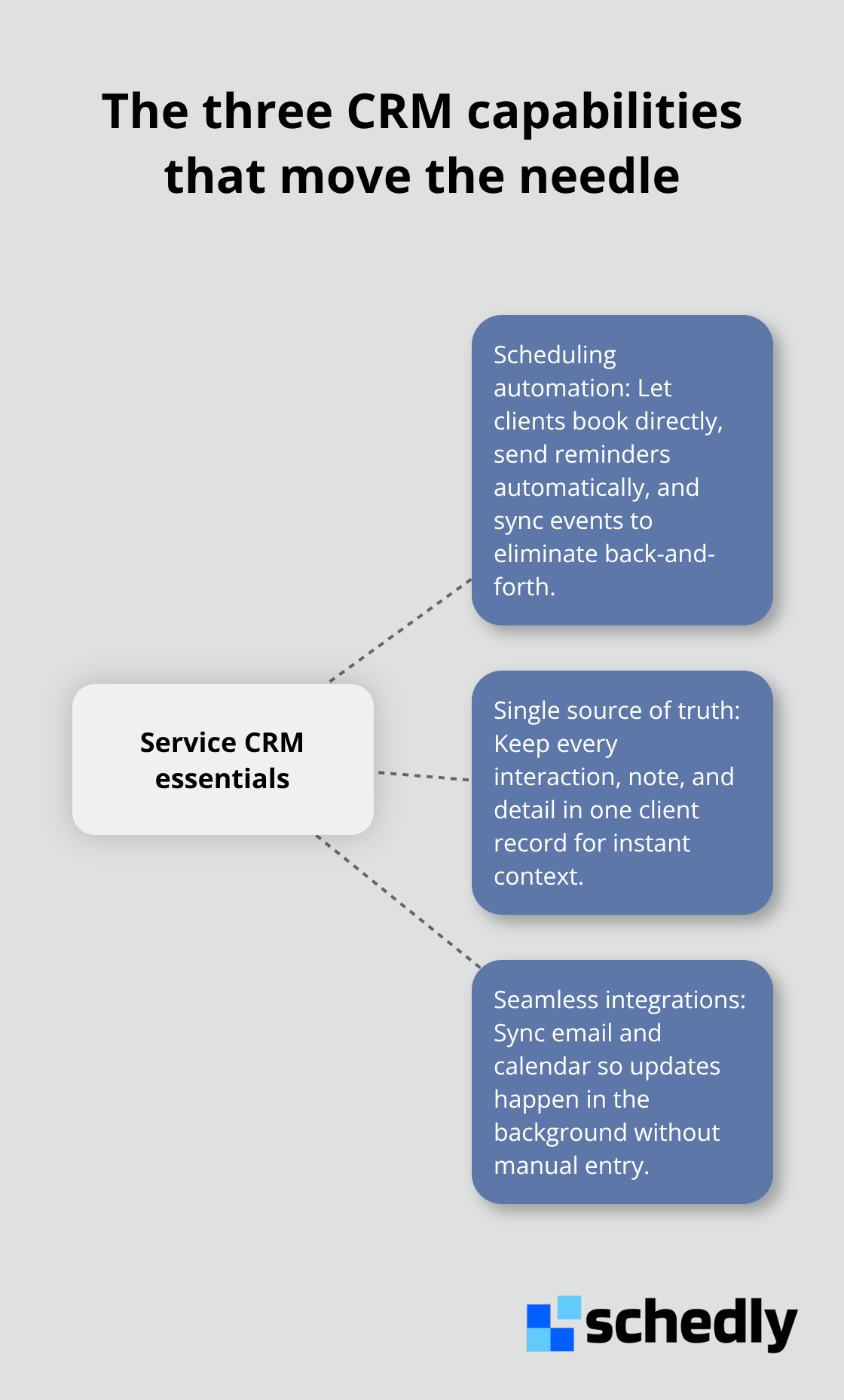
Not all CRM features matter equally for service businesses. Some sound impressive but sit unused. Others transform how your team operates within weeks. The features that matter most are the ones that eliminate repetitive work, surface client context instantly, and keep your team from dropping commitments. A CRM built for service work should handle appointment scheduling without manual back-and-forth, maintain a single source of truth for every client contact, and integrate seamlessly with the tools your team already uses daily. When these three capabilities work together, you stop losing time to administrative friction and start spending it on actual client delivery.
Scheduling That Removes Back-and-Forth
Manual scheduling destroys productivity. A client emails to request a meeting. Your team member replies with three time options. The client picks one and sends confirmation. You update your calendar. You send a reminder 24 hours before. You log the meeting notes afterward. That entire sequence takes 15 minutes per appointment when it should take 90 seconds.
A CRM with integrated scheduling automation cuts this to almost nothing. Clients book directly into your calendar through a branded scheduling page that shows only available time slots. The system sends automatic reminders to both your team and the client. Meeting notes sync to the client record. Your calendar, CRM, and client contact information stay in perfect sync without anyone manually updating anything.
This matters more as your team grows. Customer service efficiency improvements from appointment automation show that automation reduces administrative burden and costs significantly. If you manage 20 client appointments per week across a three-person team, automation saves roughly 10 hours monthly that your team can redirect toward billable work.
Client Records That Tell the Complete Story
Every service business collects client information, but most stores it in fragments. You know their email address because it's in your email client. You know their project budget because it's in a spreadsheet. You know their communication preferences because you remember from a conversation three months ago.
A CRM consolidates all of this into one searchable, organized record tied to that specific client. This includes contact details, company information, all past interactions, project history, renewal dates, and custom fields specific to your service type. The power emerges when your team segments clients by characteristics that matter to your business. A consulting firm segments by industry and project size. A home services company segments by location and service type. A legal practice segments by practice area and matter status.
Segmentation lets you run targeted follow-up campaigns, identify which client groups have the highest lifetime value, and customize your service approach. When your team can instantly see that a client prefers email over phone calls, or that they always need proposals within 48 hours, or that they refer other clients regularly, you deliver better service with less guesswork. Client retention uplift from CRM customer engagement demonstrates that treating each client as an individual rather than a transaction drives measurable results.
Tools That Fit Into Your Daily Workflow
The best CRM feature means nothing if your team ignores it. Integration with communication tools and calendar systems determines whether your team actually uses the CRM or treats it as extra work. Your team spends hours in email, calendar apps, and messaging platforms. A CRM that requires switching to a separate window to log interactions gets abandoned quickly.
Integration means that when your team receives a client email, they log it directly without copying information. When they schedule a meeting, it appears in both the CRM and their calendar automatically. When they need context before a call, they pull it up without leaving their email inbox. CRM integration with Gmail and calendar systems enables your team to update and sync emails and calendar meetings directly to the CRM. This reduces administrative toil significantly.
Your team also needs mobile access because service work happens in the field, at client offices, and on the road. Mobile CRM features let your team log notes and update status in real time instead of reconstructing conversations later from memory. The integration should extend to your accounting software, project management tools, and any other systems that touch client data. When your CRM connects to QuickBooks or Xero, you see billing history and payment status without switching applications. When it connects to your project management tool, you see what services a client purchased and how those projects are progressing. These integrations prevent data silos and keep your entire team working from the same information.
The right feature set transforms your operation, but only if you select a CRM that actually fits how your business works. The next chapter walks you through the process of choosing and implementing a system that your team will actually use.
How to Choose and Implement a CRM for Your Service Business
Most service businesses approach CRM selection backwards. They start by comparing features across vendors, build a spreadsheet of checkboxes, and pick the tool with the most boxes checked. Six months later, their team barely uses it. The mistake is treating CRM selection as a software decision when it should be a business process decision. Start instead by mapping exactly how your business works today, identifying where time gets wasted, and then finding a CRM that fixes those specific problems.
Map Your Workflow Before You Compare Vendors
Open your calendar and your email for the past two weeks. Track where your team spends time. You'll likely find that 73.2% of their time involves administrative tasks that don't generate revenue: searching for client information, manually updating calendars, sending reminder emails, copying information between systems, or reconstructing conversations. These are your leverage points.
A CRM implementation fails when it adds new steps instead of removing them. It succeeds when it automates the repetitive work your team already does manually. If your team spends two hours daily scheduling appointments, your CRM must have appointment scheduling integrated with calendar sync and automatic reminders. If your team spends hours each week hunting for client information scattered across email and spreadsheets, your CRM must consolidate everything into searchable client records.
Integration determines whether your team actually uses the system. Research shows that only 27% of business apps are integrated together, creating exactly the kind of data silos that waste your team's time. Your CRM must bridge those gaps for your specific tools. If your team uses Gmail or Google Calendar heavily, your CRM must integrate with Google Workspace so they update records without leaving their inbox.
Test With Your Team, Not Just Your Manager
The best CRM in the world fails if your team doesn't use it. Adoption depends almost entirely on ease of use and whether the system makes their daily work easier or harder. This means you should test the CRM with your actual team doing their actual work before you commit.
Most vendors offer free trials lasting 14 to 30 days. Use that time differently than most businesses do. Don't have your manager evaluate it in isolation. Instead, have two or three team members use it for a full week handling real client interactions. Can they log a client call in under one minute without switching between multiple windows? Can they access client history during a phone call without hunting for information? Can they update their calendar and have it sync to the CRM automatically? Can new hires see the complete interaction history with a client in seconds?
These questions predict whether adoption will happen. Talk to your team afterward and ask what annoyed them. If they mention friction points, those problems will only get worse after implementation.
Choose a Platform Your Team Will Actually Use
Adoption rates vary dramatically across CRM platforms. Copper integrates deeply with Gmail and Google Workspace, working well for teams already using Google's ecosystem because it requires minimal context switching. HubSpot offers a strong free tier that works for very small teams just starting out, though the interface becomes more complex as you add features. monday.com excels at customizable workflows if your processes differ significantly from typical service businesses, though setup takes longer. Zoho CRM provides budget-friendly options with customization, but the interface complexity can slow adoption for less technical teams. OnePageCRM targets solo founders and very small teams with a deliberately simple, action-focused design that emphasizes speed over features. Streak embeds directly in Gmail for lightweight tracking, making it easy to start, though it lacks deeper integration with project management and reporting tools.
The key is choosing a platform where your team will actually work instead of fighting the interface. Budget matters, but it should never be the primary factor. Implementing a CRM that your team won't use costs far more than paying for a better platform that they will use. A cheap CRM that sits unused generates zero ROI. An expensive CRM that your team relies on daily pays for itself through recovered administrative time and improved client retention.
Assign Clear Ownership and Set a Realistic Timeline
CRM implementation fails most often because no one owns the process. You hire a vendor, they set things up, and then nobody uses it consistently. Assign one person as the CRM owner responsible for configuration, data migration, team training, and ongoing optimization. That person should have at least 10 to 15 hours weekly available for the first month, then 5 to 10 hours weekly for the next two months. If you can't allocate someone with that time commitment, your implementation will stall.
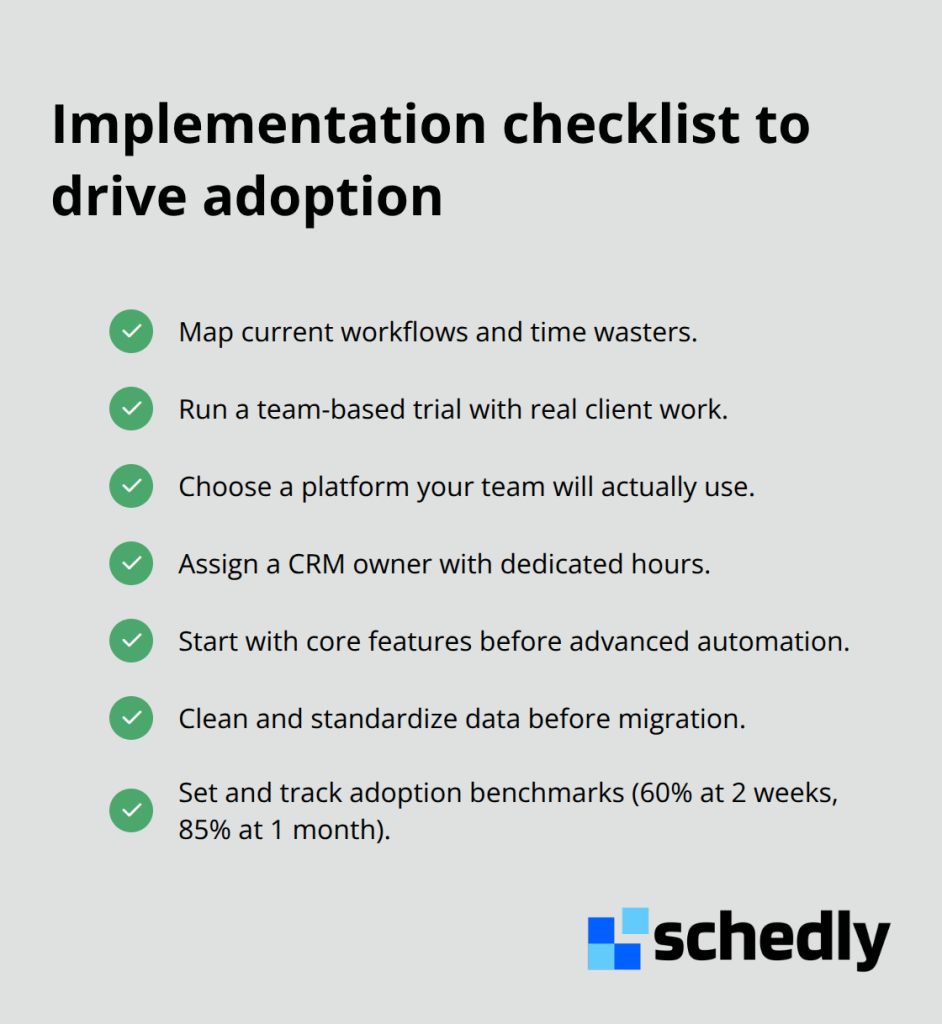
Start with core functionality only. Don't try to customize every field or automate every process in month one. Get your team logging client interactions, scheduling appointments, and accessing client history. Once those habits are established after four to six weeks, add more sophisticated automation and reporting.
Data migration from your current system requires careful attention. Messy data creates messy CRM records. Spend time cleaning your existing client list before migration: remove duplicates, standardize company names and phone number formats, and eliminate outdated contacts. This takes longer than just importing everything, but it prevents your CRM from inheriting all your existing data problems.
Training should be hands-on and brief. One-hour training sessions where someone explains features to your entire team don't work. Instead, have your CRM owner work one-on-one with each team member, showing them how to do their specific job in the new system. Then have them practice with real client interactions while the CRM owner watches and answers questions. This takes more time upfront but dramatically improves adoption.
Set measurable adoption goals. Track how many of your team members log client interactions daily, how many appointments are scheduled through the system versus manually, and how much time they report saving weekly. After two weeks, you should see at least 60 percent of your team using the CRM daily. After one month, that should reach 85 percent. If adoption lags behind those benchmarks, something in your implementation approach needs adjustment.
Final Thoughts
A CRM for service businesses isn't a luxury-it's the foundation that separates firms that grow from those that plateau. When your team stops wasting time hunting for client information and manually scheduling appointments, they redirect that energy toward the work that actually generates revenue and builds relationships. The 27% uplift in customer retention that comes from effective CRM use happens because your team responds faster, remembers details that matter, and delivers consistent service across every interaction.
The businesses winning in service industries right now operate with complete visibility into every client relationship. They know what was promised, when follow-ups are due, and what problems each client mentioned months ago. They catch renewal opportunities before contracts expire and identify which clients need attention versus which ones thrive with minimal contact. This intelligence comes directly from having a centralized system that your entire team actually uses, and Schedly combines scheduling automation with a customer-focused CRM designed specifically for service businesses, integrating with Google Calendar and other essential tools so your team updates records without leaving their workflow.
Implementation doesn't require perfection-start with the core features that eliminate your biggest time wasters and get your team logging interactions and scheduling appointments through the system. The competitive advantage goes to the service business that implements a CRM first, since your competitors are still managing client relationships through scattered emails and spreadsheets while you operate with complete visibility and faster response times. Start mapping your workflow this week and identify where your team wastes the most time, then find a CRM that fixes those specific problems.