
Schedly resources
CRM For SMBs: Transform How You Manage Clients
Small business owners spend too much time chasing spreadsheets and scattered customer notes instead of actually growing their business. A CRM for SMBs fixes this by putting all your customer information in one place, cutting through the chaos.
At Schedly, we've seen firsthand how the right CRM system transforms how small teams work. This guide walks you through what to look for, how to pick the right tool, and how to get your team up and running without the headache.
Why SMBs Need a CRM Right Now
Your customer data is scattered across too many places. A prospect's email lives in Gmail, their phone number sits in a spreadsheet, and notes from last week's call are buried in a Slack message. When a team member who handled that contact leaves, the relationship walks out the door with them. A CRM stops this immediately.
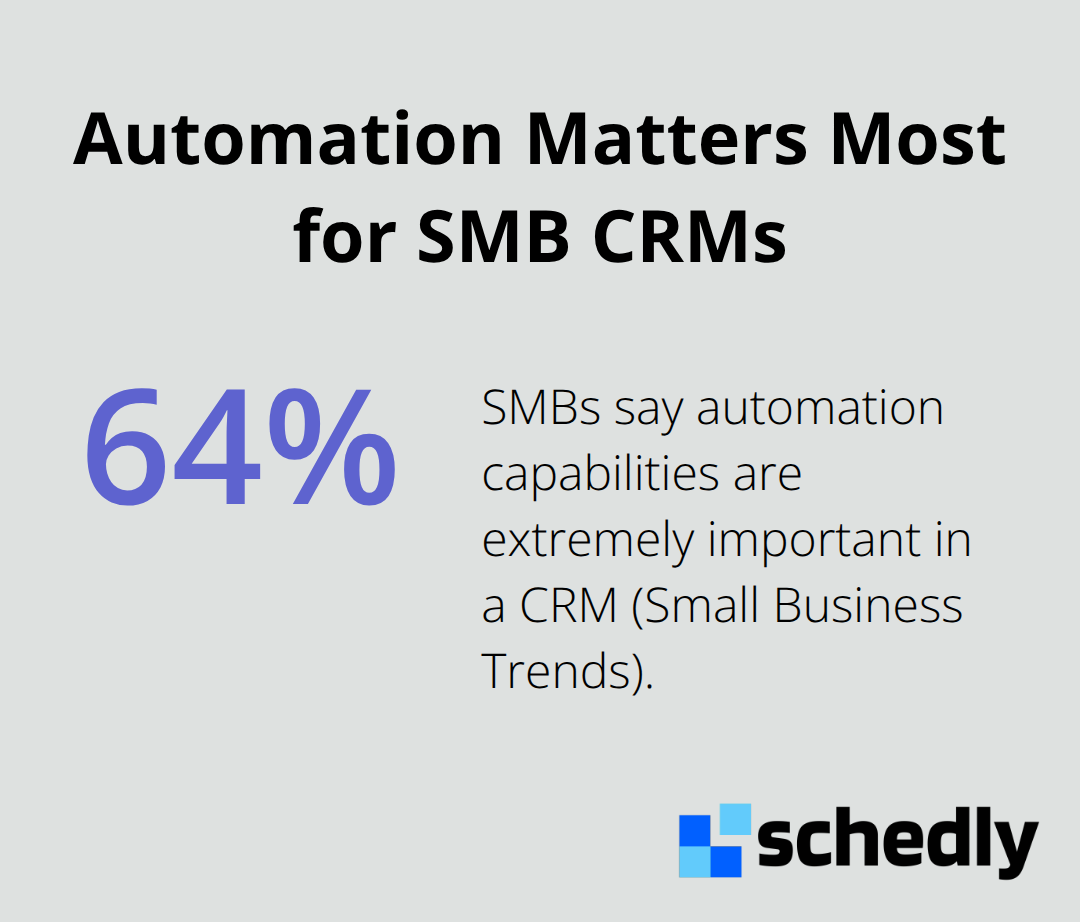
According to Small Business Trends, 64% of SMBs say automation capabilities are extremely important in a CRM. That automation starts with having all customer information in one searchable place. Without centralization, you lose context on every interaction. A customer service rep cannot see the last three conversations before picking up the phone.
Data Quality Directly Impacts Your Bottom Line
Manual data entry kills both time and accuracy. When your team manually enters contact info, logs calls, and updates spreadsheets, you pay them to do administrative work instead of closing deals or serving customers. A CRM with automated data capture and integration to your email and calendar cuts this overhead dramatically.
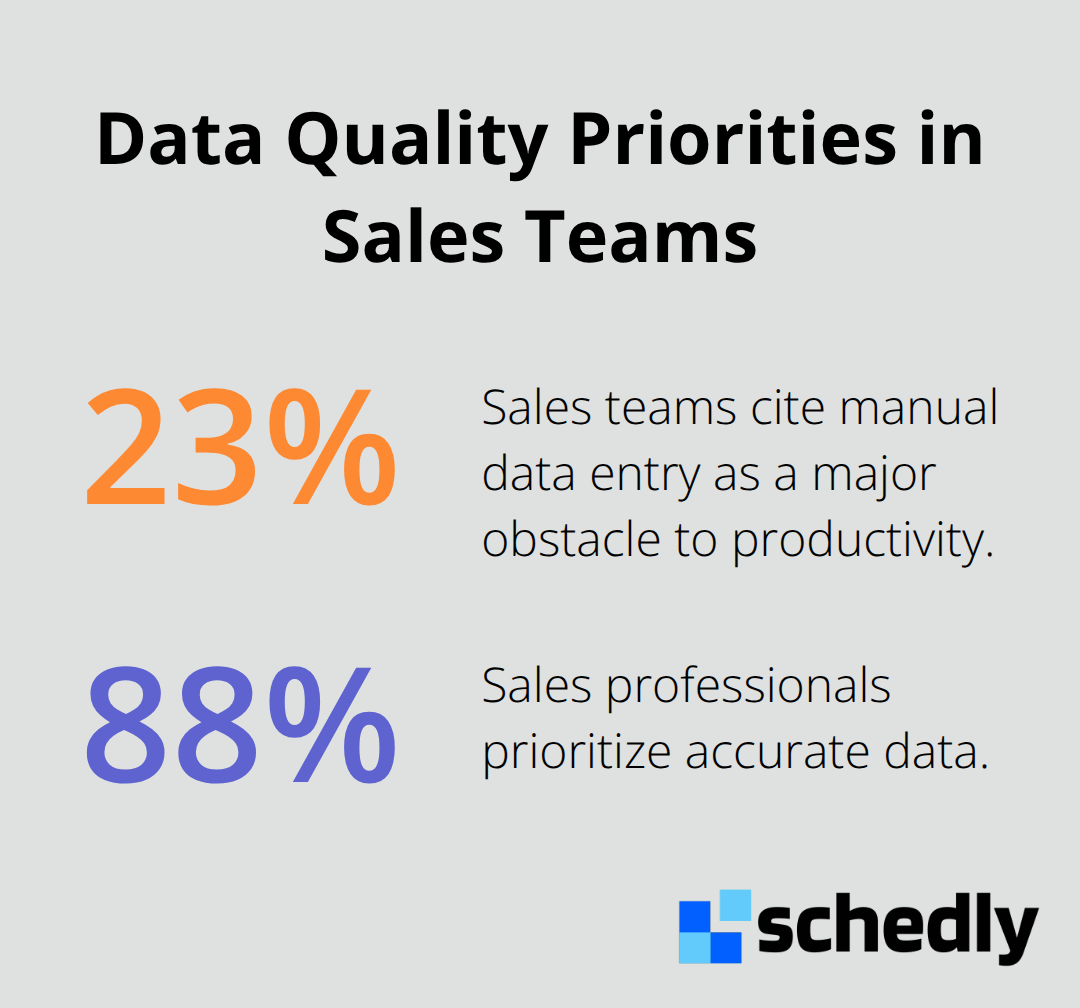
Research shows that 23% of sales teams cite manual data entry as a major obstacle to productivity, while 88% of sales professionals prioritize accurate data. The payoff is substantial: SMBs using CRMs report time savings of 5–10 hours per week (driven by automation, centralized data, and streamlined communication). That amounts to roughly 250–500 hours per year per team member that you can redirect toward revenue-generating activities.
Stronger Relationships Come From Context
A unified customer view transforms how you interact with clients. When you pull up a contact's full history-past purchases, support tickets, preferences, communication style-you stop treating every interaction as a cold start. A customer calls with an issue, and your rep immediately sees they've been a loyal client for three years and previously had a similar problem. That context shapes the conversation. You apologize faster, solve more efficiently, and demonstrate that you actually know them.
Personalized experiences matter: 89% of consumers are more likely to make another purchase following a positive customer service experience, and 80% are more likely to buy from personalized interactions. A CRM enables this personalization at scale. You segment customers by purchase history, automate relevant follow-ups, and flag cross-sell opportunities based on what they've already bought. Sales cycle length drops 8–14% when teams use CRM-driven processes with lead scoring and automated follow-ups. For SMBs operating on thin margins, that acceleration compounds into real revenue growth.
What Happens When You Pick the Right Tool
The right CRM transforms your team's daily workflow. Your sales reps spend less time hunting for information and more time selling. Your customer service team resolves issues faster because they see the complete interaction history. Your marketing team runs targeted campaigns instead of blasting everyone with the same message. These improvements compound: faster sales cycles, higher customer retention, and lower customer acquisition costs all flow from having accurate, accessible customer data in one place. The next step is knowing which features actually matter for your business and how to avoid overpaying for capabilities you'll never use.
What Features Actually Matter in an SMB CRM
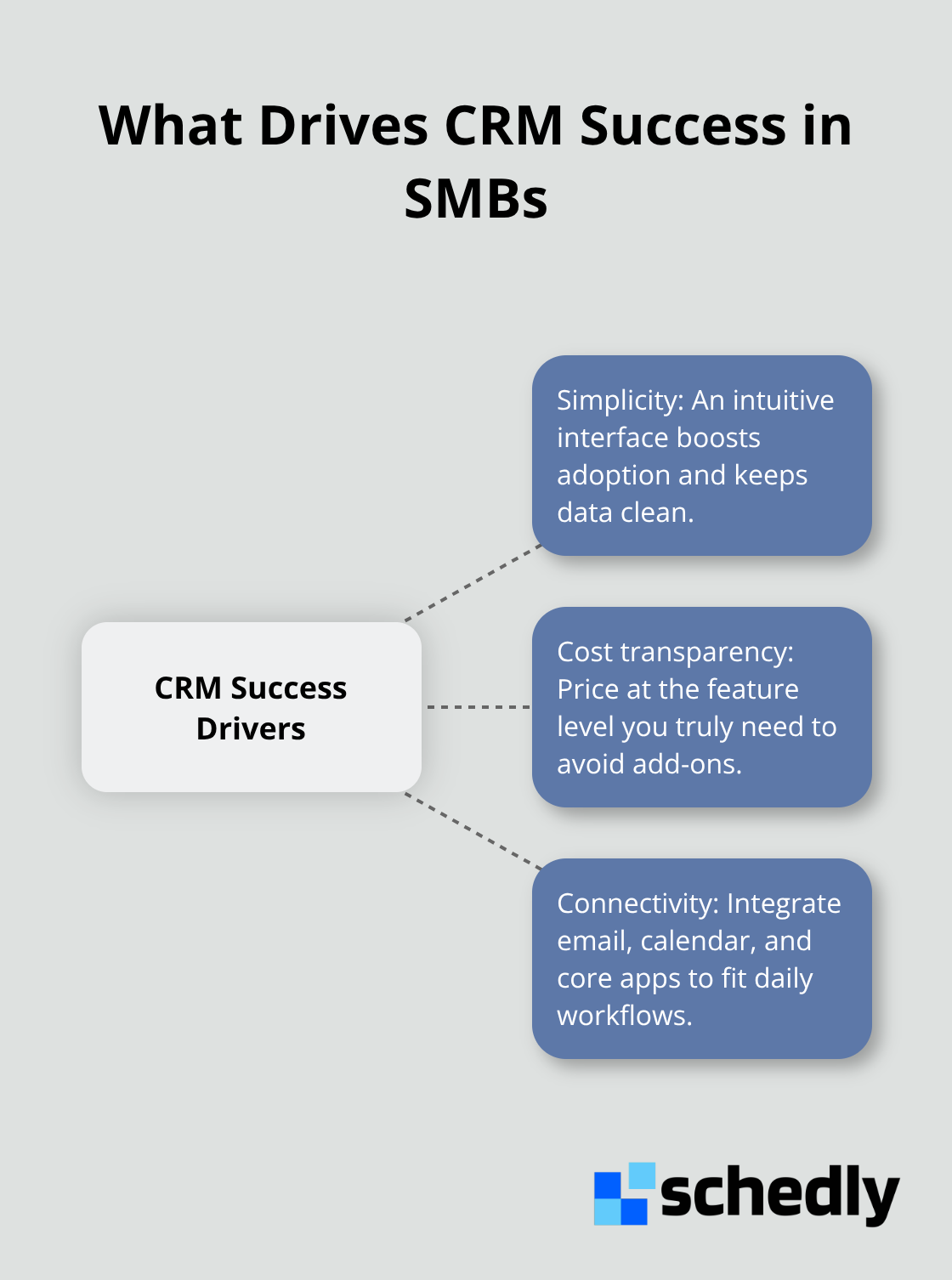
Most SMBs waste money on CRM features they never use. You do not need every bell and whistle that enterprise vendors throw at you. What you need is a tool that your team will actually open every day, that integrates with the apps you already rely on, and that does not drain your budget before you see a return. The three things that determine whether a CRM succeeds or fails in a small business are simplicity, cost transparency, and connectivity to your existing workflow. Complexity kills adoption faster than anything else.
Simplicity Wins Over Features Every Time
User adoption hinges directly on ease of use. If your interface is cumbersome, your reps will not use it and your data quality suffers immediately. OnePageCRM scored 4.9 out of 5 from experts specifically because its mobile app is intuitive and requires almost no training. Your team should log a call, update a contact, or move a deal down the pipeline in under 30 seconds without opening a manual. If onboarding takes weeks and training requires a consultant, that CRM is built for enterprise, not for you.
Calculate Your True Cost, Not Just Per-User Price
Pricing transparency matters more than the headline number. Some vendors advertise $10 per user per month, then hit you with setup fees, integration costs, storage overages, and mandatory add-ons that push the real cost to $50 per user. Forbes Advisor found that entry-level SMB plans typically range from $10 to $25 per user per month, mid-tier from $30 to $50, and premium tiers above $50.
Zoho CRM offers a free plan for up to three users, then $11 to $65 per user per month depending on features. Agile CRM provides a free plan for 10 users with 5,000 branded emails, then $14.99 to $79.99 per user per month. Monday.com starts at $15 to $33 per user per month with strong dashboards. Freshsales charges $11 to $71 per user per month, but AI features like Freddy AI live on higher tiers. Pipedrive ranges from $24 to $99 per user per month without a free plan.
The trap is choosing based on per-user cost alone without asking what happens when you need document management, advanced automation, or additional storage. Calculate your true cost by identifying which features your team actually needs, then price three vendors at that feature level, not their cheapest tier. A $20 per user plan that covers everything you need beats a $10 plan that requires $50 in add-ons.
Integration Determines Whether Your Team Actually Uses It
A CRM that does not connect to your email, calendar, and accounting system creates more work, not less. Your sales reps log calls and emails into your CRM, or they log them in Gmail and Outlook-but not both. If your CRM does not pull data from your email automatically, you ask your team to manually enter every interaction twice. That does not happen.
Integration with email and calendar should sync automatically, so calls and emails are logged without manual effort. If you use Xero or QuickBooks for accounting, your CRM should connect to see past invoices and purchase history without exporting and importing spreadsheets. Zoho CRM integrates with Xero through the Xero App Store, letting you tie client profitability directly to your CRM records. If your team uses Slack, Google Workspace, or Microsoft 365, the CRM should work inside those tools, not force you to switch windows constantly.
Zapier and Zoho Flow can bridge gaps when native integrations do not exist, but do not rely on these as your primary connection strategy (they add complexity and break more often than direct integrations). The goal is simple: your CRM should fit into your team's existing daily tools, not replace them. If implementation requires your team to change how they work fundamentally, adoption fails regardless of how good the software is.
The next step is moving from theory to action-assessing what your business actually needs and comparing vendors that match those requirements.
How to Choose the Right CRM Without Wasting Time or Money
Map Your Pain Points Before You Look at Vendors
Start by identifying your actual pain points before you examine any vendor. Too many SMBs skip this step and end up purchasing a tool that solves problems they do not have. Sit down with your sales team, customer service reps, and whoever handles customer communication. Ask them directly: what takes the most time right now? What information do you need that you cannot find? Where do deals stall? Where do customers fall through the cracks? Write these down. Do not guess.
If your biggest problem is that your team forgets to follow up with leads, a CRM with strong automation and task reminders matters more than advanced reporting. If your issue is that customer service reps cannot see order history during calls, you need CRM-to-accounting integration above everything else. Essential features SMBs should prioritize include deal pipelines, automation, integrations, task management, document management, lead generation, and basic marketing tools. You do not need all of them immediately. Start with what solves your three biggest problems, then expand later.
Compare Vendors at Your Actual Feature Level
Once you know what you need, run a side-by-side comparison of three vendors at the exact feature level your business requires, not their cheapest tier. This is where most SMBs fail. Zoho CRM looks cheap at $11 per user per month until you add document management and need to upgrade to Professional at $35 per user per month. Agile CRM advertises a free plan with 10 users, but 5,000 branded emails disappears fast if you run regular campaigns. Freshsales promotes Freddy AI as a game-changer, yet AI features sit exclusively on the $71 per user tier.
Price three vendors at the feature level where they actually deliver what you need, then decide. Pricing transparency matters more than the headline number. Calculate your true cost by identifying which features your team actually needs, then price each vendor at that feature level. A $20 per user plan that covers everything you need beats a $10 plan that requires $50 in add-ons.
Test With Real Data Before You Commit
Test with free trials before you commit any money. Spend two weeks using each CRM with real data from your business, not sample data. Have your actual sales reps log calls, your customer service team pull up contact histories, and your marketing person run a segment. If the interface feels clunky or integrations do not work as promised, you will know in two weeks instead of discovering it after you sign a year-long contract.
Plan Your Migration and Onboarding Carefully
Plan your migration and onboarding carefully because this is where most CRM implementations fail. CRM implementation failure rates range from 20 to 70 percent, with poor user adoption as the top cause. You cannot avoid a temporary productivity dip during the transition, so budget for it.
Pick a start date and migrate your contact data in batches rather than all at once. Run your old system and new CRM in parallel for two weeks so your team can reference the old data while learning the new tool. Assign one person as the CRM champion who becomes the expert and answers team questions daily. Train your team on the specific workflows that matter to their job, not every feature in the software. A sales rep does not need to know how to build custom reports; they need to know how to log a call, update a deal status, and see a contact's history in under 30 seconds.
Comprehensive training prevents adoption failures more than anything else. Set clear expectations that the first month will feel slower as people learn, and that is normal. Measure your success against specific metrics: sales cycle length, time spent on administrative tasks, customer response time, and customer retention. If none of these improve within 90 days of full rollout, something in your setup or training needs to change. Do not accept that a CRM is just slow or complicated. That usually means the implementation did not match your actual workflow.
Final Thoughts
A CRM for SMBs transforms how your team works by eliminating administrative chaos and freeing time for revenue-generating activities. The benefits compound quickly: faster sales cycles, stronger customer relationships, lower acquisition costs, and measurable time savings that add up month after month. You now understand what features matter, how to avoid overpaying for unused capabilities, and how to implement without disrupting your team.
Pick one pain point your business faces right now-scattered customer data, forgotten follow-ups, or inconsistent communication-and map that problem to three vendors that solve it best at a price fitting your budget. Run a two-week trial with real data, and if it works, commit to a structured rollout with clear training and assigned ownership. Most SMBs succeed with a CRM because they chose based on actual needs rather than marketing hype and invested in proper onboarding.
If you handle client scheduling alongside your CRM, Schedly automates your booking process while keeping customer data synchronized across your systems. Start small, measure results within 90 days, and expand from there-the SMBs that win are the ones that actually use their CRM every day because it fits how they work.