
Schedly resources
Customer Management Workflow: Streamline Every Interaction

Most businesses lose customers because their teams juggle leads, follow-ups, and data across disconnected tools. A customer management workflow fixes this by centralizing every interaction in one place.
At Schedly, we've seen firsthand how companies that organize their customer processes reduce response times by days and boost retention rates significantly. This guide walks you through building a workflow that actually works.
What Happens When Customer Data Lives Everywhere
A customer management workflow is the complete set of steps your business takes to handle every customer interaction from first contact through resolution and beyond. It includes who does what, which tools handle each task, how information moves between team members, and where handoffs happen. Without one, your sales team might email a lead while your support team searches for the same customer in a different system, and your marketing team has no idea either conversation happened. This fragmentation costs time and money. According to research, waiting longer than expected leads to decreased satisfaction, whereas waiting shorter than expected substantially increases satisfaction, and a significant portion of that delay stems from teams working in isolation rather than following a coordinated process.
The Real Cost of Disconnected Processes
When your team juggles data across spreadsheets, email, and multiple software platforms, three things happen immediately. First, response times explode because finding customer information takes longer than actually solving the problem. Second, human error multiplies because the same data gets entered multiple times in different systems, and each entry is a chance to get it wrong. A small accounting firm that automated their customer data entry reduced manual input by 70%, which freed their team to focus on actual client work instead of administrative tasks. Third, your team burns out because they spend their day context-switching between tools rather than having focused time to serve customers.
A streamlined workflow puts all customer information in one accessible place, automates repetitive data entry, and gives your team a clear path forward for every interaction. This matters because 83% of customers expect to reach a person right away, and your team can only meet that expectation if they know who's calling, what they need, and what happened last time.
Why Consistency Beats Heroics
A documented workflow forces consistency. Without one, every team member handles situations differently based on their experience, memory, or mood that day. With one, every customer gets routed to the right person, receives the same quality of response, and experiences the same level of care whether they contact you via chat, email, or phone. This consistency directly impacts retention because customers develop trust when they know what to expect.
The Five Stages That Matter
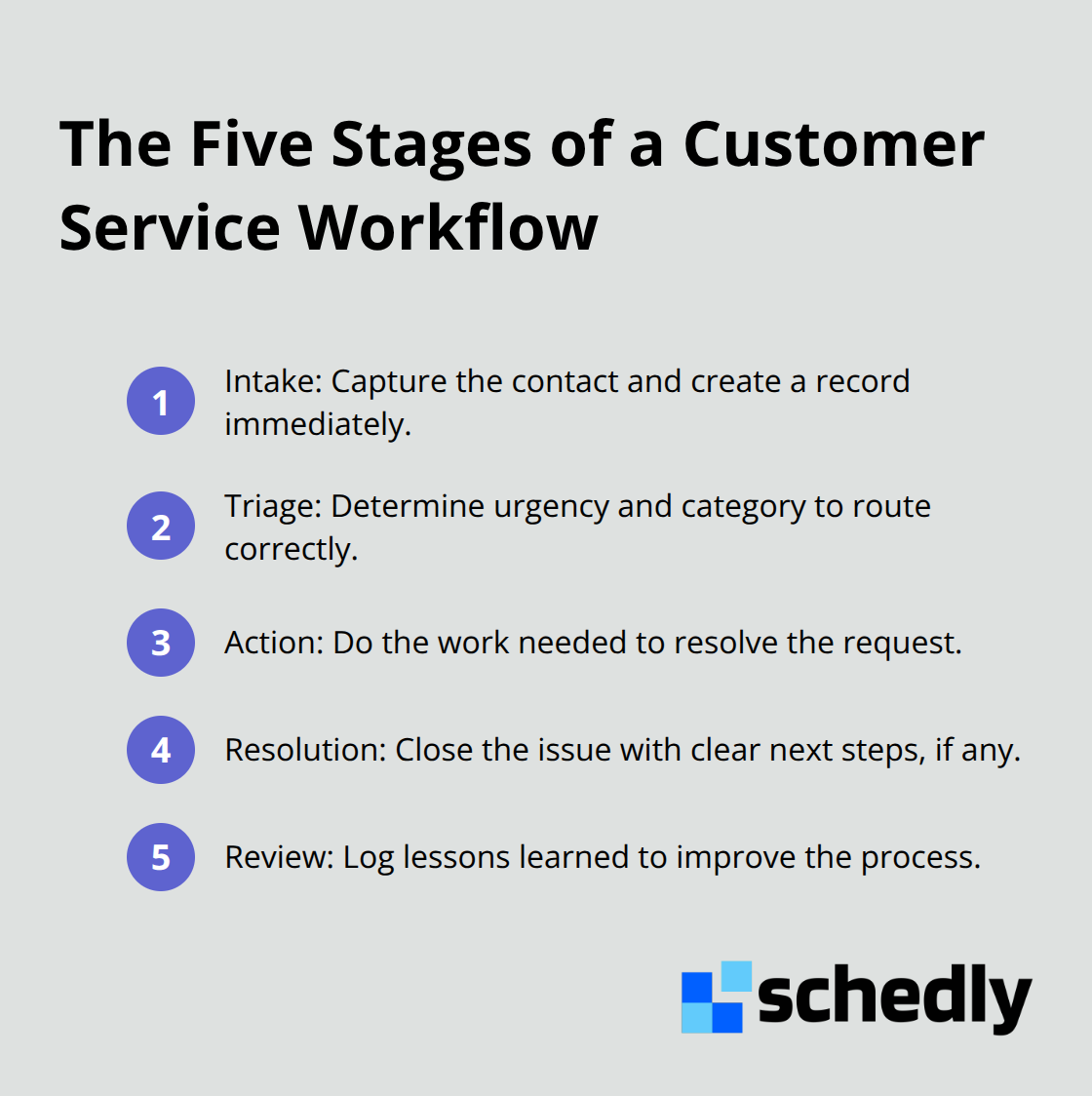
A customer service workflow typically includes five stages: intake where the contact arrives, triage where you determine urgency and category, action where the actual work happens, resolution where you close the issue, and review where you capture lessons learned. At each stage, automation handles the parts machines do better than people, and humans handle the parts that require judgment, empathy, or problem-solving. This hybrid approach is what actually moves the needle on customer satisfaction and response times.
The next step is identifying which tools and processes will support these five stages in your specific business context.
Building the Three Foundations That Actually Work
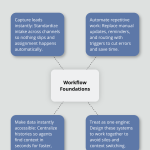
Your workflow lives or dies based on three interconnected systems working together seamlessly. The first captures leads the moment they arrive so nothing falls through the cracks. The second automates the repetitive work that eats up your team's time and introduces errors. The third makes customer information instantly accessible so your team spends seconds finding context instead of minutes hunting through files.
How to Capture Leads Without Losing Them
Leads arrive through multiple channels now-web forms, phone calls, social messages, emails, chat-and each one needs a standardized entry point. The moment a lead comes in, your system should capture their name, contact information, reason for reaching out, and any relevant details they've already provided. Most businesses still manually transfer information from forms into spreadsheets or CRMs, creating delays and typos. Automation tools like Zapier, Make, or Relay.app connect your web forms directly to your CRM so data flows automatically without human intervention. If you're using WordPress, tools that integrate with your site sync customer interactions directly into your CRM records. The goal is zero manual data entry at intake. When a lead arrives, your system assigns them to the right person, categorizes them by priority, and queues them for contact within your SLA window automatically. This eliminates the moment where leads sit in an inbox waiting for someone to notice them. Automation reduces manual tasks and errors at this stage, speeding triage significantly. In SaaS companies, password resets and billing inquiries often account for around 30% of incoming volume, and in ecommerce about a third of contacts are shipping status requests-both situations where you can deflect volume entirely through self-service automation that answers common questions before they reach your team.
Automating the Work That Drains Your Team
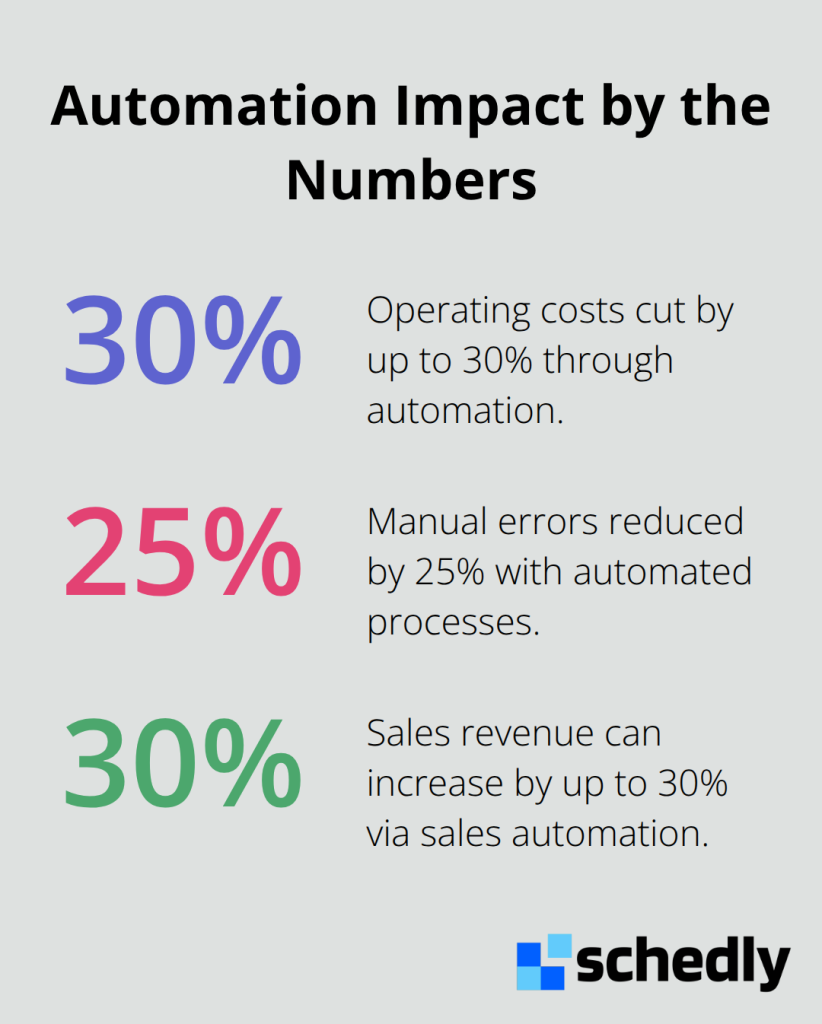
Follow-up is where most workflows collapse. A lead comes in, your sales rep sends an email, and then nothing happens automatically. The rep must manually set reminders, manually update the CRM, manually send the next email. Automating processes can slash operating costs by up to 30% while reducing manual errors by 25%, and that happens specifically because your team stops doing repetitive admin work. Task automation means your workflow triggers actions based on conditions-if a lead doesn't respond in 48 hours, your system sends a follow-up email automatically. If a customer hasn't made a purchase after viewing your pricing page, your system triggers a discount offer. If a support ticket sits unassigned for 30 minutes, your system escalates it. These automations run continuously without your team thinking about them. Real-time updates from automated workflows also provide fresh data for faster, better decision-making because your CRM stays current as interactions happen rather than hours later when someone remembers to update it. Data silos are common in growing businesses-your email system has one version of the customer's communication history, your CRM has another, and your support tickets have a third. Automated syncing across these tools keeps customer data consistent so every team member sees the same information. Sales automation specifically can boost revenue by up to 30% because your team contacts more leads faster and follows up consistently without human memory getting in the way.
Making Data Findable When It Matters
Your team needs to find customer information in seconds, not minutes. This means centralizing all customer interactions-emails, chat transcripts, support tickets, purchase history, previous conversations-in one searchable place. When a customer calls, your agent sees their entire history displayed in the agent workspace before they answer. This context prevents customers from repeating themselves and lets your team solve problems immediately instead of saying they'll call back. Track metrics like first contact resolution above 70% and repeat contact rate below 20 to 25%, because these numbers reveal whether your team actually has the information they need when they need it. If repeat contact rates are high, your data organization is broken-customers are calling back because your team couldn't see their previous interaction. Build your data organization around the customer journey, not your internal departments. A customer might interact with sales, then support, then billing. Your system should show all three interactions in chronological order so the billing team knows what support already tried before offering solutions. This prevents misrouted interactions and reduces transfer rates because handoffs happen with full context already visible.
The tools you select to support these three foundations determine whether your workflow actually functions or becomes another source of frustration for your team.
Implementing a Customer Management Workflow
Map Your Process Before You Buy Tools
Start with an audit of what actually happens in your business right now, not what you think happens. Document your top ten reasons customers contact you, then track where each one gets stuck. In SaaS companies, password resets and billing inquiries often consume 30% of incoming volume. In ecommerce, shipping status requests account for roughly a third of all contacts. These high-volume categories are your optimization targets because fixing them upstream prevents tickets entirely.
Spend a week logging every customer interaction, noting the tool it touches, who handles it, how long it takes, and where handoffs break down. You'll discover that tier-1 to tier-2 escalations lose context, that your sales team and support team see different customer histories, or that billing questions bounce between three departments before resolution. These friction points become your roadmap.
Most businesses skip this step and jump straight to software selection, then wonder why their new CRM doesn't fix anything. The tool amplifies a broken process, not repairs it. Once you identify your three highest-friction points, you can measure whether changes actually work. If your repeat contact rate sits above 25%, your data organization or first-contact resolution capability is the problem. If response times exceed your SLA window regularly, your routing or triage process needs redesign.
Select Tools That Actually Integrate
The market offers dozens of automation platforms, and most will disappoint you if you treat them as standalone solutions. Zapier remains reliable with thousands of app connections, but its AI features feel bolted on. Make offers 7,500 templates and budget-friendly pricing, though the interface lags behind newer competitors. Relay.app impresses users with simple workflows and a straightforward $38-per-month professional plan. Gumloop secured $50 million in Series B funding and operates as an AI-native platform with built-in language models and a Gummie assistant that helps design workflows without requiring separate API keys.
For customer management specifically, prioritize tools with native CRM features, prebuilt templates, and dashboards that minimize context switching. Your sales team shouldn't need to leave their CRM to trigger automations or check workflow status. If you use WordPress, tools that integrate with your site sync customer interactions directly into your CRM records, eliminating the manual data transfer step entirely.
Security matters more than feature count when handling customer data. Evaluate whether platforms offer SSO, audit logs, SCIM, SAML, and SOC 2 certification. Start with a free trial or credits, which most platforms offer, and test your specific workflow rather than exploring features theoretically. Can the tool actually sync your web form to your CRM? Can it send automated follow-ups based on customer behavior? Can your team see customer history in the interface where they work? These operational questions matter far more than impressive feature lists.
Train Your Team to Embrace the Workflow
About 30% of businesses experience pushback during automation adoption, and training determines whether your team embraces the workflow or resents it. Don't train everyone simultaneously on everything. Instead, identify your workflow champions-people who naturally adopt new tools-and have them use the system for two weeks before rolling it out to the broader team. These champions become your go-to resources when questions arise, which reduces resistance significantly.
Then train the rest of your team on only the parts they actually touch. Your sales rep doesn't need to understand every automation rule your support team uses. They need to know how to log a lead, what information the system requires, and how to check status. Create a one-page reference guide for each role, not a 50-page manual. Document common scenarios your team actually encounters-what happens when a customer calls with an existing ticket, how to escalate when the bot can't help, where to find customer history-rather than explaining every menu option.
Most teams need quarterly refreshers as tools update and new people join. Track whether your first-contact resolution rate improves after training. If it stays flat or drops, your team either didn't understand the workflow or the data organization is still broken. The metrics tell you whether to retrain, redesign, or reconsider your tool choice.
Measure Results That Matter
Measure the time saved per interaction before and after implementation. If your team spends 15 minutes per customer call finding information beforehand and only 5 minutes after your new workflow, that's 10 minutes per call freed up. With 50 calls daily, that's 500 minutes-more than eight hours-your team regains daily for actual customer work instead of administrative hunting.
Final Thoughts
A customer management workflow succeeds when three elements work together: centralized data that your team accesses instantly, automation that eliminates repetitive work, and clear routing that connects customers to the right person fast. Without all three, your team still manages interactions manually, which means slow response times, repeated information requests, and burned-out staff. The businesses that see real results implement these elements systematically rather than hoping a new software purchase fixes everything.
When your team stops hunting for customer information and manually entering data, they handle more interactions daily without working longer hours. Your repeat contact rate drops because customers don't need to call back explaining their situation again. Your team retention improves because people prefer solving problems to administrative work. Your revenue grows because your sales team contacts more leads consistently and your support team resolves issues on first contact.
Start by mapping your current process and identifying your three highest-friction points, then select tools that integrate natively with your existing systems rather than creating new silos. Schedly offers workflow automation alongside scheduling and CRM capabilities, helping your business automate the booking process and manage customer data in one place. Quarterly audits keep your processes aligned with changing business needs, and the metrics guide your refinement decisions as your customer management workflow evolves.