
Schedly resources
Education Scheduling Software: Time-Saving Tools for Educators
Teachers spend roughly 8 hours per week on administrative tasks that have nothing to do with actual teaching. That's time stolen from lesson planning, grading, and connecting with students.
Education scheduling software cuts through this waste. At Schedly, we've seen firsthand how the right tools eliminate scheduling conflicts, streamline communication, and give educators their time back. The result isn't just less stress-it's measurably better outcomes for students and staff.
Why Scheduling Software Transforms School Operations
The Cost of Broken Scheduling
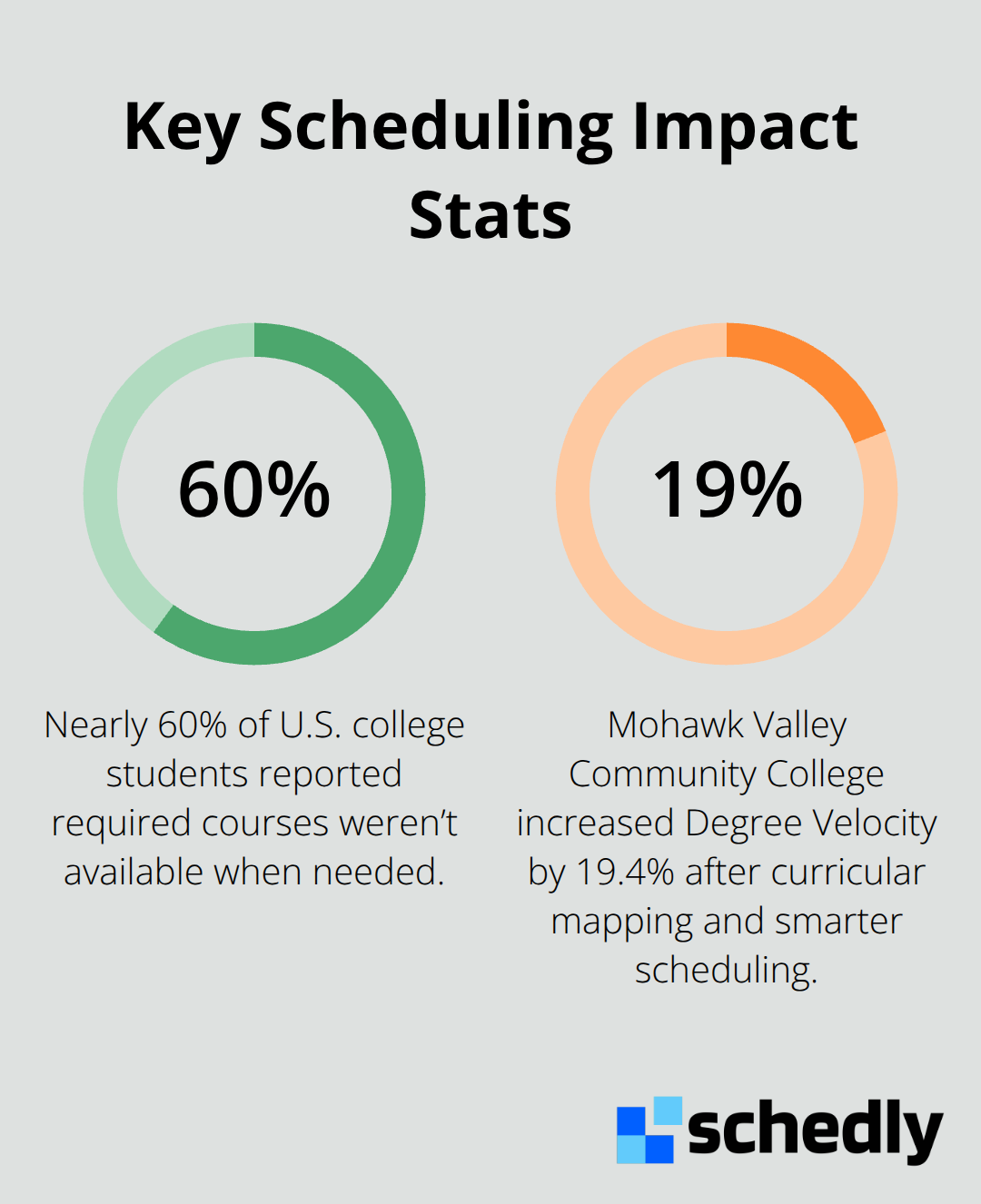
Teachers lose roughly 8 hours weekly to administrative overhead that pulls them away from what matters. Nearly 60% of college students reported that required courses weren't available when needed, according to recent research. This scheduling gap creates a domino effect: students delay graduation, frustration builds, and staff spend countless hours trying to patch problems that software would have prevented. When scheduling is broken, everything else breaks too.
Real-Time Conflict Detection Stops Waste
Education scheduling software doesn't just trim administrative time-it fundamentally reshapes how schools operate. Real-time conflict detection prevents double-bookings that waste classroom space and create scheduling nightmares for staff. Automated timetable creation eliminates the manual work that consumes weeks of planning each term. Schools that implemented data-driven scheduling approaches saw measurable improvements in graduation rates.
Transparency Eliminates Communication Chaos
Communication becomes instant and transparent when parents, teachers, and students access the same schedule simultaneously through integrated systems. Confusion evaporates. No more conflicting information scattered across email threads and outdated spreadsheets. Everyone works from a single source of truth, which reduces errors and saves hours of clarification work each week.
Faculty Preferences Drive Engagement and Retention
Faculty preferences get honored more consistently, which directly impacts instructor satisfaction and reduces burnout. When teachers have input on their schedules and that input actually gets respected, they stay engaged and perform better. Schools that incorporated faculty preferences into their scheduling saw higher instructor satisfaction and stronger teaching effectiveness. The software handles the logistics so humans can focus on relationships and learning.
From Firefighting to Strategic Planning
That shift from reactive firefighting to proactive planning is where real transformation happens. Scheduling software moves beyond solving immediate conflicts and enables schools to align course offerings with student demand, optimize room utilization, and support degree completion timelines. The next step involves understanding which specific features matter most when you're evaluating solutions for your institution.
What Makes Scheduling Software Actually Useful
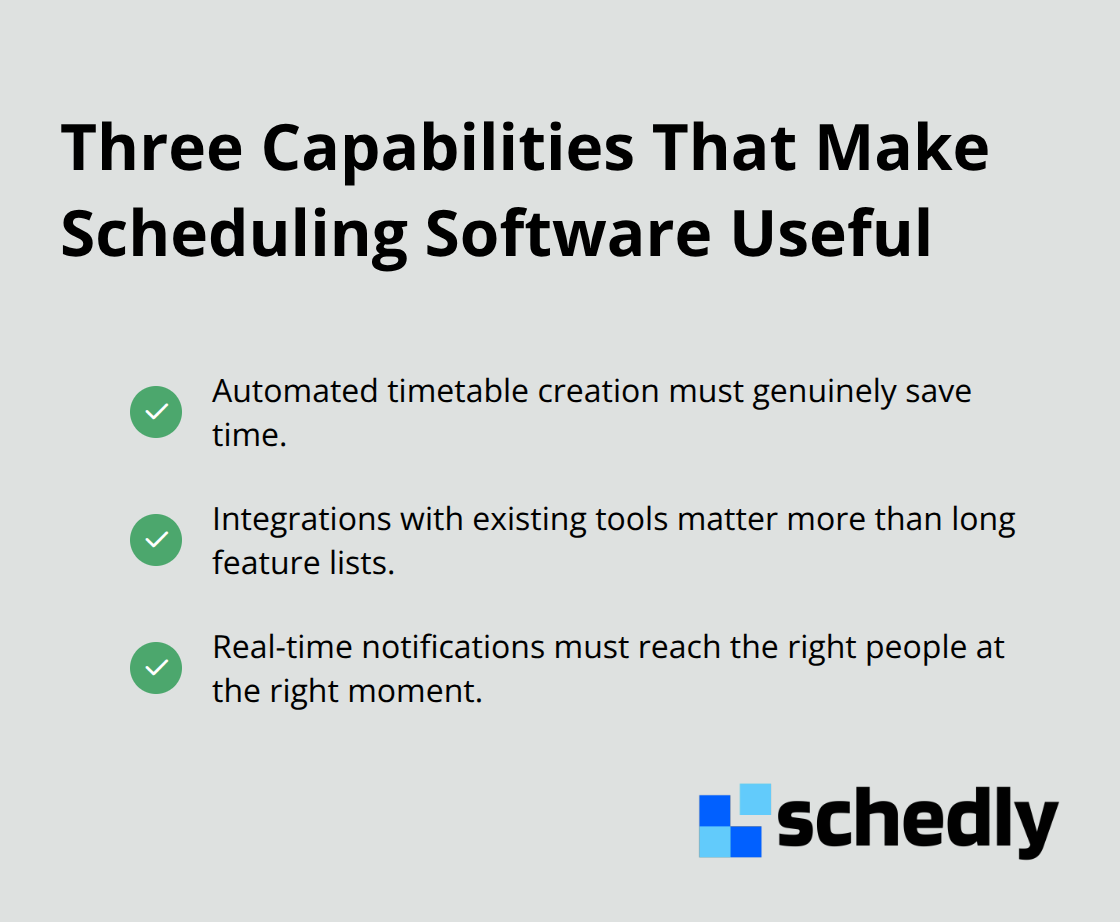
The difference between scheduling software that works and software that sits unused comes down to three practical capabilities. First, automated timetable creation must genuinely save time, not just shift the burden around. Second, integration with tools your staff already uses matters more than a long feature list. Third, real-time notifications need to reach the right people at the right moment with information they can actually act on. Most institutions discover this the hard way, after implementing systems that sounded good in demos but created more work than they solved.
Automation That Actually Reduces Planning Time
Automated timetable creation works only when the software understands your specific constraints. Teachers need prep periods protected. Rooms have capacity limits and equipment requirements. Some courses must meet certain times due to accreditation standards or student demand patterns. Generic automation that ignores these realities generates schedules that staff reject and then manually rebuild anyway. Northeast Lakeview College improved fill rates through optimized scheduling, which means rooms were actually being used efficiently rather than sitting empty between classes. That level of performance happens when automation respects institutional rules and faculty needs simultaneously. The software should let you input constraints upfront, then generate multiple schedule options within minutes rather than weeks. When you evaluate solutions, test whether the system can handle your most complicated constraints, not just simple scenarios. Ask vendors how their system handles mandatory common planning times, staggered start times for hybrid models, and space limitations that force creative solutions.
Seamless Integration Prevents Information Silos
Scheduling software that doesn't connect to your existing tools creates duplicate data entry and conflicting information across systems. Staff enter data in the scheduling system, then manually update calendars and the student information system. Integration with Google Calendar, Zoom, and the student information system means changes flow automatically across every place where schedules appear. Real-time synchronization eliminates the gaps where students see one schedule while teachers see another. When parents, teachers, and students access schedules through integrated systems, confusion drops dramatically. The software should connect to your SIS without requiring third-party plugins or manual exports. This integration also enables real-time notifications to trigger automatically when schedule changes occur, which means parents and students learn about conflicts or cancellations immediately rather than discovering problems during the school day.
Notifications That Drive Action
Real-time notifications only matter when they reach people who can respond and include information they need to act. A notification that a room booking failed means nothing without context about why it failed and what alternatives exist. Effective systems send targeted alerts based on role and responsibility. Teachers receive notifications about their assigned classes and any changes that affect their prep periods. Parents get notifications about their child's schedule changes. Administrators see system-wide alerts about conflicts that need resolution. The notification system should be configurable so staff control what they receive rather than being overwhelmed with irrelevant alerts. Mobile access to these notifications matters significantly. Students increasingly rely on mobile devices for academic tasks, which means scheduling software must send notifications that work on phones and tablets, not just desktop email.
How Constraints Shape Better Schedules
The most effective scheduling software treats constraints as features, not obstacles. When you input that certain rooms lack video conferencing equipment, the system won't assign hybrid courses there. When you specify that a faculty member teaches only morning classes, the software respects that preference automatically. This constraint-aware approach eliminates the back-and-forth negotiation that consumes hours in traditional scheduling. The result is schedules that staff actually accept on the first iteration rather than schedules that require weeks of manual adjustments. Institutions that leverage constraint management see dramatic reductions in the time spent rebuilding schedules after initial creation.
Moving From Features to Implementation
Understanding what scheduling software can do is only half the battle. The real challenge lies in selecting a system that fits your institution's specific workflows and then implementing it in a way that your staff actually adopts. The next section examines how to evaluate solutions against your actual needs rather than vendor promises.
How Scheduling Software Stops Conflicts Before They Start
Real-Time Detection Prevents Cascading Problems
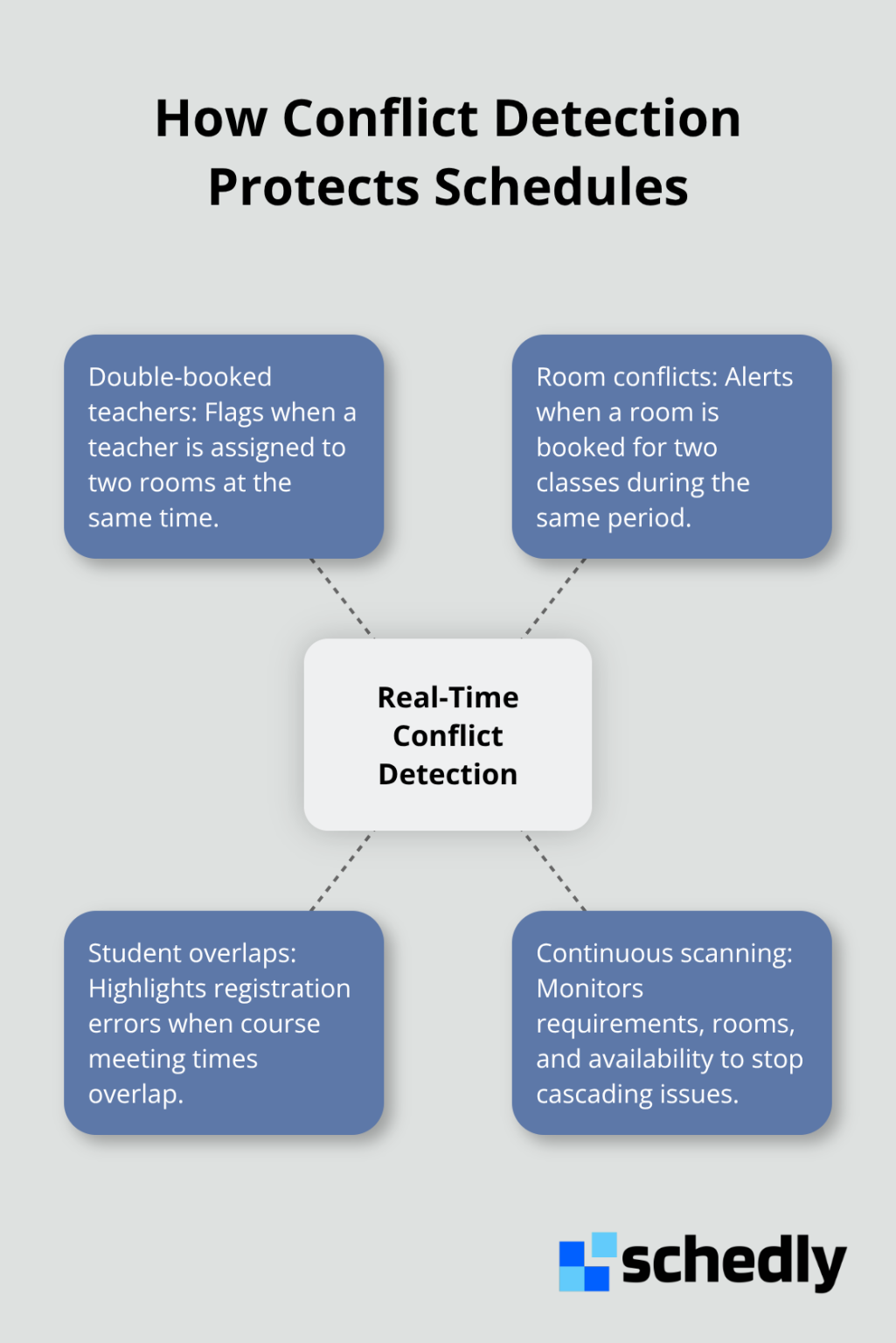
Conflict detection in scheduling software works like a quality control system that catches problems before they reach your staff and students. When you input course requirements, room assignments, and faculty availability into the system, the software continuously scans for overlaps that would create impossible situations. A teacher assigned to two rooms at the same time gets flagged immediately. A room booked for two classes during the same period triggers an alert. A student enrolled in courses with overlapping meeting times shows up as a registration error.
At institutions using real-time conflict detection, administrative staff spend far less time troubleshooting scheduling disasters after the semester starts. Lubbock Independent School District achieved significant savings through master schedule optimization across 14 schools. The district eliminated 37 vacant teaching positions without reducing course offerings or student choice, translating to approximately $2.2 million in annual savings. Those savings came directly from eliminating waste that scheduling conflicts created. When your software prevents double-bookings upfront, you reclaim hours that would otherwise vanish into manual problem-solving.
Hybrid Models Require Sophisticated Tracking
Hybrid and flexible learning models demand scheduling sophistication that spreadsheets simply cannot deliver. A course offered simultaneously online and in-person requires different room assignments, technology support, and instructor considerations than a traditional classroom course. Scheduling software that tracks delivery mode alongside room capacity and equipment needs handles this complexity automatically.
Students selecting courses see clearly whether a section meets in a physical classroom, operates entirely online, or blends both formats. Faculty preparing materials know their delivery method weeks in advance rather than discovering changes days before the course starts. The software can enforce rules specific to your institution, such as requiring certain courses to offer both online and in-person options or limiting synchronous online sections to specific time windows. When you implement these constraints properly, your schedule reflects institutional priorities rather than fighting against them.
Data-Driven Analysis Improves Student Momentum
Data-driven scheduling goes beyond preventing problems to actively improving outcomes. The software analyzes historical enrollment patterns, identifies which course combinations students typically take together, and flags curriculum sequences that create bottlenecks. Mohawk Valley Community College used this type of analysis to map their curriculum and discovered scheduling patterns that were slowing degree completion. After adjusting their schedule accordingly, they increased Degree Velocity by 19.4 percent.
That metric measures the productive credit hour completion rate for students, and the improvement came directly from understanding how scheduling decisions affected student momentum. Your scheduling software should generate reports on classroom utilization rates, peak demand periods, and enrollment trends by course section. These insights let you make informed decisions about which courses to expand, which time slots to fill, and where to invest resources for maximum student impact.
Final Thoughts
Education scheduling software eliminates the administrative friction that drains educator time and frustrates students. Teachers lose roughly 8 hours weekly to scheduling chaos, and nearly 60% of college students cannot access required courses when they need them. That gap costs institutions money, delays student graduation, and burns out staff who spend their energy on problems that technology could prevent.
The features that matter most work together to transform operations. Automated timetable creation respects institutional constraints and saves weeks of manual work each term. Real-time conflict detection prevents double-bookings before they cascade into operational disasters. Integration with existing calendars and student information systems eliminates duplicate data entry and keeps everyone working from the same schedule. When these capabilities function properly, staff reclaim time for actual teaching, students see clear pathways through degree requirements, and faculty preferences get honored.
We at Schedly built our platform to address these exact challenges through automated booking, seamless integration with Google Calendar and Zoom, and analytics that reveal what actually works. Institutions that treat scheduling as strategic infrastructure rather than administrative overhead see the strongest results. Explore how Schedly handles scheduling across education and other industries to discover whether our approach fits your needs.