
Schedly resources
Email Reminder Cadence: Crafting The Right Message Rhythm
Most companies send emails too often or too rarely, and they wonder why engagement tanks. Getting your email reminder cadence right is the difference between staying top-of-mind and landing in the spam folder.
At Schedly, we've seen firsthand how the wrong frequency destroys customer relationships. The good news: there's a science to finding your ideal rhythm, and it starts with understanding what your customers actually want.
How Often Should You Actually Email Your Customers
Frequency matters more than most companies realize, and getting it wrong costs you subscribers and revenue. Databox research shows that Tuesday emails generate the highest engagement rates across industries, while Friday through Sunday see dramatic drops. But timing alone won't save you if you're sending too many messages. According to Smart Insights, open rates peak during early morning and early-to-mid evening hours, yet frequency remains the real culprit behind unsubscribes. When companies send more than two emails per week without clear segmentation, unsubscribe rates jump significantly. The problem isn't that customers hate email-it's that they hate irrelevant, poorly timed email. An effective email preference center reduces churn substantially. This single feature allows customers to choose weekly, biweekly, or monthly cadences, which paradoxically increases engagement because people stay subscribed to content they actually want. Most businesses operate without this option, forcing subscribers to unsubscribe entirely rather than simply reduce frequency.
Finding Your Baseline Frequency
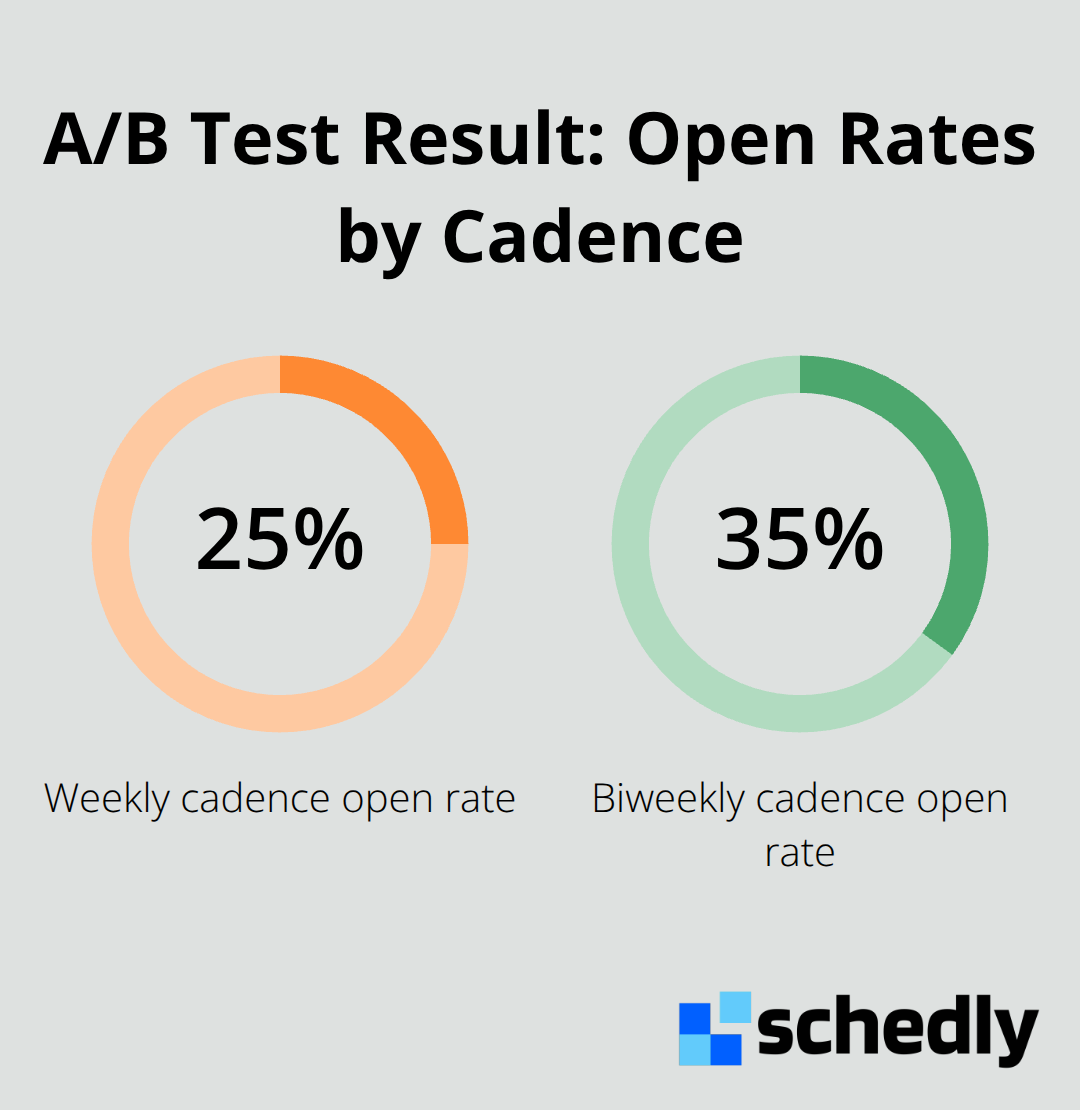
Start by testing two different cadences with your audience: weekly and biweekly sends. Run these tests for at least four weeks each to gather meaningful data on opens, clicks, and unsubscribes. Track these three metrics specifically because they reveal what's actually working. If your weekly emails generate 25% open rates but biweekly hits 35%, you have your answer.
Recognizing When Frequency Becomes Damaging
High unsubscribe rates after a frequency increase signal a problem immediately. If your unsubscribe rate jumps from 0.5% to 2% after moving from weekly to twice-weekly sends, stop and segment. The damage from losing engaged subscribers outweighs the benefit of a few extra emails. Behavioral personalization, including cadence optimization, dramatically improves email prospecting results. Strategic spacing and specific delays between touches outperform blasting contacts repeatedly. Inactive segments require even more caution with frequency. For contacts who haven't engaged in 30–60 days, reduce frequency to half of your normal cadence. For those inactive 60–90 days, minimize contact almost entirely. After 90 days, launch a dedicated re-engagement campaign with 3–4 messages over two weeks using varied approaches, then remove non-responders. This graduated approach prevents list decay and maintains sender reputation, which directly impacts whether your emails reach the inbox at all.
Adjusting Cadence for Different Lifecycle Stages
Your cadence should shift as customers move through their journey with you. New prospects in the awareness stage respond well to emails every 2–3 days because they're actively considering your solution. Contacts in the consideration phase (evaluating options) perform better with weekly sends that provide educational content and comparisons. Customers who've already purchased need a different rhythm entirely-monthly or quarterly emails work best for retention and upsell messaging. This lifecycle-based approach prevents you from overwhelming new leads while keeping loyal customers engaged without fatigue. The key is that one cadence doesn't fit all stages, and companies that recognize this distinction see significantly better results across the entire customer journey.
Strategies for Structuring Your Email Reminder Schedule
Segment Your Audience by Lifecycle and Engagement
Segmentation is where most companies fail. You have customers at different stages, with different behaviors, and different tolerance for email frequency, yet most businesses send identical reminders to everyone. The moment you segment by lifecycle stage and engagement level, your metrics shift dramatically.
New customers in their first 30 days should receive appointment or onboarding reminders every 2–3 days because they're actively engaged and expect frequent touchpoints. Existing customers who've been with you for over a year perform better with monthly or quarterly reminders, especially for renewals or upsells. The inactive segment-contacts who haven't engaged in 60+ days-should see minimal contact, maybe one reminder every 4–6 weeks.
This graduated approach prevents list decay and keeps your sender reputation intact, which directly impacts inbox placement. When you segment this way, you're not just improving open rates; you're reducing unsubscribes and complaint rates simultaneously. Tools that support dynamic segmentation based on behavior, lifecycle stage, and past engagement allow you to automate these cadence shifts without manual work.
Time Reminders Around Customer Behavior Patterns
Timing reminders based on actual customer behavior beats guessing every time. If your data shows that customers open emails most frequently on Tuesday mornings between 8–10 AM, that's when your appointment reminders should land. But here's the critical part: send times should vary slightly by individual timezone and past engagement patterns.
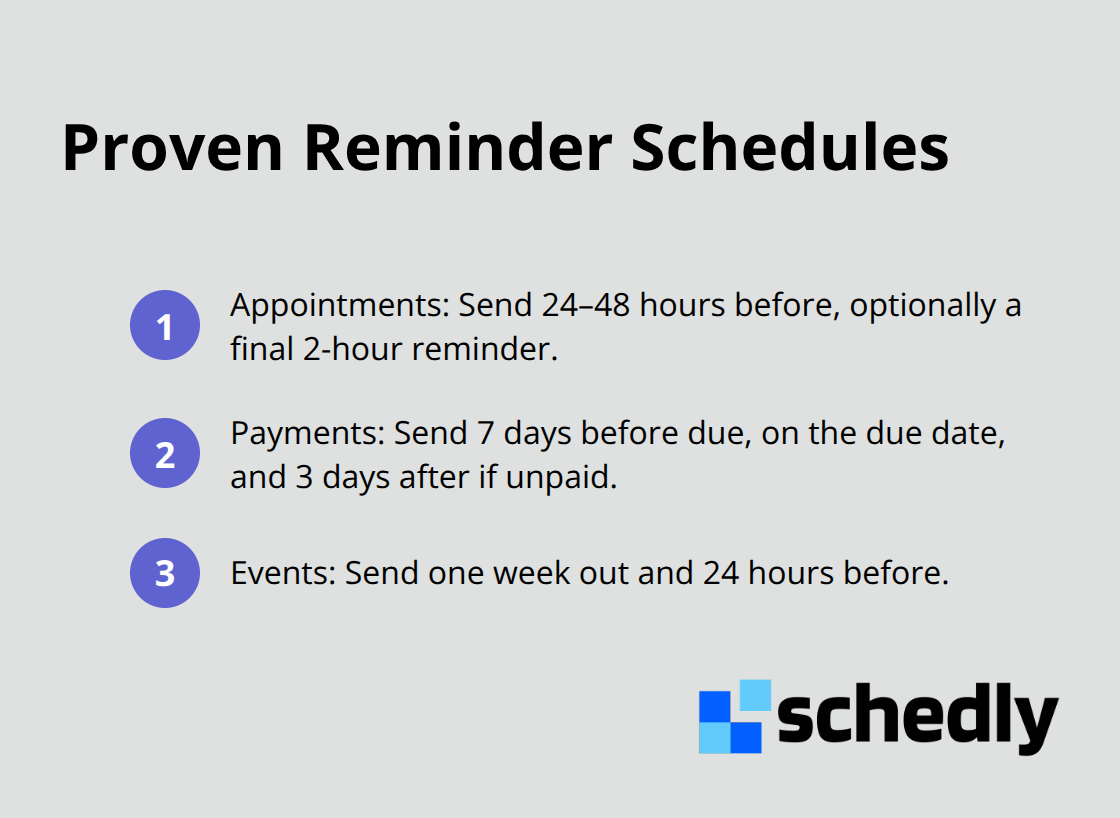
A customer in Los Angeles shouldn't receive a reminder at 8 AM Eastern Time. Automation platforms that learn individual engagement patterns eliminate this guesswork entirely. For appointment reminders specifically, send one notification 24–48 hours before the appointment and optionally a second one 2 hours before. For payment reminders, send at 7 days before due, on the due date, and 3 days after if unpaid. For event reminders, one week out and 24 hours before works best.
Two reminders is the sweet spot for most situations; three can work for critical deadlines or payments, but anything beyond that risks annoying your audience. The key is spacing them strategically so each reminder feels necessary rather than repetitive. Automation handles this timing consistently without requiring manual intervention for every customer, which means you actually execute the cadence you planned instead of letting it slip.
Let Automation Handle Consistent Execution
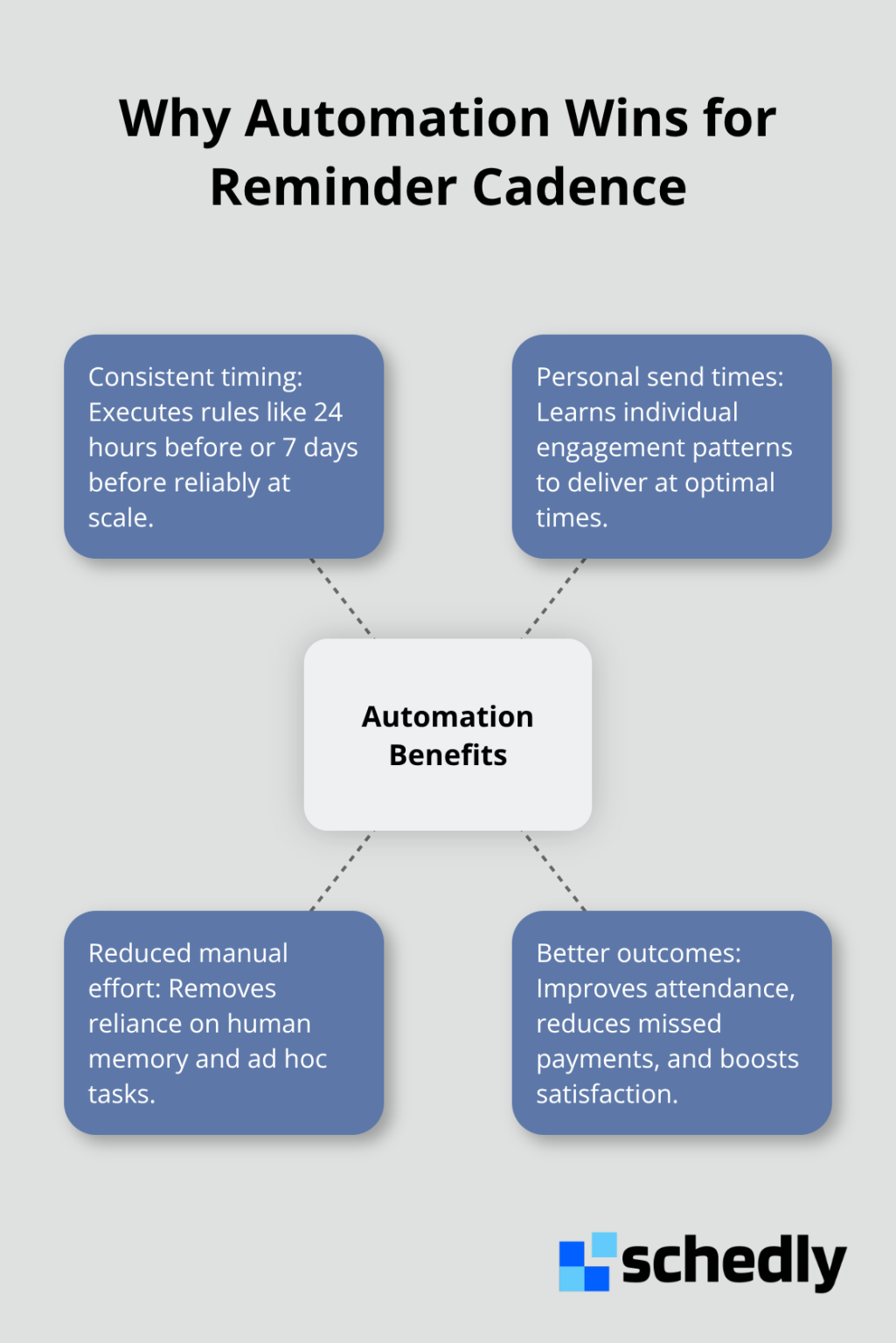
Platforms with behavioral triggers and AI-powered send-time optimization transform how you deliver reminders. These systems learn which times individual subscribers engage most with email and adjust delivery accordingly. You set the rules once-24 hours before appointment, 7 days before payment due-and the platform executes them reliably across your entire customer base.
This consistency matters far more than most companies realize. Manual reminder processes fail because they depend on human memory and attention. Automation removes that friction and ensures every customer receives timely, relevant messages without gaps or delays. The result is better appointment attendance, fewer missed payments, and higher customer satisfaction across the board.
Personalizing Your Message Rhythm Across Different Customer Types
New Customers Demand Different Cadence Than Loyal Ones
New customers and loyal customers operate in completely different contexts within your email list, yet most companies treat them identically. A customer in their first week expects regular touchpoints and values frequent reminders about onboarding steps, first payments, or upcoming appointments. That same customer two years later will unsubscribe immediately if you maintain that frequency. The difference isn't random preference-it's about engagement patterns and context.
New customers in their first 30 days show open rates 15–30% higher than dormant segments because they actively use your service and anticipate your messages. They want reminders every 2–3 days during this critical onboarding window. Loyal customers who've been with you for over a year perform better with monthly or quarterly cadences, especially for renewals, account reviews, or loyalty rewards. Your automation platform should automatically shift customers into different cadence tracks based on lifecycle stage, not require you to manually reassign them. This graduated approach prevents list decay while maintaining engagement across all customer segments simultaneously.
Customer Preferences Determine Retention More Than You Realize
Customer preferences matter far more than you think, and ignoring them costs you subscribers you could have retained. Dynamic personalization improves performance for more than 80% of respondents, and frequency preference is one of the easiest forms of personalization to implement. A preference center that lets customers choose weekly, biweekly, or monthly cadences reduces churn substantially because people stay subscribed to content they actually want to receive.
Most companies fail to offer this option, forcing subscribers to unsubscribe entirely rather than simply reduce frequency. The moment you implement a preference center, your metrics shift dramatically. Customers who select their own cadence stay engaged longer and complain less frequently about email volume.
Test Cadence Changes One Segment at a Time
Test your cadence changes methodically by running A/B tests on one segment at a time-never change frequency for your entire list simultaneously. If you're testing whether your loyal customers prefer monthly versus quarterly reminders, run the monthly cadence for half your segment and quarterly for the other half, then measure opens, clicks, and unsubscribes over six weeks. Document every result because patterns emerge across multiple tests.
Most companies discover that their ideal frequency isn't an industry standard-it's specific to their audience, content quality, and the value they deliver. A SaaS company sending educational content might sustain weekly cadences, while a retail business sending promotional emails needs to drop to biweekly to maintain engagement. The only way to know what works for your customers is to test, measure, and adjust based on actual data from your list, not assumptions about what people want.
Final Thoughts
Your email reminder cadence won't be perfect on the first try, and that's exactly how it should be. The companies that win at email reminders aren't the ones who guess correctly from day one-they're the ones who test relentlessly, measure honestly, and adjust based on what their actual customers reveal through opens, clicks, and unsubscribes. The core principle remains simple: segment your audience by lifecycle stage and engagement level, time your reminders around real behavior patterns, and let automation execute consistently.
What separates companies that maintain engagement from those that watch unsubscribe rates climb is flexibility. Your ideal frequency isn't locked in stone, so test weekly versus biweekly sends with one segment for six weeks and document the results. Run A/B tests on timing, spacing, and message count, then let customers choose their own cadence through a preference center. Every test teaches you something specific about your audience that no industry benchmark ever could.
Start this week by auditing your current cadence and identifying which segments are underperforming and which are thriving. Run one test, measure it carefully, and let the data guide your next move. Schedly's workflow automation helps you execute these email reminder cadence strategies consistently across your entire customer base, ensuring no reminder falls through the cracks.