
Schedly resources
Event Scheduling Best Practices For Seamless Bookings
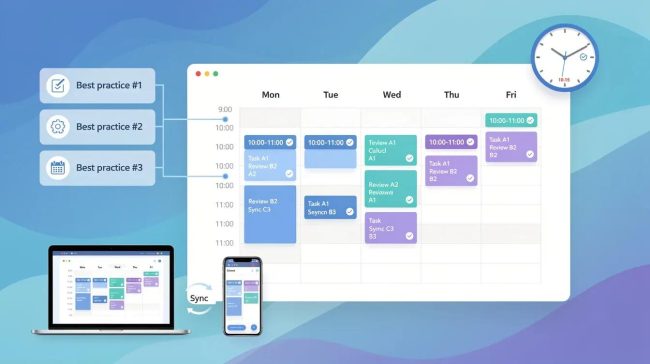
Event scheduling best practices separate thriving event businesses from those that constantly struggle with no-shows and cancellations. Poor booking processes cost organizers time, money, and reputation damage.
At Schedly, we've seen firsthand how the right scheduling strategy transforms event management. This guide walks you through proven methods to streamline bookings, avoid common pitfalls, and implement systems that actually work.
How to Build a Booking Process That Actually Converts
Simplify Your Registration Experience
The registration experience determines whether prospects become paying customers or abandon your event entirely. Most organizers overcomplicate this step by asking for unnecessary information upfront, which increases form abandonment rates. Research from HubSpot shows that forms with three or fewer fields convert at 90%, while forms with ten or more fields drop to 50%. Strip your registration down to essentials: name, email, ticket type, and payment information.

Mobile optimization matters here too. Over 60% of event registrations now happen on phones, so your form needs to load instantly and require minimal scrolling. If your registration spans multiple pages, display a progress bar so registrants know they're almost done. A single-page checkout converts better than multi-step processes, so consolidate whenever possible.
Automate Confirmation and Reminder Communications
Automated confirmation and reminder communications prevent no-shows while freeing your team from manual work. The moment someone books, they should receive an instant confirmation email with their ticket, event details, and a calendar file they can add to Google Calendar or Outlook. Industry data shows that automated reminders reduce no-show rates significantly.
Send a second reminder 24 hours before the event and a third one an hour before start time via SMS if you have phone numbers. Make reminders actionable-include a direct link to join virtual events or parking details for in-person ones. This approach keeps your event top-of-mind and removes confusion about logistics.
Offer Multiple Payment Options
Multiple payment options remove friction at checkout. Accept credit cards, digital wallets like Apple Pay and Google Pay, and for larger events, installment plans through services like Stripe. Customers who see their preferred payment method available complete transactions more often than those forced into a single option.
Payment processing should happen on your domain, not third-party sites, to maintain brand trust and reduce cart abandonment. Include a security badge during checkout to reassure registrants their data is protected. This trust factor directly impacts conversion rates and repeat bookings.
With a streamlined registration process, automated communications, and flexible payments in place, you've built the foundation for reliable bookings. The next step involves optimizing how you schedule events themselves-managing capacity, preventing conflicts, and keeping availability current across all your channels.
How to Schedule Events Without Conflicts
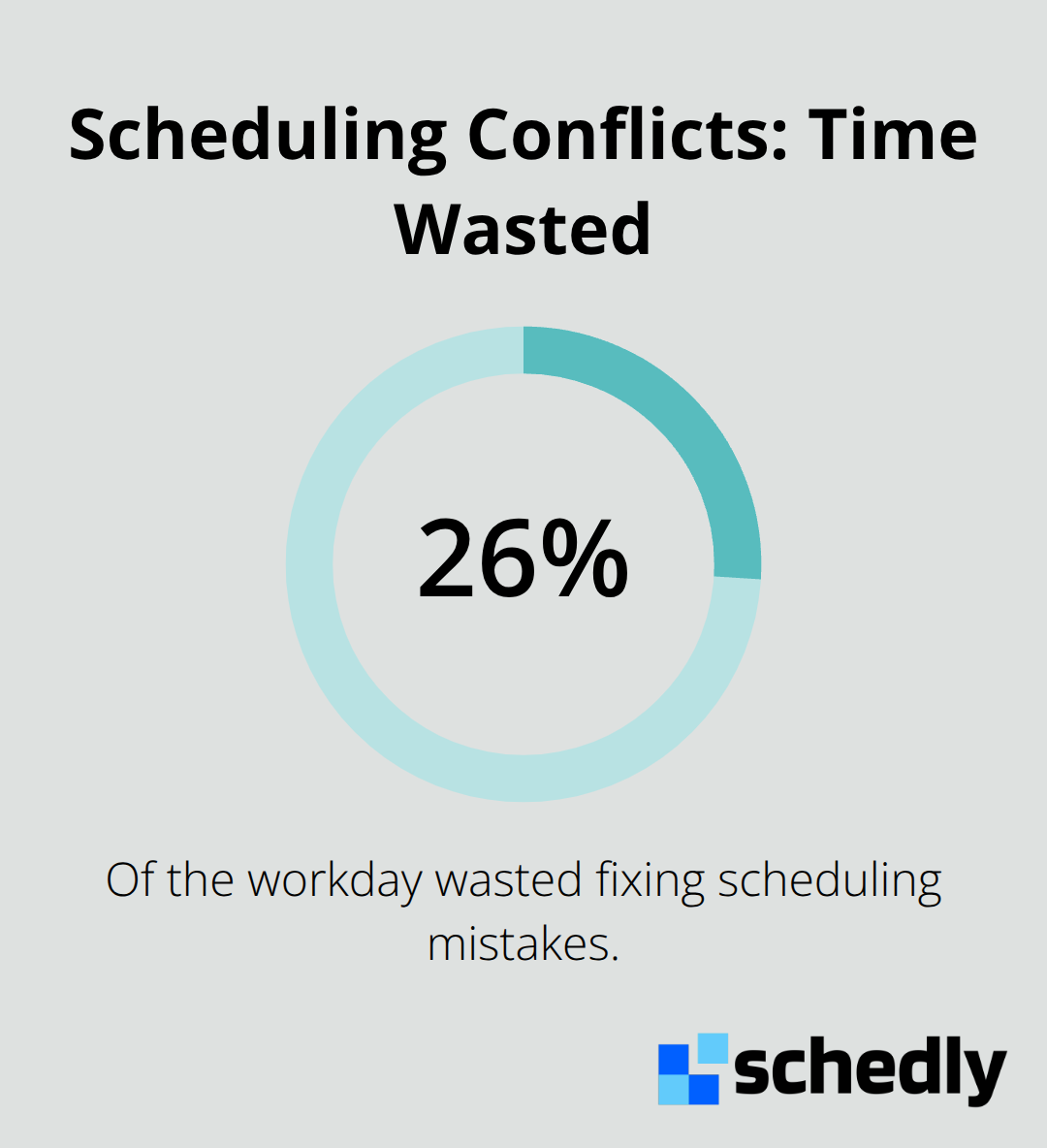
Building a booking process that converts is only half the battle. The other half involves scheduling events in a way that prevents double bookings, respects your team's capacity, and keeps customers informed about real availability. This is where most event organizers fail. They rely on outdated calendars, manual tracking, or disconnected systems that create scheduling chaos. About 2.1 hours are lost daily due to scheduling conflicts according to industry data, which amounts to roughly 26% of the workday wasted on fixing mistakes. That's unacceptable when proven systems exist to eliminate these problems entirely.
Add Buffer Time Between Events
Buffer time between events is non-negotiable. A 10 to 15-minute gap works for typical back-to-back meetings, but larger events need 15 to 30 minutes to account for setup, teardown, and staff transitions. For offsite events, add travel time plus an extra 10 minutes for delays. Without buffers, your team scrambles between bookings, quality suffers, and cancellations spike. Chakra Tree yoga studio reduced scheduling conflicts from six per month to fewer than one simply by adding 15-minute buffers and centralizing their booking records. That's the difference between chaos and predictability. Set these buffers as fixed rules in your scheduling system so they apply automatically every time someone books. This removes the human error element entirely and protects your team's ability to deliver quality service.
Centralize Everything Into One Calendar
Multiple calendars across email, spreadsheets, and individual phones guarantee conflicts. A single master calendar serves as your only source of truth. Real-time two-way synchronization with Google Calendar, Outlook, and Apple iCloud ensures everyone sees the latest availability instantly. When staff members can see the full picture of what's booked, who's assigned to each event, and when they have capacity, scheduling becomes transparent and collaborative. Restrict access to your booking calendar to authorized staff only, which prevents unintended changes and maintains accountability. Add visual cues like color-coding by event type, room tagging, and drag-and-drop functionality so your team can reorganize bookings quickly when last-minute changes happen. Automatic conflict alerts trigger the moment someone tries to double-book a space or staff member, with the system suggesting alternative time slots immediately.
Keep Availability Current Across All Channels
Customers expect to see real availability when they visit your website or booking page. Outdated information frustrates prospects and leads to cancellations when they discover their preferred time is actually taken. Your booking system must sync availability across your website, social media booking links, and any third-party platforms you use. When someone books through any channel, that time slot disappears from all other channels instantly. Real-time updates prevent the scenario where two customers book the same slot because availability wasn't synchronized. Mobile access for your team matters too. Staff members accept or decline event invitations on the go, and those changes reflect on the master calendar within seconds. This level of responsiveness keeps your scheduling system accurate and your team coordinated, even when people work from different locations.
With buffer times protecting your team's capacity, a centralized calendar eliminating conflicts, and real-time availability keeping customers informed, you've built a scheduling foundation that actually works. The next step involves balancing this operational precision with your actual capacity-knowing how many events you can handle, when demand peaks, and how to make smart decisions about which bookings to accept.
Scheduling Mistakes That Destroy Your Booking System
Most organizers sabotage their own booking systems without realizing it. They build beautiful registration forms, set up reminders, and implement calendars-then undermine everything by overcomplicating the experience, ignoring geography, or leaving their tools disconnected. These three mistakes alone account for the majority of scheduling failures we see in event management. The frustrating part is that fixing them requires minimal effort compared to the damage they cause.
Overcomplicating Your Booking Flow Kills Conversions
Overcomplicating your booking flow destroys conversion rates faster than anything else. This happens when organizers add optional fields, ask for information they don't need, or force customers through unnecessary steps. A common culprit is the multi-page checkout process where customers confirm their email, then select ticket type, then enter payment details across three separate screens. Each additional page increases abandonment. Research shows that single-page checkouts perform better than multi-step processes.
Your booking system should ask for the absolute minimum information required to complete a transaction: name, email, and payment method. Everything else (dietary preferences, shirt sizes, company affiliations) belongs in a post-booking confirmation email or a follow-up survey. Another mistake is requiring account creation before purchasing. Forcing customers to create passwords and usernames before they can buy a ticket frustrates prospects and causes cart abandonment. Offer account creation as an optional post-purchase step instead.
Time Zone Confusion Causes No-Shows
Time zone handling compounds booking problems significantly. When your booking system doesn't account for time zones, customers in different regions see incorrect event times. Someone in California books a 2 PM Eastern event thinking it's 11 AM Pacific, then misses it entirely. Your scheduling software must automatically detect the visitor's time zone and display all times in their local format.
If your system doesn't do this, add a prominent time zone selector on your booking page so customers manually confirm they're booking the correct time. This single addition prevents the frustration of customers arriving at the wrong time or missing events entirely. The cost of implementing time zone awareness is negligible compared to the damage caused by no-shows.
Disconnected Calendars Create Invisible Conflicts
Failing to integrate your calendar systems creates the worst scheduling nightmare: invisible conflicts. This happens when your website booking system, your team's Google Calendar, and your email invitations don't talk to each other. A customer books a slot through your website at 2 PM, but your team member has already blocked that time on their personal Google Calendar for a different client. Neither system knows about the other. When the customer arrives for their event, chaos erupts because the time is actually taken.
Your booking software must synchronize with Google Calendar, Outlook, and Apple iCloud in real time. This means when someone books through your website, that time disappears from your team's personal calendars immediately. Conversely, when a staff member blocks time on their personal calendar, that slot becomes unavailable on your public booking page instantly. Bidirectional calendar synchronization ensures this two-way sync happens automatically without manual intervention.
The integration must also include automatic conflict detection that prevents double bookings before they happen. When someone tries to book an already-taken slot, the system should reject the booking and suggest alternative times instead of allowing the mistake. Staff permissions matter equally here. Not everyone on your team should have access to modify the master calendar. Restrict editing rights to managers and scheduling coordinators only. This prevents well-meaning employees from accidentally deleting or moving bookings because they didn't realize those slots were already confirmed with customers.
Final Thoughts
Event scheduling best practices transform how you operate. When you simplify registration, eliminate conflicts, and connect your systems, you shift from reactive firefighting to proactive management. Modern scheduling tools automate the repetitive work that drains your team's time and energy, freeing them to focus on delivering exceptional customer experiences.
The software you choose matters because it handles the operational weight for you. Real-time availability keeps customers informed, automated confirmations reduce no-shows, calendar integrations prevent invisible conflicts, and secure payments remove checkout friction. Schedly provides these capabilities in one platform with branded scheduling pages, 24/7 online booking, and integrations that sync your entire workflow. Start with a single improvement-perhaps a master calendar with buffer times-and watch conflicts drop immediately.
Each addition compounds your results, and within weeks you'll notice fewer cancellations, happier customers, and your team spending less time managing logistics. The foundation you build today determines whether your event business scales smoothly or collapses under scheduling chaos.