
Schedly resources
How to Automate Employee Scheduling: A Guide to Boosting SMB Productivity
In today's fast-paced business environment, small to medium-sized businesses (SMBs) face constant pressure to enhance productivity and streamline operations. With increasing competition and ever-evolving market demands, finding efficient solutions is crucial. One of the most effective strategies to achieve this is through the automation of employee scheduling. While manual scheduling can be tedious and prone to errors, automated solutions offer a way to optimize workforce management, reduce administrative burdens, and significantly improve overall efficiency.
This comprehensive guide will explore the myriad benefits of employee scheduling automation, outline the essential steps for effective implementation, and provide insights into potential pitfalls to avoid. Whether you're managing a small team or overseeing a complex operation, this resource equips you with the knowledge to transform your scheduling processes and boost your business's productivity.
By automating scheduling, SMBs can realize substantial time savings, minimize errors, and achieve a more satisfied workforce, all of which contribute to a healthier bottom line. Let's delve into the reasons why automating employee scheduling is a game-changer for businesses of all sizes.
The Case for Automating Employee Scheduling
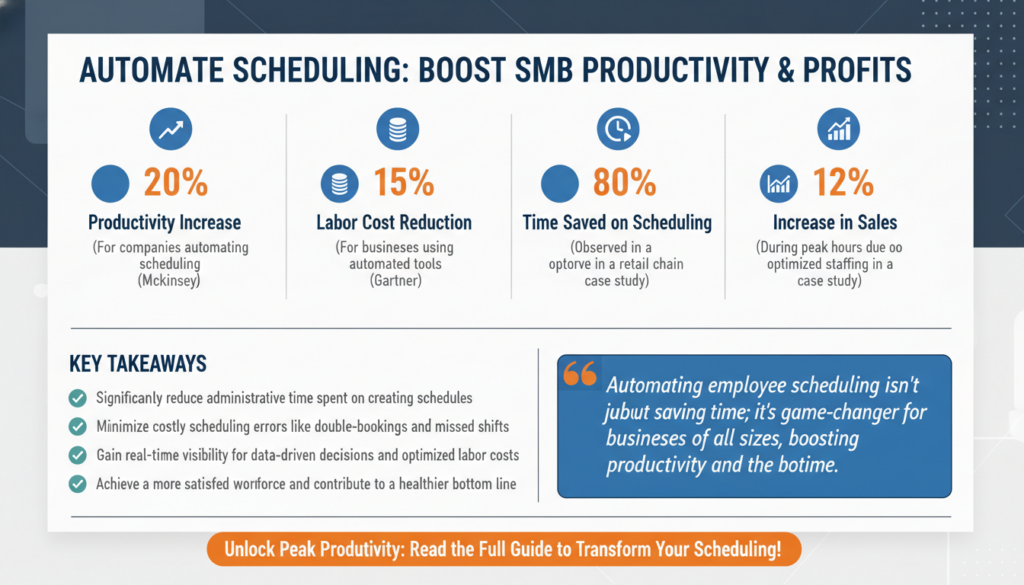
Employee scheduling is a critical component of workforce management, essential for ensuring that the right number of staff are available to meet business needs. Traditionally, this task has been handled manually, often using spreadsheets or paper-based systems. However, as businesses expand, these methods become increasingly inefficient and error-prone. According to a study by McKinsey, companies that automate their scheduling processes can achieve up to a 20% increase in productivity (McKinsey Automation Insights).
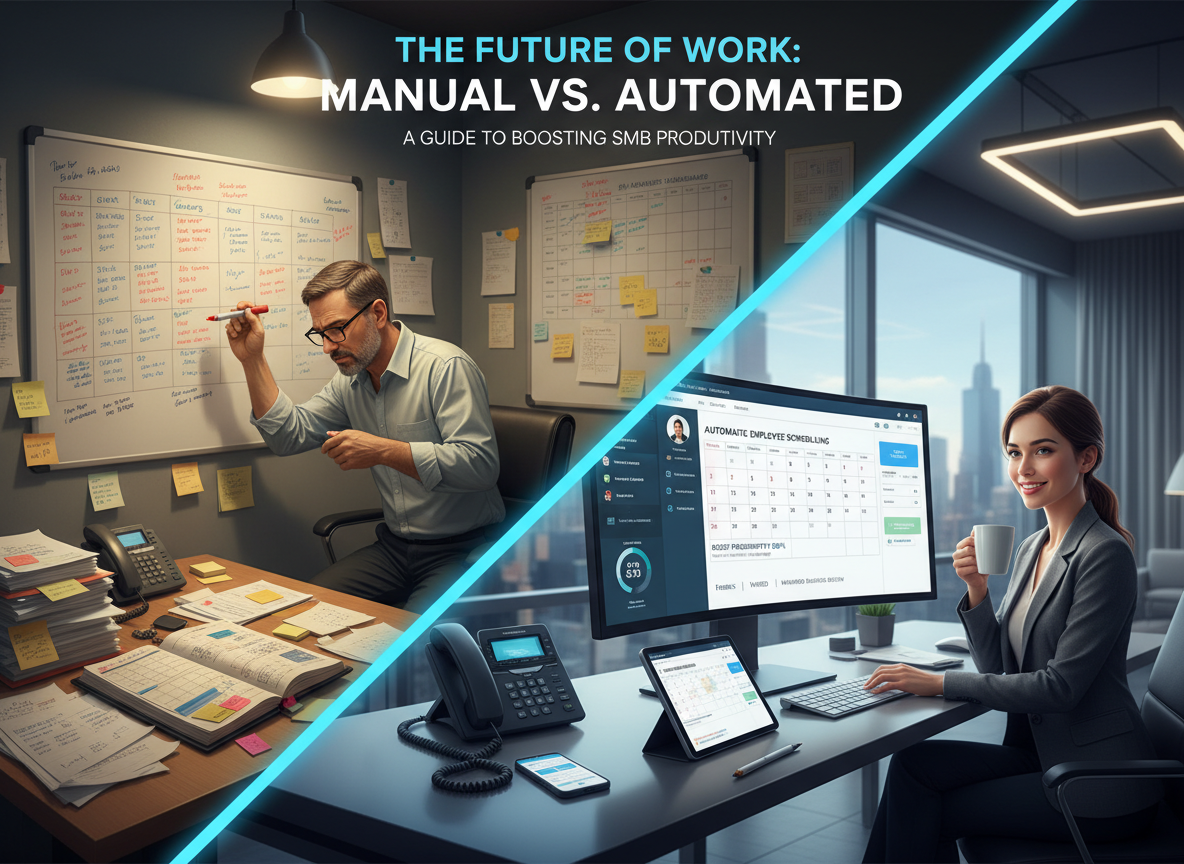
The benefits of automating employee scheduling are numerous. Firstly, it significantly reduces the time spent on administrative tasks. With automated systems, scheduling can be completed in minutes, freeing up valuable time for managers to focus on more strategic initiatives. Secondly, automation minimizes scheduling errors, such as double-bookings or missed shifts, which can lead to operational disruptions and employee dissatisfaction.
Moreover, automated scheduling tools provide real-time visibility into workforce availability and demand patterns. This allows managers to make data-driven decisions, optimizing labor costs and ensuring adequate staffing levels. For instance, a report by Gartner highlights that businesses utilizing automated scheduling tools have seen a 15% reduction in labor costs (Gartner Scheduling Automation Report).
Consider the case of a retail chain that implemented scheduling automation. Prior to automation, managers spent an average of 10 hours per week creating schedules, often resulting in overstaffing or understaffing due to human error. After adopting an automated solution, scheduling time was reduced by 80%, and the company saw a 12% increase in sales during peak hours due to optimized staffing levels, showcasing the direct impact on both efficiency and revenue.
Pro Tip: Real-Time Adjustments
Leverage the power of real-time data to make immediate adjustments to your scheduling. For example, if a sudden surge in demand occurs, automated systems can quickly suggest additional staff assignments to maintain service levels without manual intervention. This agility is crucial in industries like hospitality and healthcare, where demand can fluctuate rapidly.
Implementing Automated Scheduling: A Step-by-Step Guide
Transitioning to automated employee scheduling requires a strategic approach to ensure a smooth and successful implementation. Below, we outline a step-by-step process to help you achieve effective automation:
1. Assess Your Current Scheduling Process
Begin by evaluating your existing scheduling methods. Identify key pain points, such as time-consuming tasks and frequent errors, which can hinder your business operations. This assessment will provide a baseline to measure improvements post-automation.
Engage with your team to gather feedback on the current process. Understanding their challenges and expectations will help tailor the automation solution to meet their needs. Consider conducting surveys or holding focus groups to gather comprehensive insights. For example, a healthcare facility may discover through employee feedback that certain shift patterns lead to burnout, which can be addressed through more flexible automated scheduling.
Additionally, consider a detailed time audit to understand how much time is spent on manual scheduling. This can highlight inefficiencies and justify the investment in an automated solution.
2. Choose the Right Scheduling Software
Selecting the appropriate scheduling software is crucial for successful implementation. Consider factors such as ease of use, integration capabilities, and scalability. Look for solutions that offer features like shift swapping, mobile access, and real-time updates. According to a report by G2, the top-performing scheduling tools offer robust customer support and regular software updates, ensuring the system evolves with your business needs (G2 Scheduling Software Reviews).
For example, a hospitality business might benefit from a solution with features like automatic shift assignments based on employee availability and preferences, which can greatly enhance operational efficiency and employee satisfaction.
It's also beneficial to explore trial versions of different software options. Many providers offer free trials or demos, allowing you to test usability and fit with your current systems.
3. Train Your Team
Once you've selected a software solution, invest in training for your team. Ensure that both managers and employees understand how to use the system effectively. Provide resources such as tutorials, user manuals, and access to support channels. Training is essential for maximizing the benefits of automation and ensuring a smooth transition. According to Forrester, businesses that invest in comprehensive training see a 30% increase in technology adoption rates (Forrester Technology Adoption Report).
Consider implementing a phased training program, starting with managers and gradually including all staff, to ensure everyone is comfortable with the new system. Interactive webinars and hands-on workshops can be particularly effective in building confidence in using new technology.
In addition, appoint 'automation champions' within your team who can assist others and provide ongoing support as everyone adapts to the new system.
Leveraging Automation for Optimal Productivity
Once automated scheduling is in place, the focus shifts to leveraging its capabilities to enhance productivity. Here are some strategies to consider:
1. Integrate with Other Systems
Integrating your scheduling software with other business systems, such as payroll and HR, ensures seamless data flow and reduces manual entry errors. A seamless integration can lead to a 25% reduction in administrative time (Deloitte Integration Insights).
For instance, a restaurant chain integrated its scheduling software with its POS and inventory systems, allowing for real-time adjustments in staffing based on sales patterns and inventory levels, resulting in a 10% increase in operational efficiency.
Additionally, integrating with communication tools such as Slack or Microsoft Teams can improve real-time communication about schedule changes, making it easier for employees to stay informed.
2. Utilize Data Analytics
Automated scheduling tools often come with built-in analytics features. Use these to gain insights into workforce trends, such as peak demand times and employee preferences. By analyzing this data, you can make informed decisions that align staffing levels with business needs. Harvard Business Review notes that data-driven scheduling decisions can improve labor efficiency by 15% (HBR Scheduling Analytics).
Consider a retail store using analytics to identify peak shopping hours and adjusting staffing levels accordingly. This could lead to better customer service and increased sales during busy periods.
Furthermore, analytics can help identify patterns in employee absences or tardiness, allowing for proactive measures to address potential issues.
3. Customize Scheduling Rules
Take advantage of customization options to set scheduling rules that align with your business policies and employee agreements. This ensures compliance and reduces the risk of scheduling conflicts. Customization can also enhance employee satisfaction, as it allows for flexibility in shift preferences and time-off requests. A study by SHRM found that flexible scheduling options increase employee retention by 20% (SHRM Flexible Scheduling Study).
For example, a tech company might implement a policy allowing employees to select their preferred work hours within certain core periods, fostering a more flexible and satisfying work environment.
Furthermore, customizing rules for overtime, shift preferences, and required skills can optimize scheduling efficiency and ensure compliance with labor laws.
Overcoming Common Challenges in Scheduling Automation
While the benefits of scheduling automation are clear, businesses may face challenges during implementation. Here are some common obstacles and strategies to overcome them:

1. Resistance to Change
Employees and managers may resist new technologies due to familiarity with existing processes. To address this, emphasize the benefits of automation and involve team members in the decision-making process. Change management strategies, such as workshops and feedback sessions, can facilitate smoother transitions. According to a report by Bain & Company, effective change management can increase project success rates by 70% (Bain Change Management Strategies).
Consider hosting 'town hall' meetings to openly discuss the upcoming changes and address any concerns, fostering a sense of inclusion and cooperation.
Additionally, highlight success stories and data that demonstrate the tangible benefits of automation, helping to build confidence and buy-in among the team.
2. Data Security Concerns
As with any digital system, data security is a priority. Ensure that the scheduling software you choose complies with industry standards for data protection and offers features such as encryption and access controls. The National Institute of Standards and Technology (NIST) provides guidelines on securing cloud-based systems, which are applicable to scheduling tools (NIST Cloud Security Guidelines).
Ensure regular audits and compliance checks are part of your IT policy to maintain data integrity and security.
Proactively communicate your data security measures to employees to build trust and transparency around how their data is being handled.
3. Integration Complexities
Integrating new software with existing systems can be complex. Choose a scheduling solution with robust API capabilities and seek professional support for integration if necessary. According to Accenture, businesses that successfully integrate new technologies report a 45% improvement in operational efficiency (Accenture Integration Insights).
Engage with IT professionals early in the process to map out integration needs and challenges, ensuring a seamless transition.
Consider developing an integration roadmap that outlines timelines, key milestones, and responsibilities to keep the process on track.
The Future of Employee Scheduling Automation
The landscape of employee scheduling is evolving rapidly, driven by technological advancements and changing workforce dynamics. Here are some trends shaping the future of scheduling automation:
1. Artificial Intelligence and Machine Learning
AI and machine learning are set to revolutionize scheduling by enabling predictive analytics and smart decision-making. These technologies can forecast demand patterns and suggest optimal schedules based on historical data. According to MIT Technology Review, AI-driven scheduling can reduce scheduling errors by up to 30% (MIT AI Scheduling Innovations).
Imagine a logistics company using AI to predict peak delivery times, automatically adjusting driver schedules to maximize efficiency and reduce fuel costs.
As AI continues to advance, expect capabilities such as natural language processing to improve user interactions with scheduling systems, making them more intuitive and responsive.
2. Mobile and Remote Capabilities
With the rise of remote work, mobile-friendly scheduling solutions are becoming essential. Employees can access schedules, request changes, and communicate with managers from anywhere, enhancing flexibility and engagement. Gartner predicts that by 2028, 80% of businesses will adopt mobile-first scheduling solutions (Gartner Mobility Trends Report).
A consulting firm might leverage mobile capabilities to allow consultants traveling for work to adjust their availability in real-time, improving client service and project management.
Moreover, mobile access can facilitate better work-life balance, as employees can easily check their schedules and make arrangements without being tied to a desktop computer.
3. Integration with Workforce Management Systems
Future scheduling tools will offer deeper integration with workforce management systems, providing a unified platform for managing employee data, payroll, and performance metrics. IDC reports that integrated workforce management solutions can improve employee productivity by 25% (IDC Workforce Integration Study).
An example is a manufacturing plant integrating scheduling with its production data, allowing for real-time adjustments to labor allocation based on production output needs.
These integrations can also support advanced reporting capabilities, enabling companies to analyze workforce performance and strategize accordingly.
Case Study: Transforming Scheduling at XYZ Company
XYZ Company, a mid-sized retail business, faced significant challenges with their manual scheduling processes, leading to frequent errors and employee dissatisfaction. By implementing an automated scheduling solution, they achieved remarkable improvements:
Firstly, the time spent on scheduling was reduced by 50%, allowing managers to focus on customer service and strategic planning. Secondly, employee satisfaction scores increased by 30%, as the new system offered greater flexibility and transparency.
Lastly, XYZ Company reported a 15% reduction in labor costs due to optimized staffing levels and reduced overtime expenses. This case study demonstrates the transformative potential of scheduling automation for SMBs.
For a deeper dive into similar success stories, explore our case studies.
Expert Insight: Continuous Improvement
Successful automation is not a one-time event but a continuous process. Regularly review your scheduling practices and employee feedback to refine and adapt your automated solutions. This iterative approach ensures that your systems remain aligned with evolving business needs and workforce expectations.
Frequently Asked Questions
1. What is the cost of implementing an automated scheduling system?
The cost varies depending on the size of your business and the features required. Many solutions offer tiered pricing models, allowing you to choose a plan that fits your budget. For a detailed breakdown, view our pricing plans.
2. How does automated scheduling improve employee satisfaction?
Automated scheduling provides employees with greater control over their shifts, the ability to request changes, and transparency in scheduling processes, all of which contribute to higher satisfaction levels.
3. Can automated scheduling be integrated with existing HR systems?
Yes, most modern scheduling tools offer integration capabilities with HR, payroll, and other enterprise systems, ensuring seamless data flow and reducing administrative burdens.
4. What industries benefit most from scheduling automation?
Industries with complex staffing needs, such as healthcare, retail, and hospitality, benefit significantly from scheduling automation. However, any business seeking to optimize workforce management can leverage these solutions.
5. How secure are automated scheduling systems?
Reputable scheduling software providers adhere to strict data security standards, including encryption, access controls, and compliance with data protection regulations like GDPR.
Conclusion: Embracing Scheduling Automation for a Productive Future
As SMBs strive to remain competitive and efficient, automating employee scheduling emerges as a powerful strategy. By reducing administrative burdens, minimizing errors, and enhancing workforce management, businesses can unlock significant productivity gains and improve employee satisfaction.
As you embark on this automation journey, consider complementing your efforts with tools like Apparatuz for workflow automation, Applicantz for recruitment, and Supportly for customer support. Together, these tools create a comprehensive solution for your business needs.
For further insights on enhancing productivity through automation, explore our blog posts on scheduling automation for client onboarding and remote team efficiency.