
Schedly resources
How to Automate Meeting Follow-Ups with Scheduling Tools for Better Client Retention
In today’s fast-paced business world, building and maintaining strong client relationships is more critical than ever. Effective follow-ups after meetings play a key role in nurturing these relationships, ensuring that clients feel valued and engaged. However, manual follow-ups can be time-consuming, error-prone, and inconsistent. This is where automation and scheduling tools come in. By leveraging the right tools and strategies, you can streamline your follow-up process, save time, and improve client retention rates.
This article dives deep into the art and science of automating meeting follow-ups using scheduling tools. We’ll explore why follow-ups are essential, provide step-by-step guidance on implementing automation, and highlight practical tips and real-world examples to help you set up an effective system that ensures no client falls through the cracks.
Why Follow-Ups Are Critical for Client Retention
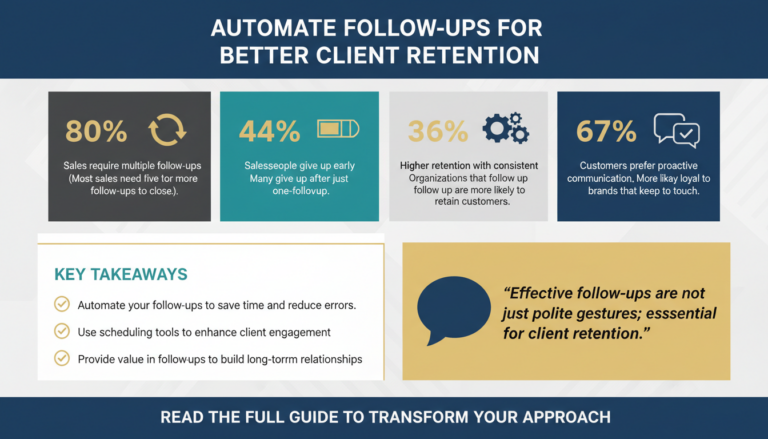
A follow-up is not just a polite gesture; it’s a vital part of the client relationship management process. Studies show that 80% of sales require five or more follow-ups to close, yet 44% of salespeople give up after just one follow-up. Beyond sales, follow-ups reinforce trust, demonstrate professionalism, and provide an opportunity to address any lingering questions or concerns.

For example, imagine you’ve just had a promising meeting with a potential client. You discussed their pain points, presented your solutions, and agreed on next steps. If you don’t follow up within a reasonable timeframe, the client may feel neglected, question your commitment, or even forget about your conversation altogether. This is especially true in industries where competition is fierce, and clients have numerous options.
Building Trust and Credibility
Follow-ups are an essential part of building trust and credibility with your clients. When you follow through on your promises, such as delivering additional resources or clarifying questions, it signals to clients that you’re reliable and committed to their success. According to a Harvard Business Review study, organizations that consistently follow up with clients are 36% more likely to retain their customers compared to those that don’t.
For instance, a financial advisor who commits to sending a report after a consultation and delivers it promptly can establish themselves as dependable. This proactive approach builds trust and encourages clients to reach out for future consultations.
Long-Term Relationship Building
Follow-ups also play an instrumental role in long-term relationship building. They allow businesses to check in periodically, ensuring that clients feel valued even after the initial transaction. According to Salesforce, 67% of customers say they are more likely to stay loyal to a brand that proactively keeps in touch after the sale.
Consider sending follow-ups that not only address the initial meeting but also provide a “value-add.” For example, a SaaS company could send best practices on using their software or highlight upcoming webinars. This positions the business as a partner invested in the client’s success.
How Scheduling Tools Revolutionize Follow-Ups
1. Automating Reminders and Notifications
Scheduling tools like Calendly, HubSpot, and Microsoft Bookings allow you to automate reminders and notifications for both you and your clients. For instance, after a meeting is booked, the tool can automatically send a confirmation email, followed by reminders leading up to the meeting. After the meeting, you can schedule an automated follow-up email thanking the client and summarizing key points discussed.
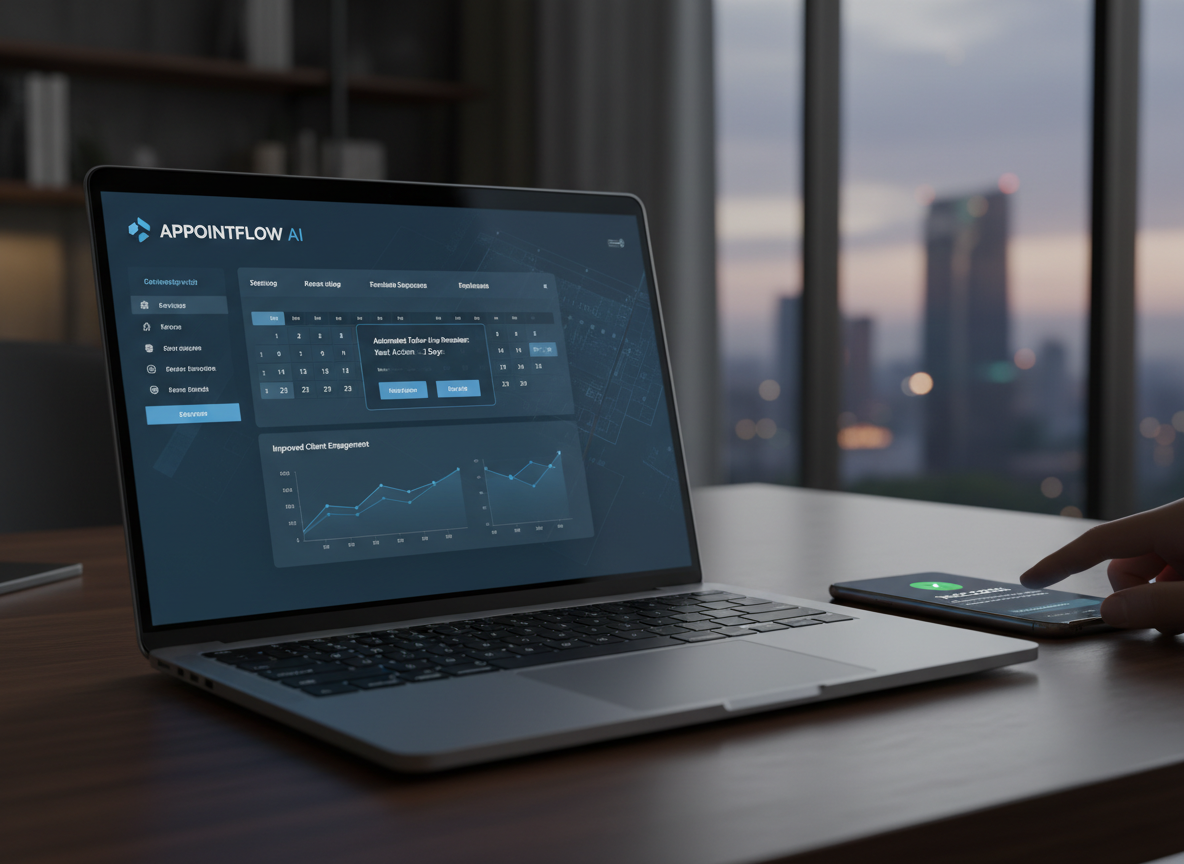
This automation eliminates the risk of forgetting to send follow-ups and ensures that every client receives the same level of attention. According to a study by McKinsey, automation can reduce the time spent on administrative tasks by 40%, allowing you to focus on higher-value activities like building relationships and closing deals.
Pro Tip: Using Multi-Touch Follow-Ups
Don’t limit your follow-ups to email alone. Scheduling tools can also be used to send text notifications or integrate with messaging platforms like Slack. For example, a text reminder about an upcoming webinar can ensure higher attendance rates. Multi-touch follow-ups create diverse touchpoints and increase the likelihood of client engagement.
2. Personalizing Follow-Up Messages
While automation is powerful, personalization is the key to making follow-ups effective. Scheduling tools often integrate with CRM systems, enabling you to include client-specific details in your follow-up messages. For example, you can reference the topics discussed in the meeting, highlight the agreed-upon next steps, or provide resources tailored to the client’s needs.
Consider this example: After a meeting with a client interested in digital marketing services, your automated follow-up email could include links to case studies, a summary of the services discussed, and a link to schedule a follow-up call. This level of personalization shows that you’re attentive to their needs, which enhances trust and strengthens the relationship.
Expert Insight: The Power of CRM Data
Leverage CRM data to customize follow-ups further. For instance, tools like HubSpot enable you to segment clients based on their industry, previous purchases, or lifecycle stage. This allows you to tailor your follow-ups with highly relevant information. A personalized touch can increase your open rates by up to 29%, according to Campaign Monitor.
3. Tracking Engagement
Many scheduling tools offer analytics and tracking features that allow you to monitor client engagement. For example, you can see whether a client opened your follow-up email, clicked on any links, or scheduled a follow-up meeting. This data provides valuable insights into how engaged the client is and whether additional follow-ups are needed.
For instance, if a client hasn’t opened your follow-up email after three days, you can set up an automated reminder email to re-engage them. On the other hand, if a client responds promptly and schedules another meeting, you know they’re highly interested, allowing you to prioritize your efforts accordingly.
Using Analytics for Continuous Improvement
Analytics can also help identify patterns in client behavior. For example, if you notice that clients in a specific industry respond better to follow-ups sent during late afternoons, you can adjust your strategy accordingly. Tools like Google Analytics or ClickUp can track engagement metrics, enabling you to refine your follow-up process over time.
Step-by-Step Guide to Automating Meeting Follow-Ups
Step 1: Choose the Right Scheduling Tool
The first step is selecting a scheduling tool that meets your needs. Popular options include:

- Calendly: Known for its user-friendly interface and seamless integrations with email and calendar apps.
- HubSpot: Offers robust CRM features alongside scheduling capabilities, making it ideal for sales and marketing teams.
- Acuity Scheduling: A flexible tool with advanced customization options and client management features.
- Microsoft Bookings: A great choice for businesses already using the Microsoft Office suite.
When evaluating tools, consider factors like ease of use, integration capabilities, and pricing. Many tools offer free trials, so take advantage of these to find the best fit for your business.
Step 2: Set Up Meeting Templates
Most scheduling tools allow you to create meeting templates with predefined settings, such as meeting duration, availability, and location (e.g., in-person or virtual). You can also customize automated emails associated with each template, including confirmation emails, reminders, and follow-ups.
For example, if you frequently conduct introductory calls with new clients, create a template that includes:
- A 30-minute meeting duration.
- Availability during your preferred time slots.
- An automated confirmation email with a brief overview of what the client can expect during the call.
- A follow-up email thanking the client for their time and providing next steps.
Step 3: Integrate with Other Tools
To maximize efficiency, integrate your scheduling tool with other software you use, such as your email platform, CRM system, and project management tools. For instance, integrating Calendly with HubSpot enables you to automatically log meetings and follow-ups in your CRM, ensuring that all client interactions are documented in one place.
These integrations not only save time but also provide a comprehensive view of your client relationships, which is invaluable for making data-driven decisions.
Step 4: Test and Optimize
Before rolling out your automated follow-up system, test it thoroughly to ensure everything works as intended. Send test emails to yourself and colleagues, verify that reminders are sent at the correct times, and check that links in your emails lead to the right pages.
Once your system is live, monitor its performance and gather feedback from clients. Are they receiving your follow-ups on time? Do they find the messages helpful and relevant? Use this feedback to make continuous improvements to your process.
Checklist: Key Features to Test
- Automated email timing and accuracy.
- Correct integration with your CRM or email platform.
- Functionality of links and calls to action.
- Mobile responsiveness for clients accessing follow-ups via phone.
Practical Tips for Effective Follow-Ups
1. Time Your Follow-Ups Strategically
The timing of your follow-ups can significantly impact their effectiveness. Research from Yesware suggests that the best time to send follow-up emails is between 8 AM and 10 AM or 3 PM and 4 PM, as these are the times when people are most likely to check their email.

Additionally, consider the nature of your meeting when timing your follow-up. For example, if you’ve just had an initial consultation, sending a follow-up within 24 hours ensures that the conversation is still fresh in the client’s mind.
2. Keep Follow-Ups Concise
While it’s important to include relevant information in your follow-ups, avoid overwhelming the recipient with lengthy emails. Use bullet points to summarize key points, and include links to additional resources for those who want more details.
3. Always Include a Call to Action
Every follow-up should include a clear call to action (CTA), whether it’s scheduling another meeting, reviewing a proposal, or providing feedback. Make it easy for the client to take the next step by including a direct link or clear instructions.
Advanced CTA Strategies
Experiment with creative CTAs to encourage engagement. For example, use action-oriented language like "Explore Your Custom Proposal" or "Start Your Free Trial Today." A/B test different CTAs to determine which generates higher click-through rates.
Real-World Applications and Case Studies
Let’s look at a real-world example of how automated follow-ups can improve client retention:
Case Study: A Digital Marketing Agency
A digital marketing agency struggled with inconsistent follow-ups after client meetings, leading to missed opportunities and a high churn rate. They implemented Calendly to automate their scheduling and follow-up process. After every meeting, an automated email was sent summarizing key points, providing links to relevant case studies, and inviting the client to schedule a follow-up call. Within three months, the agency saw a 25% increase in client retention and a 15% boost in upsell opportunities.
Lessons Learned
The agency’s success was rooted in two key strategies:
- Leveraging automation to ensure consistency and timeliness.
- Personalizing follow-ups with relevant content to keep clients engaged.
Other businesses can replicate this approach by combining automation tools with personalized messaging to achieve similar results.
Conclusion
Automating meeting follow-ups with scheduling tools is a game-changer for businesses looking to improve client retention. By ensuring that follow-ups are timely, consistent, and personalized, you can build stronger relationships, enhance client satisfaction, and ultimately drive long-term success.
Start by choosing the right scheduling tool, setting up templates, and integrating with your existing systems. Test and optimize your process, and don’t forget to consistently review performance and client feedback. With the right approach, you can turn follow-ups from a tedious task into a powerful tool for growth.