
Schedly resources
How to Automate Scheduling for Maximum ROI: A Guide for B2B Teams
In the fast-paced world of B2B operations, scheduling inefficiencies can cost organizations hundreds of thousands of dollars annually in lost productivity, missed opportunities, and resource misalignment. Yet, many teams overlook the transformative power of scheduling automation. By leveraging the right tools and strategies, businesses can unlock significant ROI through time savings, improved team collaboration, and better client experiences. This guide will walk you through the actionable steps to automate scheduling for your B2B team, ensuring you achieve maximum returns on your investment.
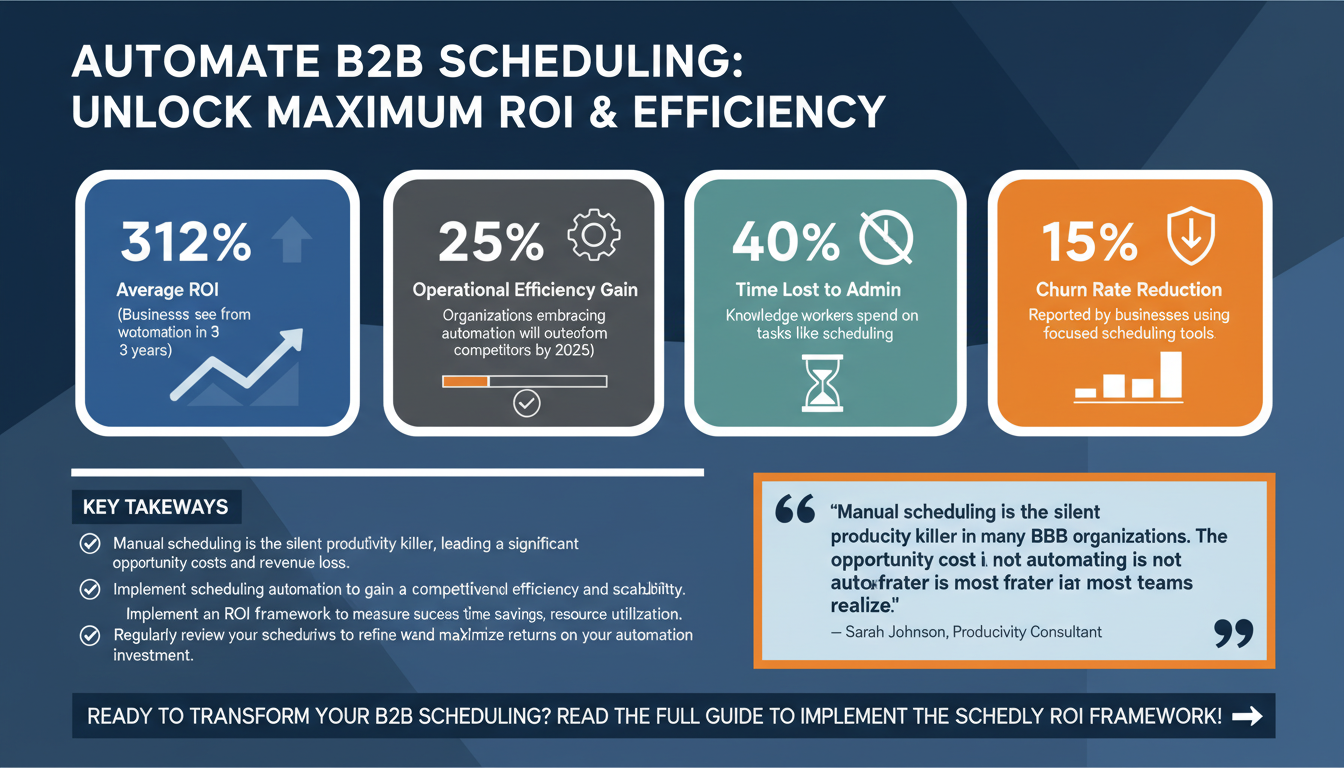
Scheduling automation has become a cornerstone for businesses striving to scale efficiently while maintaining consistent client satisfaction and team productivity. According to Gartner, by 2025, organizations that embrace automation will outperform competitors by 25% in operational efficiency. With the stakes so high, understanding how to implement scheduling automation effectively can provide your team with a competitive edge.
1. Why Scheduling Automation Matters for B2B Teams
Scheduling is a backbone activity for B2B teams, whether it involves internal meetings, client consultations, or resource allocation. Manual scheduling often leads to wasted hours, double bookings, and missed deadlines. A study by Forrester revealed that businesses leveraging workflow automation, including scheduling, saw an average ROI of 312% within the first three years of implementation.

For B2B organizations, the stakes are higher. Scheduling errors can result in client dissatisfaction, strained relationships, and revenue losses. Automation not only eliminates these errors but also provides a scalable solution tailored to modern business needs. For example, a logistics company automating scheduling for fleet management reduced idle time by 30%, saving $150,000 annually.
Key Statistics:
- 40%: The percentage of time knowledge workers spend on administrative tasks, including scheduling, according to Gartner.
- 25%: The revenue loss companies experience due to inefficient scheduling, according to insights from McKinsey.
- 15%: Reduction in churn rates reported by businesses using client-focused scheduling tools, as per HubSpot research.
Expert Insight:
"Manual scheduling is the silent productivity killer in many B2B organizations. The opportunity cost of not automating is far greater than most teams realize." – Sarah Johnson, Productivity Consultant.
2. The Schedly ROI Framework: Measuring Success
To effectively measure ROI from scheduling automation, B2B teams need a clear framework. At Schedly, we developed the proprietary ROI Framework for Scheduling Automation, which focuses on the following pillars:

- Reduction in Scheduling Time: Automating repetitive tasks, such as meeting coordination, can save up to 5 hours per week per employee.
- Improved Resource Utilization: Ensuring that team members and assets are optimally allocated boosts operational efficiency.
- Enhanced Client Satisfaction: Streamlined scheduling improves client interactions, reducing churn by up to 15%, as per HubSpot research.
- Scalability: Automation tools grow with your business, ensuring that increased demand doesn’t result in scheduling bottlenecks.
For example, a mid-size consulting firm that implemented Schedly saw a 40% reduction in no-shows and saved 120 hours of admin time in the first quarter alone. These metrics demonstrate how automation delivers tangible results across multiple dimensions.
Actionable Tip:
Regularly review your scheduling metrics, such as time savings and client feedback, to refine your workflows using the Schedly ROI framework.
3. How to Choose the Right Scheduling Automation Tool
Not all scheduling tools are created equal. Choosing the right software requires a comprehensive evaluation of your team’s specific needs and operational workflows. Here are the key factors to consider:

Key Features to Look For:
- Multi-Calendar Integration: The ability to sync multiple calendars seamlessly ensures no double bookings.
- Customizable Booking Flows: Tailor the scheduling process to collect relevant information from clients.
- Analytics and Reporting: Gain insights into scheduling patterns and identify areas for improvement.
- Scalability: Ensure the tool can handle increased volume as your business grows.
According to Capterra, businesses that use scalable scheduling solutions report a 25% higher client retention rate compared to those using manual methods.
Common Mistake:
Avoid tools that offer too many features you don’t need. Overcomplicating your system can lead to lower adoption rates and frustration among team members. For example, a marketing agency once experienced low tool adoption due to the complexity of their scheduling software, which had features irrelevant to their needs.
4. Implementing Scheduling Automation: A Step-by-Step Guide
Successful implementation requires planning and communication. Follow these steps to ensure a smooth transition:

Step 1: Assess Your Needs
Conduct a team-wide audit to identify pain points in your current scheduling process. Focus on areas where automation can make the most impact, such as reducing double bookings or improving meeting coordination.
Step 2: Pilot the Solution
Run a pilot program with a small team or department to test the tool’s functionality and gather feedback. For example, a software development company piloted scheduling automation for its sales team and saw immediate improvements in response times.
Step 3: Train Your Team
Provide comprehensive training to ensure all team members can effectively use the software. Highlight features that will directly address their pain points. Include video tutorials, live Q&A sessions, and downloadable guides.
Step 4: Monitor and Optimize
Track key metrics such as scheduling time saved, client feedback, and no-show rates. Use these insights to refine your workflows and identify areas for improvement.
Quick Win:
Start by automating a single, high-frequency task, such as scheduling sales calls. Demonstrating quick results will help build team buy-in.
5. Overcoming Common Challenges in Scheduling Automation
Despite its benefits, automation can come with challenges. Here’s how to address them:
Challenge 1: Resistance to Change
Solution: Involve your team early in the decision-making process and emphasize the tool’s benefits, such as reduced workload and error prevention.
Challenge 2: Integration Issues
Solution: Choose a tool with robust API capabilities and pre-built integrations for your existing tech stack.
Challenge 3: Initial Learning Curve
Solution: Invest in user-friendly tools and provide ongoing support and resources for your team. Offer incentives to encourage adoption, such as gamifying training sessions.
Key Takeaway:
- Early user adoption is critical. A strong onboarding process can make or break the success of your scheduling automation initiative.
6. The Future of Scheduling Automation in B2B
As we move further into 2026, the landscape of scheduling automation continues to evolve. Trends such as AI-powered scheduling, predictive analytics, and deeper CRM integrations are shaping the future of B2B operations.
According to Gartner, by 2027, 70% of B2B interactions will be automated, driven by advancements in artificial intelligence and machine learning. AI-powered tools will predict optimal meeting times, identify scheduling conflicts before they occur, and even suggest rescheduling options based on priority levels.
Final Thoughts:
Scheduling automation is no longer a luxury; it’s a necessity for B2B teams aiming to stay competitive. By adopting the right tools, measuring ROI effectively, and addressing challenges proactively, your team can unlock unprecedented levels of efficiency and profitability.
FAQ
- What is scheduling automation?
- Scheduling automation uses software to streamline and optimize the process of booking meetings, allocating resources, and managing calendars.
- How does scheduling automation improve ROI?
- It saves time, reduces errors, enhances client satisfaction, and improves resource utilization, all of which contribute to higher profitability.
- What are the best practices for implementing scheduling automation?
- Start with a needs assessment, pilot the software, focus on user training, and monitor key metrics to optimize performance.
- Can scheduling automation integrate with my existing tools?
- Yes, most modern scheduling tools offer integrations with CRM, email, and project management platforms.
For more insights, check out our blog on maximizing productivity through scheduling automation.