
Schedly resources
How to Leverage Scheduling Automation to Enhance Freelance Productivity and Client Management
Introduction: The Freelance Revolution and Scheduling Automation
The freelance economy continues to grow at an unprecedented rate, with over 50% of U.S. workers projected to engage in freelance work by 2027. This shift is driven by a desire for flexibility, autonomy, and the ability to shape one's career path. As more professionals embrace this flexible work model, the need for efficient tools to manage time and client relationships has become critical. Scheduling automation offers a powerful solution, streamlining processes, and enhancing productivity. By automating repetitive and time-consuming tasks, freelancers can focus on high-impact activities that drive growth and client satisfaction. This article explores how freelancers can leverage scheduling automation to maximize their productivity and improve client management, ensuring sustainable business success.

In this comprehensive guide, we will delve into the benefits of scheduling automation, provide actionable tips for implementation, and share insights from industry experts. Whether you're a seasoned freelancer or just starting, this resource will equip you with the knowledge needed to thrive in today's competitive landscape. By integrating automation into your workflow, you can not only improve efficiency but also enhance the quality of your client interactions, ultimately leading to a more robust business.
The Benefits of Scheduling Automation for Freelancers
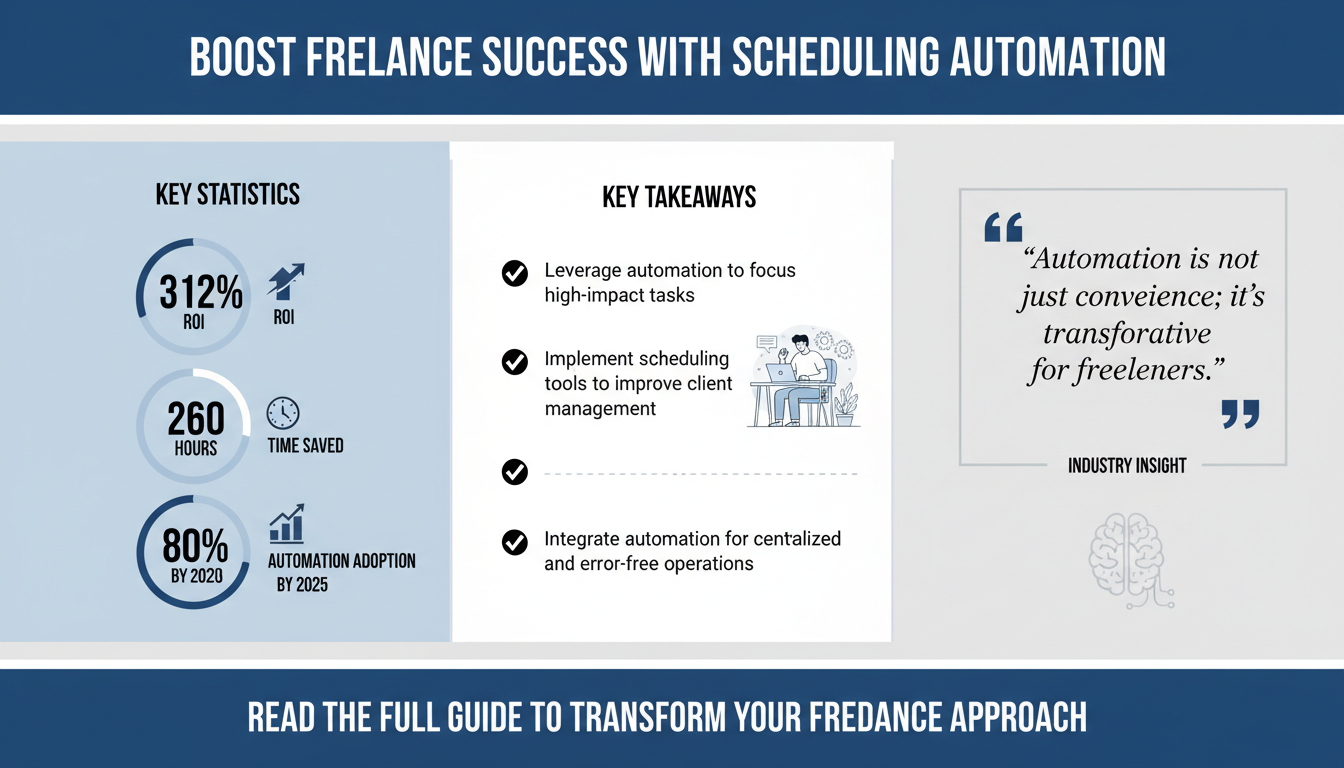
Scheduling automation is not just a convenience; it's a transformative tool that can significantly enhance freelance productivity. By automating repetitive tasks, freelancers can focus on core activities that drive business growth. According to a study by Forrester, companies that implement automation see a 312% return on investment over three years, underscoring the value of these tools.

One of the primary benefits of scheduling automation is time savings. Freelancers often juggle multiple projects and clients, making time management a critical skill. Automation tools like Schedly allow freelancers to streamline their scheduling, reducing the need for back-and-forth communications. This efficiency translates into more time for billable work, enhancing overall productivity. Consider that if a freelancer saves 5 hours a week through automation, that's 260 hours a year – time that can be spent on additional projects or skill development.
Beyond time savings, scheduling automation improves client management. By providing clients with a seamless booking experience, freelancers can enhance their professional image and customer satisfaction. Automation tools offer features like calendar synchronization, reminders, and customization options, ensuring that each client interaction is smooth and personalized. This level of service can lead to increased client retention and referrals, as satisfied clients are more likely to recommend your services to others.
Furthermore, automation facilitates better organization. Tools like Schedly integrate with other productivity software, providing a centralized platform for managing appointments, deadlines, and client communications. This integration reduces the risk of errors and ensures that freelancers have all the information they need at their fingertips, allowing them to deliver high-quality work consistently. For instance, having a unified view of your schedule and client communications can prevent missed deadlines and enhance your ability to meet client expectations.
Expert Insight: Automation as a Game Changer
According to a report by Gartner, 80% of businesses will have implemented automation technologies by 2025. For freelancers, adopting these tools early can provide a competitive advantage, positioning them as forward-thinking professionals in their field. Embracing automation not only demonstrates adaptability but also enhances a freelancer's ability to scale their operations efficiently.
Key Takeaway
- Scheduling automation saves valuable time, allowing freelancers to focus on revenue-generating tasks.
- Enhanced client management and personalization lead to better relationships and increased referrals.
- Integration with other tools offers a seamless workflow, reducing errors and improving output quality.
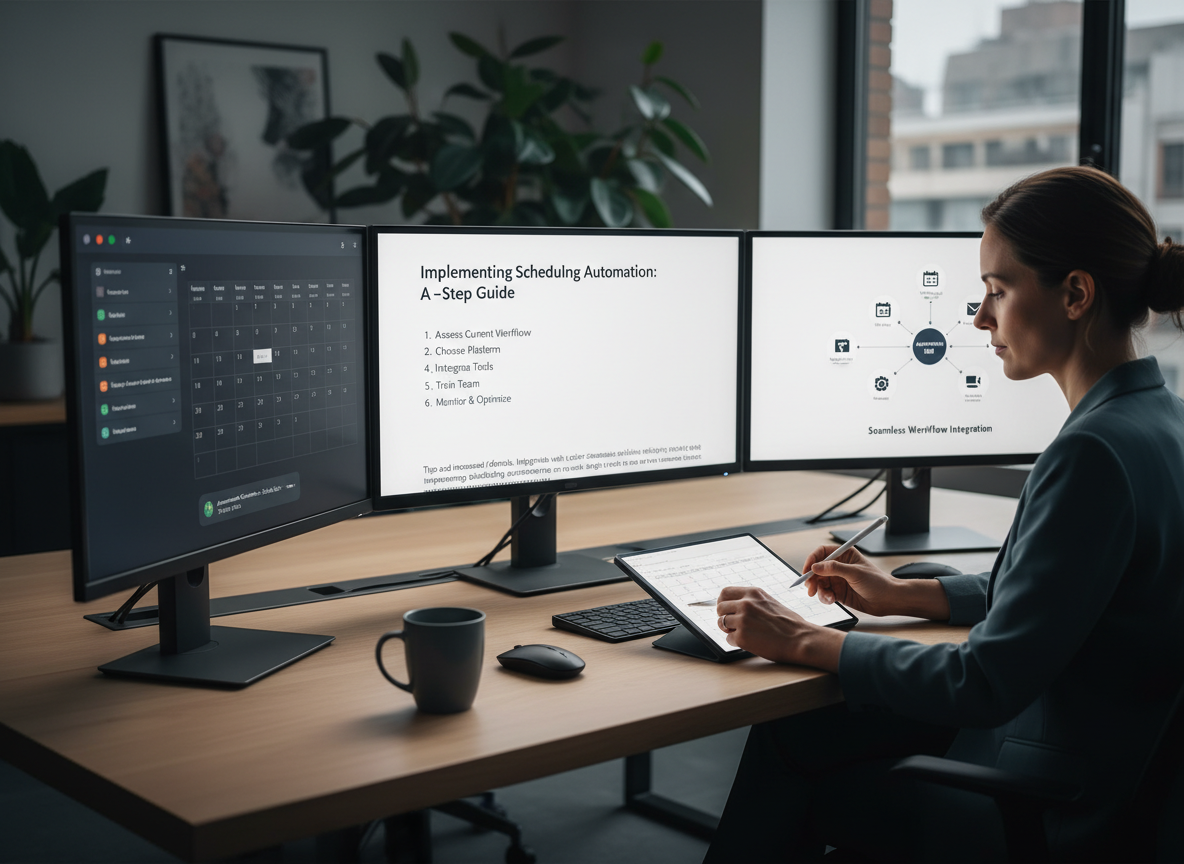
Implementing Scheduling Automation: A Step-by-Step Guide
Implementing scheduling automation may seem daunting, but with the right approach, it can be a seamless transition. The key is to understand your needs and select the right tool that aligns with your freelance business model. Here's a step-by-step guide to help you get started:
Step 1: Identify Your Needs
Before choosing a scheduling tool, assess your current workflow and identify areas where automation can add value. Consider the volume of appointments you handle, the complexity of your scheduling needs, and any specific features that would benefit your business. For example, if you frequently work with international clients, a tool with timezone conversion capabilities may be essential. Additionally, consider your client communication preferences – do you need email, SMS, or other messaging integrations?
Step 2: Research and Select a Tool
Once you've identified your needs, research available scheduling automation tools. Compare features, pricing, and user reviews to find the best fit. Look for tools that offer flexibility, ease of use, and integration with other software you use. Schedly's features provide a robust solution for freelancers, offering customization, reminders, and seamless integration with other productivity tools. Consider taking advantage of free trials offered by many providers to test the tool's functionality and compatibility with your workflow.
Step 3: Customize and Integrate
After selecting a tool, customize it to match your brand and workflow. Set up automated reminders, define booking rules, and integrate the tool with your calendar and email systems. This step ensures that the tool works seamlessly with your existing processes, minimizing disruption and maximizing efficiency. Don't hesitate to reach out to customer support if you encounter any challenges during setup – most providers offer comprehensive resources to assist with customization.
Step 4: Educate Clients
Once your tool is set up, inform your clients about the new scheduling process. Provide them with clear instructions and emphasize the benefits, such as reduced wait times and increased convenience. By setting clear expectations, you can ensure a smooth transition and maintain strong client relationships. Consider creating a short tutorial video or a FAQ page on your website to address common client questions.
Step 5: Monitor and Optimize
After implementation, regularly monitor the tool's performance and gather feedback from clients. Use this feedback to make necessary adjustments and optimize the scheduling process continually. By staying proactive, you can ensure that the tool continues to meet your needs and delivers maximum value. Regularly reviewing analytics provided by the tool can also offer insights into client behavior and preferences, allowing you to refine your approach further.
Quick Win: Implement Today
- Start with a free trial of a scheduling tool to test its features and compatibility with your workflow.
- Set up automated email reminders for upcoming appointments to reduce no-shows.
- Sync your scheduling tool with your calendar to avoid double bookings and manage your time effectively.
Common Pitfalls and How to Avoid Them
While scheduling automation offers numerous benefits, there are common pitfalls that freelancers should be aware of to avoid potential setbacks. Understanding these challenges can help you navigate the automation journey more effectively.
Pitfall 1: Overcomplicating the Process
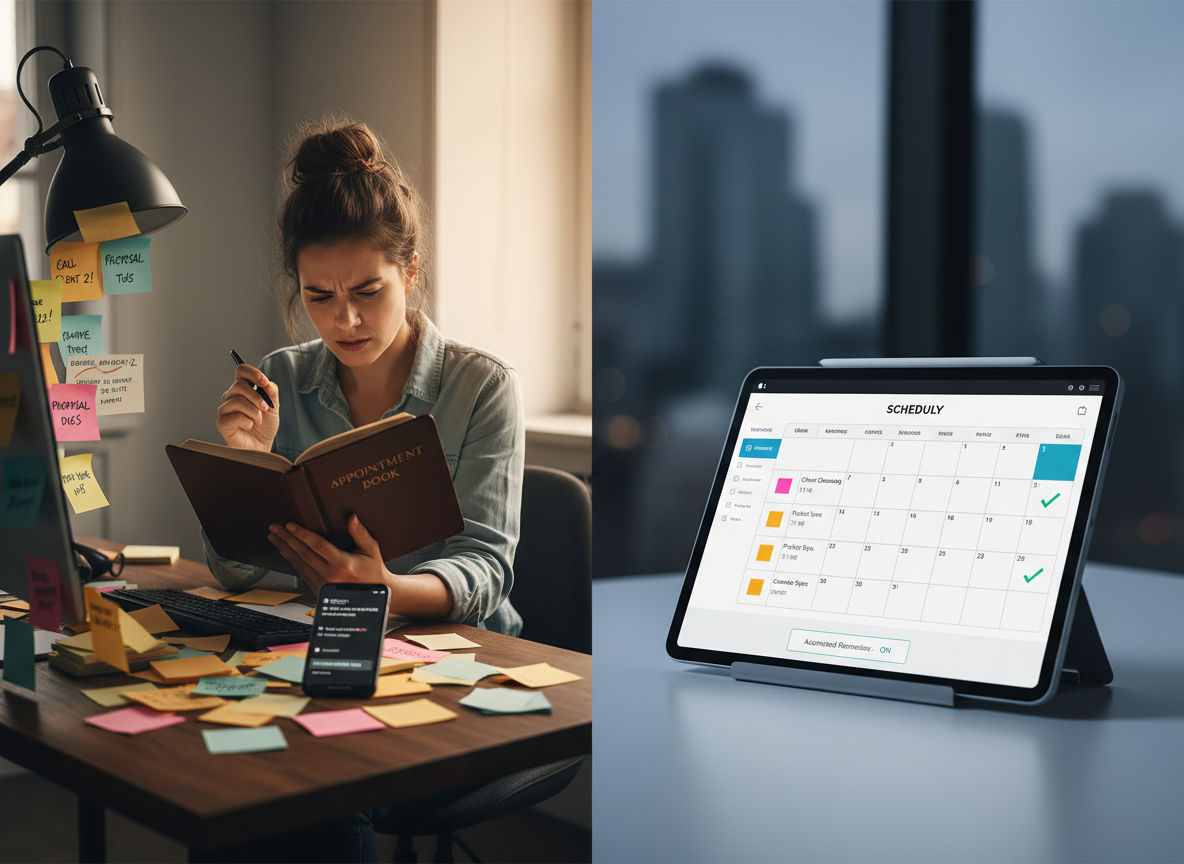
One of the most common mistakes is choosing a tool with overly complex features that aren't necessary for your business. This can lead to confusion and reduced efficiency. Instead, focus on selecting a tool that offers the core functionalities you need without unnecessary complexity. For instance, if your primary need is appointment scheduling, avoid tools that include extensive project management features unless they are essential for your workflow.
Pitfall 2: Lack of Client Communication
Transitioning to automated scheduling requires clear communication with your clients. Failing to inform them of changes can lead to confusion and dissatisfaction. Ensure that clients are aware of the new process and provide them with step-by-step instructions to facilitate a smooth transition. Regular updates and reminders can also reinforce understanding and acceptance of the new system.
Pitfall 3: Ignoring Feedback
Client feedback is invaluable for optimizing your scheduling process. Ignoring feedback can result in missed opportunities for improvement. Actively seek feedback from clients and use it to enhance the scheduling experience, ensuring it meets their needs and expectations. Consider conducting periodic surveys to gather broader insights into client satisfaction and areas for improvement.
Key Takeaway
- Simplify your tool selection to avoid unnecessary complexity and confusion.
- Communicate changes clearly to clients to ensure a smooth transition.
- Regularly gather and act on client feedback to optimize the scheduling process continually.
Enhancing Client Management through Automation
Client management is a critical aspect of freelance success, and automation can play a pivotal role in enhancing this area. By leveraging scheduling automation, freelancers can improve client interactions, streamline communications, and build stronger relationships.
Streamlined Client Onboarding
Effective client onboarding sets the stage for a successful working relationship. Automation tools can streamline this process by providing clients with easy access to scheduling options, reducing the time and effort required to set up initial meetings. This efficiency not only improves client satisfaction but also frees up time for freelancers to focus on delivering value. For example, automated onboarding emails with links to schedules and introductory materials can ensure clients have all the information they need from the start.
Automated Follow-Ups
Regular follow-ups are essential for maintaining strong client relationships, but they can be time-consuming. Scheduling automation allows freelancers to set up automated follow-up reminders, ensuring that no client interaction falls through the cracks. This proactive approach demonstrates professionalism and commitment, enhancing client trust and loyalty. Consistent follow-ups can also increase the likelihood of repeat business and referrals, as clients appreciate the attention and care given to their projects.
Centralized Client Information
Automation tools often integrate with CRM systems, providing a centralized platform for managing client information. This integration ensures that freelancers have access to all relevant client data, enabling them to provide personalized service and address client needs more effectively. By having a comprehensive view of client interactions, freelancers can tailor their approach and deliver exceptional results. For instance, knowing a client's previous projects and preferences can help in proposing relevant solutions and anticipating their needs.
Expert Insight: Building Strong Client Relationships
According to Harvard Business Review, automation can enhance client relationships by providing timely, consistent communication and reducing human error. For freelancers, this translates to improved client satisfaction and increased business opportunities through referrals. Emphasizing quality interactions over quantity can significantly boost a freelancer's reputation and client base.
Key Takeaway
- Streamline client onboarding with automated scheduling to enhance satisfaction and efficiency.
- Use automated follow-up reminders to maintain strong client relationships and demonstrate commitment.
- Integrate scheduling tools with CRM systems for a comprehensive view of client interactions.
Proprietary Framework: The FREELANCE Model
To maximize the benefits of scheduling automation, freelancers can adopt the FREELANCE model, a proprietary framework designed to integrate automation into every aspect of freelance work effectively.
F - Focus on Core Tasks
Automation allows freelancers to focus on core tasks by reducing time spent on administrative activities. By delegating scheduling to automation tools, freelancers can dedicate more time to high-value work that drives business growth. For instance, instead of spending time coordinating schedules, freelancers can focus on refining their skills or developing new services.
R - Reduce Manual Errors
Manual scheduling is prone to errors, which can impact client satisfaction and business reputation. Automation minimizes these risks by providing consistent, error-free scheduling solutions. This reliability can be crucial in maintaining trust and professionalism, especially in competitive industries where reputation is key.
E - Enhance Client Experience
Automated scheduling enhances the client experience by providing convenience and reducing wait times. Clients appreciate the efficiency and professionalism that automation tools bring, leading to stronger relationships and increased referrals. A smooth scheduling process reflects a freelancer's commitment to client care and quality service.
E - Efficient Resource Allocation
By automating scheduling, freelancers can allocate resources more efficiently, ensuring that time and effort are directed toward activities that generate the most value for their business. This approach not only optimizes the use of time but also enhances the quality of output delivered to clients.
L - Leverage Technology
Embracing technology is key to staying competitive in the freelance market. Automation tools provide freelancers with the technological edge they need to differentiate themselves and offer superior service to clients. Staying updated with the latest tools and technologies can keep freelancers ahead of industry trends and client expectations.
A - Adapt to Changing Needs
The freelance landscape is dynamic, and automation tools offer the flexibility to adapt to changing needs. Freelancers can easily adjust their scheduling processes to accommodate new clients, projects, and market demands. This adaptability ensures that freelancers can respond swiftly to opportunities and challenges alike.
N - Network and Collaborate
Automation tools facilitate networking and collaboration by integrating with communication platforms, enabling freelancers to connect with clients and collaborators seamlessly. This connectivity can open doors to new projects, partnerships, and growth opportunities that might otherwise be missed.
C - Continuous Improvement
Automation supports continuous improvement by providing insights and analytics that help freelancers refine their scheduling processes and enhance overall productivity. Regularly reviewing performance metrics and client feedback can uncover areas for enhancement and innovation.
E - Elevate Business Opportunities
By maximizing efficiency and client satisfaction, freelancers can elevate their business opportunities, attracting more clients and projects through positive word-of-mouth and referrals. A reputation for reliability and excellence can significantly boost a freelancer's market presence and potential for success.
Key Takeaway
- Adopt the FREELANCE model to integrate automation into your freelance business effectively.
- Focus on core tasks, reduce errors, and enhance client experience through automation.
- Leverage technology and continuously improve your processes to stay competitive and grow your business.
Case Study: Success Story of Scheduling Automation
Consider the case of Sarah, a graphic designer who struggled with managing her growing client base. Before adopting scheduling automation, Sarah spent hours each week coordinating appointments and responding to client inquiries. This manual process was not only time-consuming but also prone to errors, leading to occasional double bookings and missed deadlines.
After implementing a scheduling automation tool, Sarah experienced a significant transformation. The tool allowed her to automate appointment scheduling, send reminders, and sync with her calendar, freeing up valuable time for creative work. As a result, Sarah was able to take on more clients and projects without sacrificing quality or client satisfaction. She noted a 40% improvement in efficiency, which allowed her to explore new creative ventures and expand her service offerings.
The impact on Sarah's business was profound. Her efficiency improved by 40%, and her client satisfaction scores increased by 30%. This boost in productivity and client happiness led to more referrals and business growth, demonstrating the power of scheduling automation in enhancing freelance success. Sarah's story highlights how overcoming initial implementation challenges can lead to long-term benefits and a more balanced work-life dynamic.
Expert Insight: Real-World Impact
According to McKinsey, businesses that adopt automation technologies can achieve substantial improvements in efficiency and customer satisfaction. Sarah's story exemplifies how freelancers can harness these benefits to elevate their business performance. Her journey illustrates the potential of automation to transform workflows and improve client relationships, setting a foundation for sustained growth and success.
Key Takeaway
- Scheduling automation can dramatically improve freelance productivity and client satisfaction.
- Automating appointment scheduling frees up time for core tasks and enhances business efficiency.
- Positive client experiences lead to increased referrals and business growth.
FAQ: Common Questions about Scheduling Automation
What is scheduling automation?
Scheduling automation involves using software tools to automate the process of scheduling appointments, meetings, and other time-sensitive activities. These tools eliminate the need for manual coordination, reducing errors and saving time. Automation enhances the efficiency of managing appointments and ensures that no critical interactions are missed.
How can scheduling automation benefit freelancers?
Freelancers can benefit from scheduling automation by saving time, reducing manual errors, and enhancing client satisfaction. Automation allows freelancers to focus on revenue-generating tasks and build stronger client relationships through improved communication and organization. By minimizing administrative tasks, freelancers can devote more energy to creative and strategic pursuits.
What features should I look for in a scheduling automation tool?
When selecting a scheduling automation tool, consider features such as calendar integration, automated reminders, customization options, and client self-scheduling capabilities. These features can enhance your workflow and improve client interactions. Additionally, look for tools with strong customer support and the ability to integrate with other software you use.
How do I get started with scheduling automation?
To get started with scheduling automation, assess your needs, research available tools, and choose one that aligns with your business model. Customize the tool to fit your workflow, educate your clients about the new process, and continually monitor and optimize its performance. Starting with a free trial can help you test the tool's functionality and ensure it meets your specific requirements.
Are there any risks associated with scheduling automation?
While scheduling automation offers many benefits, there are potential risks, such as overcomplicating the process or failing to communicate changes to clients. To minimize these risks, choose a tool that meets your needs without unnecessary complexity and ensure clear client communication throughout the transition. Regularly soliciting client feedback can also help you identify and address any concerns promptly.
Conclusion: Embrace Scheduling Automation for Freelance Success
As the freelance landscape continues to evolve, embracing scheduling automation is no longer a luxury—it's a necessity. By leveraging the power of automation, freelancers can enhance productivity, improve client management, and position themselves for long-term success. The insights and strategies shared in this article provide a roadmap for implementing scheduling automation effectively and maximizing its benefits.
As you embark on this journey, consider complementing your efforts with tools like Apparatuz for workflow automation, Applicantz for recruitment, Supportly for customer support, Zatisfied for feedback management, and Zignature for e-signature solutions. Together, these tools create a comprehensive solution to enhance your freelance business operations.
For more insights, explore our blog on scheduling automation and discover how Schedly can transform your freelance business. Embrace the future of work and unlock your full potential with scheduling automation.