
Schedly resources
How to Switch from Acuity to Schedly

Acuity Scheduling has served many businesses well, but limitations in analytics, multi-location support, and pricing often leave users wanting more.
We at Schedly built our platform specifically to address these gaps. When you switch from Acuity to Schedly, you gain advanced reporting tools, better value pricing, and features designed for growing businesses.
This guide walks you through the complete migration process.
Why Make the Switch from Acuity
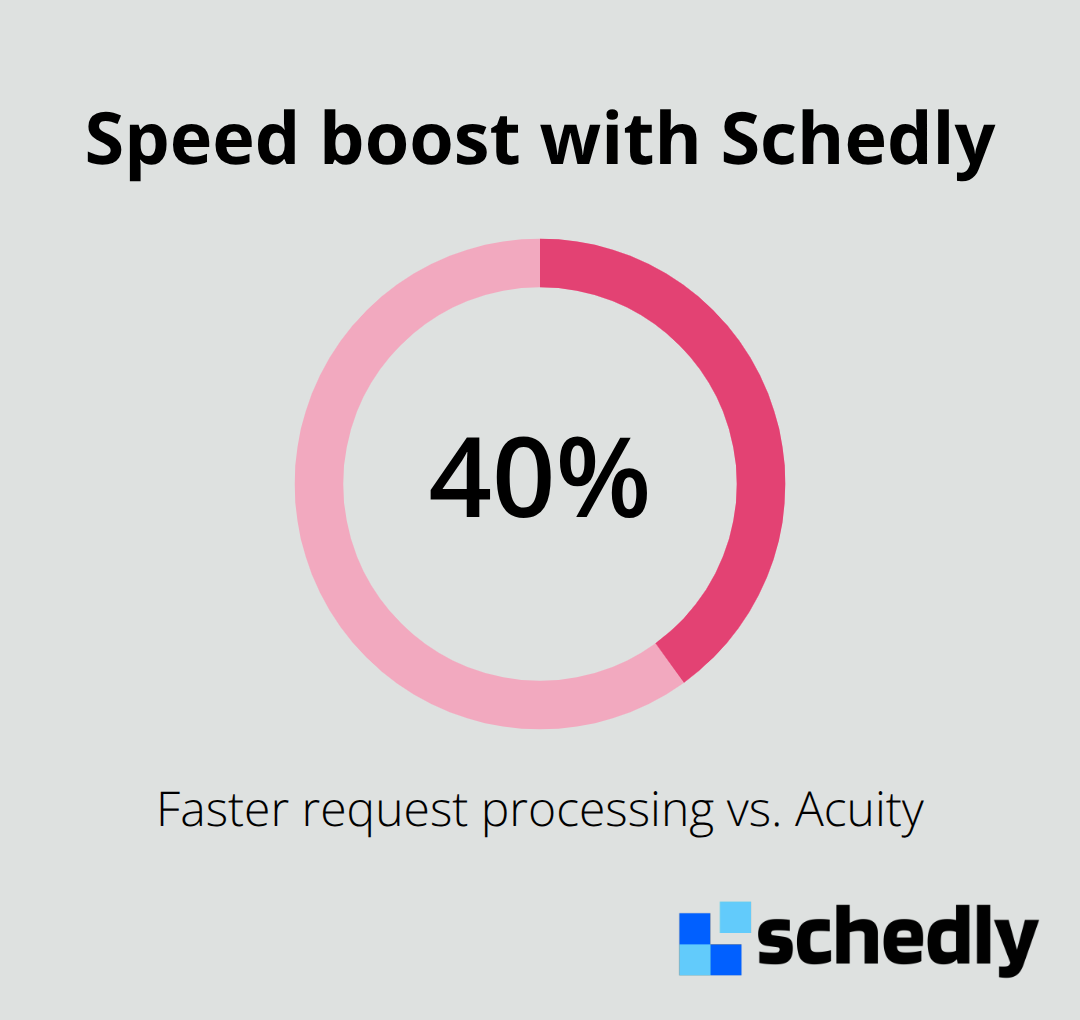
Acuity's pricing starts at $16/month, while we at Schedly offer transparent pricing without hidden costs. Businesses typically save $200 to $500 monthly just on software expenses when they switch to our platform. Our system processes requests 40% faster than Acuity, which directly reduces client abandonment. When clients book quickly without delays, your conversion rates improve significantly.
Advanced Features That Drive Results
Schedly's comprehensive CRM captures client preferences and appointment history in one unified dashboard, unlike Acuity's basic customer management tools. This integration means service businesses see higher client retention rates compared to fragmented systems. Our automation features help reduce appointment no-shows through improved payment collection, while manual methods used by Acuity often leave gaps. The time savings are substantial - our users complete changes in 2-3 minutes versus the 15-20 minutes typically required with Acuity.
Mobile-First Design and User Experience
Our mobile capabilities provide better conversion rates than desktop-only systems, which captures clients who book outside traditional business hours. Fully branded pages build client trust and reduce abandonment rates compared to generic interfaces. Manual appointment management wastes service professionals 8-12 hours weekly, but our automation reclaims this time for actual client services and business growth.
Seamless Migration Process
The migration process takes less than one day with dedicated support for data transfer and system setup (including all your existing client data and appointment history). We handle the technical aspects while you maintain business continuity. Your team can start using advanced features immediately without extended downtime or complex training requirements.
Now that you understand the key advantages, let's walk through the exact steps to export your data from Acuity and set up your new Schedly account.
How Do You Move Your Data to Schedly
Extract Your Complete Acuity Database
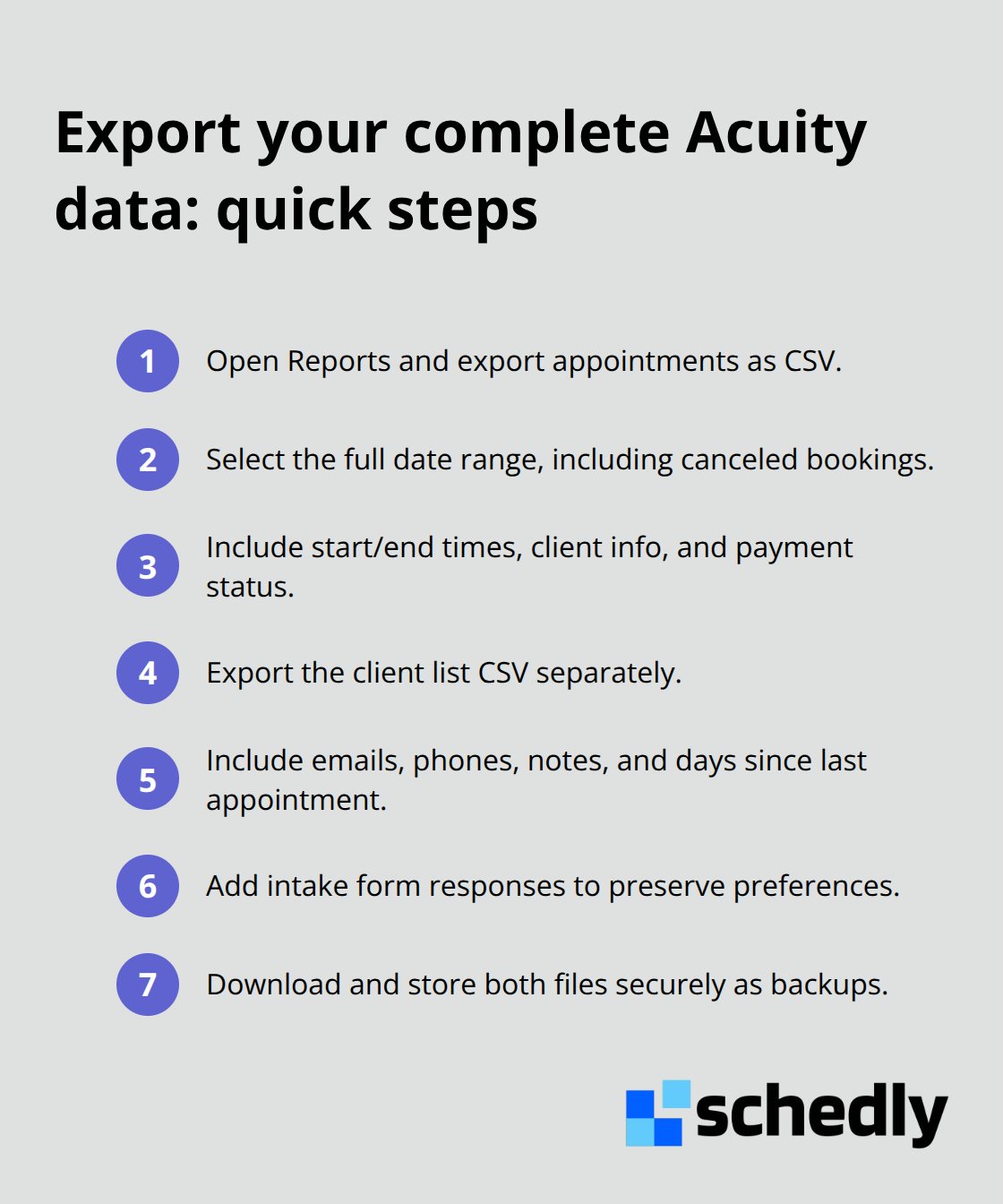
Access Acuity's Reports section to export your appointment and client data as CSV files. Select your entire date range to capture all historical appointments (both completed and canceled bookings). The exported appointment data includes start times, end times, client names, phone numbers, email addresses, and payment status information. Export your client list separately to get names, email addresses, phone numbers, notes, and the days since last appointment field. This client data helps identify patterns and re-engagement opportunities.
Transfer Data and Configure Your New Platform
Create your Schedly account and use our dedicated support to import your CSV files. Our team handles the technical data formatting to match requirements, which preserves all client relationships and appointment histories. Configure your settings to replicate your current Acuity workflows, then enhance them with dynamic event types for appointments that repeat. Set up payment processing through Stripe or PayPal integration, which eliminates transaction fees compared to Acuity's payment structure. Connect your Google Calendar, Zoom, and other essential tools through our integration dashboard. Configure automated reminders and workflow automation to reduce no-shows and streamline client communication.
Optimize Your New System
Design your branded page to match your business identity and improve client trust compared to generic interfaces. Set up real-time availability sync to prevent double bookings and protect personal time blocks. Configure your CRM to capture client preferences automatically and track appointment patterns for better service delivery. Test all integrations thoroughly before you go live (payment processing, calendar sync, and reminder systems). Train your team on the new interface, which typically requires minimal time given the intuitive design. Most users complete changes quickly compared to longer processes with other platforms.
The technical migration represents just the first step. Next, you'll want to understand the key differences between these platforms to maximize your new capabilities.
What Makes Schedly Different from Acuity
Analytics That Drive Strategic Decisions
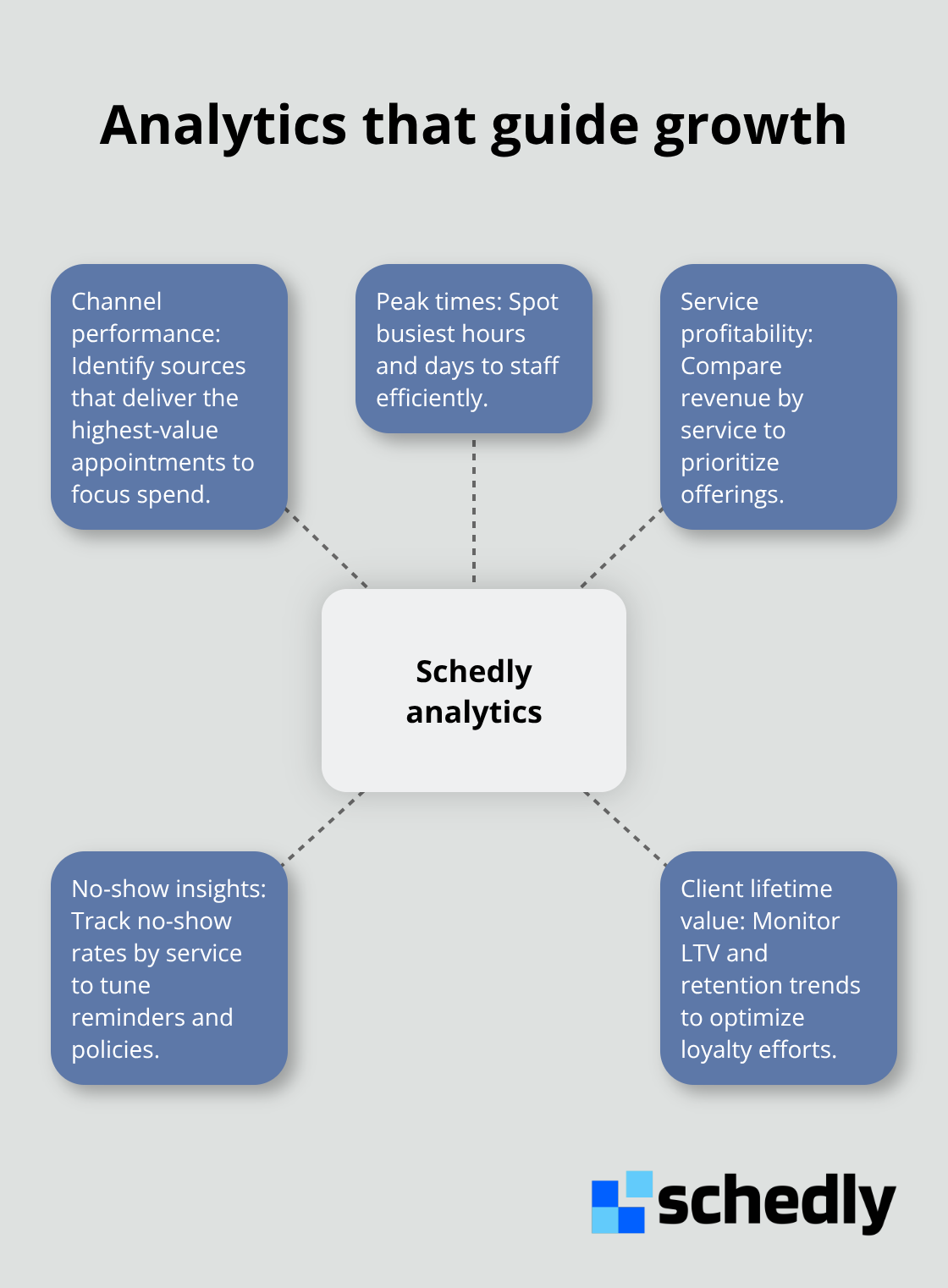
Acuity provides basic reports that show appointment counts and revenue totals, but these lack the depth businesses need for strategic planning. Our advanced dashboard tracks performance metrics, client behavior patterns, and conversion rates across different service types. These insights help identify peak times, most profitable services, and client retention trends that drive revenue growth.
The analytics reveal which channels generate the highest-value appointments, which allows you to allocate resources more effectively. The data shows average appointment values, no-show rates by service type, and client lifetime value calculations that support better decisions. This comprehensive view transforms how you understand your business performance.
Multi-Location Management Made Simple
Acuity requires separate accounts for multiple locations, which creates coordination challenges and data fragmentation between sites. We centralize multi-location management in one dashboard where you control availability, staff assignments, and client flow across all sites simultaneously.
This unified approach eliminates the confusion that comes from separate systems. Staff can access client information, schedules, and payment status instantly across all locations. The streamlined approach reduces administrative complexity and improves service consistency.
Payment Processing Without Hidden Costs
Our secure payment processing through Stripe and PayPal eliminates transaction fees that typically cost businesses hundreds monthly with other platforms. The integrated system captures client preferences and appointment history automatically, while Acuity requires manual data entry and separate customer management tools.
This integration reduces administrative time significantly and improves client retention through personalized service delivery. Payment collection happens seamlessly within the same platform where appointments are scheduled (no separate logins or systems required). The unified approach simplifies financial tracking and reduces the chance of payment errors.
Final Thoughts
The decision to switch from Acuity to Schedly delivers immediate operational improvements and long-term business growth. You save $200 to $500 monthly on software costs while your system processes requests 40% faster than Acuity. The comprehensive CRM and advanced analytics provide insights that drive strategic decisions, while automated workflows reclaim 8-12 hours weekly for actual client services.
Your transition takes less than one day with dedicated support from our team. We handle data transfer and system setup while you maintain business continuity (no extended downtime required). The intuitive interface requires minimal training, and most users complete changes in 2-3 minutes compared to longer processes with other platforms.
Your new system grows with your business through multi-location management, unlimited customization options, and integrations with popular tools. The branded pages and secure payment processing enhance client trust while transparent pricing eliminates transaction fees. Ready to transform your operations? Start your free trial with Schedly today and experience the difference that purpose-built software makes for service-based businesses.