
Schedly resources
How to Use Client Reviews to Improve Your Scheduling

Most businesses ignore what their clients say about their scheduling system. At Schedly, we believe customer feedback integration is the fastest way to spot what's actually broken in your booking process.
Your reviews contain gold. They show you exactly where clients get frustrated, what times they need most, and why they book elsewhere.
What Your Reviews Actually Tell You About Scheduling
Client reviews function as diagnostic reports for your scheduling system, yet most businesses treat them like noise. When someone complains about booking availability at 6 PM or mentions they had to call because the online form was confusing, they reveal exactly where your system fails. These aren't opinions-they're data points showing real friction in your process. A client who books with you leaves feedback shaped by their actual experience with your calendar, availability display, and confirmation process. If multiple reviews mention similar scheduling pain points, you've found a systemic problem worth fixing.
Read reviews for scheduling-specific complaints
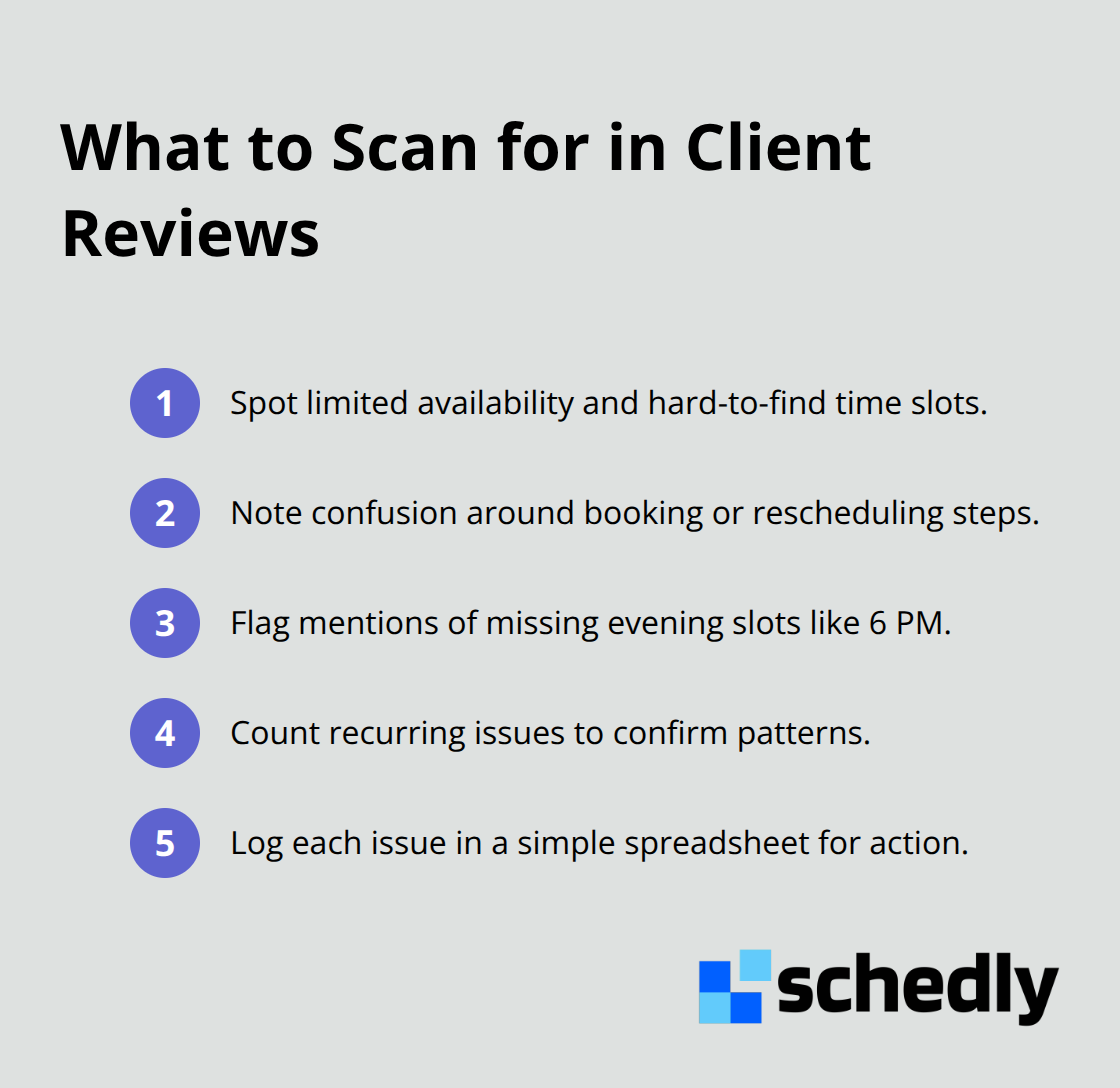
You need to read reviews specifically for scheduling-related comments. Look for complaints about limited availability, difficulty finding appointment times, or confusion around booking steps. When a client writes that they couldn't find evening slots or that the rescheduling process was complicated, they describe your scheduling experience from their perspective. Track how often these issues appear-if three clients in a month mention the same problem, it's not random feedback. Create a simple spreadsheet noting the scheduling issue, the review date, and which service or location it applies to. This transforms scattered feedback into a pattern you can act on.
Identify unmet client expectations
Clients reveal expectations you might not realize they have through their reviews. If reviews mention that they expected instant confirmation or wanted SMS reminders, you're seeing what matters to your audience. These expectations shape whether someone books with you or a competitor. Comments like "I didn't realize I needed to book 48 hours ahead" or "I didn't know you had multiple locations" show that your booking flow or communication isn't clear enough. These gaps cost you bookings because clients don't understand your scheduling rules.
Connect feedback to capacity and demand problems
Reviews mentioning wait times, staff availability, or booking delays point directly to capacity problems. If clients say they booked weeks in advance when they wanted shorter notice, your schedule isn't aligned with actual demand. If reviews praise how easy rescheduling was, that's a feature working well-keep promoting it. Negative feedback about no-show rates or last-minute cancellations suggests your reminder system or cancellation policy needs adjustment. Real scheduling problems surface in reviews because clients experience them directly (not through assumptions or guesses). Your job is to read them as instructions for what to fix next.
These patterns in your reviews point toward specific changes you can make. Real-time feedback helps identify areas for improvement, and the next step involves organizing this feedback systematically so you can prioritize which scheduling problems to address first.
Turn Review Feedback Into a Scheduling Action Plan
Stop collecting reviews without a system to process them. Most businesses read feedback once, feel good about compliments, and forget negative comments within a week. That approach wastes your best source of scheduling intelligence. You need a structured method to categorize what clients say, extract what actually matters, and measure whether your changes work.
Create a centralized review tracking system
Start with a simple tracking document where you log every scheduling-related comment from reviews across all platforms. Google Reviews, Yelp, Facebook, and any industry-specific site your clients use should feed into one place. When you read a review mentioning scheduling friction, note the specific issue (booking availability gaps, rescheduling confusion, unclear cancellation policy), the date, the service type, and whether it was positive or negative feedback. After two to four weeks of logging, patterns emerge that scattered individual reviews never show. If seven clients mention they couldn't book evening appointments, that's a capacity problem worth addressing. If two clients praise your SMS reminders but three others say they didn't receive them, you have a delivery or opt-in issue to investigate. The data volume matters here: one complaint is opinion, but three identical complaints across different reviews signal a real system failure your scheduling software needs to address.
Extract actionable insights from negative feedback
Negative reviews contain more actionable information than positive ones, but most businesses read them defensively instead of analytically. A client who writes that they had to call because the online booking form was confusing tells you exactly what broke in your process. They didn't choose to call; your system forced them to. That's a scheduling problem. Look specifically for phrases indicating friction: couldn't find, had to call, didn't realize, took too long, confusing, limited options, or no availability. These signal where clients hit walls. If reviews mention they wanted same-day or next-day appointments but your schedule only shows availability two weeks out, your advance-booking requirement doesn't match client expectations. If clients complain about difficulty rescheduling, your cancellation and rebooking workflow is too complicated. The goal isn't to defend your process but to see it through client eyes. A client who books with a competitor instead doesn't leave you a review at all, so the negative feedback you do receive represents people who tried and stayed despite friction. Those complaints point to problems serious enough to lose future business.
Measure scheduling improvements with review metrics
After you implement a scheduling change based on review feedback, track whether new reviews reflect improvement. If you added evening availability because clients complained about limited time slots, watch for mentions of evening appointments in the next month of reviews. If you simplified your booking form based on confusion complaints, look for positive comments about ease of booking. This isn't vanity metrics; it's validation that your change actually worked. Compare review sentiment before and after implementation over similar time periods. If you had three complaints about rescheduling in March and April, then streamlined your rescheduling process in May, June reviews should show fewer complaints or positive mentions of easier changes. Track the volume of scheduling-specific comments as a percentage of total reviews. You can also note which scheduling features clients praise most frequently. If clients repeatedly mention appreciating transparent availability or quick confirmation emails, those features are working well and should stay visible in your booking flow. The metrics don't need to be complex. A spreadsheet tracking issue type, date, and whether it's resolved or still appearing in new reviews gives you measurable proof that your system improvements actually matter to clients.
These patterns reveal which scheduling problems demand immediate attention. The next step involves prioritizing these issues and deciding which changes will have the biggest impact on your booking experience.
Making Review Feedback Work in Your Scheduling System
Review feedback only matters if you act on it. Reading that clients struggle with evening availability or find rescheduling confusing means nothing without concrete changes to your booking system. The gap between identifying problems and fixing them is where most businesses fail. You've already gathered the data and spotted the patterns, so now comes the part that actually moves the needle: implementation. Start with the scheduling friction points that appear most frequently in your reviews. If five clients in the past month mentioned they couldn't find available times at 6 PM or later, that's your priority. Add evening slots to your schedule immediately, even if it requires shifting staff hours. If clients complained that your booking form asked for information they didn't have at the time of booking, simplify it. Remove fields that aren't absolutely necessary for the initial appointment. Test your changes with a small group of new bookings first. Watch their reviews over the next two weeks to see if the complaint disappears. If it does, you've validated the fix works. If complaints continue, you haven't solved the real problem yet and need to investigate further.
Match your availability to actual client demand
Your calendar should reflect when clients actually want to book, not when it's convenient for staff. If reviews consistently mention that clients wanted same-day or next-day appointments but couldn't find slots, your advance-booking window is too long. Shorten it. If clients praise your flexibility for accommodating last-minute changes, promote that feature more prominently in your booking page because it's a competitive advantage. Tracking no-shows and cancellations helps you identify patterns that can improve scheduling efficiency. If 8 AM slots fill within hours but 2 PM slots sit open for weeks, your demand distribution is obvious. Stop forcing availability into times clients don't want. Shift staff coverage toward the times that actually book. If your business is seasonal, reviews from clients booking in your busy season will mention frustration about limited options, while off-season reviews might mention that booking was easy. Adjust your staffing and availability calendar to match these seasonal patterns. Some businesses discover through reviews that clients want different service durations than what's currently offered. If clients repeatedly mention that they need 30-minute appointments instead of the standard 60 minutes you provide, test offering shorter slots and track whether that reduces complaints and increases booking volume. Real demand data comes from where clients actually book, not from assumptions about what they need.
Communicate schedule changes proactively to clients
When you modify your schedule, availability windows, or booking process based on review feedback, communicate those changes proactively. Don't wait for clients to discover the improvements on their own. Send an email to your past clients explaining what you've changed and why. A message like "We heard from clients that evening appointments were hard to find, so we've added new 6 PM and 7 PM slots starting next month" creates transparency and makes clients feel heard. During high-demand periods, businesses can maintain scheduling transparency by communicating expected scheduling challenges well in advance. This approach turns review feedback into a business advantage because clients see their input led to actual action. Include this information in your booking confirmation emails and appointment reminders. If you've streamlined your rescheduling process, mention it when clients book. If you've added SMS reminders because reviews mentioned clients appreciated them, highlight this when they receive their first reminder. Your staff should also know what changed and why. If they understand that a scheduling modification came from client feedback, they'll explain it confidently to anyone who asks. Post the change on your website or in your booking page if it's significant enough. Transparency about why you made scheduling adjustments builds trust because clients see their feedback directly influenced your business decisions.
Final Thoughts
Client reviews are your most direct line to what's actually broken in your scheduling system. The businesses that win aren't the ones with perfect processes from day one-they're the ones that listen to feedback and fix problems faster than competitors. You've read reviews mentioning evening availability gaps, rescheduling confusion, or unclear booking steps, and you've logged these patterns in a tracking system to identify which friction points appear most often.
The cycle doesn't end after one fix. New reviews will surface new problems as clients praise your streamlined booking form but mention they wanted SMS reminders you don't currently offer, or note that your cancellation policy wasn't clear until checkout. These aren't failures; they're instructions for your next iteration. Customer feedback integration transforms scattered complaints into a roadmap for improvement, and the businesses that maintain competitive scheduling systems treat reviews as ongoing intelligence rather than one-time feedback collection.
Track your progress systematically by measuring whether new reviews mention evening slots positively after you add them, or whether clients appreciate ease of booking after you simplify your form. This measurement proves your changes actually matter and guides what to prioritize next. Schedly's analytics tools help you track booking metrics and client behavior alongside review feedback, giving you the data foundation to make confident scheduling decisions.