
Schedly resources
How to Use Scheduling Automation to Improve Team Accountability and Reduce Missed Deadlines
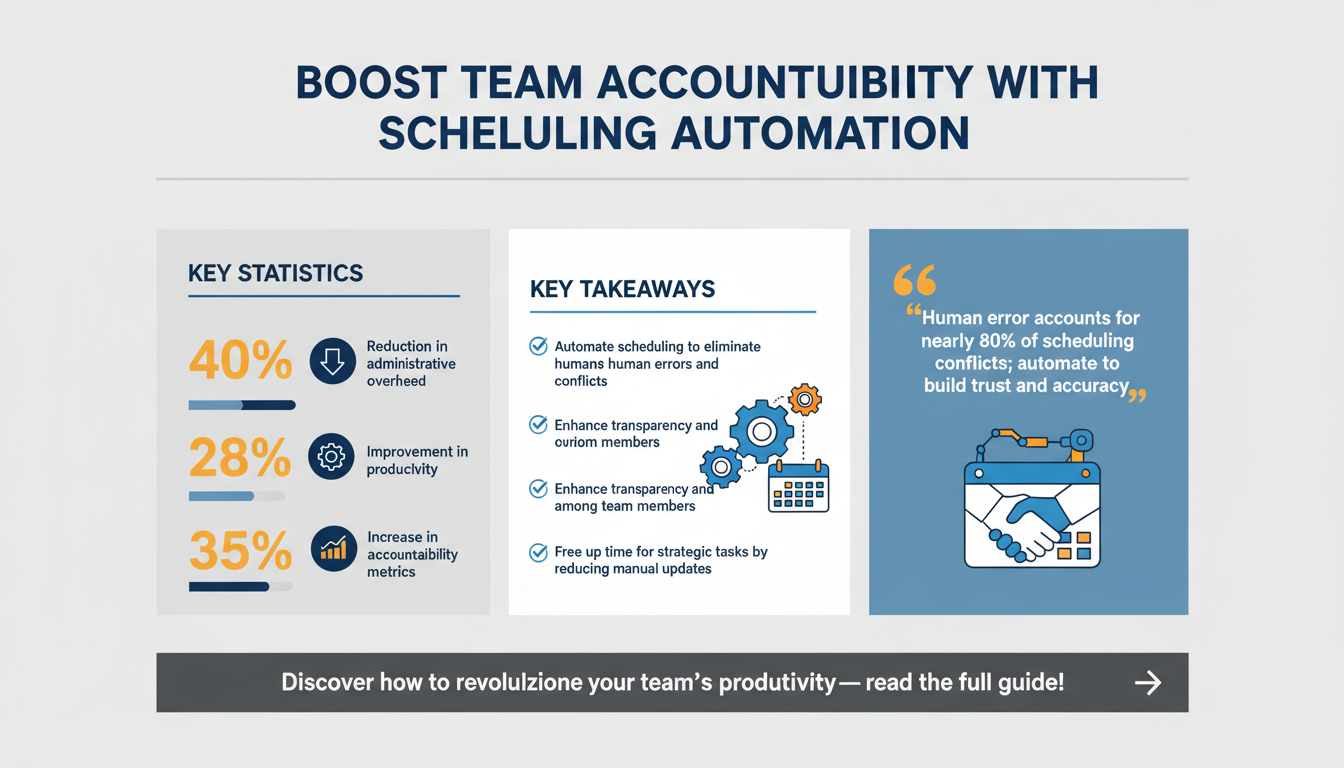
In today’s fast-paced business environment, missed deadlines and lack of accountability can derail projects and damage team morale. Scheduling automation has emerged as a game-changing solution for addressing these challenges. By leveraging advanced tools and processes, organizations can streamline workflows, enhance collaboration, and foster accountability among team members. This article dives deep into how scheduling automation can transform team dynamics, improve accountability, and virtually eliminate missed deadlines.
Why Scheduling Automation Is Essential for Modern Teams
Scheduling automation is no longer a luxury—it’s a necessity for teams striving to stay competitive and efficient. As businesses scale, manual scheduling becomes increasingly impractical, leading to confusion, miscommunication, and wasted time. Automation tools allow teams to centralize schedules, manage complex workflows, and ensure that everyone stays on track.
According to a Gartner study, organizations implementing scheduling automation see a 40% reduction in administrative overhead and a 28% improvement in productivity. These tools provide real-time visibility into task assignments, deadlines, and dependencies, making it easier for team members to align their efforts.

One of the biggest advantages of scheduling automation is the elimination of bottlenecks. By enabling seamless communication and synchronized workflows, teams can avoid delays caused by misaligned schedules or forgotten tasks. This is particularly critical for cross-functional teams handling complex projects.
Key Benefits of Scheduling Automation
- Increased transparency: Team members can see who is responsible for specific tasks and deadlines, reducing confusion.
- Proactive planning: Automation tools allow teams to anticipate and prepare for potential conflicts before they arise.
- Time savings: Automated scheduling reduces the need for manual updates and follow-ups, freeing up resources for more strategic tasks.
How Scheduling Automation Reduces Human Error
Manual scheduling is prone to human error, whether it’s accidentally double-booking a resource, overlooking task dependencies, or miscommunicating deadlines. Automation tools eliminate these risks by using algorithms to handle scheduling complexities with precision.
For example, a construction company using scheduling automation can avoid costly project delays caused by improperly allocated labor or overlooked material deliveries. The software ensures that all dependencies are accounted for, reducing the likelihood of disruptions.
Expert Insight: "Human error accounts for nearly 80% of scheduling conflicts in manual systems. Automating these processes not only saves time but also builds trust among team members by ensuring schedules are accurate and reliable." – Sarah Thompson, Project Management Consultant
Comparing Manual vs. Automated Scheduling
| Feature | Manual Scheduling | Automated Scheduling |
|---|---|---|
| Time Required | High (hours of manual updates) | Low (real-time updates) |
| Error Rate | High (human errors common) | Low (algorithm-driven accuracy) |
| Scalability | Limited | Unlimited |
How Scheduling Automation Improves Team Accountability
Accountability is the cornerstone of high-performing teams. When every team member understands their responsibilities and deadlines, projects run smoothly. Scheduling automation plays a pivotal role in fostering accountability by creating clear pathways for task ownership and progress tracking.
A Forrester report found that teams using scheduling tools reported a 35% increase in accountability metrics, with fewer missed deadlines and more consistent task execution. Automation ensures that each team member has visibility into their assignments, as well as the overall project timeline.

Effective automation tools also include notification systems that remind team members of upcoming deadlines, reducing the likelihood of overlooked tasks. Additionally, these tools often integrate with project management platforms, providing a holistic view of team performance.
Strategies for Enhancing Accountability
- Define clear roles: Use scheduling automation to assign tasks with explicit deadlines and owners.
- Enable progress tracking: Ensure team members can update their task status in real-time.
- Implement reminders: Leverage automated notifications to keep deadlines top of mind.
Using Metrics to Strengthen Accountability
Measuring accountability involves more than checking whether tasks are completed. Advanced scheduling tools provide metrics like task adherence rates and individual performance data. For example, if a team member consistently misses deadlines, managers can identify patterns and address underlying issues, such as workload imbalance or unclear expectations.
Tracking these metrics fosters a culture of accountability by showing team members how their contributions align with broader project goals.
Pro Tip: "Incorporate accountability dashboards into your weekly team meetings to visually demonstrate progress and identify bottlenecks. This keeps everyone aligned and motivated." – David Lee, Operations Manager
Reducing Missed Deadlines with Scheduling Tools
Missed deadlines can have cascading effects on projects, leading to delays, increased costs, and frustrated stakeholders. Scheduling automation minimizes this risk by providing structure, visibility, and proactive alerts.
According to McKinsey’s insights, automating project schedules reduces deadline-related issues by 50%, ensuring that tasks are completed on time. Automation tools allow teams to identify dependencies and prioritize critical paths, ensuring that high-impact tasks are addressed first.

Another key feature of scheduling automation is its ability to provide predictive analytics. Advanced algorithms can forecast potential delays based on historical data and team performance, enabling proactive adjustments to the schedule.
Best Practices for Avoiding Missed Deadlines
- Use real-time updates: Keep schedules dynamic to reflect changes in priorities or resource availability.
- Integrate tools: Leverage integrations between scheduling platforms and project management systems for seamless tracking.
- Monitor dependencies: Identify tasks that rely on the completion of others and ensure they're aligned.
Building Buffer Time into Schedules
One effective way to prevent missed deadlines is to build buffer time into the schedule. For instance, if a task typically takes five days, allocate six days in the schedule to account for unforeseen delays. Buffer time acts as a safety net, ensuring that minor setbacks don’t derail the entire project timeline.
Many scheduling tools allow you to automate buffer time allocation, creating a more realistic and resilient project plan.
Implementing Scheduling Automation in Your Organization
Adopting scheduling automation requires careful planning and execution to ensure successful implementation. Organizations must assess their needs, choose the right tools, and train their teams for optimal usage.
BCG research highlights that companies adopting scheduling automation often experience a 22% improvement in project efficiency within the first year. To maximize these benefits, organizations should focus on aligning automation capabilities with their specific workflows.

Steps to Implement Scheduling Automation
- Assess team needs: Identify pain points in current scheduling processes and prioritize features that address them.
- Select the right tool: Choose a platform that integrates with existing systems and scales with your team.
- Onboard your team: Provide training sessions to ensure team members understand how to use the tool effectively.
- Monitor and optimize: Regularly review automation performance and make adjustments as needed.
Overcoming Resistance to Automation
Resistance to change is a common hurdle in automation adoption. To overcome this, involve team members in the tool selection process and clearly communicate the benefits. Provide hands-on training to build confidence and address any concerns.
Sharing success stories from other teams or departments can also help build enthusiasm for the transition.
Measuring the Impact of Scheduling Automation
To ensure that scheduling automation delivers on its promises, organizations must track key performance indicators (KPIs) and measure impact. Metrics such as task completion rates, deadline adherence, and team productivity provide valuable insights.
According to Deloitte research, teams using automation tools often achieve a 60% improvement in on-time task completion. By analyzing these metrics, organizations can identify areas for further optimization.

Critical KPIs to Track
- Task completion rate: Percentage of tasks finished by the deadline.
- Team productivity: Hours saved through automation compared to manual scheduling.
- Missed deadlines: Reduction in overdue tasks over time.
Using Feedback Loops for Continuous Improvement
Feedback loops are essential for refining automation processes. Regularly collect input from team members about what’s working and what isn’t. Use this feedback to tweak workflows, adjust schedules, and explore additional tool features.
Continuous improvement ensures that your scheduling automation system evolves alongside your team’s needs.
FAQs About Scheduling Automation
What types of teams benefit most from scheduling automation?
Scheduling automation is ideal for teams managing complex projects, cross-functional workflows, or recurring tasks. Industries like consulting, healthcare, education, and technology often see the greatest benefits.
How can scheduling tools integrate with existing systems?
Most scheduling automation platforms offer integrations with project management software, communication apps, and CRM systems, ensuring seamless workflow management.
What features should I look for in a scheduling automation tool?
Key features include real-time updates, notifications, dependency tracking, and analytics. Scalability and user-friendliness are also critical considerations.
How do I ensure team adoption of scheduling automation?
Provide comprehensive training, highlight the benefits, and address any concerns during onboarding. Involve team members in the tool selection process to ensure buy-in.
Can scheduling automation be customized to specific workflows?
Yes, many platforms allow customization to align with unique workflows, ensuring that automation meets your team’s specific needs.
Conclusion
Scheduling automation is a powerful tool for improving team accountability and reducing missed deadlines. By streamlining workflows, enhancing transparency, and enabling proactive planning, these tools transform the way teams operate. From defining roles and tracking progress to avoiding bottlenecks and optimizing resources, scheduling automation ensures that projects are completed efficiently and on time.
To take your scheduling strategy to the next level, explore Schedly’s platform features and learn how automation can revolutionize your team’s productivity. For more insights, check out our guide on overcoming scheduling challenges for hybrid workforces. Together, these resources provide a comprehensive solution for your scheduling needs.
Additionally, consider complementing your efforts with tools like Apparatuz, which specializes in workflow automation, or Zignature for secure e-signature management. These platforms, combined with Schedly, create a holistic approach to productivity and accountability.