
Schedly resources
How to Maximize Productivity with Automated Scheduling: Best Practices for 2026
Introduction: The Dawn of Automated Scheduling
As we stand on the brink of a new era in productivity, automated scheduling emerges as a transformative force in 2026. With businesses increasingly relying on technology to streamline operations, the importance of mastering scheduling automation cannot be overstated. This article delves into the best practices for leveraging automated scheduling tools to maximize productivity, offering insights that promise to redefine the way companies operate. From small startups to large enterprises, understanding and implementing these practices will be essential for staying competitive in a rapidly evolving marketplace.
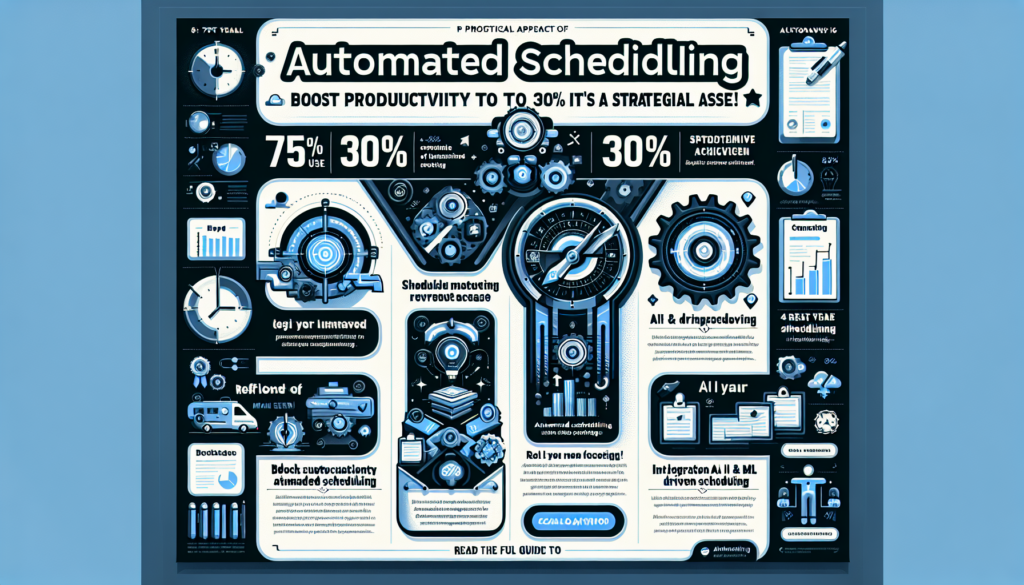
According to a recent Gartner report, 75% of companies now use some form of scheduling automation, up from just 50% in 2024. This shift is driven by the need to optimize workflows, reduce human error, and enhance overall efficiency. As we explore the landscape of scheduling automation, we’ll uncover the strategies and technologies that are reshaping productivity in today's business world.
The integration of AI and machine learning into scheduling tools offers unprecedented opportunities for customization and precision. AI-driven scheduling solutions can predict resource needs, allocate tasks based on priority, and even suggest optimal meeting times based on participants' availability and preferences. These advancements not only save time but also empower teams to focus on higher-value tasks, driving innovation and growth.
In this comprehensive guide, we will explore the key components of effective scheduling automation, highlighting the tools and techniques that define best practices for 2026. Whether you're an operations manager, a project leader, or a freelancer, this article will equip you with the knowledge to harness the full potential of automated scheduling.
The Strategic Role of Automated Scheduling in Modern Business
In the fast-paced business environment of 2026, automated scheduling is more than just a convenience—it's a strategic asset. Companies that successfully integrate scheduling automation into their operations report a 30% increase in productivity, as noted by McKinsey. This section explores how businesses can leverage automation to align scheduling strategies with organizational goals, ensuring maximum impact.
The primary advantage of automated scheduling lies in its ability to reduce friction in communication and coordination. By automating routine tasks such as meeting invites, reminders, and resource allocation, teams can focus their efforts on more strategic initiatives. This transition from manual to automated processes not only saves time but also minimizes the risk of human error, leading to more reliable and efficient operations.
Enhancing Decision-Making Processes
Moreover, the strategic implementation of scheduling automation can significantly enhance decision-making processes. By providing real-time insights into team availability, project timelines, and resource allocation, automated tools empower managers to make informed decisions swiftly. This capability is particularly crucial in industries where timing and precision are critical, such as healthcare, tech, and finance. For example, in healthcare, automated scheduling can ensure that critical patient appointments are allocated efficiently, reducing wait times and improving patient outcomes.
Return on Investment
For companies looking to maintain a competitive edge, investing in robust scheduling solutions is imperative. As noted by a Forrester study, businesses that embrace automation see a significant return on investment, often within the first year of implementation. This is particularly evident in the reduction of overhead costs associated with manual scheduling and the increased ability to capture more business opportunities by having more efficient scheduling processes.
Pro Tip: When implementing automated scheduling tools, ensure they are integrated with your existing project management systems to provide a seamless flow of information. This integration enhances visibility across teams and aligns scheduling with broader business objectives.
Choosing the Right Automated Scheduling Tools
With a plethora of scheduling tools available in the market, selecting the right one can be daunting. The key to making an informed choice lies in understanding the specific needs of your organization and matching them with the features offered by various tools. In this section, we will discuss the factors to consider when choosing an automated scheduling solution and highlight some of the top tools in 2026.
Integration Capabilities
One of the first considerations is integration capability. As businesses often rely on a suite of software applications, it's crucial to choose a scheduling tool that seamlessly integrates with existing systems. This ensures a smooth flow of information and minimizes disruptions. For example, tools that integrate with CRM systems can automatically update client meetings, while those compatible with HR software can manage employee schedules more effectively. Integration not only saves time but also reduces the potential for errors that can arise from manual data entry.
User-Friendliness and Adoption
Another critical factor is user-friendliness. The more intuitive a tool is, the easier it will be for employees to adopt it, which is essential for maximizing its benefits. According to a Capterra review, user satisfaction rates are significantly higher for tools with a simple, intuitive interface. Therefore, testing tools with a cross-section of potential users before full-scale deployment can provide valuable insights into usability and functionality. A user-friendly interface leads to quicker adoption, which in turn maximizes the productivity gains from automation.
Scalability for Future Growth
Scalability is also paramount. As businesses grow, their scheduling needs become more complex. Selecting a tool that can scale with your organization ensures long-term viability. Tools like Schedly are designed to accommodate growing teams, offering features like advanced analytics and AI-driven insights to support more sophisticated scheduling requirements. Scalability ensures that the tool remains relevant and valuable as the organization evolves.
Expert Insight: When evaluating tools, consider the vendor's roadmap and commitment to innovation. This can provide assurance that the tool will continue to evolve with technological advancements, thereby protecting your investment.
Implementing Scheduling Automation: A Step-by-Step Guide
Implementing scheduling automation requires a well-thought-out approach to ensure a smooth transition and maximum benefit. This section outlines a step-by-step guide to deploying automated scheduling within your organization, focusing on preparation, execution, and optimization.
Conducting a Needs Assessment
The first step is conducting a needs assessment. This involves gathering input from all stakeholders to understand their scheduling challenges and requirements. By identifying pain points and desired outcomes, you can tailor the automation solution to meet these needs effectively. For instance, if a common pain point is the inefficiency of coordinating meetings across different time zones, choosing a tool with robust timezone management capabilities would be crucial.
Tool Selection and Pilot Testing
Once the assessment is complete, the next step is selecting the appropriate tool. As discussed in the previous section, this involves evaluating integration capabilities, user-friendliness, and scalability. It's also beneficial to conduct a pilot test with a small group to identify any potential issues and gather user feedback. This phase can help mitigate risks and ensure the selected tool meets the organization's needs before full-scale implementation.
Implementation and Training
With the tool selected, the implementation phase begins. This involves configuring the software to align with your scheduling processes, training users, and setting up any necessary integrations. During this phase, it's crucial to maintain open communication with all stakeholders to ensure buy-in and address any concerns. Providing comprehensive training sessions can help users feel more comfortable and confident in using the new system.
Continuous Optimization
Finally, continuous optimization is essential for maintaining efficiency. Regularly review scheduling processes and tool performance to identify areas for improvement. This might involve tweaking configurations, updating training materials, or exploring new features. By fostering a culture of continuous improvement, organizations can sustain the benefits of scheduling automation over the long term.
Pro Tip: Schedule regular check-ins with team leaders to gather feedback on the tool’s performance and discuss potential enhancements. This ongoing dialogue ensures the tool remains aligned with changing business needs.
Overcoming Common Challenges in Scheduling Automation
While scheduling automation offers significant benefits, it also presents challenges that must be addressed to ensure success. This section examines common obstacles organizations face when implementing automated scheduling and provides strategies for overcoming them.
Resistance to Change
One of the most common challenges is resistance to change. Employees accustomed to traditional scheduling methods may be hesitant to adopt new technology. Overcoming this requires a strong change management strategy, including clear communication of the benefits and comprehensive training to build confidence in the new system. Highlighting time savings and efficiency improvements can help illustrate the tangible benefits of the change.
Data Integration Complexity
Another challenge is data integration. Ensuring that the scheduling tool integrates seamlessly with other business systems can be complex, particularly for organizations with legacy systems. To address this, work closely with IT teams and software vendors to identify integration solutions and conduct thorough testing before full implementation. This proactive approach can prevent data silos and ensure all systems work harmoniously together.
Security Concerns
Security concerns also pose a significant challenge. With scheduling tools handling sensitive information, it's crucial to ensure robust security measures are in place. This includes data encryption, access controls, and regular security audits to protect company and client information. Organizations should prioritize tools that offer advanced security features and comply with industry standards for data protection.
Maintaining System Performance
Finally, maintaining system performance is critical. As scheduling needs evolve, tools must be regularly updated and optimized to handle increased demand. By proactively addressing these challenges, organizations can ensure a successful transition to automated scheduling and realize its full potential.
Expert Insight: Engage with user communities or forums for the selected tool to stay informed about common challenges and solutions shared by other users. This peer support can be invaluable in overcoming implementation hurdles.
Measuring the Impact of Scheduling Automation on Productivity
To fully appreciate the benefits of scheduling automation, it's essential to measure its impact on productivity. This section explores the key metrics and methods for evaluating the effectiveness of automated scheduling solutions.
Time Savings
One of the most straightforward metrics is time savings. By automating routine scheduling tasks, employees can redirect their efforts towards more strategic activities. According to a IDC report, companies that implement scheduling automation report a 25% reduction in time spent on administrative tasks. This time can then be reinvested into core business functions, driving innovation and growth.
Meeting Efficiency
Another critical metric is meeting efficiency. Automated scheduling tools can optimize meeting times and participant availability, reducing the frequency of unnecessary meetings. As noted by Harvard Business Review, organizations that utilize automated scheduling see a 20% increase in meeting productivity. This is achieved by ensuring meetings are held at times when all key stakeholders are available, leading to more effective and concise discussions.
Employee Satisfaction
Employee satisfaction is also a valuable indicator. By reducing scheduling conflicts and providing greater flexibility, automated tools can enhance job satisfaction and reduce turnover. Surveys and feedback mechanisms can help gauge employee sentiment and identify areas for improvement. For instance, regular pulse surveys can capture how employees feel about the new system and its impact on their daily work.
Tracking Business Outcomes
Finally, business outcomes such as revenue growth and customer satisfaction can provide insights into the broader impact of scheduling automation. By correlating these outcomes with scheduling metrics, organizations can better understand the value of their automation investments. For example, quicker response times to customer inquiries due to efficient scheduling can lead to higher customer satisfaction scores and increased customer loyalty.
Pro Tip: Use a combination of quantitative metrics and qualitative feedback to gain a holistic view of the impact of scheduling automation. This comprehensive approach ensures all facets of productivity improvements are captured.
Best Practices for Leveraging Automation in 2026
As we look towards the future, the landscape of scheduling automation continues to evolve. To stay ahead, organizations must adopt best practices that leverage the latest technologies and methodologies. This section outlines the top strategies for maximizing the benefits of scheduling automation in 2026.
Embracing Personalization
First and foremost, personalization is key. With the advent of AI and machine learning, scheduling tools can offer highly personalized experiences tailored to individual preferences and workstyles. By harnessing these capabilities, organizations can enhance user engagement and productivity. For instance, AI-driven tools can learn user habits and suggest optimal times for focus work, contributing to individual productivity peaks.
Fostering Collaboration
Another best practice is fostering collaboration. Modern scheduling tools offer features that facilitate team collaboration, such as shared calendars and real-time updates. By promoting these features, organizations can improve communication and coordination across teams. This is particularly beneficial for remote teams, where real-time updates ensure everyone stays aligned despite geographical distances.
Continuous Learning and Adaptation
Continuous learning and adaptation are also essential. As new technologies emerge, staying informed and adapting to changes will be crucial for maintaining a competitive edge. Regular training sessions and workshops can help employees stay up-to-date with the latest tools and techniques. Investing in ongoing education ensures that the workforce is always equipped to leverage the latest advancements.
Data-Driven Decision-Making
Finally, organizations should focus on data-driven decision-making. By leveraging analytics and insights provided by scheduling tools, businesses can make informed decisions that drive efficiency and growth. Regularly reviewing these insights can help identify trends and opportunities for improvement. For example, analyzing meeting attendance patterns can reveal insights into team engagement and highlight areas for process optimization.
Expert Insight: Encourage teams to experiment with new features and share their experiences. This grassroots approach can uncover innovative uses of the tool that might not have been considered initially.
FAQs: Answering Common Questions about Scheduling Automation
As organizations explore scheduling automation, several common questions arise. This section addresses some of the most frequently asked questions to provide clarity and guidance.
1. What is scheduling automation?
Scheduling automation refers to the use of software tools to streamline and automate the process of scheduling meetings, appointments, and tasks. These tools often leverage AI and machine learning to optimize scheduling based on availability, preferences, and priorities. By automating these processes, organizations can reduce the manual effort involved in coordination and improve overall productivity.
2. How does scheduling automation improve productivity?
By automating routine scheduling tasks, employees can focus on more strategic activities, reducing time spent on administrative duties. Additionally, automated tools optimize meeting times and participant availability, enhancing meeting efficiency and overall productivity. This shift allows teams to concentrate on core business activities, fostering innovation and creativity.
3. What are the key features to look for in a scheduling tool?
Key features include integration capabilities, user-friendliness, scalability, and security. Tools that offer advanced analytics and AI-driven insights can also provide significant advantages. These features ensure the tool not only meets current organizational needs but can also adapt to future changes and demands.
4. How can organizations ensure successful implementation of scheduling automation?
Successful implementation involves conducting a needs assessment, selecting the right tool, training users, and maintaining open communication. Continuous optimization and monitoring are also essential for long-term success. Engaging stakeholders throughout the process ensures the tool addresses real-world challenges and is embraced by users.
5. What are the security considerations for scheduling automation?
Security considerations include data encryption, access controls, and regular security audits. Ensuring robust security measures are in place is essential for protecting sensitive information. Organizations should choose tools that comply with relevant regulations and industry standards to safeguard data integrity and privacy.
Pro Tip: Prioritize scheduling tools that offer robust customer support and regular updates to address any security vulnerabilities promptly. This ensures your organization remains protected against emerging threats.
Conclusion: Embracing the Future of Productivity
As we navigate the digital age, the role of automated scheduling in enhancing productivity becomes increasingly evident. By adopting the best practices outlined in this guide, organizations can harness the full potential of scheduling automation and position themselves for success in 2026 and beyond. Whether it's through improved efficiency, enhanced collaboration, or data-driven decision-making, the benefits of scheduling automation are clear.
To complement your scheduling efforts, consider integrating additional tools such as Apparatuz for workflow automation, Applicantz for recruitment processes, and Supportly for customer support management. These solutions, together with scheduling automation, create a comprehensive ecosystem that drives productivity and innovation.
For a deeper dive into advanced scheduling techniques, explore our detailed articles such as optimizing client scheduling and ERP system integrations. By staying informed and proactive, you can ensure your organization remains at the forefront of productivity advancements.