
Schedly resources
Real Time Customer Updates That Transform Your CRM

Your CRM is only as good as the data flowing through it. When customer information sits in different systems or updates slowly, your team makes decisions based on outdated facts.
Real-time customer updates fix this problem. At Schedly, we've seen teams cut response times in half and eliminate costly data mistakes simply by syncing information instantly across their platforms.
Why Real-Time Updates Transform Your Decision-Making
When customer information updates slowly across your systems, your team operates in the dark. A sales rep pitches a product a customer already bought last week. Your service team misses critical account changes that affect how they handle support tickets. Marketing sends offers to accounts that just churned.
Stop Losing Deals to Outdated Data
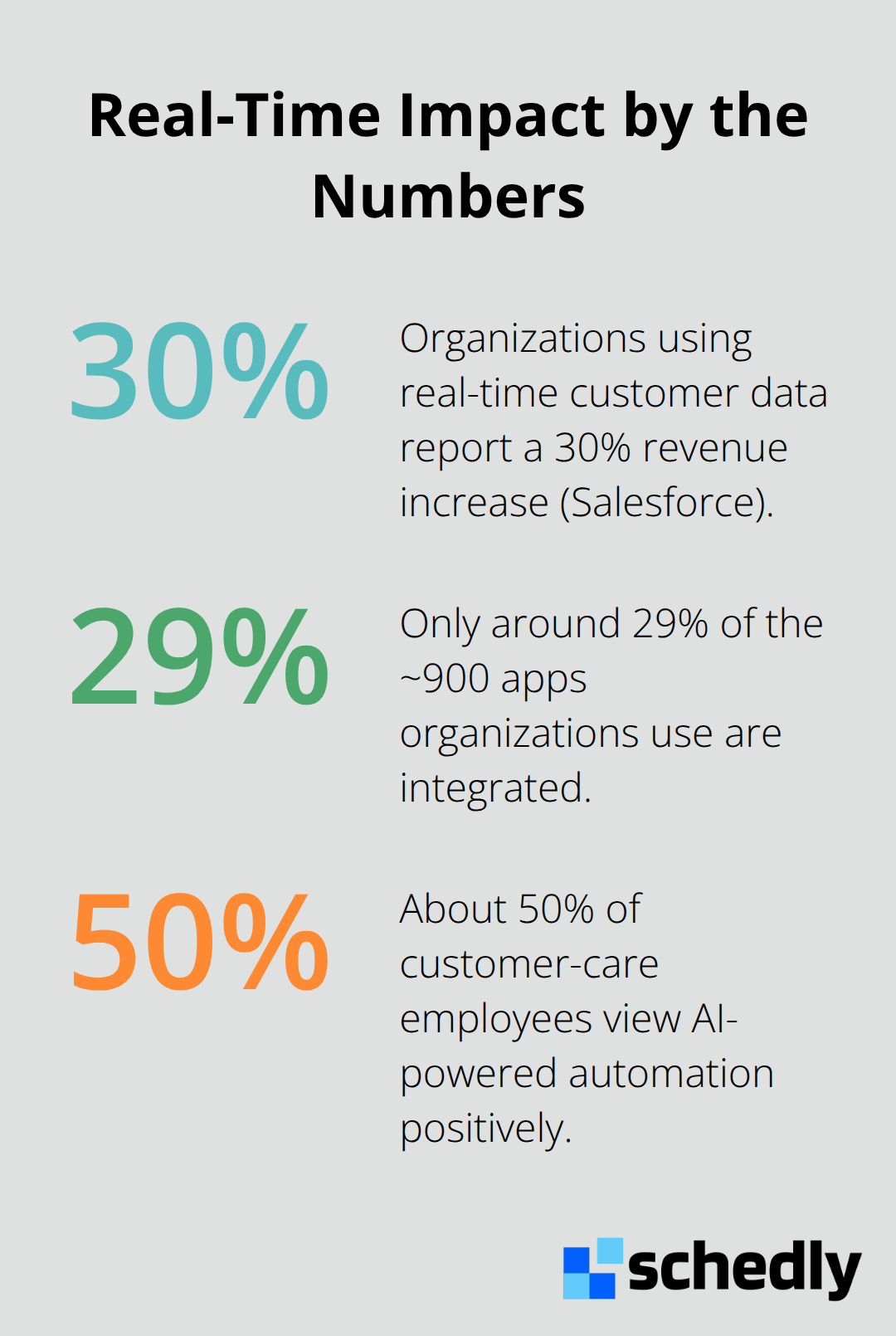
Your CRM becomes unreliable the moment data stops flowing instantly. When customer information lives in separate tools-your email system, accounting software, scheduling platform, support ticketing system-someone must manually sync it all. That person fails. They miss updates. They create duplicates. A McKinsey study found that AI-powered customer-care ecosystems can enhance productivity growth through work automation. Without real-time data flow, your team drowns in manual work and still loses critical context. Real-time updates eliminate this friction entirely. When a customer changes their contact details, updates their service preferences, or moves to a new deal stage, that information appears instantly everywhere your team works. Your sales rep sees the customer's latest interaction before the call. Your service team knows about recent complaints before the customer calls again. Your marketing team stops sending irrelevant messages to accounts that have already converted.
Why Your Team's Speed Matters More Than You Think
Decision-making speed directly impacts revenue. When your support team resolves issues faster, customers stay loyal. When your sales team responds immediately to buying signals, they close more deals. These improvements happen because your team no longer wastes time hunting for information. They have everything they need instantly. A customer service agent doesn't need to check three different systems to understand why someone is frustrated-the full context appears in one place. A sales manager doesn't need to wait for an end-of-day report to see which deals are moving-live pipeline visibility shows everything now. This speed compounds. Over a month, a team that responds faster closes significantly more deals. Over a quarter, faster issue resolution reduces churn measurably. Over a year, the cumulative impact of thousands of faster decisions transforms your business metrics entirely.
How Real-Time Data Flows Across Your Organization
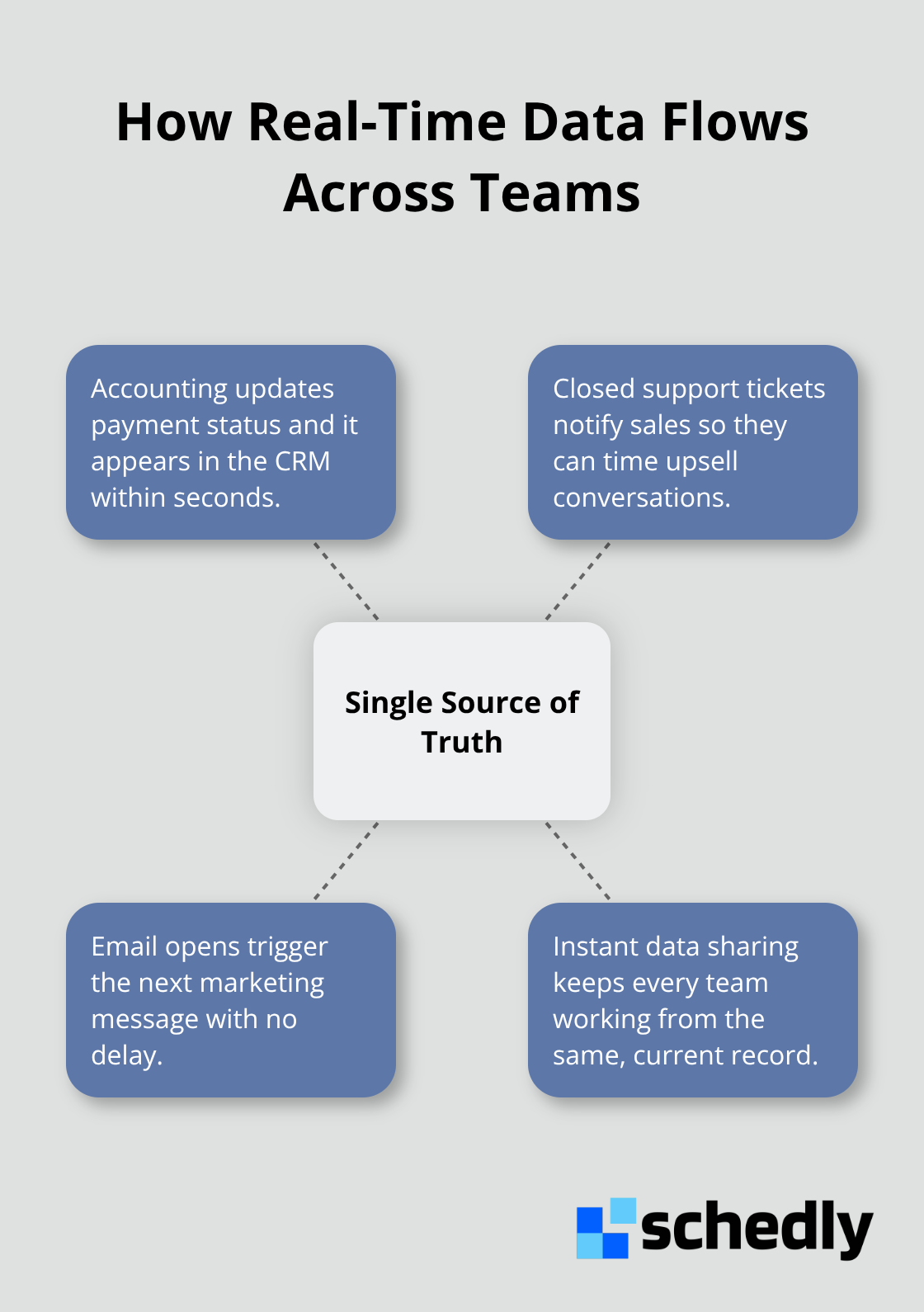
Real-time updates work only when your systems talk to each other. Your CRM must connect with your email platform, your accounting software, your scheduling tools, and your support system. When these platforms share data instantly, your team operates from a single source of truth. A customer's payment status updates in your accounting system and appears in your CRM within seconds. A support ticket closes, and your sales team immediately sees that the customer is available for upsell conversations.
What Happens When You Act on Current Information
Teams with real-time customer updates make better decisions because they work with facts instead of assumptions. Your sales team prioritizes accounts based on actual buying signals rather than gut feel. Your service team routes tickets to the right specialist because they see the customer's full history instantly. Your marketing team personalizes messages because they know exactly where each prospect stands in their journey. These results come from teams that respond to what's happening now, not what happened yesterday. The next step is building the infrastructure that makes real-time updates possible.
How Real-Time Updates Streamline Your Workflow
Real-time synchronization eliminates the friction that slows teams down. When your CRM syncs instantly with your email platform, calendar, accounting software, and support system, your team stops wasting hours on manual data entry. Sales reps no longer copy prospect information from emails into your CRM-it arrives automatically. Service teams don't manually log customer payments into support tickets-that data flows in instantly. Marketing teams don't spend time matching customer names across systems-one unified record handles everything. This automation compounds quickly. A team of ten people spending just thirty minutes daily on manual data entry loses over 1,200 hours yearly. At an average salary of $50 per hour, that's $60,000 in pure waste. Real-time synchronization recovers that time immediately.
Eliminate Human Error at Scale
Manual data entry introduces errors at a rate of 1-4%. In a CRM handling thousands of customer records, this translates to hundreds of corrupted entries monthly. These errors cascade-a wrong phone number means missed calls, a duplicate record means duplicated outreach, an incomplete address means failed deliveries. Real-time automation removes this source of mistakes entirely. Your team no longer introduces typos, duplicates, or incomplete information through manual work. The system handles data transfer with perfect accuracy every time.
Operate From a Single Source of Truth
Your team operates from a single source of truth when data flows instantly across platforms. A customer updates their contact information in one system, and that change appears everywhere your team works within seconds. Sales managers see pipeline changes in real time without waiting for daily reports. Service teams know about recent account activity before handling the next ticket. Marketing teams stop sending messages to people who already converted. This unified view transforms how teams collaborate. When your sales team and service team access identical customer information at the same moment, they make coordinated decisions instead of conflicting ones. A service team member sees that a customer just signed a renewal contract and avoids offering discounts. A sales rep sees an open support ticket and adjusts their pitch to address the underlying problem.
Test Your Integration Speed
The infrastructure supporting this speed matters more than most teams realize. Your CRM must integrate tightly with the tools your team actually uses daily-email, calendar, accounting, support, scheduling. Loose integrations that sync data once daily create the same problems you're trying to solve. Tight integrations that sync in real time or near-real time eliminate delays entirely. Test your current integrations (make a change in one system and measure how long it takes to appear in another). If the delay exceeds a few minutes, your integration isn't tight enough. Speed matters because your team's responsiveness directly determines your business outcomes. The next step involves choosing a CRM platform built for this kind of instant synchronization.
Building Your Real-Time CRM Foundation
Choosing the right CRM platform matters more than most teams realize because not all CRMs are built equally for real-time data synchronization. Your platform must integrate natively with the tools your team actually uses daily-email, calendar, accounting software, support systems, and scheduling platforms. The first mistake we see teams make is selecting a CRM based on features alone without testing integration speed. This investment only pays off if your platform connects tightly with your existing tools. Test potential CRMs by creating a test contact in one system and measuring how long the information takes to appear in another. If the delay exceeds five minutes, that platform isn't ready for your real-time strategy. Cloud-based CRMs typically perform better here because they're designed for instant API connections rather than batch syncing.
Configure Automations That Match Your Team's Reality
Automated workflows transform real-time data from a nice feature into actual business impact. Start with the three workflows that consume the most manual work in your organization. For most sales teams, this means automatic lead assignment based on territory or skill, automatic email logging when prospects reply, and automatic deal stage updates when customer payments process. Your service team likely needs automatic ticket routing based on customer history, automatic account status updates when payments fail, and automatic escalation triggers when response times exceed your SLA. Marketing teams benefit most from automatic list updates when customers reach specific deal stages, automatic suppression when prospects unsubscribe, and automatic campaign pauses when accounts churn. The difference between setting up one workflow versus ten workflows is the difference between marginal improvement and transformational change. A team with ten active automations eliminates roughly 15-20 hours of manual work weekly. AI-powered automation in customer care shows about 50 percent of employees with a positive outlook, which means your team members shift from data entry toward higher-value conversations and strategic decisions. When configuring automations, avoid the common mistake of building overly complex workflows that break when your process changes slightly. Simple, flexible automations that handle 80% of your cases work better than perfect automations that fail when reality shifts. Test each automation in a sandbox environment first, then deploy to a small team before rolling out organization-wide.
Monitor Performance and Address Bottlenecks Immediately
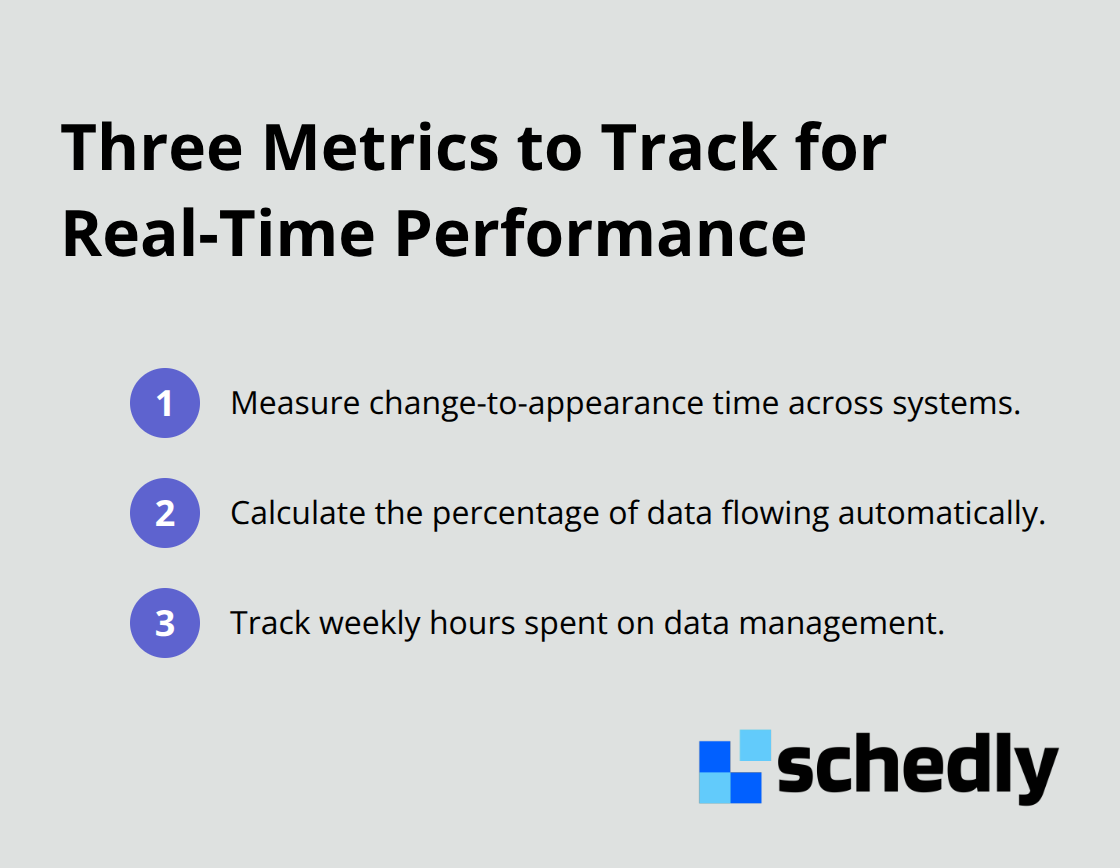
Performance monitoring separates successful implementations from failed ones because you can't improve what you don't measure. Track three metrics that directly impact your business: the time between when data changes in one system and when it appears in another, the percentage of data that flows automatically versus requiring manual entry, and the time your team spends on data management tasks weekly.
Final Thoughts
Real-time customer updates transform how your team operates because they replace guesswork with facts. When your CRM syncs instantly with your email, calendar, accounting software, and support systems, your team stops wasting time hunting for information and starts making decisions that move your business forward. Your sales team closes more deals because they respond to buying signals immediately, your service team resolves issues faster because they see the full customer context before the next interaction, and your marketing team stops wasting budget on irrelevant messages because they know exactly where each prospect stands in their journey.
Building your real-time CRM strategy starts with choosing a platform that integrates tightly with the tools your team actually uses. Test integration speed before committing, configure automations that eliminate your team's most time-consuming manual tasks, and monitor performance weekly to address bottlenecks immediately rather than accepting them as normal. Platforms like Schedly integrate with popular CRM systems such as Salesforce to ensure your scheduling, customer data, and workflow automation work together seamlessly.
Start with one workflow that saves your team the most time, measure the results, then expand from there. Real-time customer updates separate high-performing teams from everyone else, and this standard applies to your organization right now.