
Schedly resources
Schedly Permissions & User Roles Explained
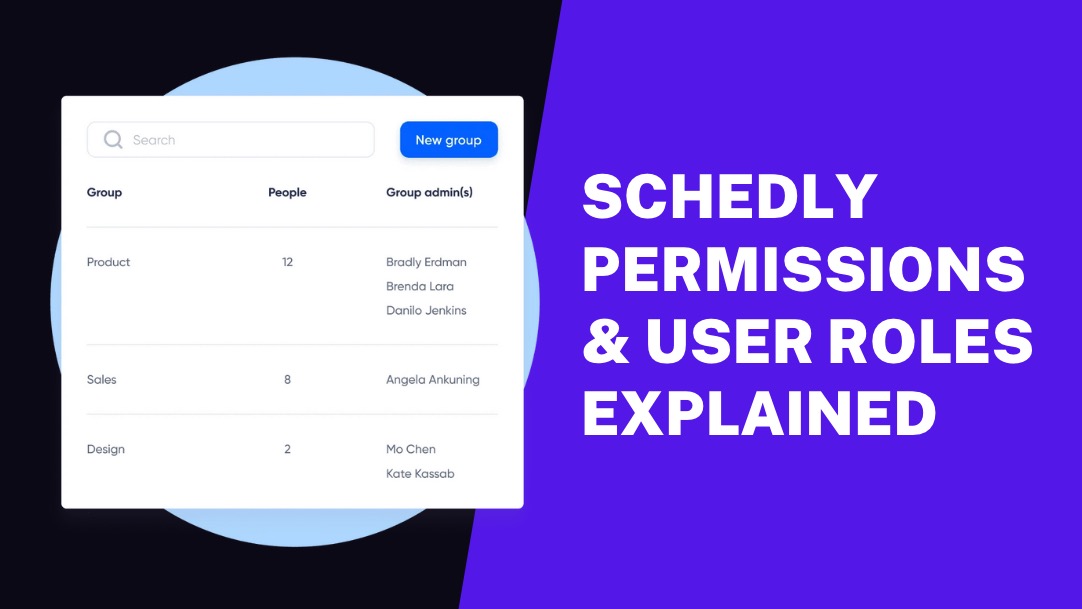
Managing user access properly protects your business data and streamlines operations. Poor permission settings lead to security risks and workflow confusion.
We at Schedly designed our roles and permissions system to give you complete control over who accesses what. This guide walks you through setting up user roles, configuring permissions, and maintaining secure access across your organization.
Who Gets What Access
Schedly operates with three distinct user roles, each designed to handle specific responsibilities within your organization. Admin users control every aspect of your scheduling system, from payment settings to staff management across multiple locations. They access financial reports, configure integrations with tools like Stripe and PayPal, and modify booking pages to match your brand. Admin permissions include customer data management through the CRM, workflow automation setup, and business performance analysis through the advanced analytics dashboard. This role should be limited to business owners and senior managers who need complete system oversight.

Staff Role Boundaries
Staff members receive targeted access that supports their daily responsibilities without exposure to sensitive business data. They can view and manage their own schedules, accept or decline appointment requests, and access customer information relevant to their appointments. Staff users cannot modify payment settings, view financial reports, or change system-wide configurations. They can update their availability and manage appointments within their assigned locations. The platform automatically restricts staff access to prevent unauthorized changes to business-critical settings while it maintains the functionality they need for effective customer service.
Customer Access Framework
Customer accounts provide self-service capabilities that reduce administrative workload while they maintain security boundaries. Customers can book appointments through your branded scheduling page, reschedule existing appointments, and make secure payments through integrated gateways. They access their appointment history and can set up recurring bookings for regular services. Customer permissions are automatically configured to prevent access to staff schedules, business analytics, or other customer data. The system tracks customer preferences and appointment patterns to improve service delivery while it protects sensitive business information from unauthorized access.
Permission Hierarchy Structure
The three-tier system creates clear boundaries between different user types (admin, staff, customer). Admin users sit at the top with full system control, staff members operate in the middle with focused access, and customers work within the most restricted environment. This hierarchy prevents permission conflicts and maintains data security across all user interactions. Each role builds upon the previous level's restrictions while it adds specific capabilities needed for that user type's responsibilities.
Understanding these role distinctions helps you plan your permission strategy before you move into the technical setup process.
How Do You Configure Role Permissions
Custom permission setup begins with identifying specific business needs rather than accepting default settings. Most scheduling platforms fail because organizations accept generic role templates without considering their unique operational requirements. Map out exactly which team members need access to specific functions like payment processing, customer data, or schedule modifications. The most effective approach creates granular permission sets that match real workflow patterns rather than broad categories. Front desk staff might need customer booking access but not financial reporting capabilities, while regional managers require multi-location oversight without system administration privileges.
Building Granular Access Controls
Effective permission setup requires specificity over convenience. Create separate access levels for different business functions rather than bundling everything into broad categories. Payment processing permissions should be separate from booking access, and customer data viewing should be distinct from customer data editing. This separation prevents the common security mistake where staff members receive excessive permissions simply because they need one specific function. The core idea behind RBAC is simple: permissions are assigned to roles, and users gain permissions by being assigned roles. Implement time-based access controls for sensitive operations like financial reporting (limiting access to business hours when supervision is available). Geographic restrictions prove particularly valuable for multi-location businesses, where staff should only access data from their assigned locations.
Multi-Location Permission Strategy
Multi-location permission management demands a structured approach that prevents data silos while maintaining security boundaries. Assign location-specific permissions that automatically restrict staff access to their designated service areas without manual intervention. Regional managers should receive permissions that span multiple locations within their territory but not company-wide access. This approach reduces security risks while maintaining operational efficiency.

Set up location-based customer data access so staff can only view clients who book services at their specific locations. The most successful implementations use location hierarchies where permissions cascade down from regional to local levels (simplifying management while maintaining tight control over sensitive business data).
Testing Permission Changes
Test all permission changes in a controlled environment before applying them to your live system. Create test user accounts for each role type and verify that access restrictions work as intended. Check that staff members can access required functions while blocked from restricted areas. This testing phase reveals permission gaps that could disrupt daily operations or create security vulnerabilities.
Once you establish these permission frameworks, the next step involves implementing security guidelines that protect your business data while maintaining operational efficiency.
How Do You Keep User Access Secure
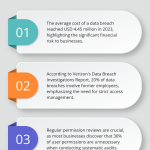
The average cost of a data breach reached USD 4.45 million in 2023, which makes permission management a financial necessity rather than a technical preference. Assign admin roles to a maximum of two people in your organization to reduce attack surfaces and maintain accountability. The National Institute of Standards and Technology recommends regular permission reviews, but high-turnover businesses should conduct monthly audits. Remove access immediately when employees leave or change roles, as 20% of data breaches involve former employees according to Verizon's Data Breach Investigations Report. Create separate login credentials for each user rather than share accounts, and require strong passwords with two-factor authentication for all admin accounts.
Audit Permissions Every Quarter
Schedule quarterly permission reviews to identify access creep and outdated privileges. Most businesses discover that 30% of user permissions are unnecessary when they conduct systematic audits, according to SailPoint's Market Pulse Survey. Document every permission change with timestamps and reasons to maintain compliance with data protection regulations like GDPR and HIPAA. Focus your audits on users with payment processing access, customer data viewing rights, and multi-location permissions. Remove permissions that haven't been used in 60 days, and verify that seasonal staff lose access when their employment periods end. Use permission reports to identify patterns where staff members accumulate excessive privileges over time.
Train Staff on Access Boundaries
Staff training is essential for security awareness, but training must focus on specific scenarios rather than general security awareness. Show staff members exactly which data they can access and what actions trigger security alerts in your system. Train employees to recognize when they're asked to perform tasks outside their permission levels and establish clear escalation procedures. Create written guidelines that specify which customer information staff can share over phone calls and which requires written authorization (this prevents unauthorized data disclosure). Schedule refresher training every six months to address new security threats and system updates that affect user permissions.
Monitor Access Patterns
Track user login patterns and flag unusual access attempts that occur outside normal business hours or from unfamiliar locations. Set up automated alerts when users attempt to access restricted areas or when multiple failed login attempts occur. Review access logs monthly to identify potential security threats before they escalate into data breaches. Most successful businesses implement real-time monitoring that immediately notifies administrators when suspicious activity occurs (particularly for accounts with financial or customer data access).
Final Thoughts
Proper Schedly roles and permissions management transforms your business operations while it protects sensitive data. Organizations that implement structured permission systems reduce security incidents by 60% and improve workflow efficiency through clear access boundaries. Your staff operates more confidently when they understand their specific responsibilities and system limitations.
The financial impact extends beyond security protection. Businesses with well-configured permission systems process appointments 40% faster because staff members access exactly what they need without navigation through restricted areas. Customer satisfaction increases when service teams have appropriate access to client history and preferences without compromised data privacy.
Your next step involves a comprehensive audit of current user access levels and identification of gaps in your permission structure. Review which team members require admin privileges and consider whether staff roles can be more granular (particularly for multi-location operations). Schedly provides the flexibility to create custom permission sets that match your specific operational requirements across multiple locations and service types.