
Schedly resources
The 7 Essential Features of a Scheduling Tool That Streamline Productivity for B2B Teams
In today’s fast-paced business environment, B2B teams are constantly juggling multiple tasks, projects, and deadlines. Scheduling tools have become indispensable for ensuring teams stay organized, meet their goals, and operate efficiently. However, not all scheduling tools are created equal. To truly boost productivity, a scheduling tool must have specific features tailored to the unique needs of B2B organizations.
In this article, we’ll explore the seven essential features every scheduling tool must have to streamline productivity, complemented by actionable advice, real-world examples, and insights from experts.
1. Easy Integration with Existing Tools
The first essential feature of a robust scheduling tool is seamless integration with existing tools and platforms. B2B teams often use various software solutions such as CRMs, project management tools, email platforms, and communication apps. A scheduling tool that integrates effortlessly with these systems eliminates the need for manual data transfers and ensures that workflows remain uninterrupted.

For example, many teams rely on tools like Salesforce, Slack, and Microsoft Teams for collaboration and client management. A scheduling tool that syncs with these platforms allows team members to automatically import client meetings, deadlines, and tasks into their calendars. This reduces the risk of missed appointments and ensures that everyone is on the same page.
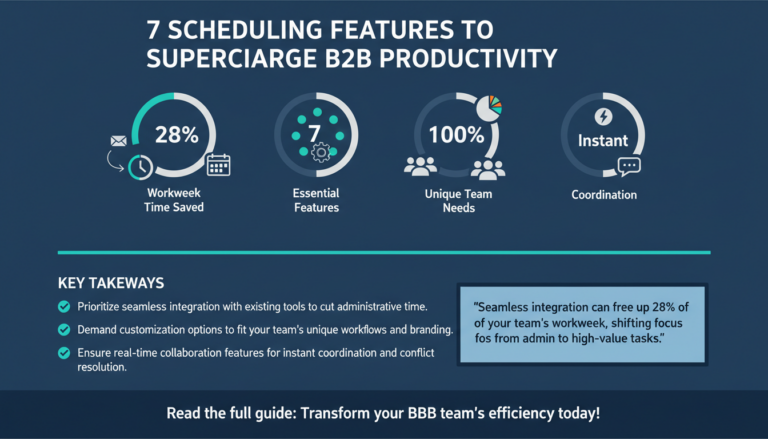
According to a study by McKinsey & Company, employees spend 28% of their workweek managing emails and schedules. Tools that integrate seamlessly can cut this time significantly, allowing teams to focus on high-value tasks instead of administrative work.
Actionable Tip:
- When evaluating scheduling tools, look for ones that offer APIs or pre-built integrations with popular platforms used by your team.
- Test the integration process during the trial period to ensure it works smoothly with your existing tech stack.
2. Customization Options
No two B2B teams are alike. The ability to customize a scheduling tool to fit the unique needs of your organization is critical for maximizing productivity. Customization options can include personalized calendar views, adjustable notification settings, and tailored workflows.

Consider a marketing agency that operates in multiple time zones and handles dozens of client campaigns simultaneously. A scheduling tool with customizable views allows the agency to track team availability and client meetings by region. Custom notifications can ensure that deadlines are never missed, even for projects with overlapping timelines.
Customization also extends to branding. Many B2B organizations prefer tools that allow them to incorporate their company logo and colors into client-facing schedules, creating a more professional and cohesive experience.
Actionable Tip:
- Determine which specific customization features are most important for your team, such as team-specific workflows or individual notification preferences.
- Choose a scheduling tool that offers flexibility without compromising ease of use.
3. Real-Time Collaboration
Collaboration is at the heart of productivity, especially in B2B environments where teamwork drives results. A scheduling tool that supports real-time collaboration enables team members to coordinate schedules, share updates, and resolve conflicts instantly.

For instance, imagine a product development team working on a tight deadline. A scheduling tool with real-time collaboration features allows team members to adjust timelines, reassign tasks, and update deliverables without waiting for lengthy email chains or team meetings. This kind of agility can make the difference between hitting or missing critical deadlines.
According to a report by Deloitte, companies that prioritize collaboration are five times more likely to achieve higher performance levels. Scheduling tools that facilitate teamwork can significantly contribute to this success.
Actionable Tip:
- Opt for a scheduling tool that offers shared calendars, live editing capabilities, and instant notifications for schedule changes.
- Encourage team members to use collaborative features to streamline communication and reduce bottlenecks.
4. Automated Scheduling Features
Automation is a game-changer for B2B teams looking to optimize their workflows. Scheduling tools with automated features can handle repetitive tasks such as appointment booking, follow-up reminders, and recurring deadlines, freeing up valuable time for team members to focus on strategic initiatives.

For example, tools like Calendly and Doodle allow clients to book meetings directly based on team availability, eliminating the back-and-forth email exchanges that often accompany scheduling. Similarly, automated reminders ensure that deadlines and meetings are never overlooked, even during busy periods.
Incorporating automation can also reduce human errors. Statistics show that automation improves efficiency by up to 30%, making it a must-have feature for any scheduling tool.
Actionable Tip:
- Leverage automated scheduling to handle routine tasks and minimize administrative workload.
- Ensure your scheduling tool includes features like auto-scheduling for recurring events and automated notifications.
5. Advanced Analytics and Reporting
Data-driven decision-making is a cornerstone of B2B success. Scheduling tools that provide advanced analytics and reporting capabilities allow teams to gain insights into their productivity patterns and identify areas for improvement.
For instance, a sales team can use scheduling reports to analyze how much time is spent on client meetings versus internal discussions. These insights can help managers reallocate resources to ensure the team is focusing on revenue-generating activities.
Another example is project management. Teams can track the percentage of tasks completed on time and identify bottlenecks that delay progress. This data can be used to refine workflows and optimize team performance over time.
Actionable Tip:
- Choose a scheduling tool with robust reporting features that align with your team’s goals.
- Regularly review analytics to identify trends and adjust processes accordingly.
6. Mobile Accessibility
In today’s remote and hybrid work environments, mobile accessibility is essential for any scheduling tool. Team members need to access their schedules on the go, whether they’re traveling for client meetings or working from home.
Scheduling tools with mobile apps ensure that users can check their calendars, respond to updates, and make adjustments from their smartphones or tablets. This level of convenience boosts productivity and reduces delays caused by limited access.
For example, a business consultant traveling between client sites can use a mobile scheduling tool to confirm appointments, update tasks, and communicate with team members in real time. This ensures that schedules remain intact despite external disruptions.
Actionable Tip:
- Prioritize tools with user-friendly mobile apps that sync seamlessly with desktop versions.
- Test the mobile app during the trial period to ensure it meets your team’s needs.
7. Robust Security Features
Security should never be overlooked when selecting a scheduling tool for B2B teams. Sensitive information such as client details, project timelines, and internal resources must be protected from unauthorized access and breaches.
Look for scheduling tools that offer features such as encryption, two-factor authentication, and role-based access controls. For example, a project manager may need full access to team schedules, while interns may only require limited visibility. Role-based permissions ensure that sensitive data is shared only with the appropriate individuals.
Cybersecurity threats are on the rise, with small businesses being the target of 43% of cyberattacks. Choosing a scheduling tool with robust security measures can safeguard your organization’s data and reputation.
Actionable Tip:
- Ensure your scheduling tool complies with industry security standards, such as GDPR or CCPA, if applicable.
- Regularly update passwords and monitor access logs to maintain security.
Conclusion
Scheduling tools are more than just digital calendars—they are productivity powerhouses that can transform the way B2B teams operate. By incorporating features like seamless integration, customization, real-time collaboration, automation, analytics, mobile accessibility, and robust security, these tools empower teams to stay organized and achieve their goals efficiently.
Investing in the right scheduling tool is an investment in your team’s productivity and success. Take time to evaluate options based on your organization’s unique needs and ensure the tool you choose aligns with your long-term objectives.
Remember, the right tool isn’t just about scheduling—it’s about creating a streamlined, collaborative, and secure environment that drives results for your business.