
Schedly resources
Top 10 Scheduling Automation Features Every Business Needs to Save Time and Boost Productivity
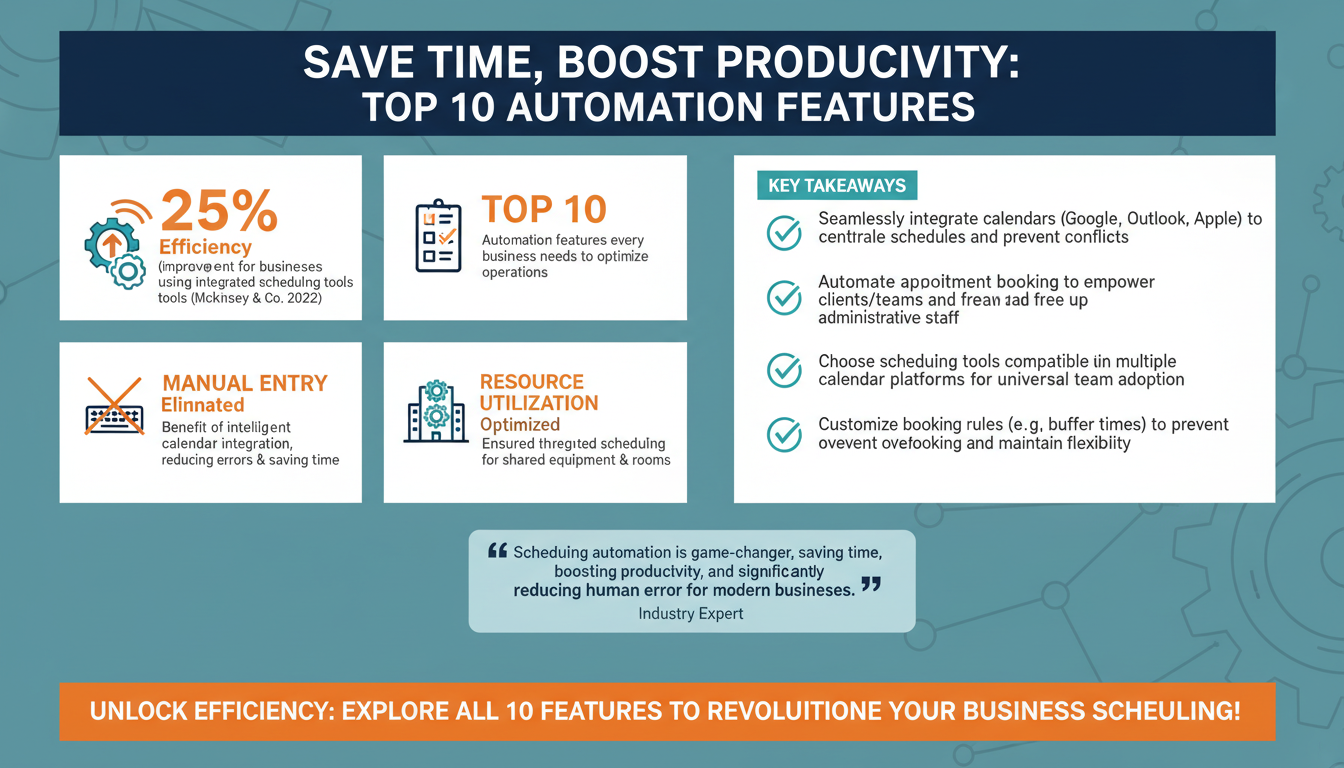
In today’s fast-paced business world, time is one of the most valuable resources for any organization. Managing schedules, coordinating tasks, and ensuring seamless workflows can be a daunting challenge, especially when done manually. Scheduling automation tools have emerged as a game-changer for businesses looking to save time, boost productivity, and reduce human error. This guide explores the top 10 scheduling automation features every business needs to optimize operations and stay ahead of the competition.
1. Intelligent Calendar Integration
One of the most essential features of scheduling automation is seamless integration with existing calendars, such as Google Calendar, Microsoft Outlook, or Apple Calendar. This functionality ensures that all scheduled activities, meetings, and deadlines are synchronized across platforms, eliminating the need for manual entry.

For example, a sales team can use scheduling tools like Calendly or HubSpot to automatically sync client meetings with their calendars. This not only minimizes scheduling conflicts but also sends reminders to all participants, reducing the chances of missed meetings.
According to a 2022 study by McKinsey & Company, businesses that adopt integrated scheduling tools see a 25% improvement in operational efficiency. This feature is particularly beneficial for remote and hybrid teams who operate across different time zones, as it ensures everyone is on the same page without needing cumbersome back-and-forth emails.
How Intelligent Calendar Integration Enhances Productivity
The ability to have a centralized view of schedules across departments and teams significantly enhances productivity. For instance, a marketing team working on a product launch can use a shared integrated calendar to align deadlines for campaign development, social media posts, and media outreach. By having all these schedules in one place, teams can identify potential bottlenecks and proactively address them.
Additionally, intelligent calendar integration can be used for resource management. For companies that rely on shared equipment or meeting rooms, integrated scheduling ensures that resources are booked efficiently without overlap. This reduces downtime and optimizes resource utilization.
Pro Tip: Streamline Cross-Platform Usage
Choose scheduling tools that offer compatibility with multiple calendar platforms. For example, if your team uses a mix of Google Calendar and Outlook, select a tool that can sync seamlessly across both. This ensures that no team member is left out of important updates.
2. Automated Appointment Booking
Gone are the days of manually booking appointments and juggling schedules. Automated appointment booking allows clients, customers, or team members to book slots that work for them directly. These systems can display real-time availability, making the process smooth and transparent.

For instance, healthcare providers like dentists and therapists use platforms like Zocdoc to let patients schedule appointments without needing to call the office. Not only does this improve the customer experience, but it also frees up administrative staff to focus on other tasks.
Actionable Tip: Opt for scheduling software that allows customizable booking rules, such as buffer times between appointments or limits on daily bookings. This ensures your team doesn’t get overbooked while maintaining flexibility.
Industry-Specific Use Cases
Many industries have adopted automated appointment booking to streamline their customer interactions. In the beauty and wellness industry, salons and spas rely on tools like Fresha to allow customers to book services online. These platforms often include features like service categorization, staff selection, and payment integration, enhancing the overall customer journey.
Similarly, in education, automated booking platforms are used for scheduling parent-teacher conferences, tutoring sessions, or campus tours. By simplifying these processes, educational institutions can improve engagement and reduce administrative burdens.
Checklist: What to Look for in an Appointment Booking System
- Real-time availability updates
- Customizable booking rules, such as buffer times
- Integration with payment systems
- User-friendly interface for both staff and customers
- Mobile compatibility for on-the-go bookings
3. Smart Notifications and Reminders
Notifications and reminders are critical for ensuring tasks and appointments aren’t forgotten. Modern scheduling tools can send automated reminders via email, SMS, or app notifications to all stakeholders involved. This feature significantly reduces no-show rates and keeps everyone aligned.

For example, a fitness trainer using a tool like Acuity Scheduling can set up automated reminders for clients 24 hours before their session. These reminders can include session details, location, and preparation tips, ensuring clients show up prepared.
Case Study: A medium-sized law firm implemented automated reminders for client consultations, reducing missed appointments by 30% within three months. The firm also saw an increase in customer satisfaction ratings, as clients appreciated the proactive communication.
Types of Notifications to Leverage
To maximize the effectiveness of notifications and reminders, businesses can leverage different types of alerts:
- Email Reminders: Best for detailed information, such as agendas or preparation steps.
- SMS Notifications: Ideal for short, time-sensitive messages like "Your meeting starts in 15 minutes."
- Push Notifications: Great for app users who need instant updates.
Combining these types ensures that reminders reach recipients through their preferred communication channels.
Pro Tip: Personalize Reminder Messages
Add a personal touch to your automated reminders. For example, include the recipient’s name, meeting purpose, or any relevant details. Personalized messages are more engaging and can improve response rates.
4. Time Zone Detection
In a globalized business environment, coordinating schedules across different time zones is often a major challenge. Scheduling automation tools equipped with time zone detection can automatically adjust meeting times based on participants' locations. This eliminates confusion and ensures everyone shows up at the right time.
For instance, Zoom’s scheduling integrations allow hosts to send invites that automatically adjust to the recipient’s local time zone. This feature is particularly useful for international teams, freelancers, and businesses with clients around the world.
Actionable Tip: When selecting a scheduling tool, ensure it supports daylight saving time adjustments to avoid discrepancies during seasonal changes.
Best Practices for Global Scheduling
When scheduling across time zones, consider the following best practices:
- Use tools that display multiple time zones side by side for easy comparison.
- Include time zone details explicitly in meeting invitations.
- Avoid scheduling during traditional off-hours for participants in different regions.
Expert Insight: The Importance of Cultural Sensitivity
In addition to time zones, be mindful of cultural differences when scheduling global meetings. For instance, some countries observe public holidays or have shorter workweeks. Researching these nuances can demonstrate respect and foster stronger relationships with international stakeholders.
5. Recurring Scheduling
Recurring scheduling is a lifesaver for businesses that need to set up regular meetings, appointments, or tasks. This feature allows users to automate repetitive bookings, such as weekly team meetings or monthly client check-ins, without needing to manually re-enter details each time.
For example, project managers can use tools like Asana or Trello to schedule recurring task deadlines, ensuring team members stay on track. Similarly, subscription-based businesses can automate recurring billing appointments, streamlining operations.
Expert Insight: According to a report by Deloitte, automating recurring tasks can save businesses up to 15 hours per week, allowing employees to focus on more strategic initiatives.
Applications of Recurring Scheduling
Recurring scheduling is widely applicable across various industries. For instance, IT service providers use it for routine system maintenance checks, while educational institutions rely on it for semesterly planning meetings. By automating these repetitive tasks, organizations can ensure consistency and avoid missed deadlines.
Checklist: Setting Up Effective Recurring Schedules
- Define the frequency and duration of each recurring event.
- Establish clear objectives for recurring meetings to prevent redundancy.
- Use analytics to review the effectiveness of recurring schedules periodically.
6. Advanced Analytics and Reporting
Analytics and reporting features provide valuable insights into how time is being spent and where bottlenecks exist. These tools can track metrics such as appointment no-show rates, average meeting durations, and peak booking times.
For example, a marketing agency using a scheduling tool like HubSpot can analyze client meeting data to identify trends, such as which services are most in-demand or which times clients prefer for consultations. These insights can inform better business decisions and improve resource allocation.
Actionable Tip: Look for scheduling software that offers customizable reports and integrates with your existing analytics tools, such as Google Analytics or Salesforce.
Using Data to Optimize Scheduling
The ability to analyze scheduling data allows businesses to make informed decisions. For example, a retail store might discover through analytics that weekend afternoons are the most popular time for customer appointments. Armed with this knowledge, the store can allocate more staff during these periods to improve service quality.
Similarly, healthcare providers can use analytics to identify trends in patient no-shows and implement targeted interventions, such as sending additional reminders or overbooking certain time slots to compensate.
Pro Tip: Automate Reporting
Set up automated reports to receive regular updates on your scheduling performance. For instance, a weekly summary email highlighting key metrics can help managers stay informed without needing to manually pull data.
7. Team Collaboration Features
Collaboration is key to productivity, and scheduling tools with team-focused features can significantly enhance coordination. Features like shared calendars, group scheduling, and task assignments ensure that everyone is aligned and working efficiently.
For instance, tools like Slack and Microsoft Teams allow team members to view each other’s availability in real time, making it easier to schedule meetings without conflicts. Some platforms also offer role-based permissions, ensuring sensitive information is only accessible to authorized users.
Practical Application: A design agency used shared calendars to streamline project timelines, enabling designers, copywriters, and project managers to collaborate effectively. This reduced project delays by 20% and improved client satisfaction rates.
Benefits of Shared Calendars
Shared calendars facilitate transparency and accountability within teams. For example, a software development team can use shared scheduling to map out sprint cycles, ensuring all members are aware of deadlines and dependencies. This minimizes miscommunication and keeps the team focused on collective goals.
Additionally, shared calendars can improve work-life balance by making it easier to coordinate personal and professional commitments. Employees can block off personal time, ensuring colleagues schedule meetings during mutually convenient times.
Pro Tip: Leverage Color-Coding
Use color-coding in shared calendars to differentiate between types of events, such as client meetings, internal check-ins, and deadlines. This visual distinction makes it easier for teams to prioritize tasks at a glance.
8. Integration with Other Software
Modern businesses rely on a variety of software tools for different functions, from customer relationship management (CRM) to project management. Scheduling automation tools that integrate with these platforms can create a more cohesive workflow.
For example, integrating a scheduling tool with a CRM like Salesforce allows sales teams to automatically log client meetings and follow-ups. Similarly, integration with payroll software can ensure accurate tracking of billable hours for freelancers and contractors.
Expert Insight: According to a study by Zapier, businesses that leverage software integrations see a 40% increase in productivity, as employees spend less time switching between tools.
Top Integrations to Consider
When selecting scheduling software, consider integrations with the following types of tools:
- CRM Systems (e.g., HubSpot, Salesforce)
- Project Management Tools (e.g., Asana, Monday.com)
- Communication Platforms (e.g., Slack, Microsoft Teams)
- Payment Gateways (e.g., Stripe, PayPal)
These integrations can streamline operations and reduce manual data entry, saving time and minimizing errors.
Pro Tip: Use Zapier for Custom Workflows
If your scheduling tool doesn’t natively integrate with a specific platform, use automation tools like Zapier to create custom workflows. For example, you can set up a Zap to automatically add new meeting participants to a Slack channel or send a follow-up email after a meeting ends.
9. Customization and Branding
Customization features allow businesses to tailor scheduling tools to match their unique needs and brand identity. This includes options to personalize booking pages, add company logos, and create custom email templates.
For example, a boutique spa can use a tool like Square Appointments to create a branded booking experience that reflects its upscale image. This not only enhances the customer experience but also reinforces brand credibility.
Actionable Tip: Choose scheduling software that offers a mobile-friendly interface, ensuring a seamless experience for customers booking appointments on their smartphones.
Enhancing the Customer Journey
Customization isn’t just about aesthetics—it’s about creating a seamless and memorable customer experience. For instance, adding FAQs or service descriptions to your booking page can help customers make informed decisions. Similarly, including a feedback form after appointments can provide valuable insights for continuous improvement.
Pro Tip: Use Dynamic Content
Incorporate dynamic content into your scheduling communications. For example, use placeholders to automatically insert the recipient’s name, appointment details, or personalized offers. This level of personalization can boost engagement and customer satisfaction.
10. AI-Powered Scheduling
Artificial intelligence is transforming scheduling automation by introducing features like predictive scheduling, natural language processing, and intelligent recommendations. AI-powered tools can analyze data to suggest optimal meeting times, predict workload trends, and even automate rescheduling based on changing priorities.
For instance, tools like Clara or x.ai act as virtual assistants, handling scheduling tasks via email or chat. These tools can interpret natural language requests, such as “Schedule a meeting with Sarah next week,” and automatically find a suitable time.
Expert Insight: Gartner predicts that by 2025, 75% of businesses will rely on AI-powered tools for scheduling and task management, highlighting the growing importance of this technology.
AI Features to Watch For
As AI technology continues to evolve, businesses can expect even more advanced features in scheduling tools. For example, sentiment analysis could be used to gauge attendee enthusiasm for proposed meeting times, while machine learning algorithms could optimize schedules based on historical trends and workload patterns.
Pro Tip: Start Small with AI
If your team is new to AI-powered scheduling, start with basic features like automated meeting suggestions or natural language processing. Gradually explore more advanced capabilities as your team becomes comfortable with the technology.
Conclusion
Scheduling automation is no longer a luxury—it’s a necessity for businesses looking to stay competitive in an increasingly complex and fast-paced world. From intelligent calendar integration to AI-powered scheduling, these features can save time, reduce errors, and boost productivity across the board.
By investing in the right scheduling tools and leveraging their full capabilities, businesses can streamline operations, improve collaboration, and enhance the customer experience. Whether you’re running a small startup or managing a global enterprise, the benefits of scheduling automation are undeniable. Start exploring these features today to unlock your team’s full potential.