
Schedly resources
Why Your Confirmation Workflow Is Costing You Bookings
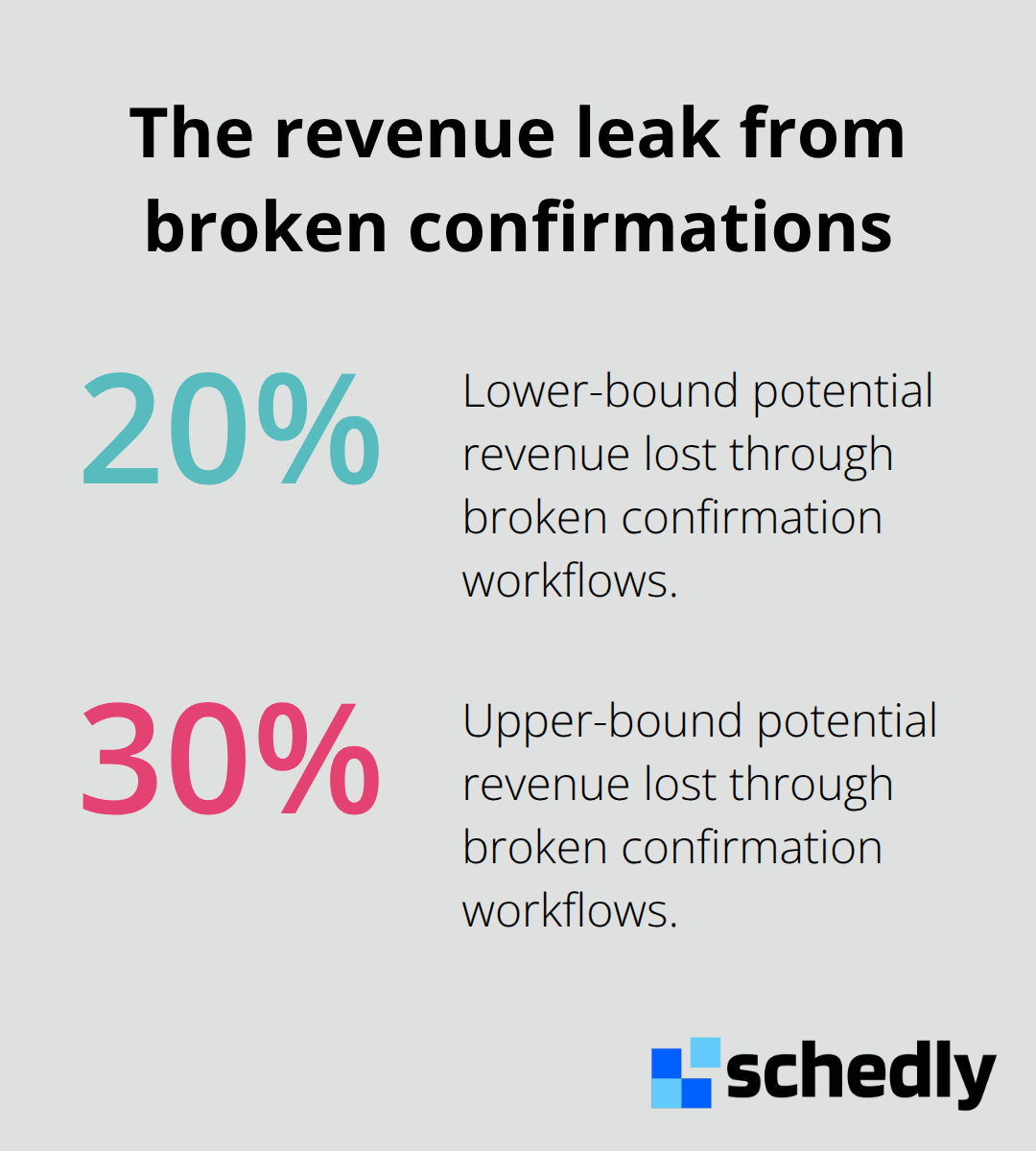
Your booking system is bleeding money, and you probably don't even realize it. Most businesses lose 20–30% of potential revenue through broken confirmation workflows that frustrate customers and drive appointment no-shows.
At Schedly, we've seen firsthand how the right confirmation strategy transforms booking rates. The difference between a chaotic manual process and an automated one isn't just convenience-it's the difference between growth and stagnation.
What's Actually Draining Your Booking Revenue
The Hidden Cost of Manual Confirmation Work
Manual confirmation workflows destroy profitability in ways most business owners never track. Staff members waste hours each week sending individual confirmation emails, chasing down clients who missed messages, and manually tracking attendance versus no-shows. Atlantic Climbing School documented this exact problem when they measured their confirmation process and found they lost 15 hours per week on confirmation tasks alone. Those hours don't vanish into thin air-they pull your team away from selling, guiding, and building customer relationships that actually generate revenue.
When your business relies on staff to manually dispatch confirmations, human error multiplies across your operation. Someone forgets to send a confirmation to a 2pm booking. A client never sees the meeting location. Another customer receives contradictory information about what gear to bring. These gaps compound into no-shows, refund requests, and negative reviews that damage your reputation far more than any time savings justify.
How No-Shows and Lost Revenue Connect
The real cost emerges in your no-show rates and lost revenue. Automated reminders reduce no-shows because customers receive timely, consistent information about their bookings without relying on someone to manually send each message. When confirmations stay manual, customers often miss critical details like meeting locations, required documents, or payment status. A client who doesn't know they need to bring their own helmet or that they still owe a deposit either cancels last-minute or shows up unprepared, creating operational chaos.
Delayed confirmations damage your conversion rates equally. If a customer books at 6pm and doesn't receive confirmation until the next morning, they've already started doubting whether their booking went through. That anxiety drives cancellations and customer service inquiries that clog your inbox. Businesses that automate confirmations maintain higher conversion rates and lower abandonment because customers feel confident their booking was received and processed.
Why Manual Workflows Fail During Peak Seasons
Manual processes also make it impossible to scale during peak seasons. When bookings surge, your team either works overtime or customers wait hours or days for confirmation-both outcomes damage revenue and customer satisfaction. Automation handles unlimited bookings at 2am on Sunday without additional labor costs, which means your confirmation system works as hard as your sales efforts demand.
The operational reality is stark: your confirmation workflow either supports growth or it blocks it. Most businesses don't realize they've chosen the latter until they examine their no-show rates and customer satisfaction scores. The question isn't whether you can afford to automate-it's whether you can afford not to. This is where understanding what actually works in confirmation automation becomes essential.
How Automated Confirmations Transform Booking Conversions
The Psychology of Immediate Confirmation
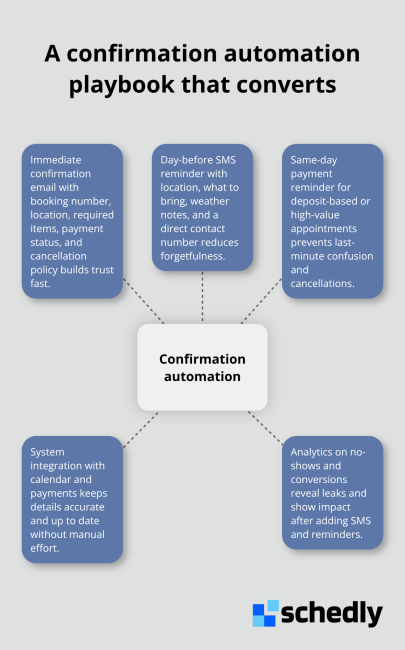
The moment a customer completes a booking, their confidence is fragile. They've made a decision, handed over payment information, and now they're waiting for proof that something actually happened. A manual confirmation process creates a dangerous gap where customers sit in uncertainty, wondering if their booking went through, if they have the right time, if they understood the location correctly. Automated confirmations eliminate customer uncertainty. When a customer receives an immediate, detailed confirmation email with their booking number, meeting location, required gear, payment status, and cancellation policy, anxiety dissolves. They feel in control. They know exactly what to expect. This psychological shift matters more than most business owners realize because it directly affects whether customers show up or cancel.
How Reminders Slash No-Show Rates
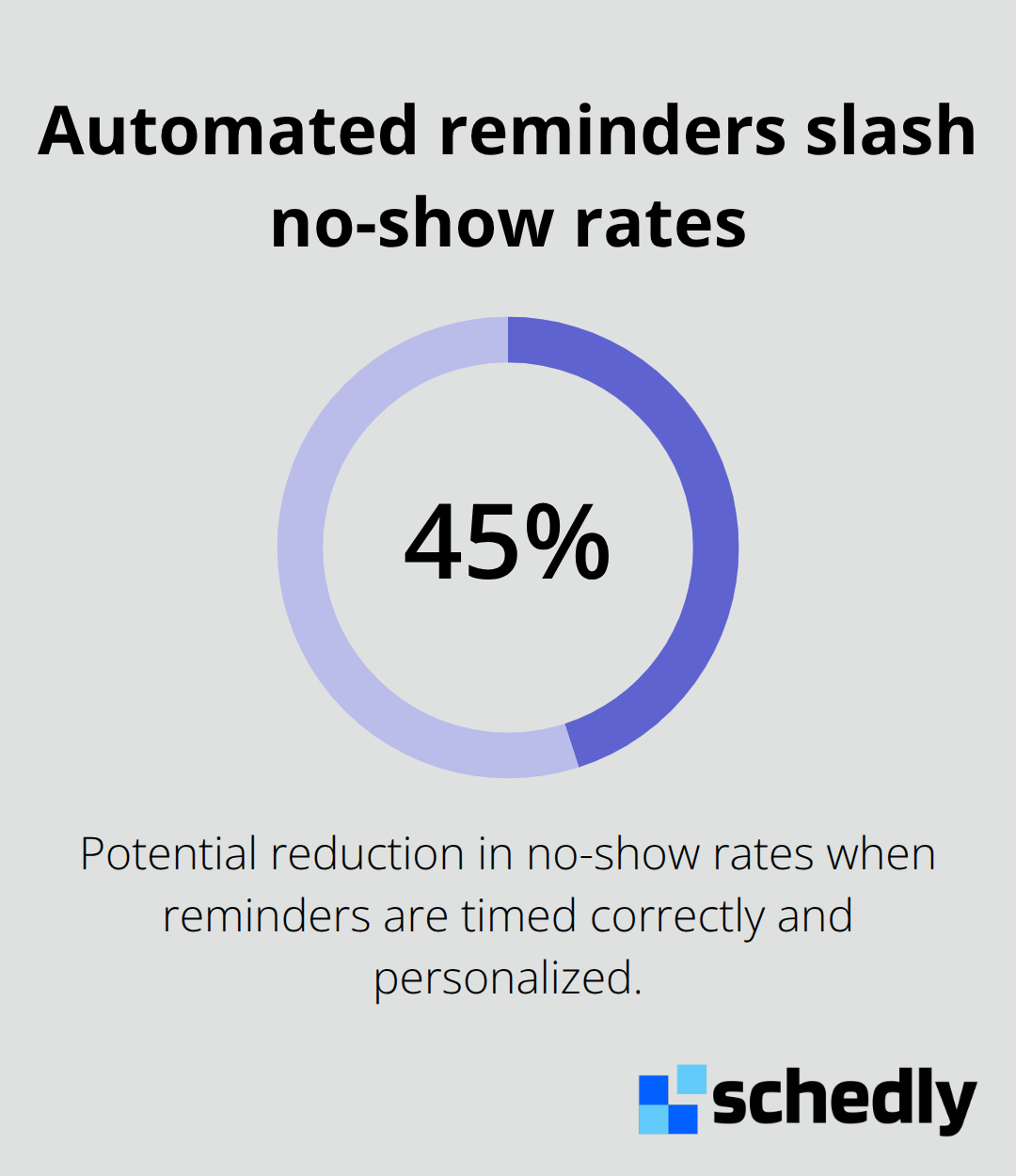
Automated reminders sent the day before an appointment cut no-show rates significantly. Research indicates automated reminders cut no-show rates by up to 45 percent when reminders arrive at the right time and include personalized details. A day-before email or SMS that includes the meeting location, what to bring, weather considerations, and a direct contact number transforms customer behavior because it removes the friction of remembering details.
Accuracy Through System Integration
Seamless integration between your booking system and email or SMS platforms means these reminders fire automatically without staff involvement, which removes human error from reminder delivery. Platforms that integrate directly with your calendar and payment systems ensure that reminders always contain accurate, up-to-date information rather than outdated details that create more confusion than clarity. A customer receives the correct meeting location, the actual payment balance owed, and the real weather forecast for their appointment day-not guesses or stale data that your team scrambled to compile.
The Revenue Multiplier Effect
The compounding effect is powerful: fewer no-shows mean higher revenue per booking period, more predictable scheduling, and less staff time spent chasing customers who forgot about their appointments. Your confirmation workflow either keeps customers engaged through every stage of their journey or it loses them to indifference and cancellations. Automation maintains momentum because customers receive consistent, timely communication that reinforces their decision to book with you. This foundation of reliable confirmations and reminders sets the stage for identifying where your booking process still leaks revenue-which is exactly where we turn next.
Where Your Confirmation System Loses Customers
Email-Only Confirmations Miss Mobile-First Customers
Most businesses think their confirmation strategy works because they send something. Email gets the job done, right? Wrong. Email-only confirmations miss the customers who never check their inbox before their appointment, ignore messages buried under promotional clutter, or use their phones for everything except reading long emails.
A customer who receives a confirmation email at 6pm might not see it until the next morning when they're already uncertain whether their booking went through. That same customer responds immediately to an SMS that arrives in real time, confirming receipt within seconds. The moment you rely exclusively on email, you've already lost a percentage of customers who need faster, more direct communication. Businesses that add SMS to their confirmation workflow watch no-show rates drop because customers receive reminders where they actually look-their phones. One-channel confirmations are not confirmations at all; they're messages sent into a void, hoping someone notices.
Day-Before Reminders Transform No-Show Rates
The second critical mistake is treating reminders as optional. Businesses that send a confirmation at booking but skip reminders before the appointment leave money on the table. A day-before reminder should be non-negotiable, not a nice-to-have feature. Research shows day-before reminders reduce no-shows significantly, yet many businesses stop after the initial confirmation email. This gap costs directly: a 10 percent no-show rate on a business with 100 weekly bookings means 10 lost appointments per week, or roughly 500 per year. If your average booking value is $150, that's $75,000 in annual revenue lost to forgetting.
Adding a day-before SMS reminder costs almost nothing to send at scale but prevents that loss. Mobile users especially need these reminders because they book on impulse, often from their phones, and then forget the details within hours. A day-before message that includes the exact meeting location, what to bring, and a direct contact number transforms behavior because it removes friction from showing up prepared.
Same-Day Reminders Eliminate Payment Confusion
Businesses that also send same-day reminders for deposit-based bookings eliminate another source of confusion: customers who thought they paid in full but actually owe a balance. Without that reminder, they either cancel last-minute or arrive unprepared, both outcomes damage your revenue and reputation. The same-day message clarifies what customers still owe and when payment is due, preventing disputes and last-minute cancellations that disrupt your schedule.
Businesses that win in their markets send reminders on a schedule: confirmation at booking, day-before via SMS, and same-day for deposits or high-value appointments. Anything less leaves revenue unclaimed.
Final Thoughts
The path forward is clear: stop treating confirmations as an afterthought and start treating them as your most powerful revenue tool. Businesses that implement multi-channel confirmations across email and SMS see immediate drops in appointment no-shows because customers receive information where they actually look. Email reaches inboxes, but SMS reaches phones, and phones are where decisions happen.
Strategic reminder timing matters equally. A confirmation at booking establishes trust, a day-before reminder via SMS prevents forgetfulness, and a same-day message for deposits eliminates payment confusion. This sequence costs almost nothing to automate but prevents the revenue loss that comes from no-shows and last-minute cancellations. Businesses that skip any of these steps leave money on the table.
Track your confirmation metrics to reveal where your booking process actually leaks revenue. Monitor your no-show rates by reminder type, compare conversion rates before and after adding SMS, and measure how many customers complete payment after receiving same-day reminders. Schedly automates this entire workflow for you, sending confirmations and reminders automatically while integrating with your calendar and payment systems to keep information accurate.