
Sell Out the Room, Not Your Margin.
Create your event, sell tickets and check guests in from one place. Free events cost nothing. Paid tickets carry a 1% ticketing fee. No monthly fee, no contract.
- $0Free events cost nothing
- 1%On paid tickets
- $0Monthly fees
- YouChoose who covers the fee



The venue, the entrance, the people. Connected.
Explore the workflows behind assigned seats, physical scanners, event passes and AI assistance. Each guide explains the setup, the decisions and the checks that matter before you go live.
Build the venue
Turn the room, the seating and the arrival plan into an offer people understand.
Explore build the venueRun every entrance
Prepare people, devices and exception handling before the first guest arrives.
Explore run every entranceDesign the admission
Make it clear what a ticket or pass includes, how it looks and how it changes hands.
Explore design the admissionManage demand
Coordinate dates, prices and sold-out demand without obscuring what buyers are purchasing.
Explore manage demandSupport the people
Give attendees useful self-service and your team appropriate access and records.
Explore support the peopleMake informed decisions
Connect promotion and reporting to practical, reviewed organizer actions.
Explore make informed decisionsSee how organizers like you would run it.
 Performing-arts venueDenver Center for the Performing ArtsHow a multi-theatre performing-arts venue sells seats, subscriptions and matineesRead the scenario
 Professional sports teamColorado RapidsHow a professional soccer club runs season passes, match tickets and group nightsRead the scenario
 Theme and water parkDollywoodHow a theme park sells day tickets, season passes and seasonal eventsRead the scenario
 Museum and visitor attractionDenver Art MuseumHow an art museum manages timed entry, memberships and ticketed exhibitionsRead the scenario
 Multi-day music festivalLollapaloozaHow a multi-day festival sells passes and add-ons and manages entrancesRead the scenario
 Conference and expoSXSWHow a conference and expo operator runs delegate registration and session admissionRead the scenario
 Multi-event arenaMadison Square GardenHow an arena hosting concerts, games and family shows runs every event from one planRead the scenario
 Outdoor concert venueRed Rocks Park and AmphitheatreHow an outdoor amphitheatre handles weather, age rules and a long climb to the gateRead the scenario
 Aquarium and attractionGeorgia AquariumHow an aquarium sells timed entry, encounters and group visitsRead the scenario
 High-demand fan conventionSan Diego Comic-ConHow a high-demand fan convention plans badge sales, waitlists and panel accessRead the scenario
 Baseball club, full-season plansColorado RockiesHow a baseball club sells full-season, partial and flex plans over eighty-one home datesRead the scenario
 Ski resort, season passesWinter Park ResortHow a ski resort sells season passes, day tickets and event days with clear pass rulesRead the scenario
Whatever you are putting on, start here.
Workshops
Capacity tied to materials and instructor time.
See howConcerts
Door times, age rules and admission terms people actually read.
See howConferences
Pass choices, delegate details and the 8:45 arrival rush.
See howCommunity events
Free RSVPs, access information and a volunteer-friendly door.
See howSell it. Fill it. Open the doors.
Set up ticket types
Create free, paid, donation or tiered event tickets, then set the price, quantity and sales window for each offer. Set minimum and maximum quantities per order, and review the buyer-facing ticket card in the live preview before you publish.
A workshop can separate admission from optional materials; a concert can explain early-bird and general-admission tickets. Give each option a clear name and description so guests know what their ticket includes. For paid tickets, choose whether you cover Schedly Events’ 1% ticketing fee or pass it to the buyer.
Online ticketingAsk what the night needs
Build event registration forms around the information your team will actually use. Ask order-level questions once, collect individual attendee details where needed, and mark questions as required or optional. Keep consents and waivers alongside the registration workflow rather than relying on a separate email exchange.
For a conference, that might mean delegate names and access requirements. For a workshop, it could be dietary needs or experience level. Preview the checkout for each ticket type before launch, then export answers for the people preparing the event. A group buyer should not have to answer the same order-level question for every guest.
Registration questionsReward the people who bring friends
Create event promo codes with percentage or fixed discounts, restrict an offer to eligible ticket types, and set usage limits and expiry. The code list keeps redemptions visible so you can compare the offer you planned with the discount people actually used.
Give a community partner a defined allocation, thank returning attendees, or make a limited offer for early supporters. Decide the audience and maximum discount budget before sharing the code. Test an eligible ticket and one that should not qualify, then review code usage alongside your product sales report before repeating the promotion.
Promo codesKeep guests informed
Manage event attendee messaging from the event itself. Compose an update for all attendees, ticket holders, or order owners with specific products. Save a draft while your team checks the details, and use sent history to see which updates have already gone out.
Send arrival instructions before doors open, explain a venue change, or follow up with a thank-you after the event. Put the date, entrance and action guests need to take near the top. Target a ticket-specific update to the people it affects instead of making every attendee work out whether the message applies to them.
Attendee messagingSee what actually sold
Use event ticket sales reports to compare units sold, gross sales, recorded taxes and service fees by ticket type or add-on. Change the date range, review daily sales and download a CSV when you need to work with the numbers outside Schedly Events.
Keep sales and attendance separate: orders placed, tickets sold and guests checked in answer different questions. Compare the event dashboard with check-in progress to understand turnout, then use the results to plan the next event’s ticket mix and capacity. Treat gross sales as a sales measure, not a promise of your final payout.
Reports
There is more behind every tab.
Explore the full productEvery event, venue and teammate in one organizer account.
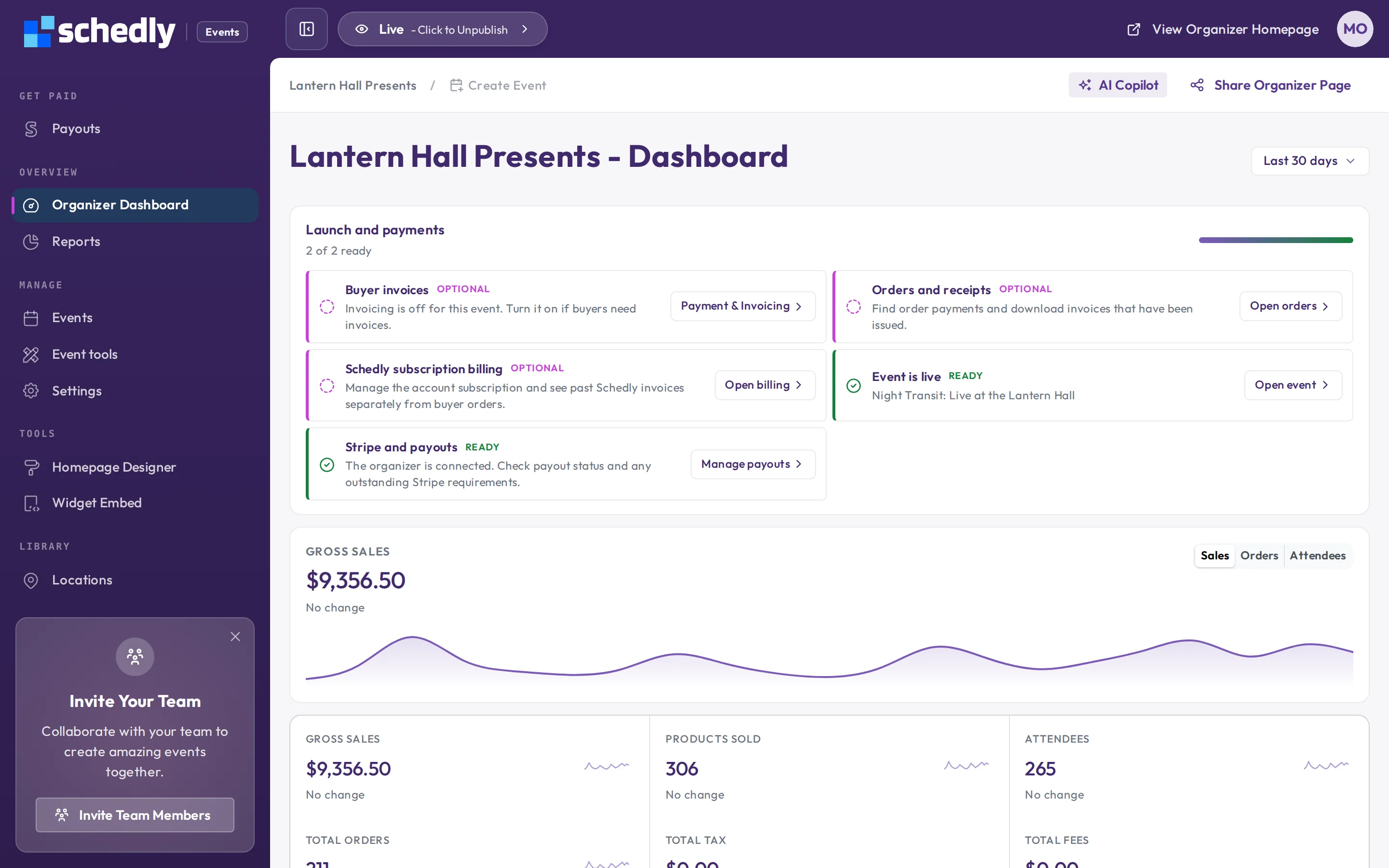
From announcement to the last guest through the door.
Independent organizers wear every hat. Schedly Events is built around the order things actually happen, so each stage has a home.
- T-minus 6 weeks
Announce
Design an event page with the essentials up front: date, venue, doors, access notes and what each ticket includes.
- T-minus 5 weeks
Open sales
Set ticket types and prices, decide whether buyers cover the 1% ticketing fee or you absorb it, then run a test purchase.
- T-minus 2 weeks
Fill the room
Share promo codes with the communities who will bring friends. Watch reports to see which ticket types are moving.
- Day of
Doors
Brief the door team, scan QR tickets and use attendee lookup for the guests who arrive with a screenshot or nothing at all.
- After
Encore
Message attendees with a thank-you or follow-up and compare sales against attendance for the next one.
Everything the night needs. Nothing it does not.
- Sell
Online ticketing
Build a ticket offer around real costs, sale windows and who the ticket is actually for.
Learn more - Admit
QR check-in
Scan tickets at the door and look attendees up when a phone battery dies.
Learn more - Collect
Registration questions
Ask what you need to run the event, and nothing you do not.
Learn more - Sell
Promo codes
Give early supporters and partners a reason to buy, with a budget behind it.
Learn more - Inform
Attendee messaging
Arrival details, schedule changes and a thank-you after the lights come up.
Learn more - Announce
Event homepage designer
A page that answers what, when, where and how to get in before anyone has to ask.
Learn more - Review
Reports
Tickets sold, orders placed and people through the door are three different numbers. Track all three.
Learn more - Announce
Website widgets
Put ticketing on the website you already have, and keep a direct link as a fallback.
Learn more
Two numbers. That is the whole price sheet.
Free events cost nothing. Community meetups, open days, RSVP-only gatherings.
A 1% ticketing fee on paid tickets. Pass it to the buyer or absorb it yourself.
Buyer pays$25.25
Your face-value revenue$25.00
Buyer pays$25.00
Your face-value revenue$24.75
Free tickets have no platform fee. Paid ticket and add-on sales carry a 1% platform fee on the discounted, pre-tax amount, with no fixed per-ticket platform charge. No monthly fee or contract. Pass the platform fee to the buyer or cover it yourself. Stripe processing fees are separate; payout timing and eligibility depend on Stripe. Negotiated rates may differ.
Plan the night with free tools and honest guides.
- CalculatorTicket-fee calculator
- CalculatorBreak-even calculator
- PlannerBuild your event budget
- ChecklistFestival planning checklist
- GuideRun a tested first event
- ScenariosCustomer scenarios
- LibraryAll guides, templates and tools
- No monthly fee
- No contract
- Free events stay free
Your event deserves a front door.
Create your event, sell tickets and check guests in. Free events cost nothing. Paid tickets carry a 1% ticketing fee, with no monthly fee or contract.